My Product Images Keep Disappearing?
My Product Images Keep Disappearing?
If your product images continually disappear after Publishing or making changes to the product page, please follow the steps below:
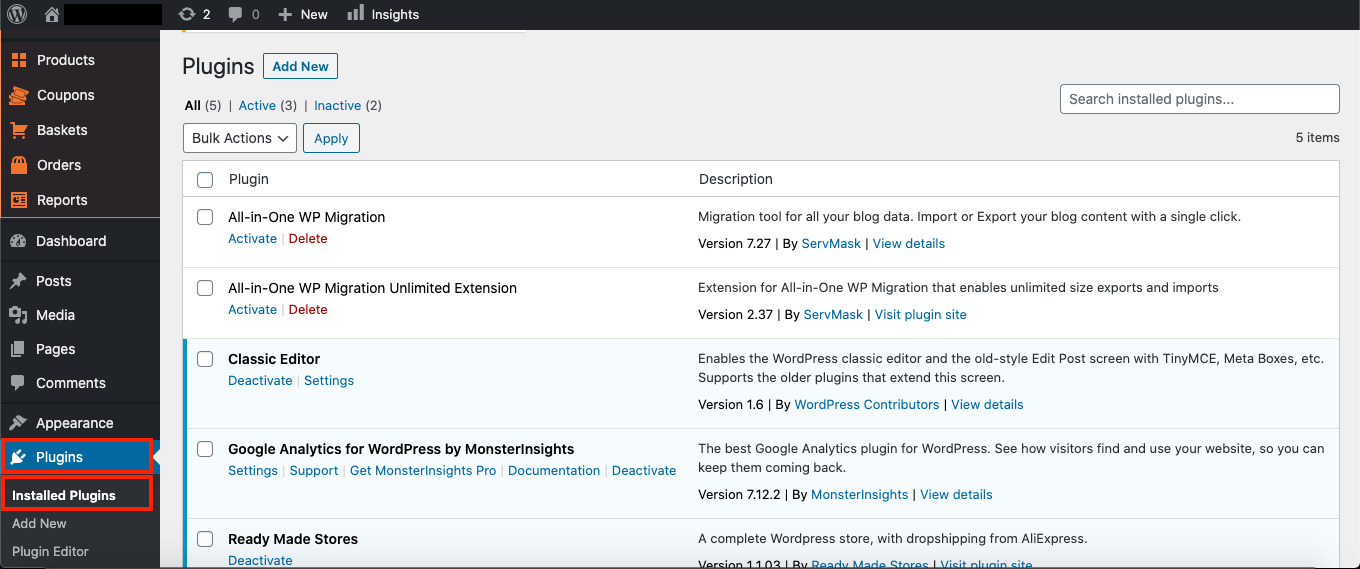
a) log into your store dashboard and go to:
> Plugins > Installed Plugins
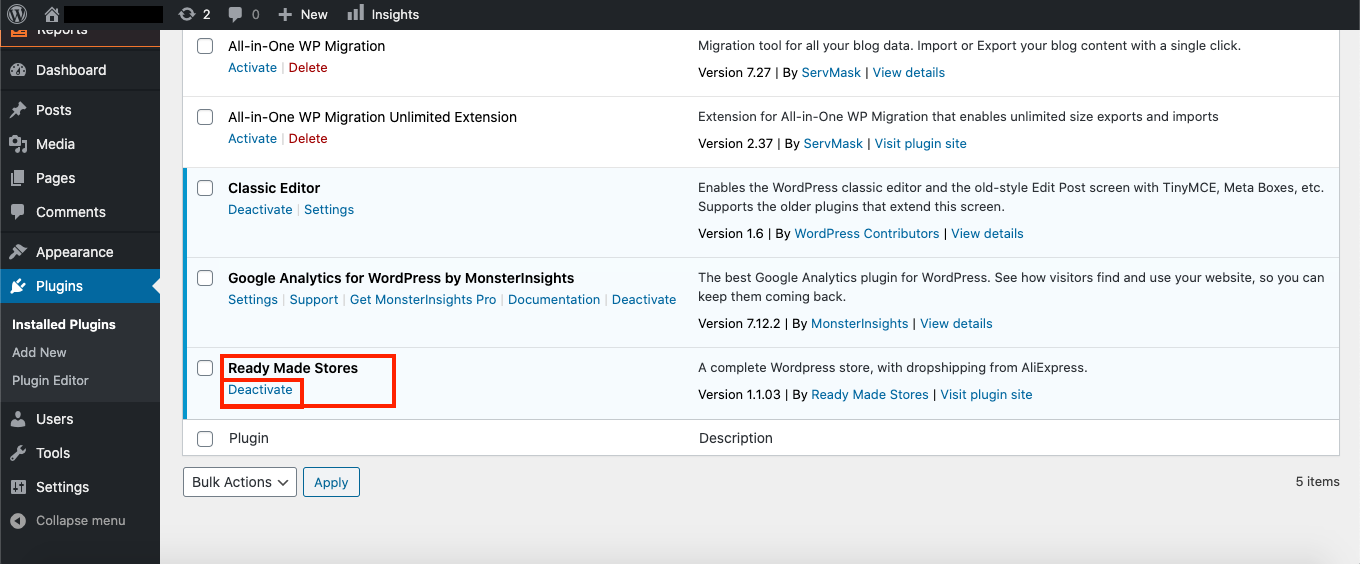
b) Find the Ready Made Stores plugin, and underneath it, click 'Deactivate':
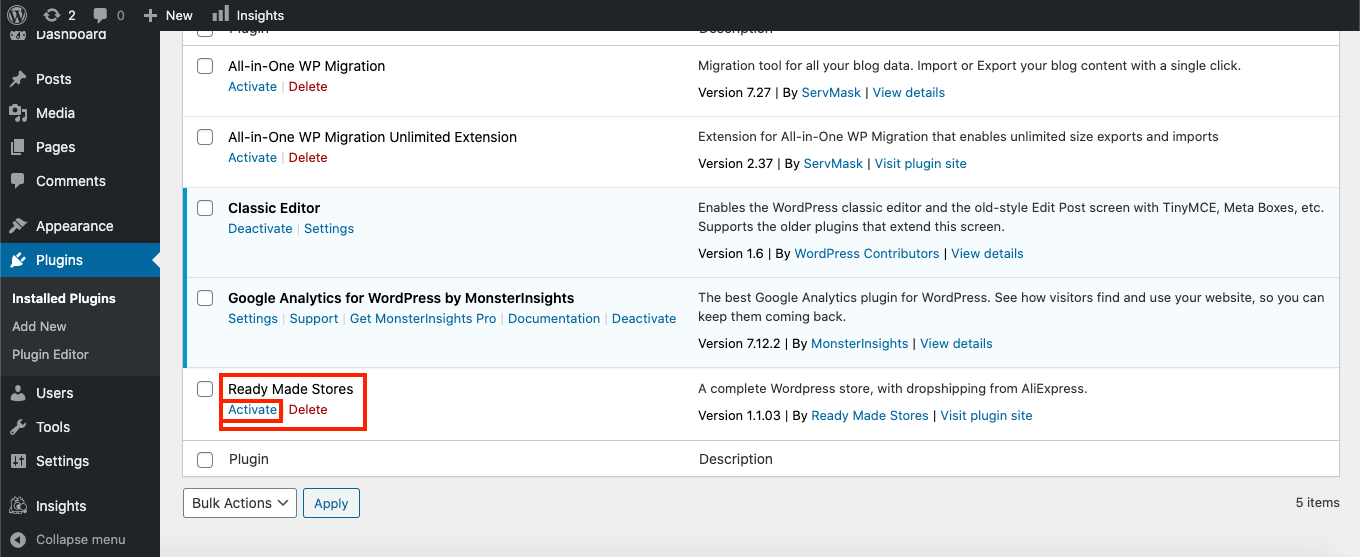
c) Now reactivate the Ready Made Stores plugin by clicking 'Activate':
d) Refresh the browser and wait 5 minutes:
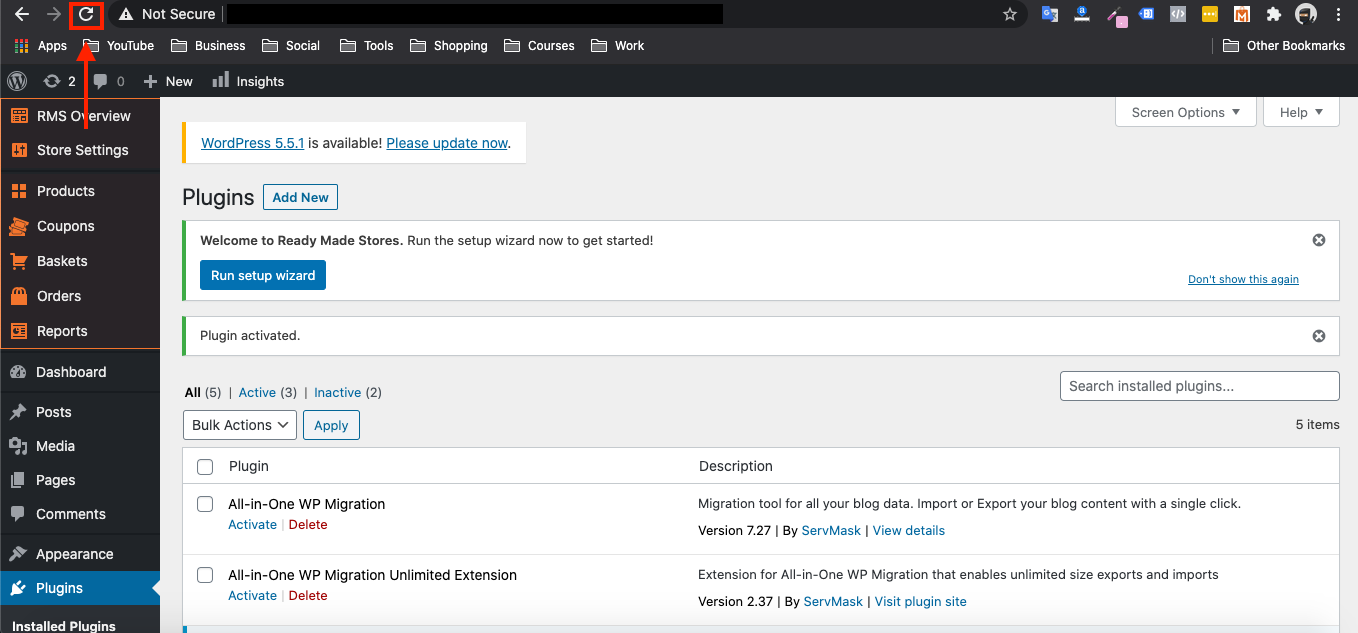
After 5 minutes has past, the Ready Made Stores plugin will then update itself which should fix the issue.
If the problem persists, please raise a ticket here and we will look into it for you
Related Articles
How To Add AliExpress Images To My Product?
How To Add AliExpress Images To My Product? 1. Download this Google Chrome Extension. 2. Click this small icon at the top of your Google Chrome Browser and pin the 'AliSave Chrome Extension' (make the pin turn blue): 3. Log into your store backend ...How To Download Images From My Store More Easily?
How To Download Images From My Store More Easily? 1. Download this Chrome Extension Tool: https://chrome.google.com/webstore/detail/webp-image-converter/pbcfbdlbkdfobidmdoondbgdfpjolhci 2. Click this jigsaw icon in the top right of you Google Chrome ...Product customization
Product customization You can edit titles, images, descriptions, shipping options, unpublish or remove product variants, etc. To customize a product, go to the Products section in your WP admin area, select a product to edit, and make necessary ...Product Options
Product Options General In the General section you can check and customize general information about the product. Since the plugin imports products from AliExpress in US Dollar ($), it is set as the default currency. This currency may be changed to ...How To Import Product Reviews
How To Import Product Reviews To 'Import Product Reviews', from the store dashboard go to: > Products > Import Reviews From within this page there are many different options and criteria to choose from when 'Importing Reviews':- Products in: ...