How To Download Images From My Store More Easily?
1. Download this Chrome Extension Tool: https://chrome.google.com/webstore/detail/webp-image-converter/pbcfbdlbkdfobidmdoondbgdfpjolhci
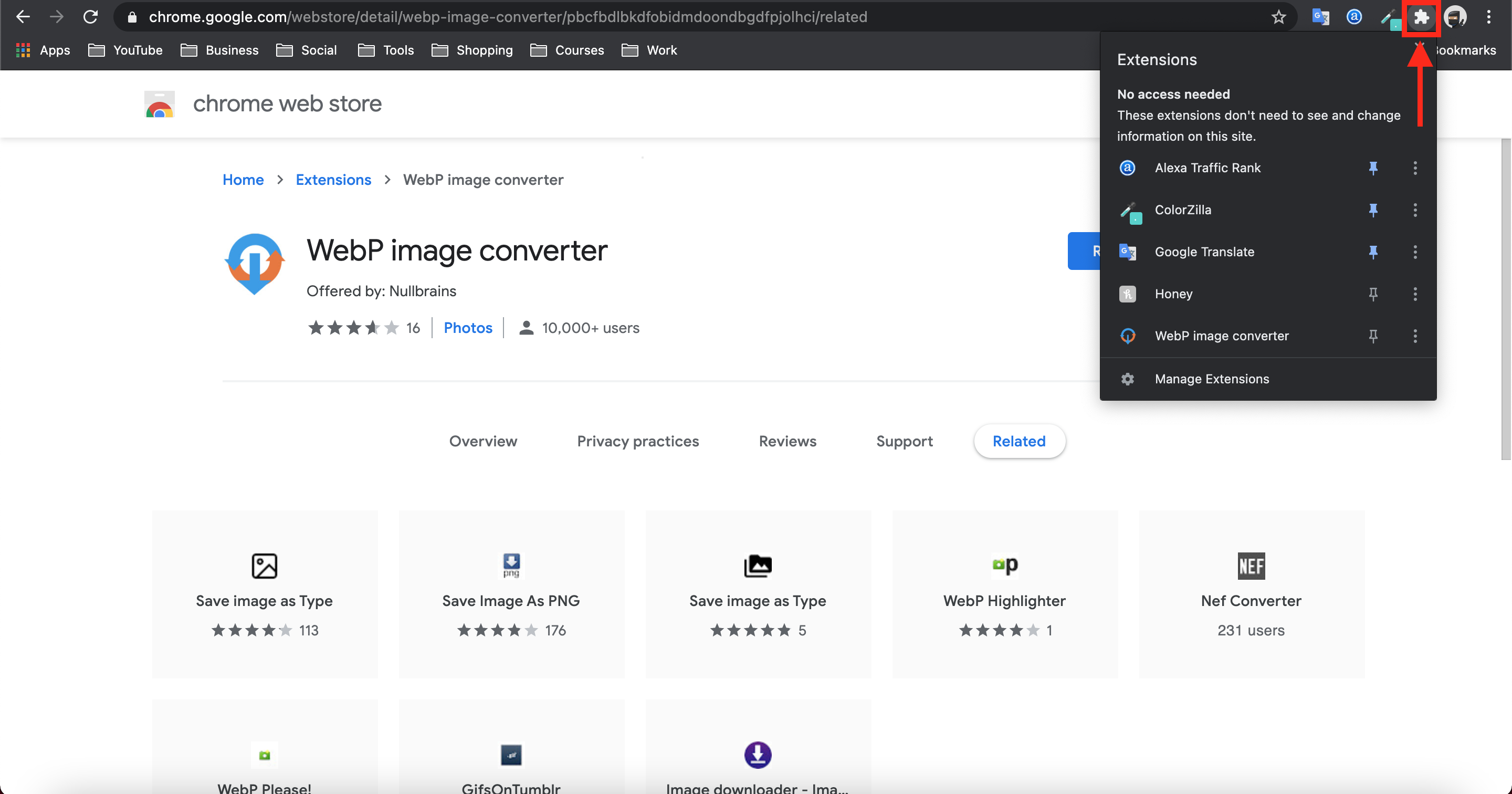
2. Click this jigsaw icon in the top right of you Google Chrome browser:
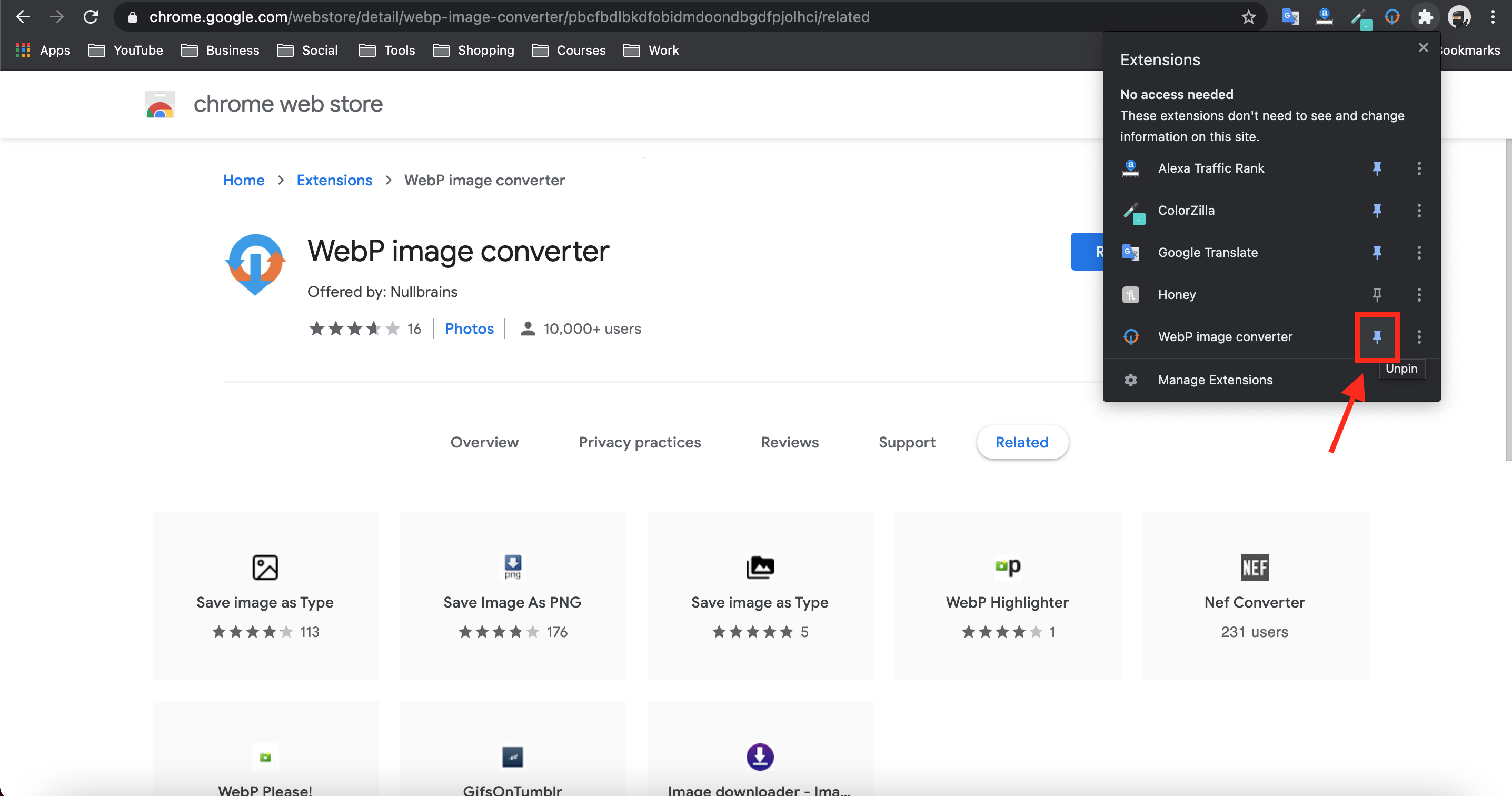
3. Click the pin icon next to 'WebP image converter':
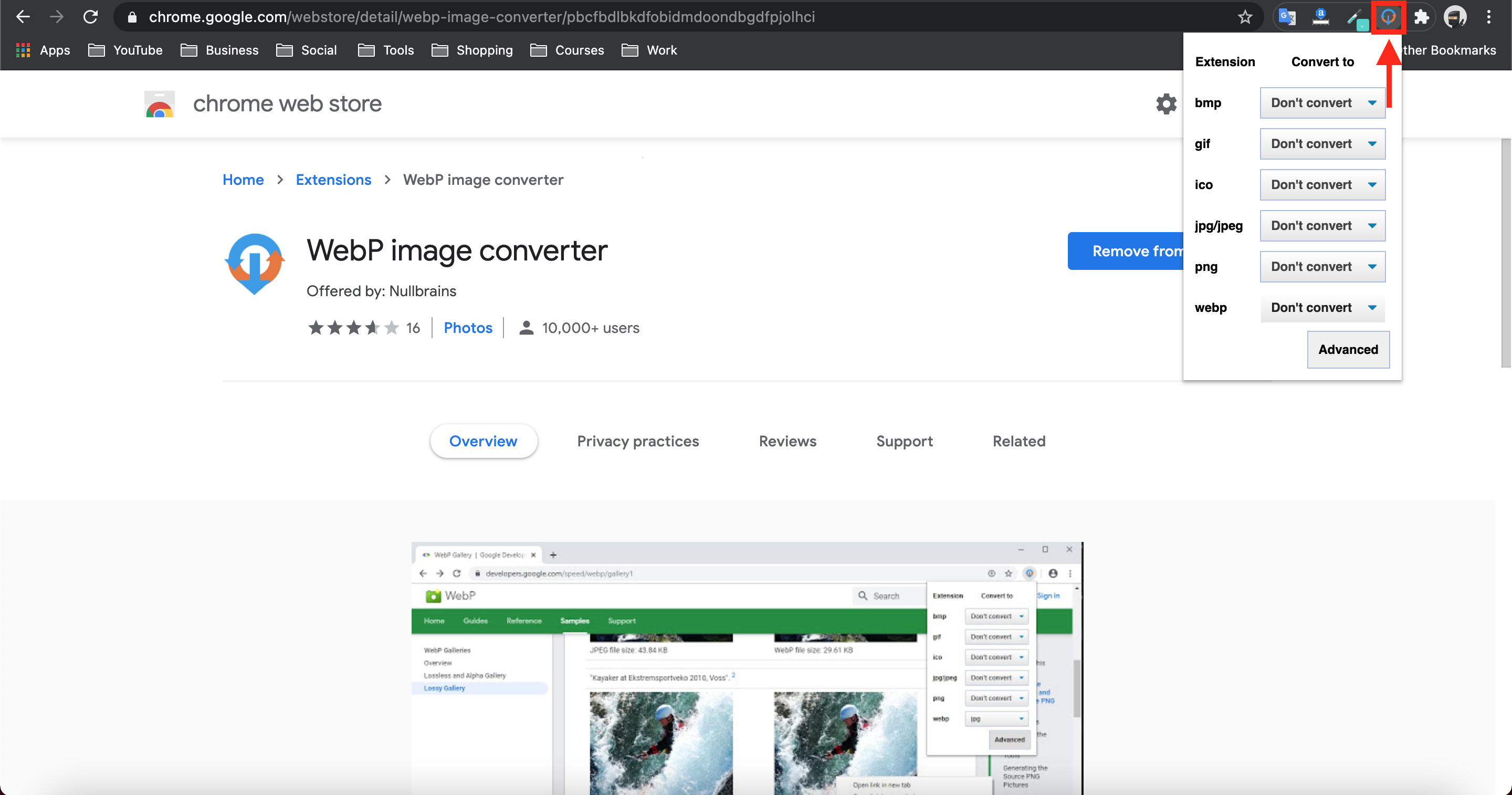
4. Click the 'WebP image converter' icon in the top right hand corner of your browser:
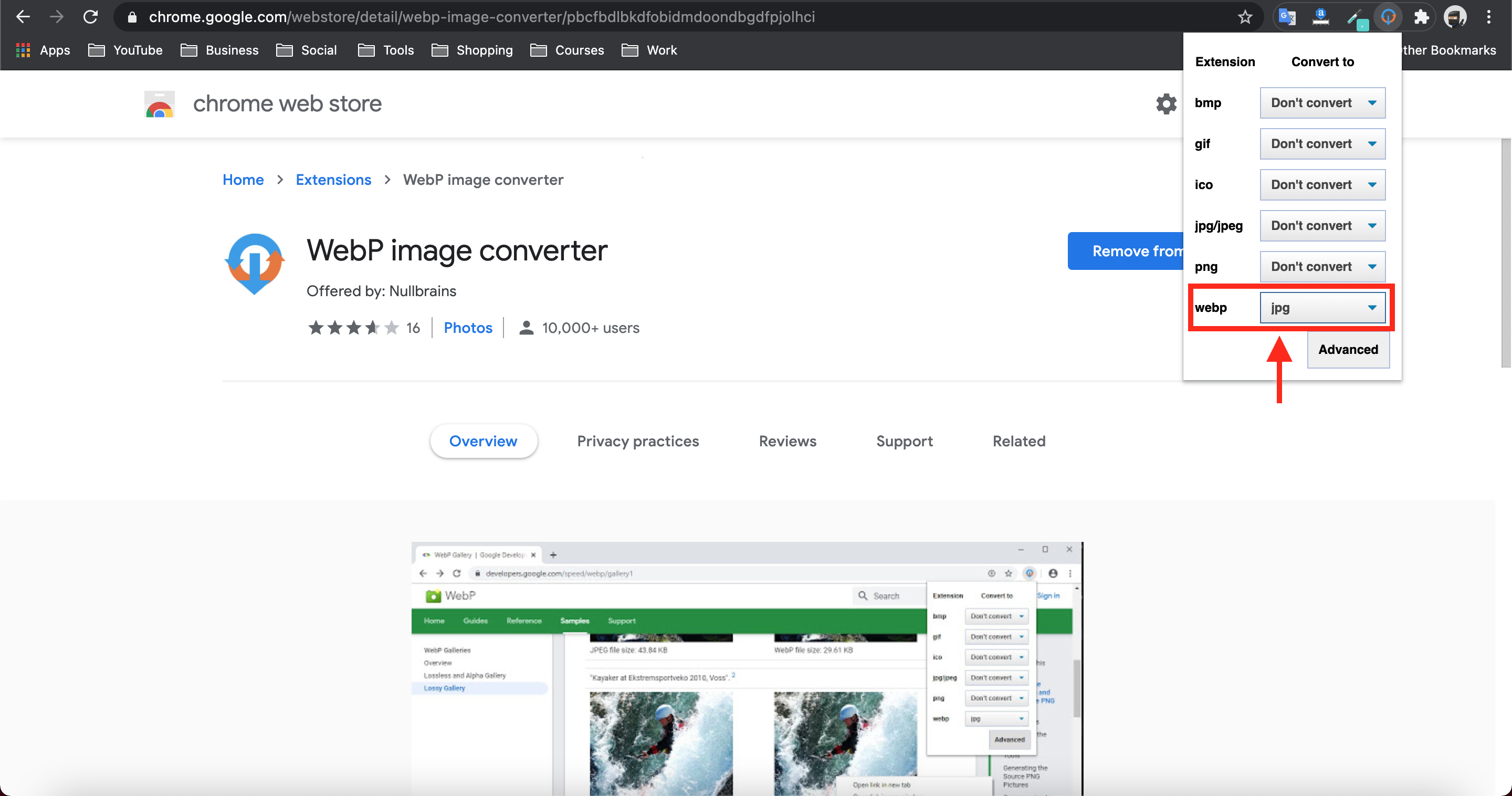
5. Convert 'webp' to 'jpg':
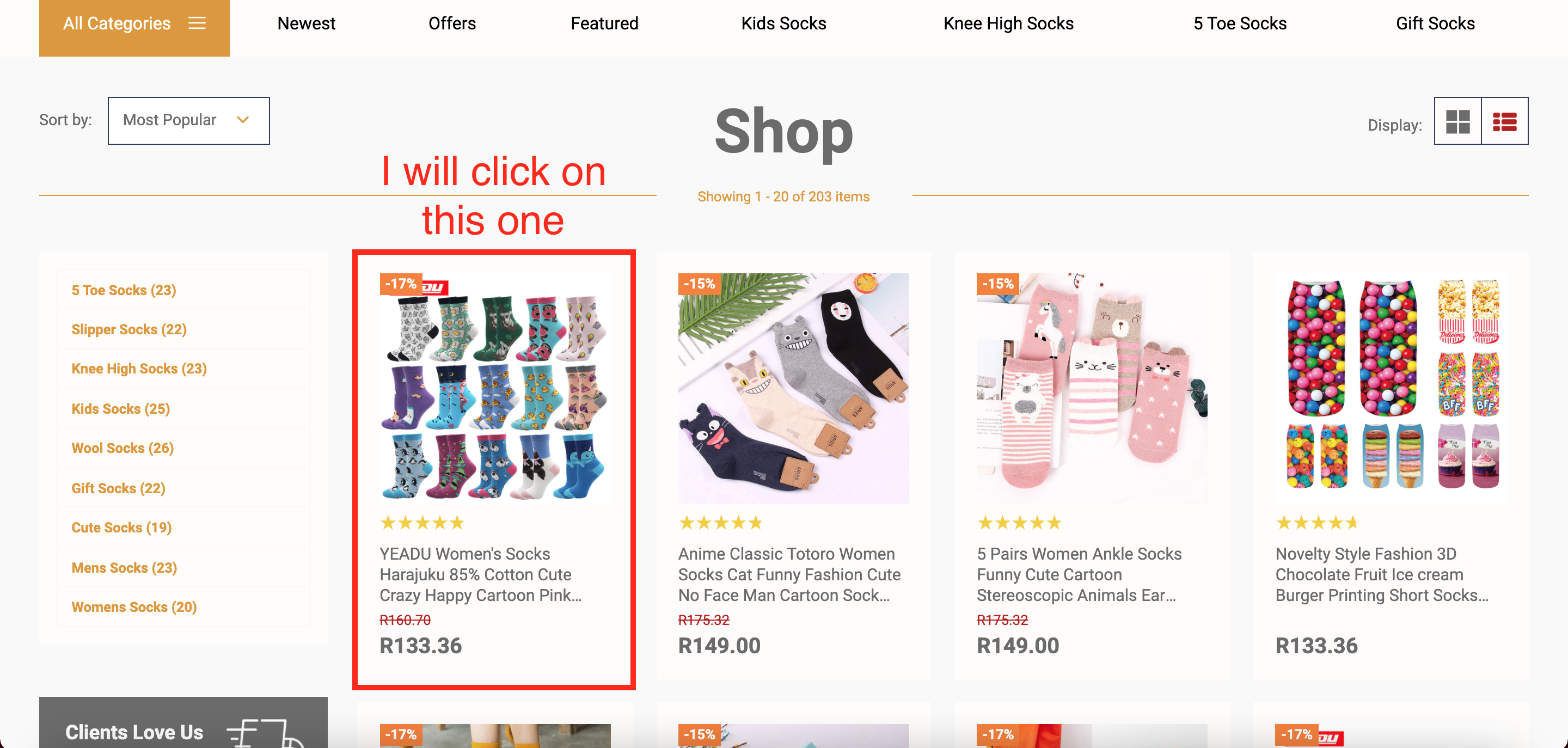
6. Open your store like a customer (front end) and click on the product you would like to download the images from:
7. Now click the image that you'd like to download: 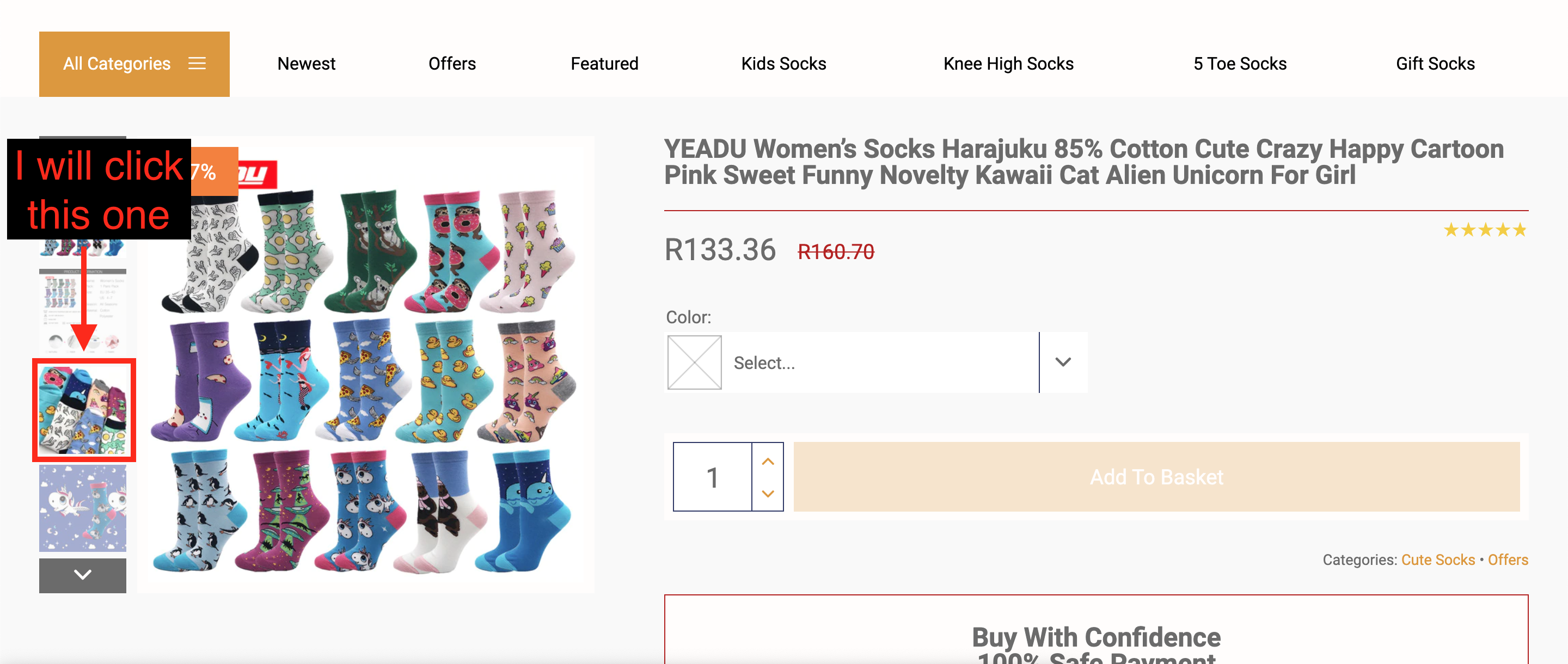
8. When the image you want to download is large like below, simply right click on it and choose 'Convert and save image as':
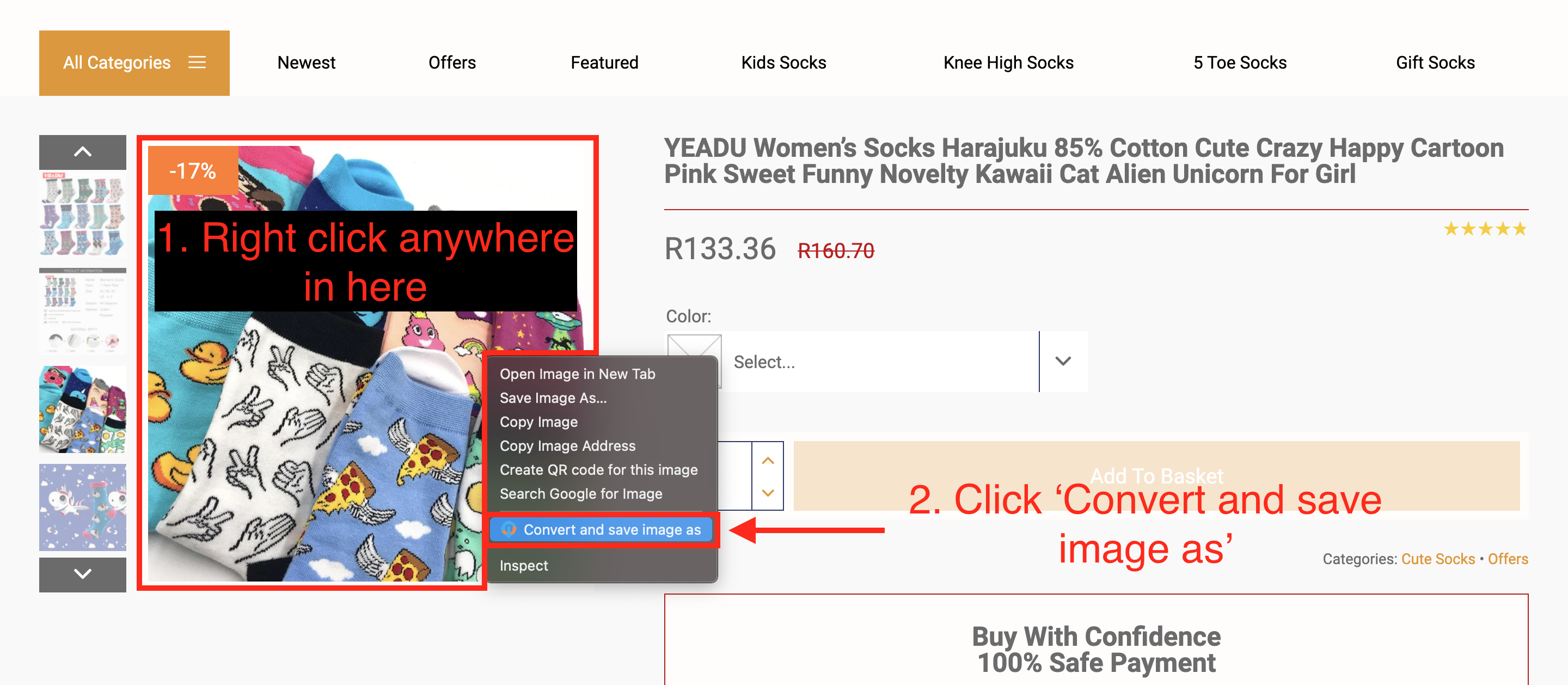
9. Save the image wherever you like.
Tip: repeat steps 7 to 9 to download other images from the same product.
Related Articles
How To Post/Pin On Pinterest?
How To Post/Pin On Pinterest? Please see the video below to learn how to post on Pinterest: To download product images from your store for use in your posts/pins, please see this article: (How To Download Images From My Store More Easily?)How To Post On Facebook?
How To Post On Facebook? Please see the video below to learn how to post on Facebook: To download product images from your store for use in your posts, please see the article: (How To Download Images From My Store More Easily?)How To Add AliExpress Images To My Product?
How To Add AliExpress Images To My Product? 1. Download this Google Chrome Extension. 2. Click this small icon at the top of your Google Chrome Browser and pin the 'AliSave Chrome Extension' (make the pin turn blue): 3. Log into your store backend ...How to use Pinterest for your store
Why it is a good idea to promote a store on Pinterest Consider these numbers: There are over 200 million active Pinterest users (as of September 2017) Just imagine what a huge audience you can reach through thoughtful promotion. 60% of Pinterest ...My Product Images Keep Disappearing?
My Product Images Keep Disappearing? If your product images continually disappear after Publishing or making changes to the product page, please follow the steps below: a) log into your store dashboard and go to: > Plugins > Installed Plugins b) Find ...