How to use Pinterest for your store
Why it is a good idea to promote a store on Pinterest

- There are over 200 million active Pinterest users (as of September 2017)
Just imagine what a huge audience you can reach through thoughtful promotion.
- 60% of Pinterest users are female
Not bad! It gives you an opportunity to target a specific segment of your potential buyers, so it’s a good place to start.
- 85% of Pinterest users access it from mobile (as of September 2017)
You see? You have a chance to directly interact with progressive and open-minded audience that actively uses the newest technologies.
- On average, people search something on Pinterest 2 billion times every month (as of July 2016)
In other words, this social network is actually popular, and Internet users think that this is a nice source of information.
- 55% of online shoppers in US name Pinterest their favorite social media platform (as of June 2016)
No comments!
So, now, when you see how important it is to promote your store on Pinterest, let’s talk about the mechanics. There is nothing super difficult, and you can safely use these basic steps to increase the efficiency of your marketing efforts.
How to use Pinterest for business: setting up an account
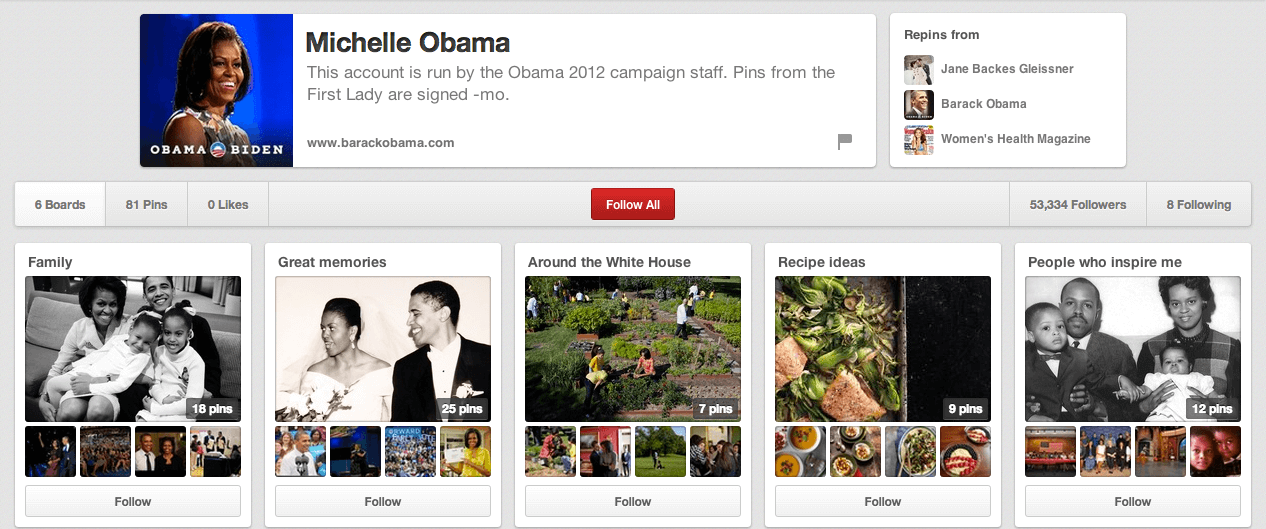
Basically, similar to other social networks, Pinterest gives you an opportunity to run either a personal or a business account.
We will describe paid promotions in Pinterest accounts in our further posts, and, as for now, let’s concentrate on the basic rules of running any type of Pinterest account WITHOUT ANY EXTRA COSTS.
The first thing you need to consider when you create your Pinterest account is its name. The best idea is to simply use the name of your business because:
- It’s the first thing people see when they visit this page
- It’s perfect for your brand recognition
- It is good for SEO
Of course, it’s wise to also pay attention to the profile picture: ideally, the best solution is to take your store logo.
And finally, setting up your profile, don’t forget to write a catchy ‘About’ section! You have 160 characters to introduce yourself, describe your business, and motivate people to look through your boards and pins. Quite a tempting challenge, right?
TIP: include your webstore address in your profile description. It will be really helpful for people who got interested in your posts and decided to check out the store offer as well.
How to use Pinterest for business: connection and integration

After you’ve mentioned your webstore address in your Pinterest account, make sure that your store, in turn, is also integrated with this social media.
It’s really easy, and you can do it in a number of ways.
Go to the Widget Builder page on Pinterest – here you can choose any of the possible options to connect your store to the social network:
- ‘Follow’ button – by clicking it, a person automatically follows your account on Pinterest
- ‘Save’ button that lets people save any picture from your website
- Pin widget that shows one of your pins on your website
- Board widget that shows one of your boards on your website
- Profile widget that shows a miniature of your profile on your website
TIP: connect your Pinterest account to all the other social networks’ accounts your store has. Such integration will help you get more followers because your profile viewers will be able to easily go from one account to another.
How to use Pinterest for business: website optimization

As soon as your website gets fully integrated with your Pinterest account, it’s time to look at the webstore and check if it is Pinterest-friendly.
What do we mean?
People won’t be able to pin and save pictures from your store if it doesn’t have any!
When you write articles for your webstore blog, make sure that every post has at least one picture in it.
Of course, the pictures should be bright, clear, and of high quality. A good-looking picture is likely to be shared on Pinterest more often, so take your time to choose the nicest ones.
TIP: edit the images you post in your articles, and add watermarks to them. This is exceptionally important for your products’ photos, and not for generic stock images you take from the Internet. Make sure that the watermark is clearly visible, but not too big and bright – it shouldn’t distract viewers from the image itself, and it shouldn’t overlay important details of the image.
How to use Pinterest for business: content strategy

Since we’ve started talking about images and their quality, it’s now time to discuss what exactly you need to post in your Pinterest feed.
Here are the core rules to follow when you run your Pinterest account:
- Use visually appealing images that motivate your followers to make further action (repin the image, click on the provided link, visit your website, and eventually make a purchase).
- When you post the pictures showing the items you sell, try to demonstrate the product from different angles, and show all of its variations. If you carefully select your products on AliExpress, it won’t be a problem for you to take multiple good photos from the original seller’s description.
- Pin images that are related to your business and to your store niche. It should be interesting and entertaining for people to look through your account, so mix promotional posts with more generic images.
- Take your images from different sources: if all of the pictures are obviously taken from 2-3 websites, it soon gets boring. People come on Pinterest for inspiration and clever ideas, which is why you need to give them what they want.
- Become an enlightener and teacher for your followers! Tell them useful tips and tricks, educate them, share own stories and experience, and they will gladly wait for the newest pin to learn something more about your products and niches. The more useful is your content, the more often your posts will be repinned.
- Be really careful about the descriptions under your pins! Don’t forget to include your store links when necessary, and add a clear call-to-action. When your post gets repinned, its description is shared, too, so the whole Pinterest community gets the chance to learn more about your wonderful business. And of course, you want people to find these posts easily, so mind the relevant hashtags and keywords.
TIP: don’t forget about technical requirements. Pinterest is mostly viewed from mobile devices, and the platform has some recommendations about the pictures’ aspect ratio. The best one is 1:3,5 (it means, for example, 100×350 pixels, or 200×700… well, you got the idea). Such narrow vertically oriented pins stand out from other pictures, and also, they look great when a person scrolls down the page. Don’t miss out such an easy chance to grab their attention!
How to use Pinterest for business: managing boards
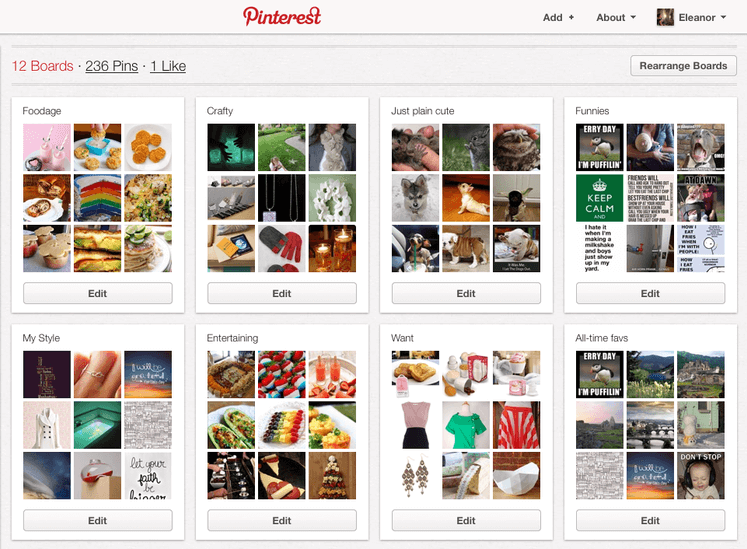
The more boards you have, the more subjects you can cover, and the more opportunities you have to reshare pins between boards (when appropriate). Stick to one topic per board, and don’t get carried away with posting irrelevant images.
Pay attention to the board names – they should be short, recognizable, and catchy because they also get shared when you pin something. The same goes for board descriptions: fill them with relevant keywords so that people could easily find this type of content and quickly understand what’s the topic of the board.
Remember that you can rearrange the boards and place the most important 5 of them on the top of your page. You can change their position as often as you like if you want to promote specific products and item sets from your store.
Related Articles
How To Post/Pin On Pinterest?
How To Post/Pin On Pinterest? Please see the video below to learn how to post on Pinterest: To download product images from your store for use in your posts/pins, please see this article: (How To Download Images From My Store More Easily?)How to Use AI Features in Your Ready Made Ecommerce Store
How to Use AI Features in Your Ready Made Ecommerce Store Video Tutorial The AI-powered features in your Ready Made Ecommerce plugin help you automatically enhance product listings, generate compelling descriptions, and optimize SEO metadata. This ...How to use Facebook Ads
Facebook Ads can take your drop shipping business to a brand new level – or, in some cases, cause damage. This will never happen if you go by our instructions and treat them right! When you start your dropshipping business, you come to a conclusion ...Boost a Drop Shipping Store Performance Through Instagram Paid Ads
Boost a Drop Shipping Store Performance Through Instagram Paid Ads Why use Instagram paid ads for drop shipping? Drop shipping is a really specific type of business, we must say. Basically, your customers buy products they’ve never seen in real life, ...How To Add A Live Chat To Your Store (Crisp Live Chat)
How To Add A Live Chat To Your Store? To add a live chat function to your store, go to: > Plugins > Add New From within this page, click the search box in the top right hand corner: In the search box, type in 'Crisp Chat': This is the one we want ...