Product Options
General
In the General section you can check and customize general information about the product.
Since the plugin imports products from AliExpress in US Dollar ($), it is set as the default currency. This currency may be changed to another one.
- Simple product (product without variations). Product price is the original product price with pricing formula already applied. Sale price is the current sale price set according to your pricing formula. The Discount field shows how many per cent will be off the product.
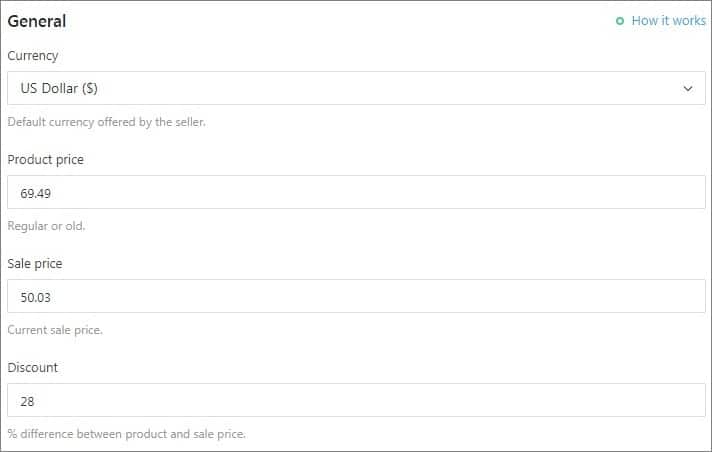
Add the total number of available items in Quantity, number of items in the package in Lot number, product rating in Rate, numbers of orders placed in Orders and comments about the product in Notes. These fields remain unchanged when you update product price and stock, you may customize them the way you want.
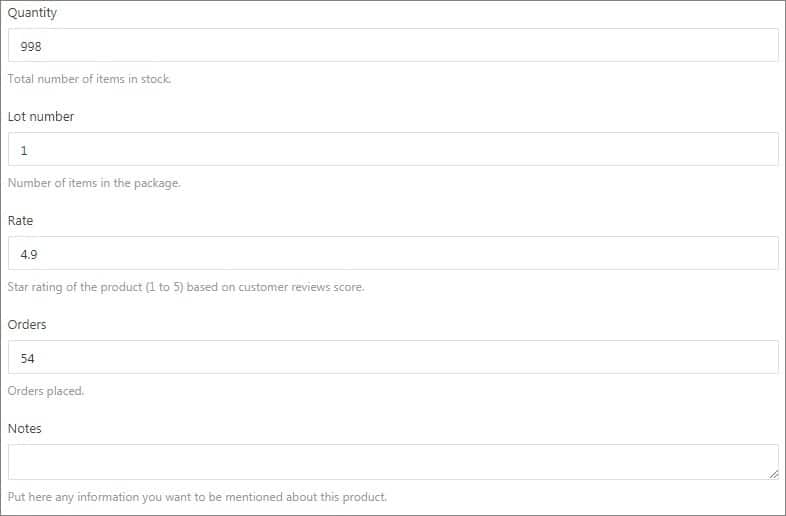
- Variable product. To edit price and quantity of a variable product, click GO HERE. You will be redirected to Variations to continue.
Attributes
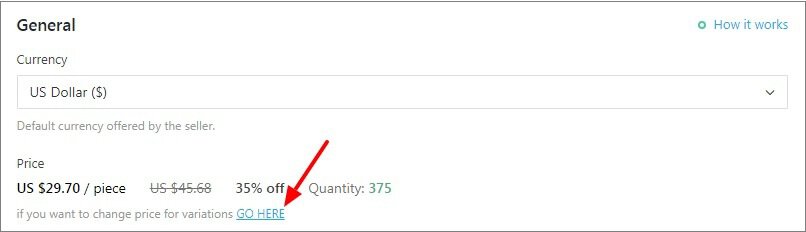
Manage already existing products attributes, delete them, split product by attributes or add new ones.
Variations
Variation is a combination of attributes. You can either edit variations one by one or edit all of them at once. Click on the bars icon to make changes to a certain variation. If you want to split product by a particular variation use this option.
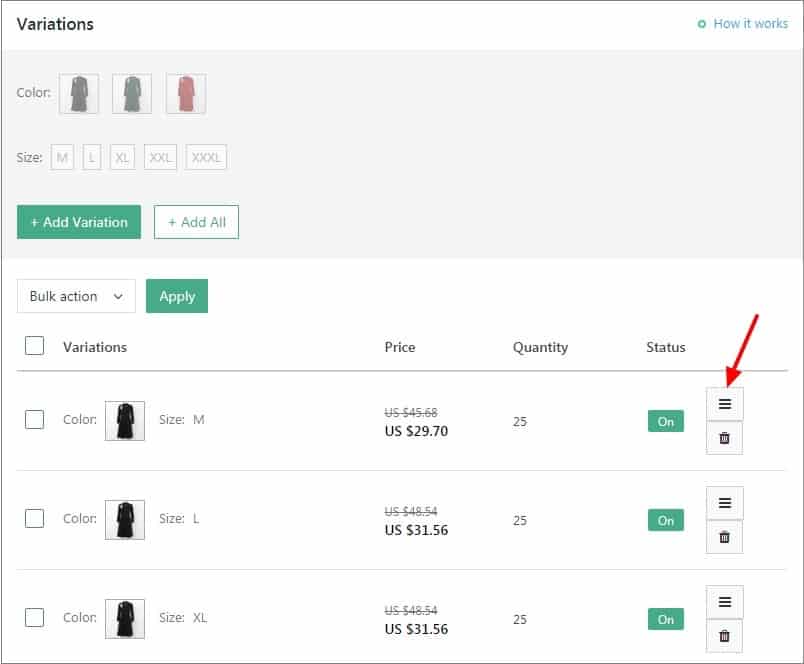
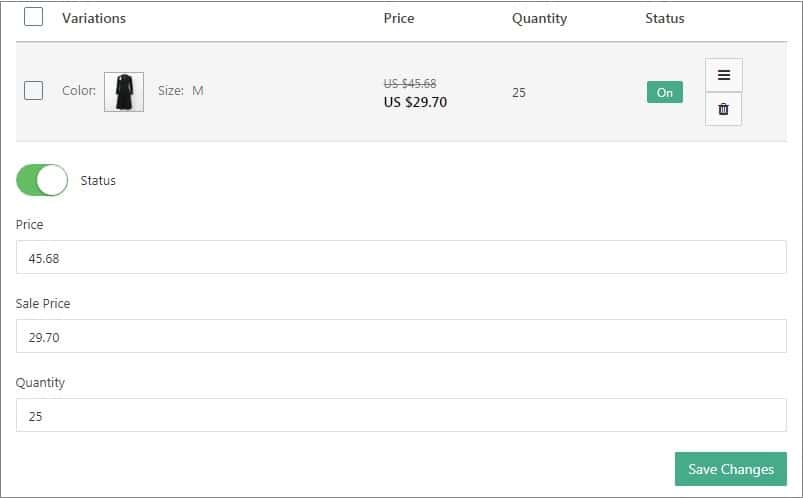
You can not only change your variation price, but also enable or disable it so that it is not shown on your website. Click Save changes.
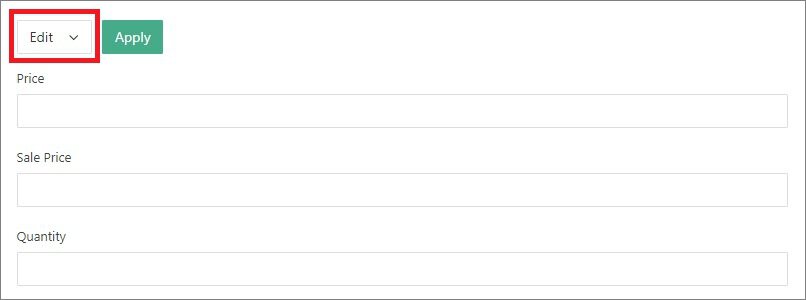
To make changes effective for all product variations, use the Bulk option: add Price, Sale Price and Quantity and click Apply.
You can add new product variations if necessary. Click the Add Variation button to continue.

Shipping
General shipping methods you have enabled for all your products in AliDropship => Settings => Shipping can be adjusted for individual items in the Shipping section.

Item Specifics
This section corresponds to AliExpress Item Specifics. Manage already existing features, delete them and add your own details.

Packaging
Packaging matches packaging details provided in the AliExpress Shipping and Payment section of the product. All the fields are customizable.

Supplier
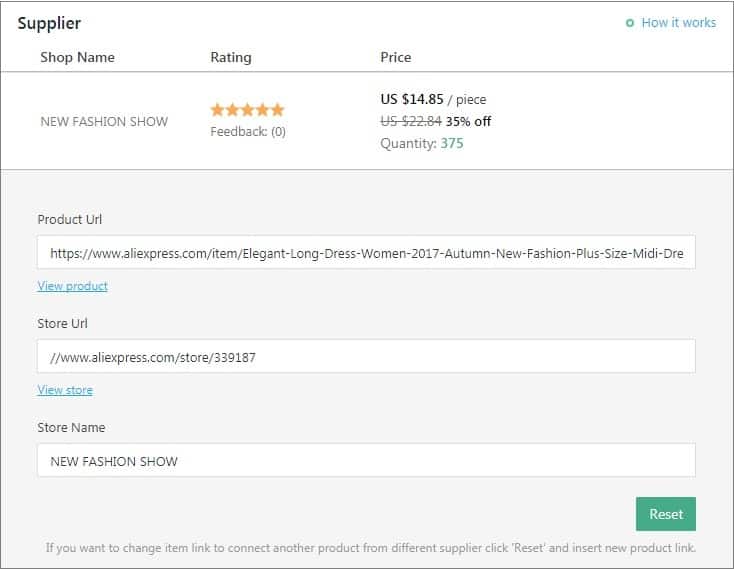
The Supplier tab provides detailed information about your AliExpress supplier: store name and its URL, link to the AliExpress product and its rating. To replace the item with another product offered by another supplier, click Reset and insert the new product link. Note that in this case product featured image and its description will remain unchanged.
Update
To override general updating rules you have set for all your products in AliDropship => AliExpress => Updates, adjust single product updating settings in the Update section of the individual product.
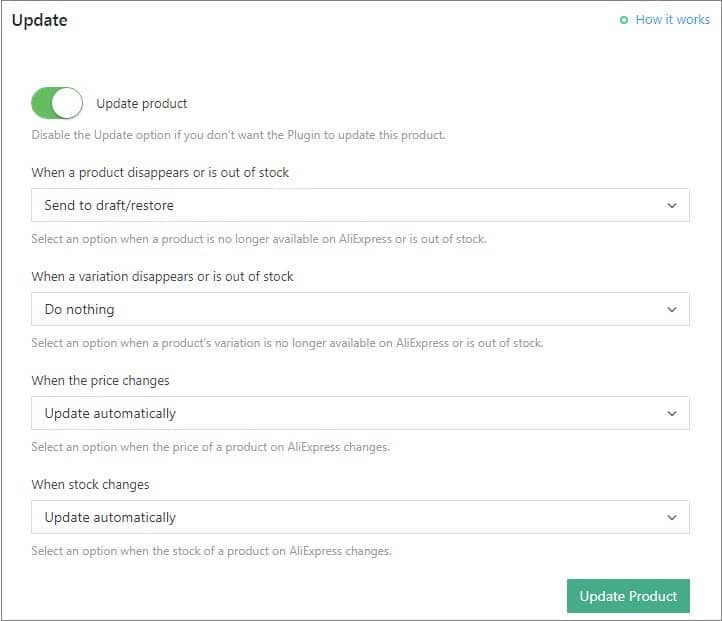
If you set your own price for a product without using a markup pricing formula and don't want this price to be updated, you will need to switch off 'Update product' option. In this case your price will not be changed, but the product will not have any synchronization with AliExpress.
Gallery
Add, delete images and alter the order they are shown on Single product page. To make changes to the images, click on the pencil icon to start editing.

Cross-Selling
Products you choose in this section will be shown on Single product page in Related items. If there are no products added, random items will be shown as Related. Click Add Product to add cross-selling items.
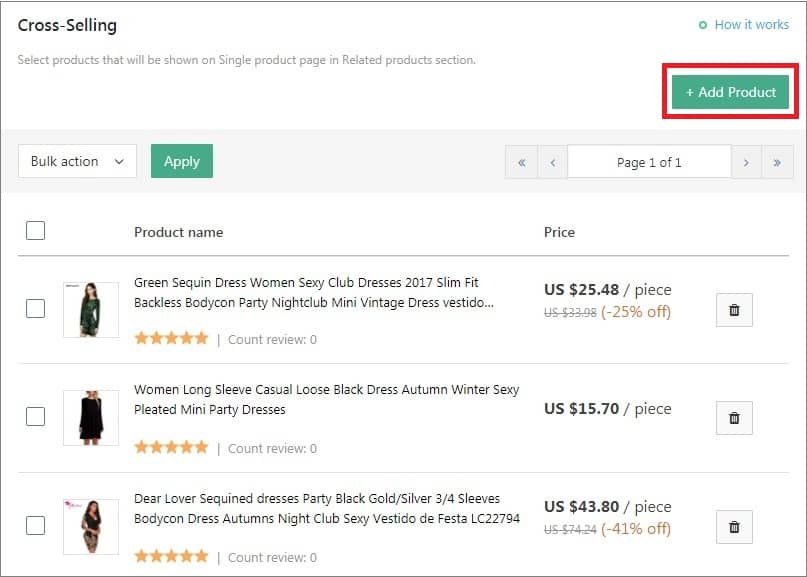
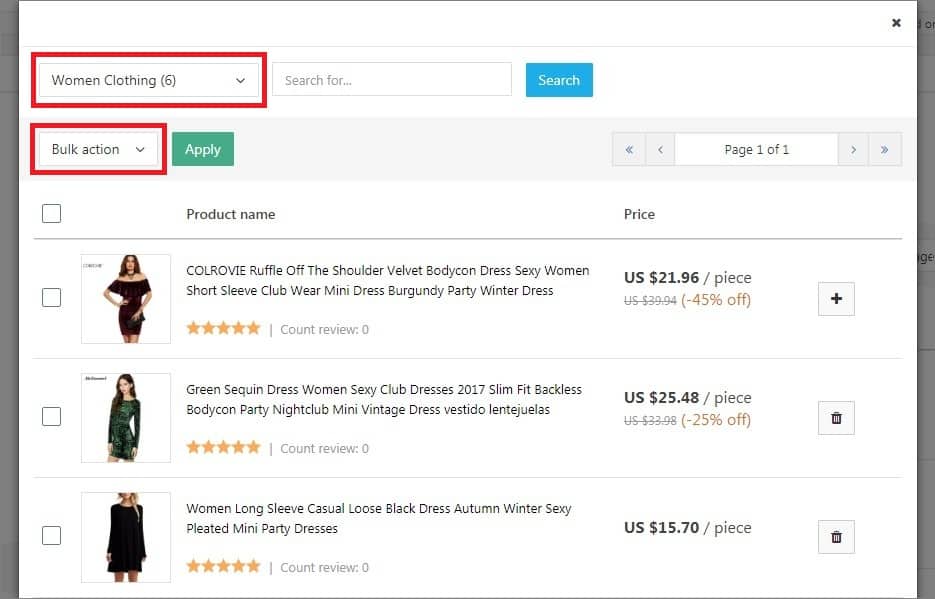
Filter your products by category or use Search to find some particular items. Click on the ‘+’ sign to add products and on the bin icon to delete them.
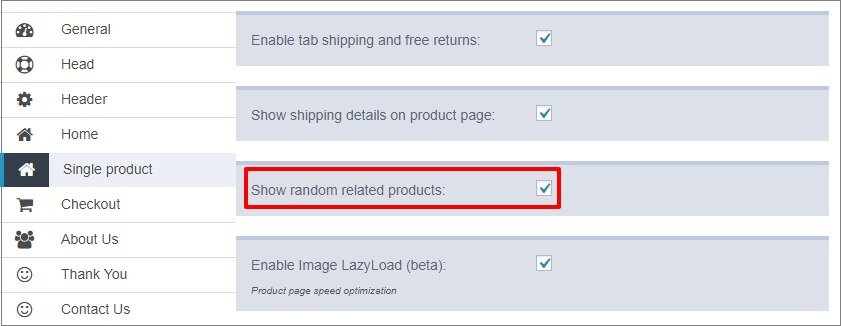
To disable cross-selling for all your goods, go to Customization => Single product and uncheck Show random related products. You will still be able to add cross-selling items for individual products.
Reviews
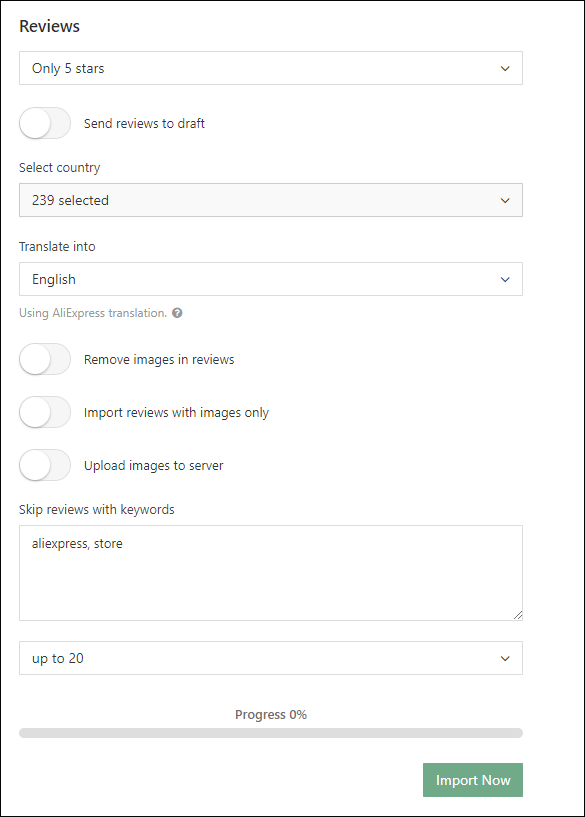
Apart from bulk import, you can import reviews for certain products only.
SEO
Make sure you enabled the SEO meta data fields toggle switch in AliDropship => Settings => SEO so that you can manage SEO settings of individual products.
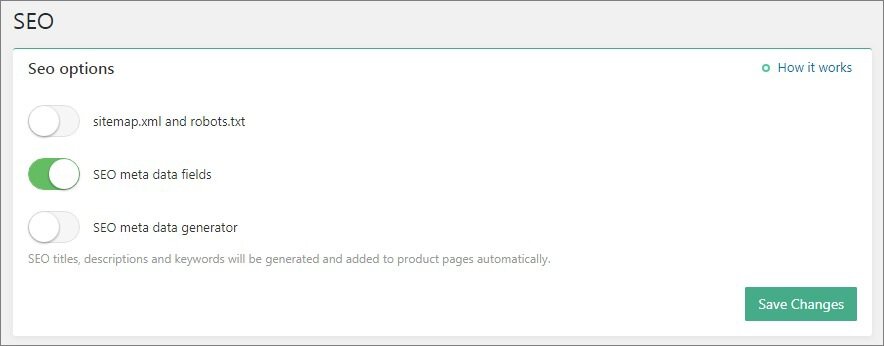
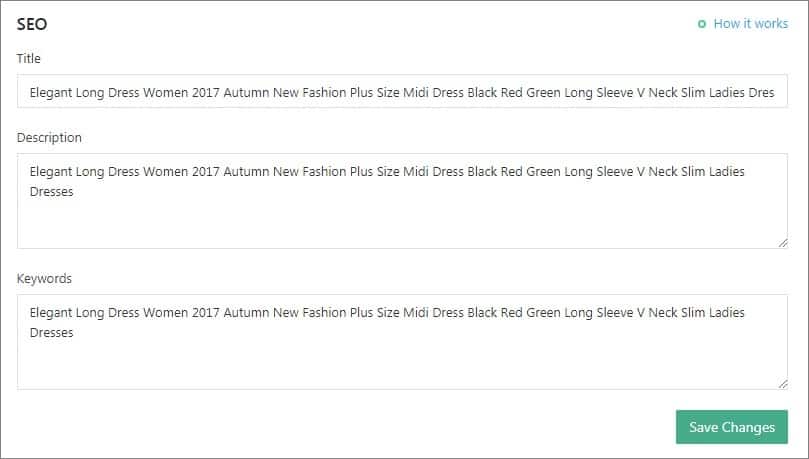
If you actvate SEO meta data generator, SEO titles, descriptions and keywords will be generated and added to product pages automatically.
Related Articles
Product customization
Product customization You can edit titles, images, descriptions, shipping options, unpublish or remove product variants, etc. To customize a product, go to the Products section in your WP admin area, select a product to edit, and make necessary ...I don't want to display the "Ships From" options on my website.
I don't want to display the "Ships From" options on my website. The 'Ship from' is an attribute for a particular product. If a product has this option at AliExpress, it will also be displayed on your website. In this case we do not recommend ...How To Edit Product Reviews?
How To Edit Product Reviews? Note: product reviews are gathered from customers who purchased your products on AliExpress. There are 2 main methods of editing product reviews:- Editing specific product reviews:- From the store dashboard go to: > ...How To Import Product Reviews
How To Import Product Reviews To 'Import Product Reviews', from the store dashboard go to: > Products > Import Reviews From within this page there are many different options and criteria to choose from when 'Importing Reviews':- Products in: ...Product is no longer available on Aliexpress
Product is no longer available on Aliexpress Sometimes, when placing an order for your customer you may face the below issue: "a product is not found on AliExpress." When this this occurs you will have to try and find the same product from a ...