How To Edit Product Reviews?
Note: product reviews are gathered from customers who purchased your products on AliExpress.
There are 2 main methods of editing product reviews:-
Editing specific product reviews:-
From the store dashboard go to:
> Products > All Products
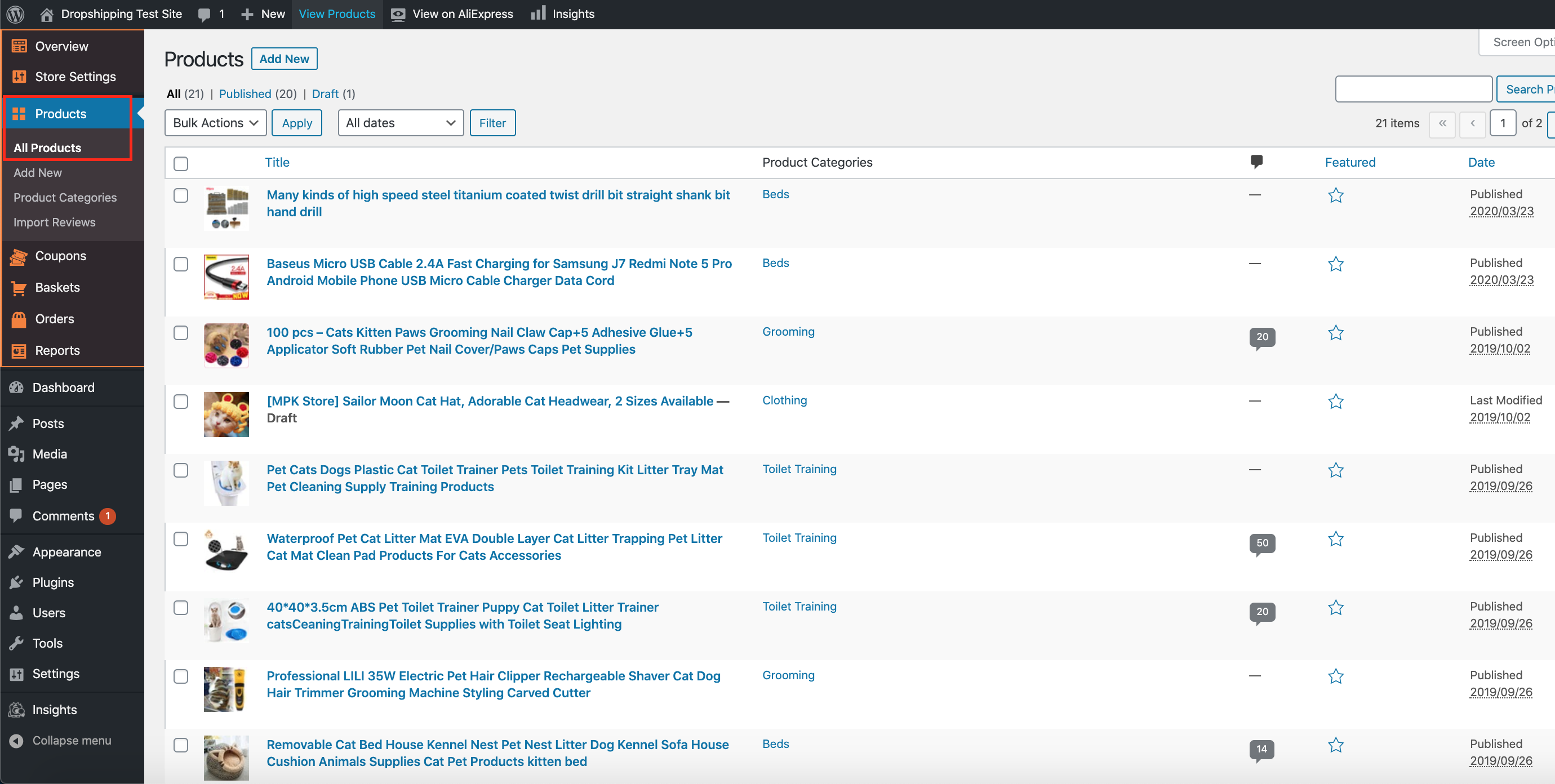
From within this page find the 'Product' you'd like to edit 'Reviews' on by either scrolling through or searching for it via the search box in the top right:
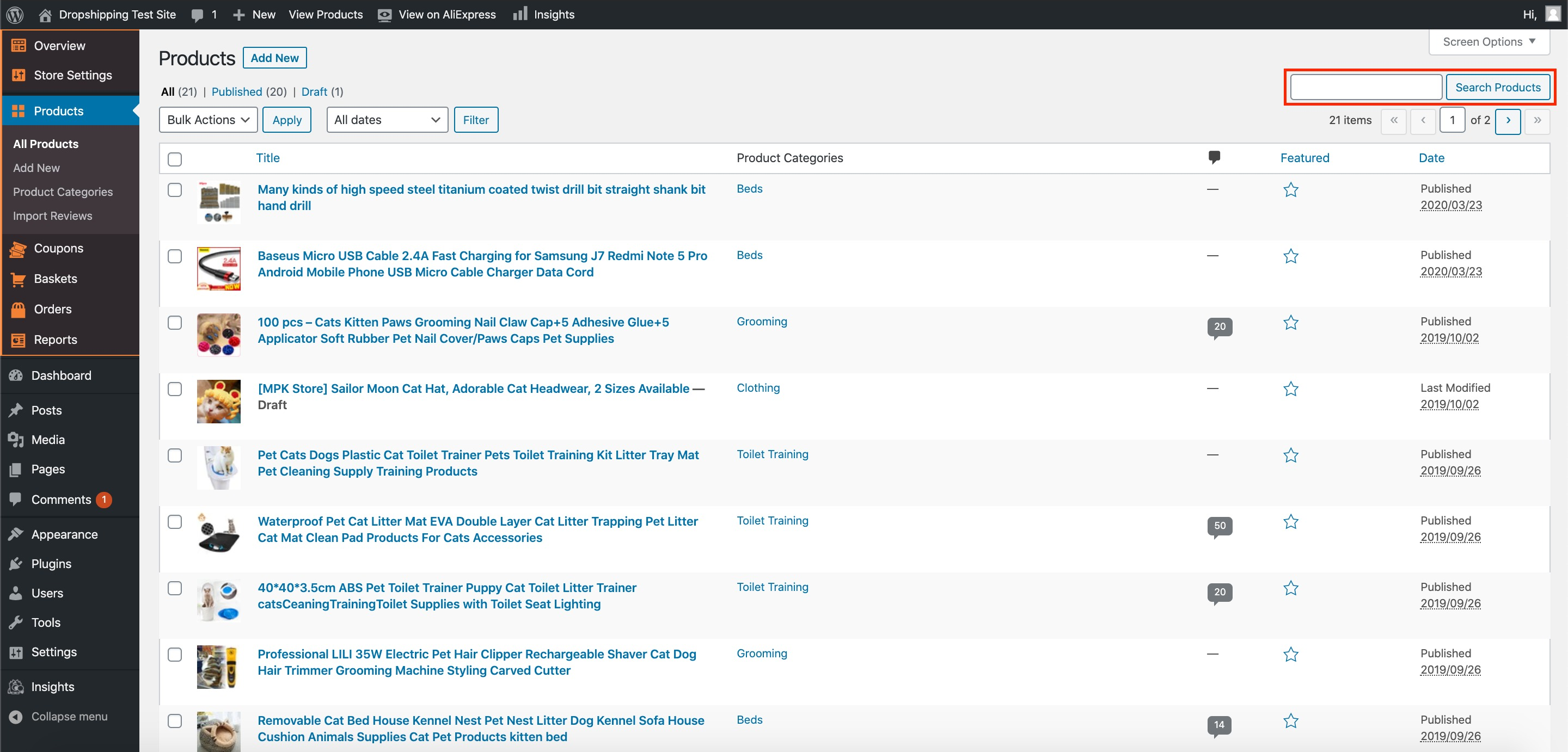
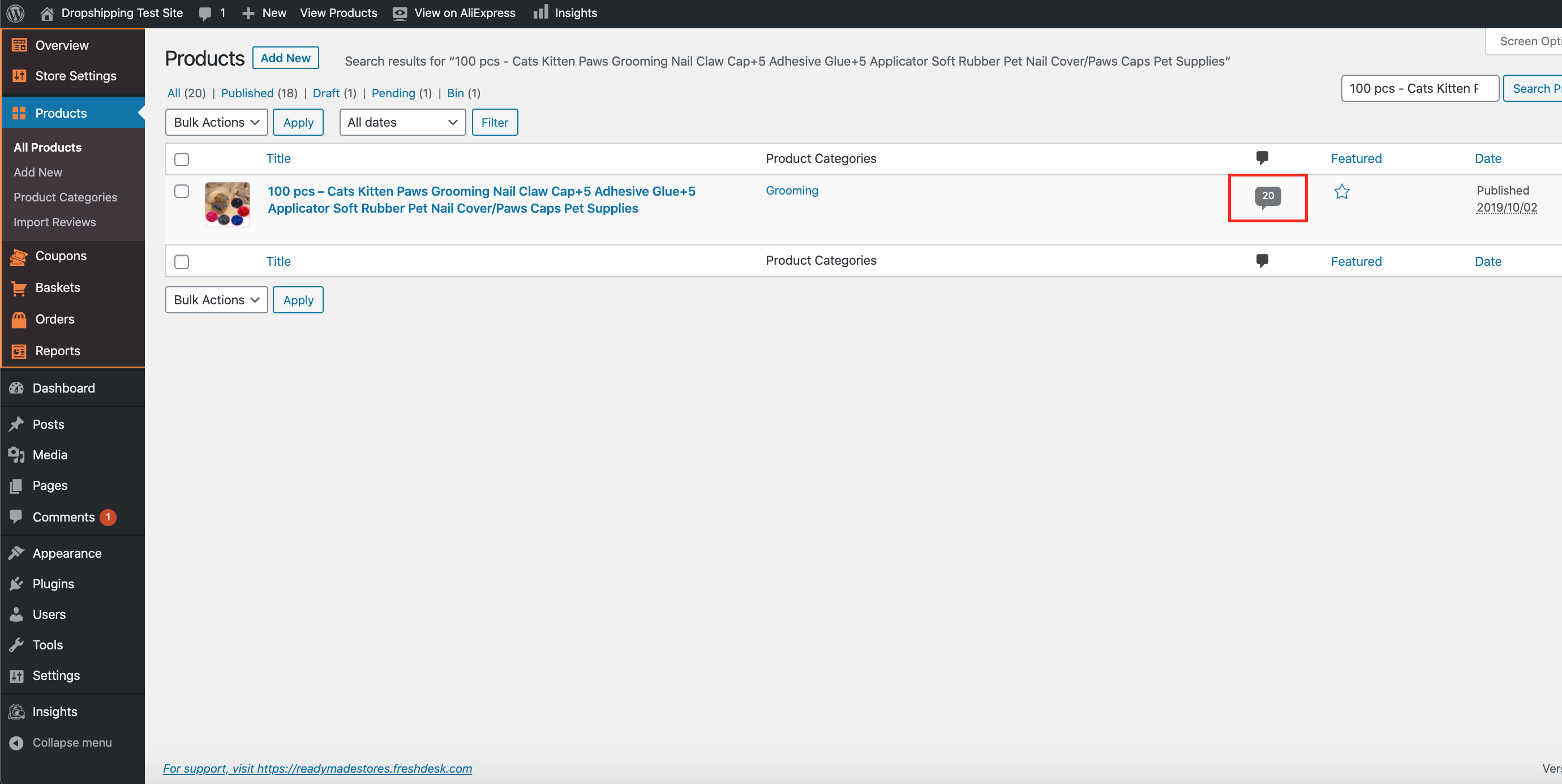
Once you've found the product you'd like to edit 'Reviews' on, click the speech bubble icon containing a number:
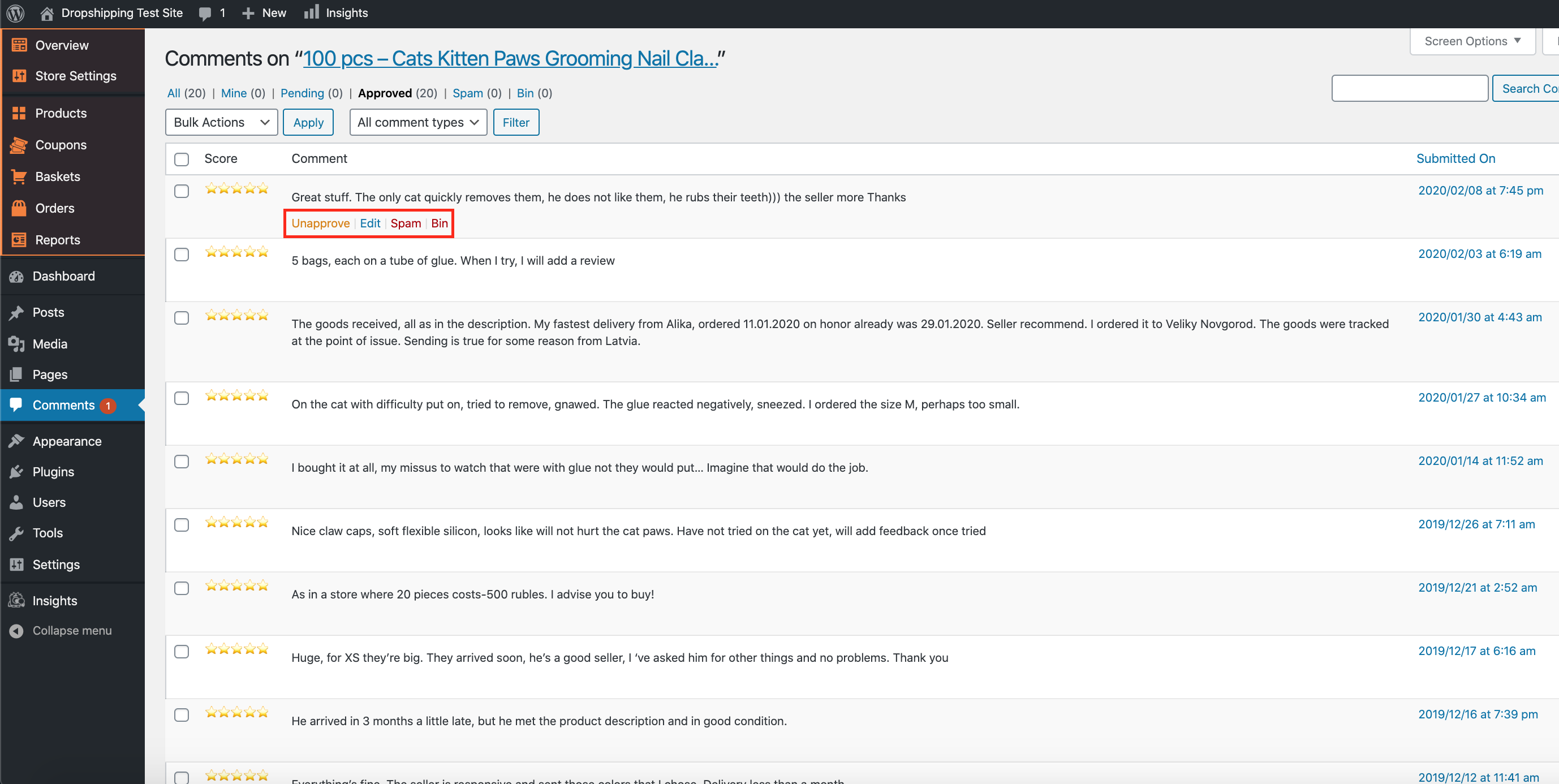
From within this page, when hovering over a review there will be a range of options to choose from. You may either 'Unapprove', 'Edit', identify as 'Spam', or place the review in the 'Bin':
Editing product reviews in general:-
From the store dashboard go to:
> Comments
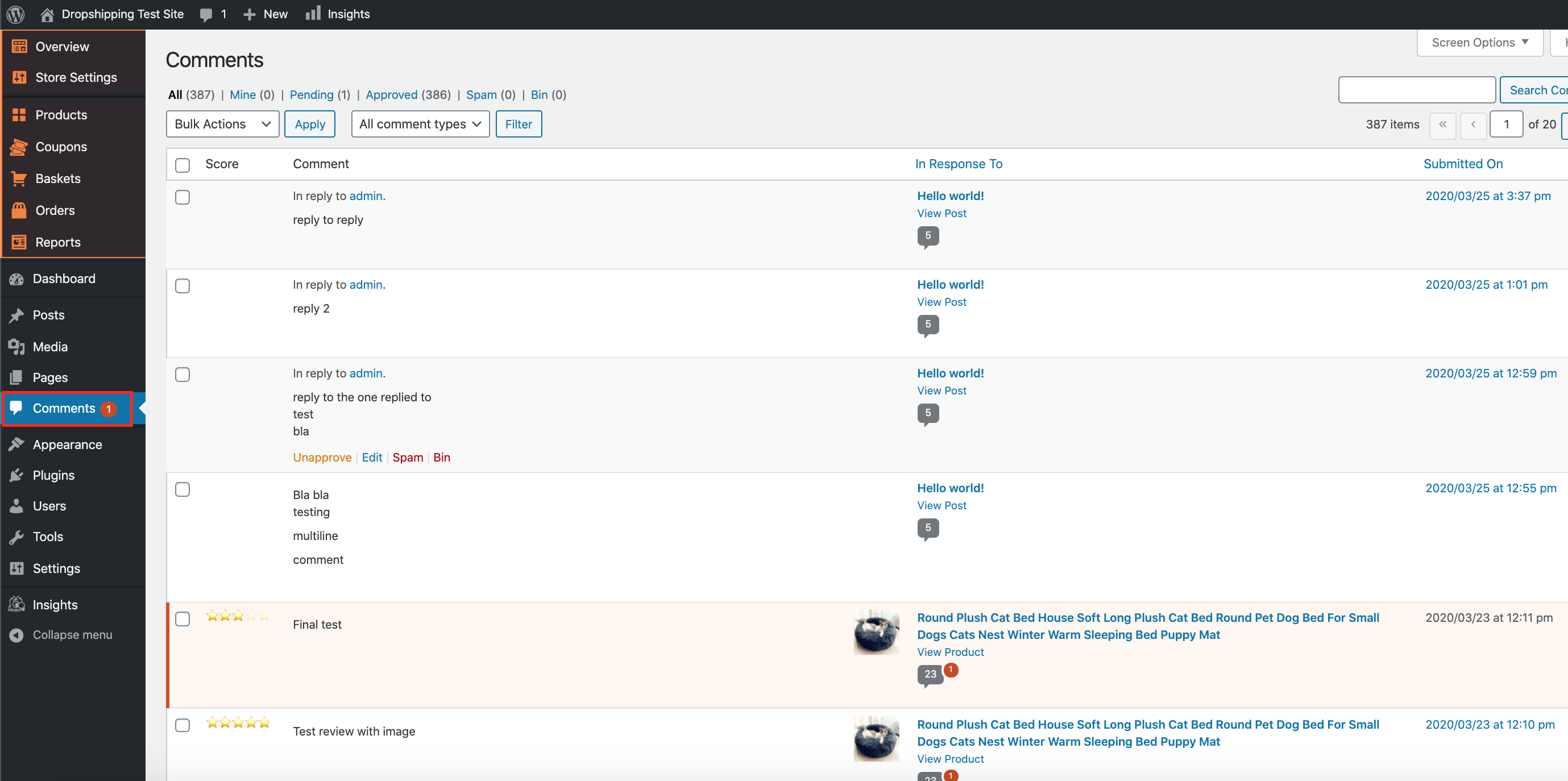
From within this page, when hovering over a review there will be a range of options to choose from. You may either 'Unapprove', 'Edit', identify as 'Spam', or place the review in the 'Bin':
Reviews which are 'Unapproved' are removed from the product page review tab, click 'Approve' to add them back.
Reviews which are added to 'Spam' or 'Bin' will appear in their corresponding titles at the top of the page (click to access):
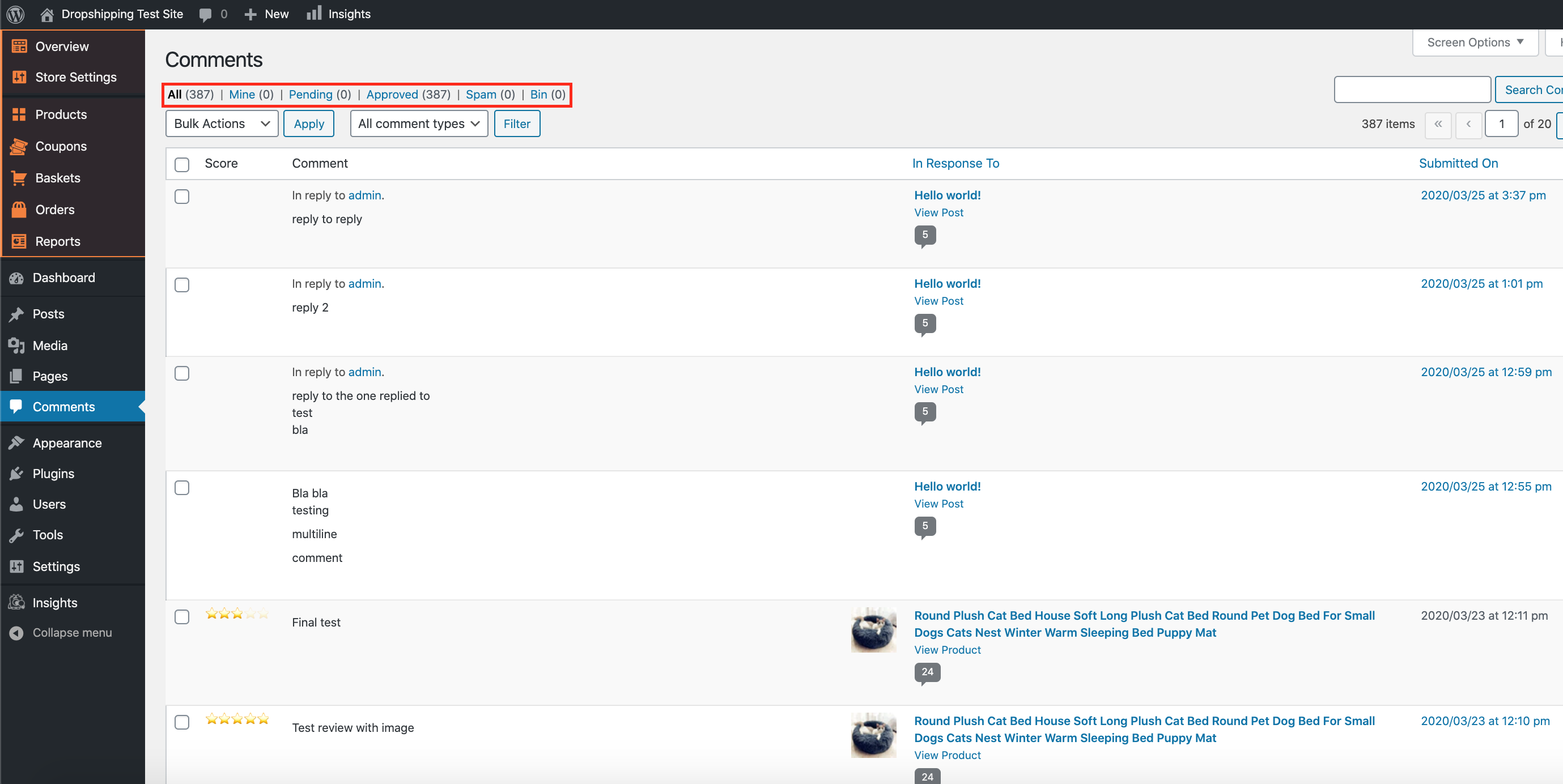
(*Don't forget to click 'Update' after editing reviews*)
Related Articles
Importing reviews
Before proceeding further, Authorize the AliExpress API. To authorize your AliExpress API, please go to AliDropship (in the orange box) → AliExpress Login → click Login → Get Code If you are already logged in to your AliExpress account, you will be ...Product Options
Product Options General In the General section you can check and customize general information about the product. Since the plugin imports products from AliExpress in US Dollar ($), it is set as the default currency. This currency may be changed to ...How To Import Product Reviews
How To Import Product Reviews To 'Import Product Reviews', from the store dashboard go to: > Products > Import Reviews From within this page there are many different options and criteria to choose from when 'Importing Reviews':- Products in: ...How To Edit A Product Category?
How To Edit A Product Category? To 'Edit A Product Category', from the store dashboard go to: > Products > Product Categories From within this page on the right hand side you may click on a 'Product Category' to 'Edit' it. (*Don't forget to click ...How To Enable/Disable Product Reviews On Product Pages?
How To Enable/Disable Product Reviews On Product Pages? To switch 'Product Reviews' on/off on product pages, from the store dashboard go to: > Store Settings > Products > Reviews From within this page, the top tick-box labelled 'Show Reviews' will ...