How To Manually Fulfil Product IDs?
To manually fulfil 'Product IDs', sign into your AliExpress.com account:
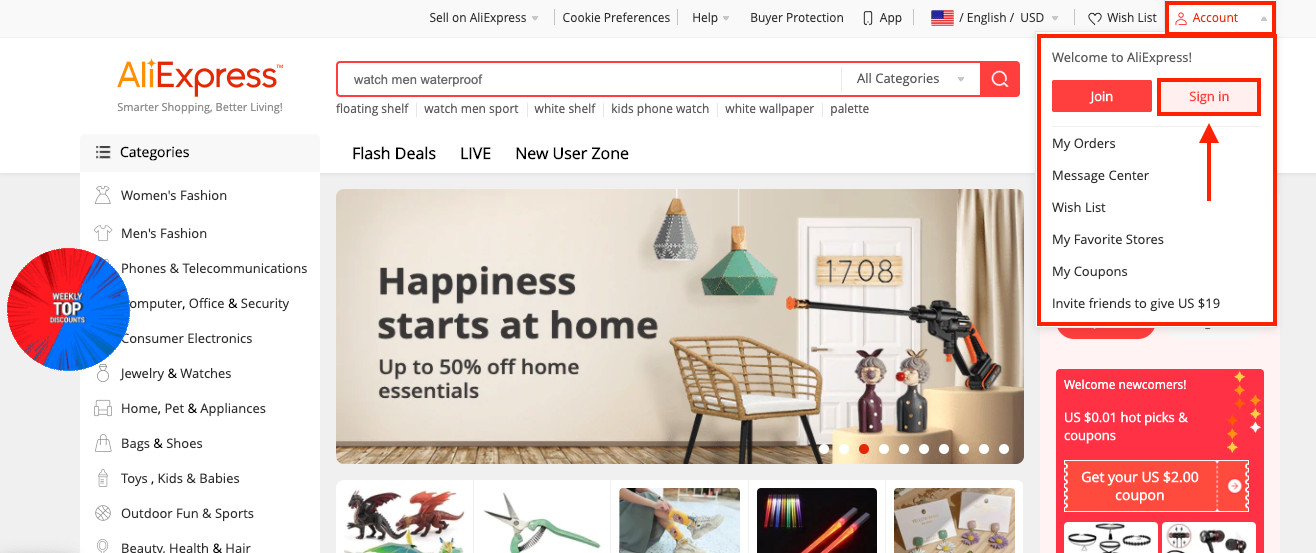
After signing in, go to:
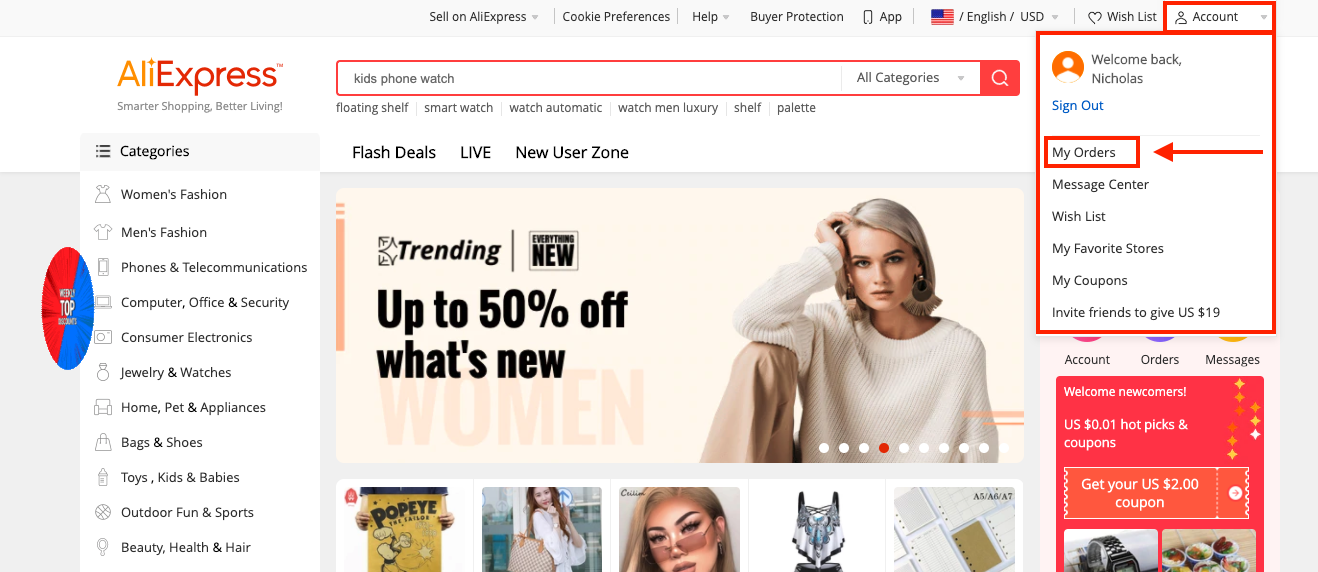
> Account > My Orders
From within this page you can find your 'Order IDs' here:
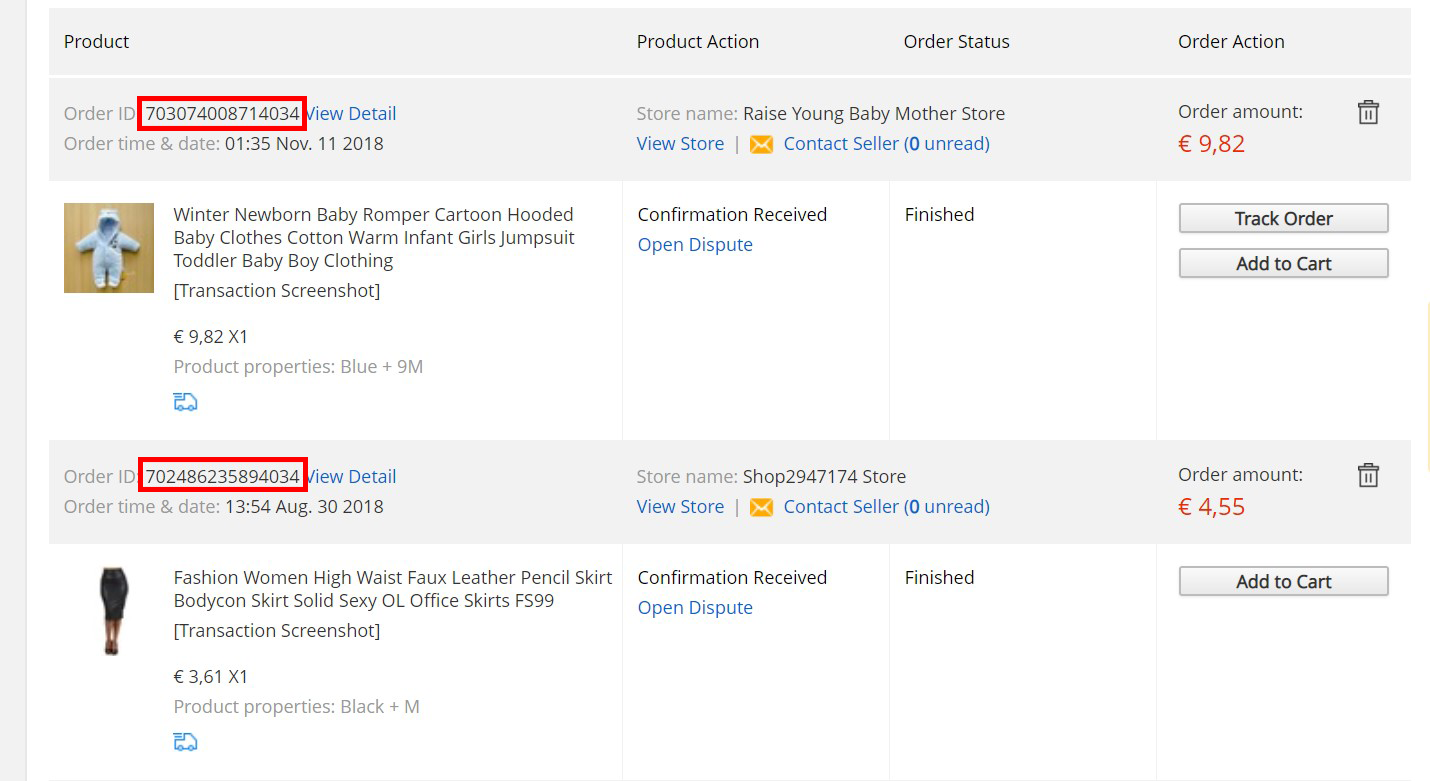
After locating the correct 'Order ID' for the product, copy it, open your store dashboard in a new tab and go to:
> Orders
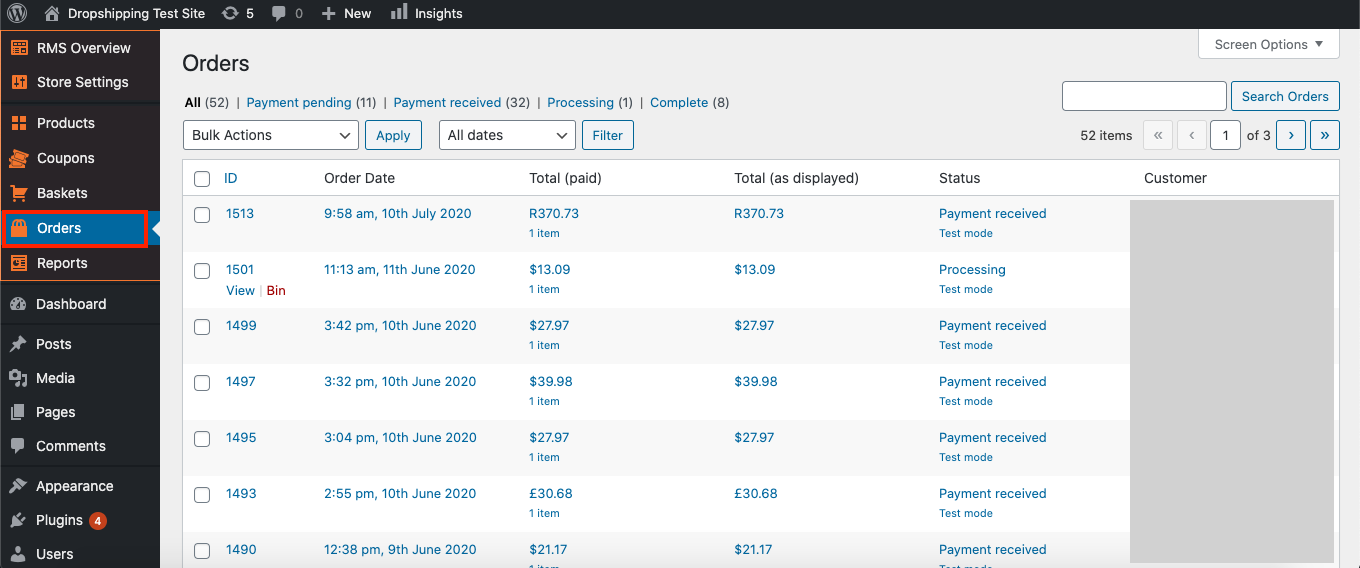
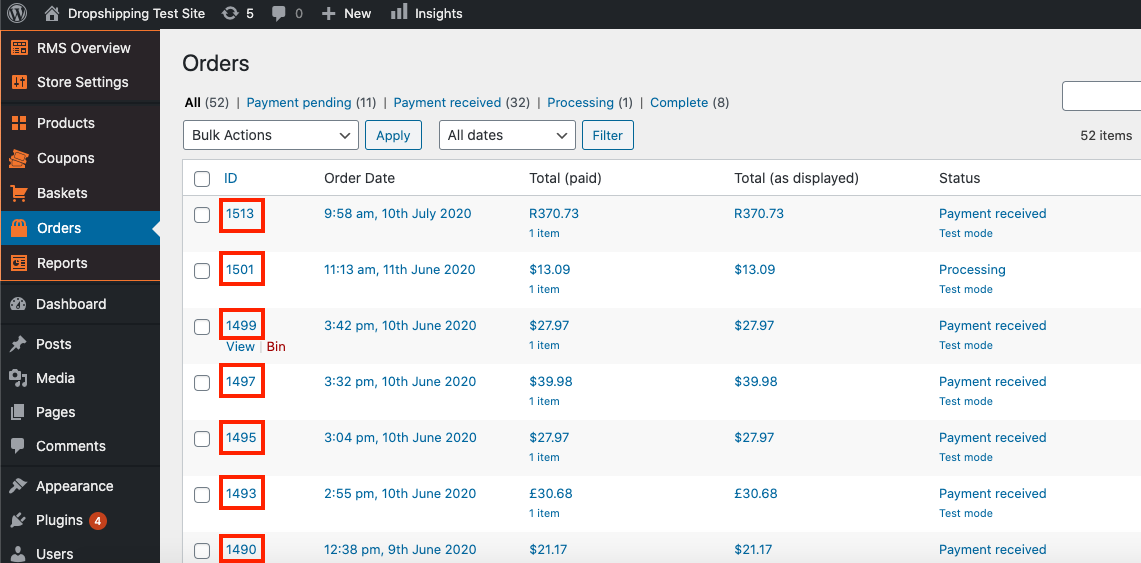
From within this page click the 'ID' number of the order you'd like to manually fulfil product IDs in:
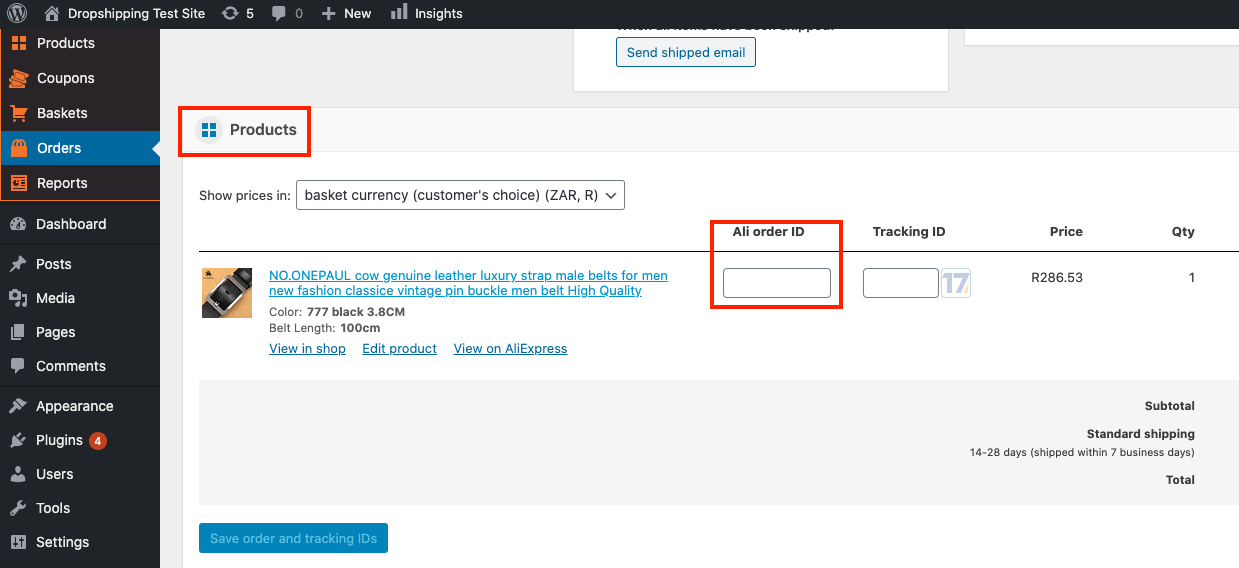
Scroll down to the heading 'Products' and paste the 'Ali order ID':
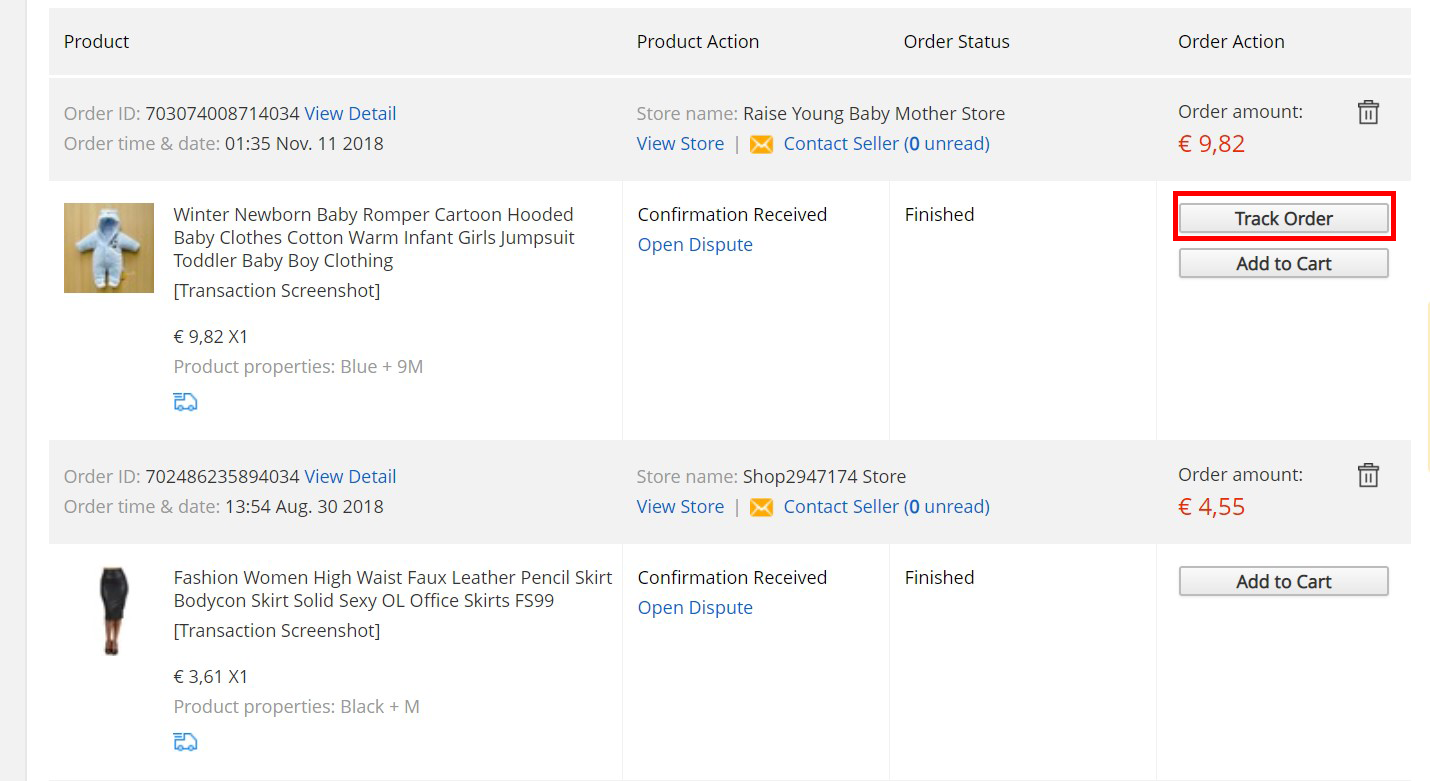
Go back to the AliExpress tab and next to the order click the button labelled 'Track Order' to reveal the 'Tracking ID':
*The 'Track Order' button is only visible once the supplier has shipped the item and has updated the 'Tracking ID' (can take a few days)*
Copy and paste the 'Tracking ID' in its corresponding box:
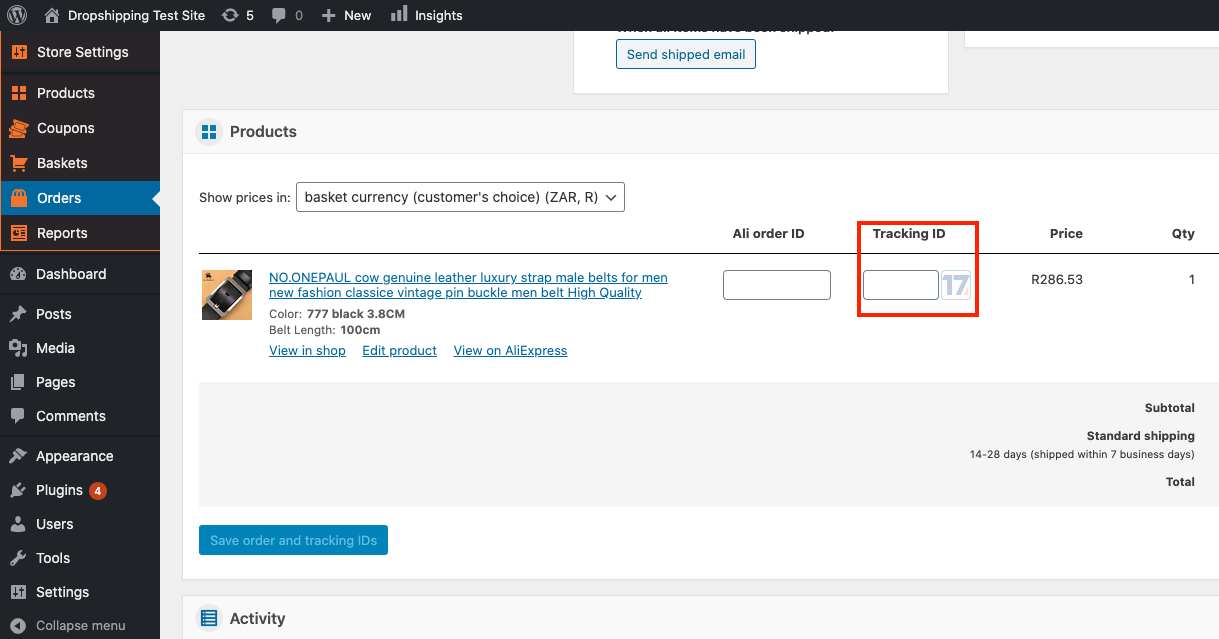
(*Don't forget to click 'Save order and tracking IDs' after making alterations*)
Related Articles
The Product Doesn't Ship To The Customers Country?
The Product Doesn't Ship To The Customers Country? Sometimes when a customer orders a product from your store, that products shipping methods may have been altered by the AliExpress supplier. Subsequently that product may no longer deliver to your ...My Product Is No Longer Available On Aliexpress?
My Product Is No Longer Available On Aliexpress? Sometimes, when placing an order for your customer you may face the below issue: "a product is not found on AliExpress." When this this occurs you have 2 options:- 1. Refund the customer. 2. Try to ...Setting up Google Chrome Extension
Setting up Google Chrome Extension To make AliDropship plugin work properly, you need to install and activate AliDropship Google Chrome extension. It allows you to: add products and reviews to your site directly from AliExpress edit product before ...How To Import Product Reviews
How To Import Product Reviews To 'Import Product Reviews', from the store dashboard go to: > Products > Import Reviews From within this page there are many different options and criteria to choose from when 'Importing Reviews':- Products in: ...Product Doesn't Ship To Country Of Purchase
Product Doesn't Ship To Country Of Purchase Unfortunately, sometimes when a customer orders a product from your store that product may not be able to deliver to their country. Fortunately, there's a workaround: You can find another identical product ...