Setting up Google Chrome Extension
To make AliDropship plugin work properly, you need to install and activate AliDropship Google Chrome extension.
It allows you to:
- add products and reviews to your site directly from AliExpress
- edit product before import
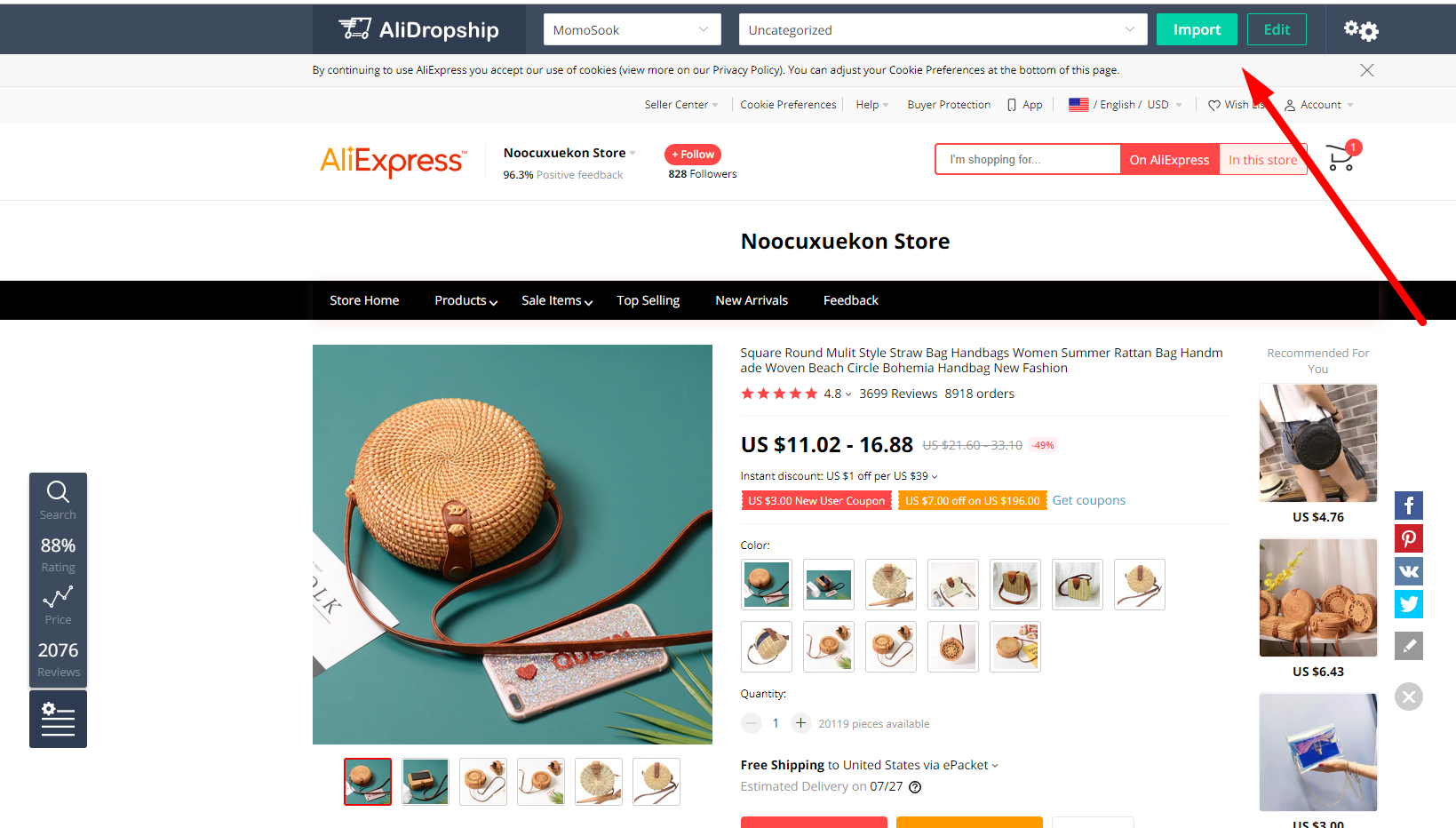
- update products stock and prices
- fulfil orders automatically and collect tracking IDs to send your clients
- сompare prices from different sellers:

Compare all offers and choose the cheapest ones:
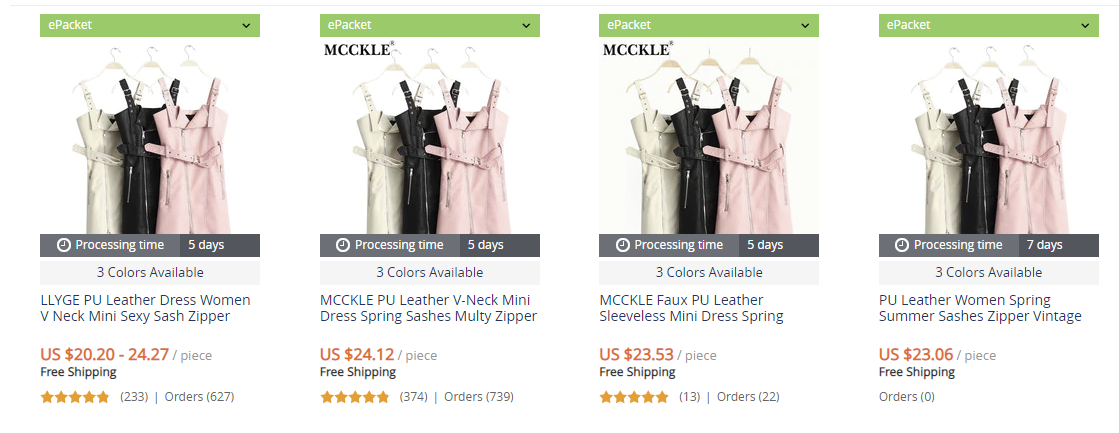
If there are no possible options you will get a notification : 'Sorry, no results!
You can use this feature not only to find the best offers, but also quickly find another supplier for your out of stock products.
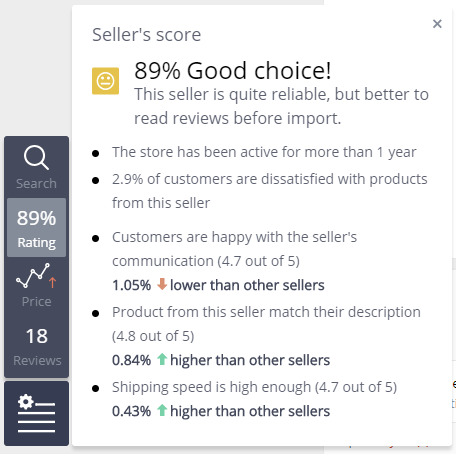
- check the seller's score before import: AliExpress's Score and AliDropship's Score don't match - this is because we use a more complicated formula to get the results.
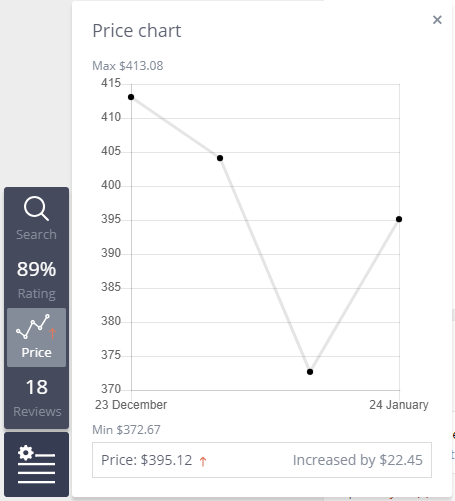
- track product's price changes:
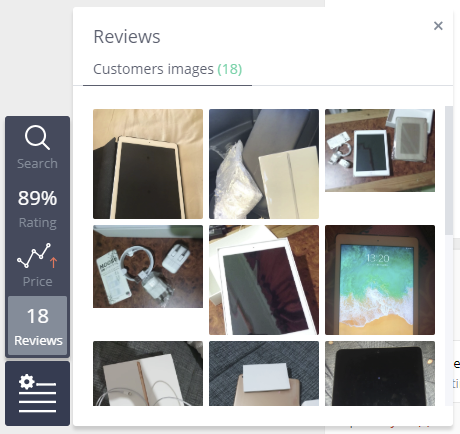
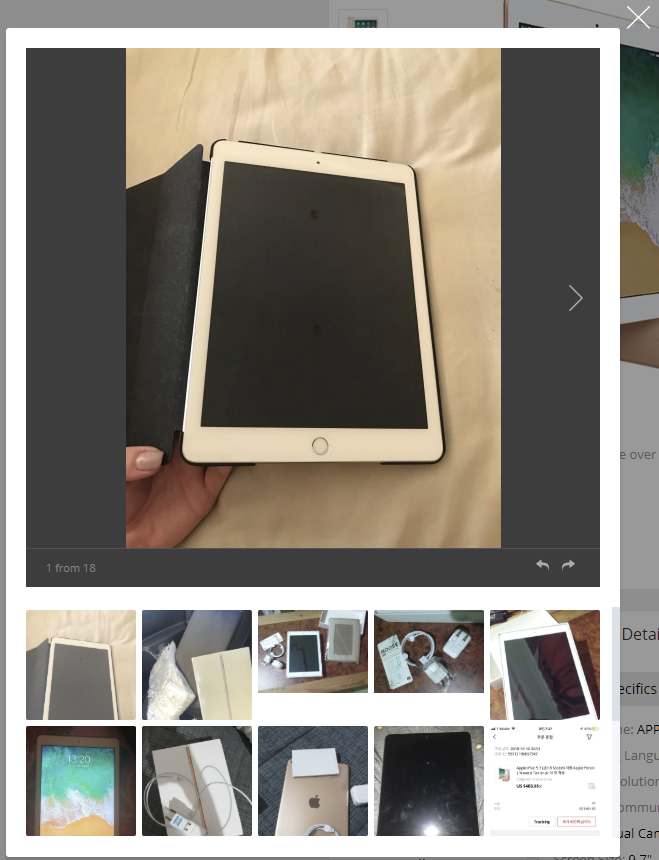
- look through customers images to get to know about how the product looks like in real life:
To use all these features you need to authorize AliDropship Google Chrome extension on your site:
Open your site => log in your admin area => click AliDropship Google Chrome extension icon => ‘Log in’. Or add site manually using ‘Website’ field*.
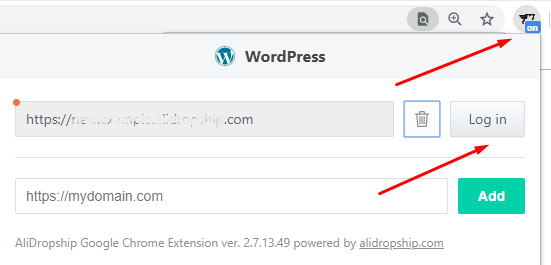
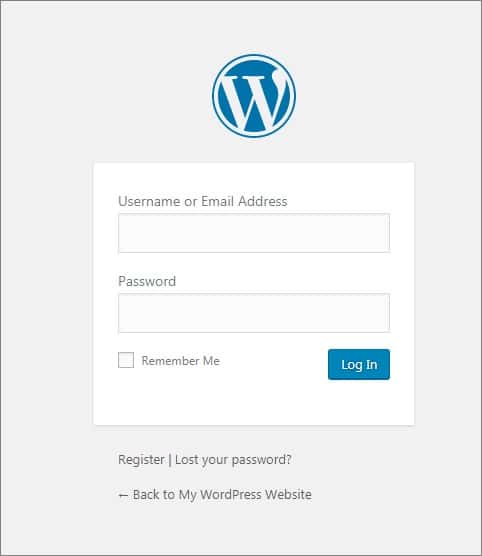
Enter your login and password => click ‘Log In’:
Click ‘Authorize’:
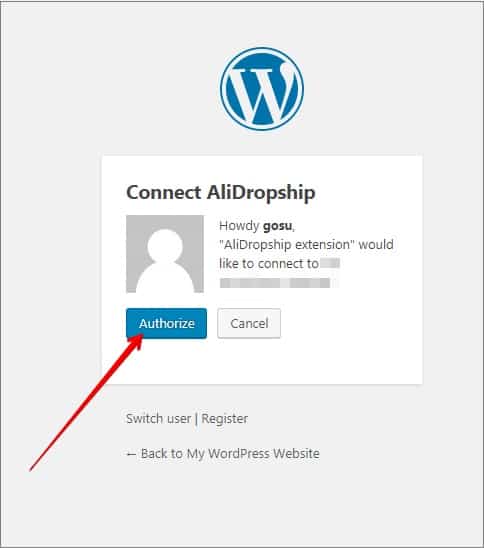
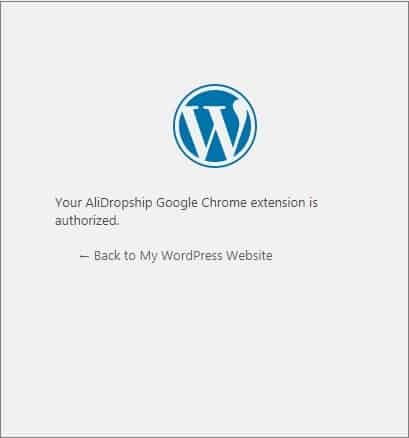
Click AliDropship Google Chrome extension icon and you’ll see a green circle confirming that authorization is completed.
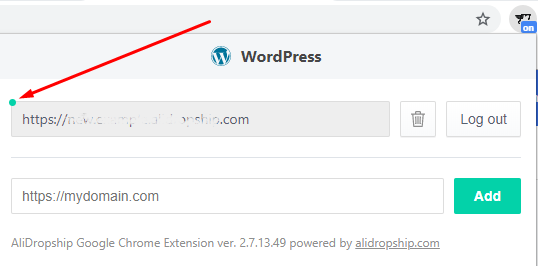
Do not log out if you do not want to authorize everytime you open your site.
Related Articles
Guide 1: Install & Authorize RMS Chrome Extension
Guide 1: Install & Authorize RMS Chrome Extension The RMS Chrome Extension can be installed via this link. Follow the steps below in the video to install and authorise the RMS Chrome Extension: Steps in written format: 1. Click this link and open it ...Guide 1: Install & Authorize RMS Chrome Extension
The RMS Chrome Extension can be installed via this link. Follow the steps below in the video to install and authorize the RMS Chrome Extension: Steps in written format: 1. Click this link and open it in Google Chrome. 2. Click the blue 'Add to ...Extension error: Please authorize your site
Extension error: Please authorize your site To start importing products you need first to authorize your site in the Alidropship Google Chrome extension. Click on AliDropship extension icon and Log in. If the authorization does not work or it works ...Why Aren't My Categories Appearing In The RMS Chrome Extension On AliExpress?
Why Aren't My Categories Appearing In The RMS Chrome Extension On AliExpress? Sometime when browsing for products to import on AliExpress, your categories may not appear in the RMS Chrome Extension: To fix this issue, right click on the RMS Chrome ...How to Integrate Google Analytics
How to Integrate Google Analytics Sign in to your Google Analytics account. Click Admin at the bottom of the page. Go to the Property section => Tracking Info. Click Tracking Code in the drop-down menu. Copy the script below Global Site Tag. Go to ...