Why Aren't My Categories Appearing In The RMS Chrome Extension On AliExpress?
Why Aren't My Categories Appearing In The RMS Chrome Extension On AliExpress?
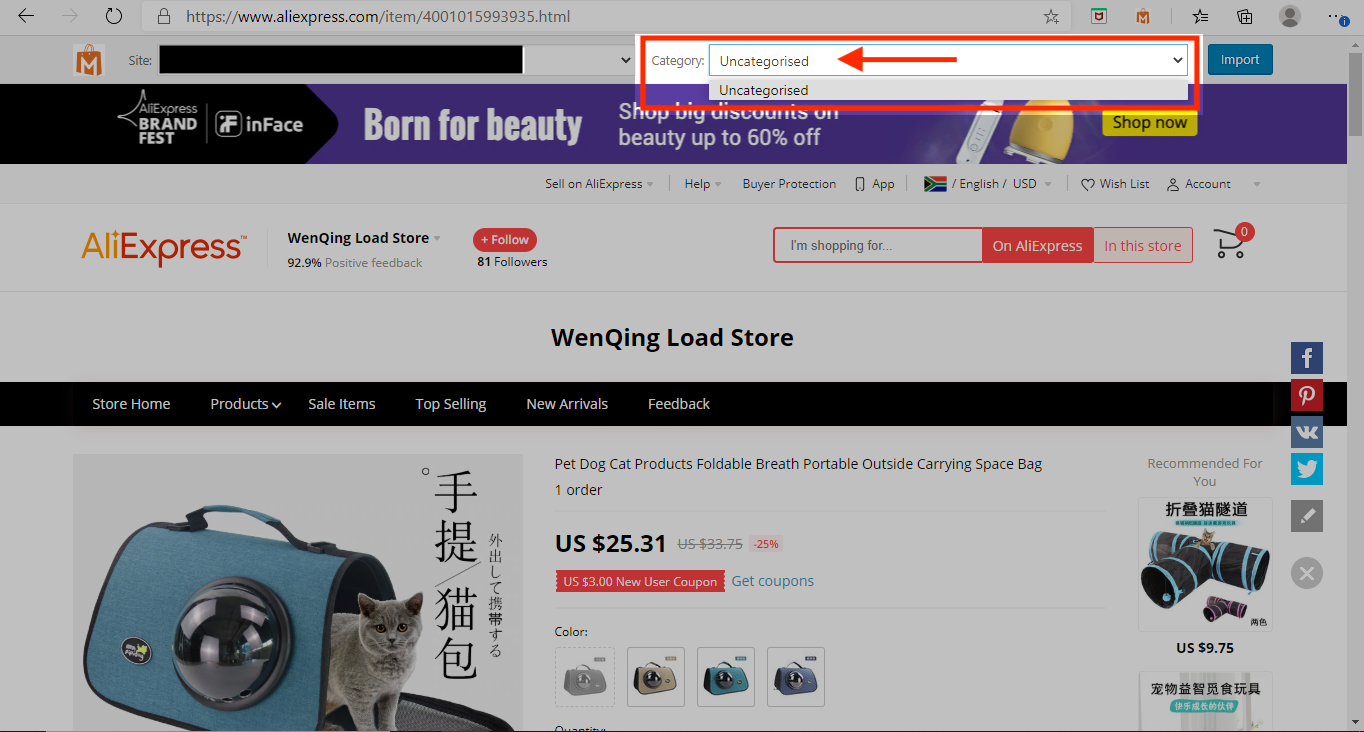
Sometime when browsing for products to import on AliExpress, your categories may not appear in the RMS Chrome Extension:
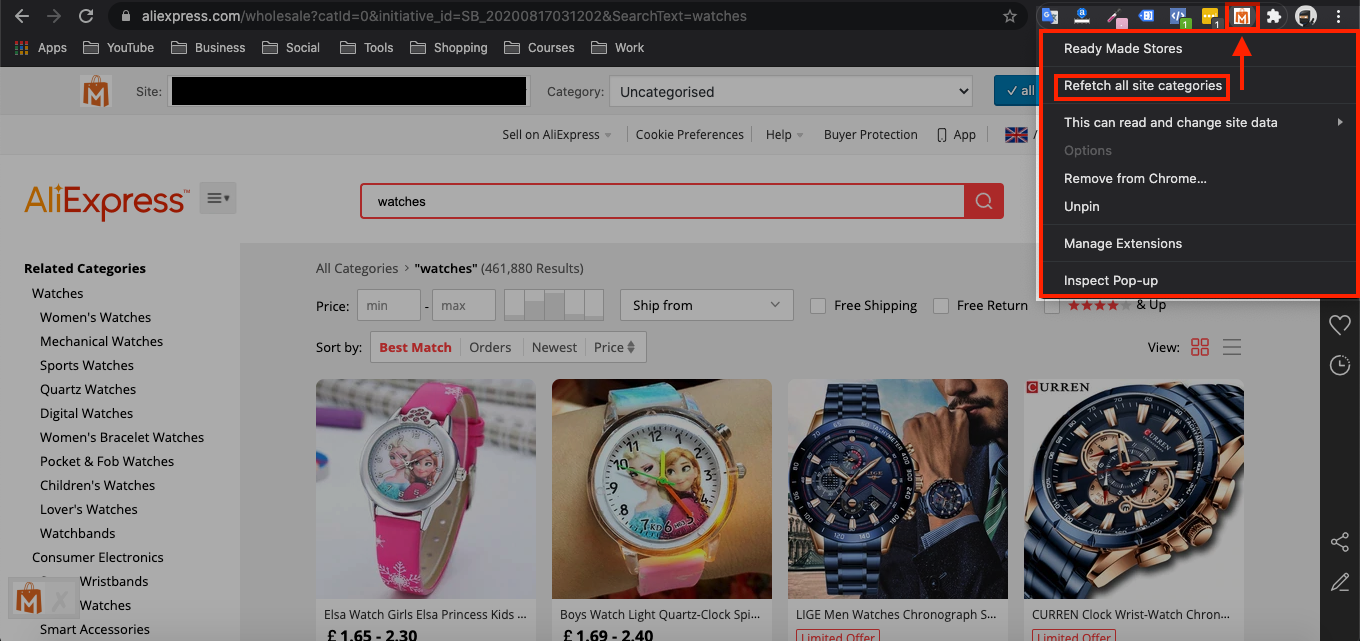
To fix this issue, right click on the RMS Chrome Extension and click 'Refetch all site categories':
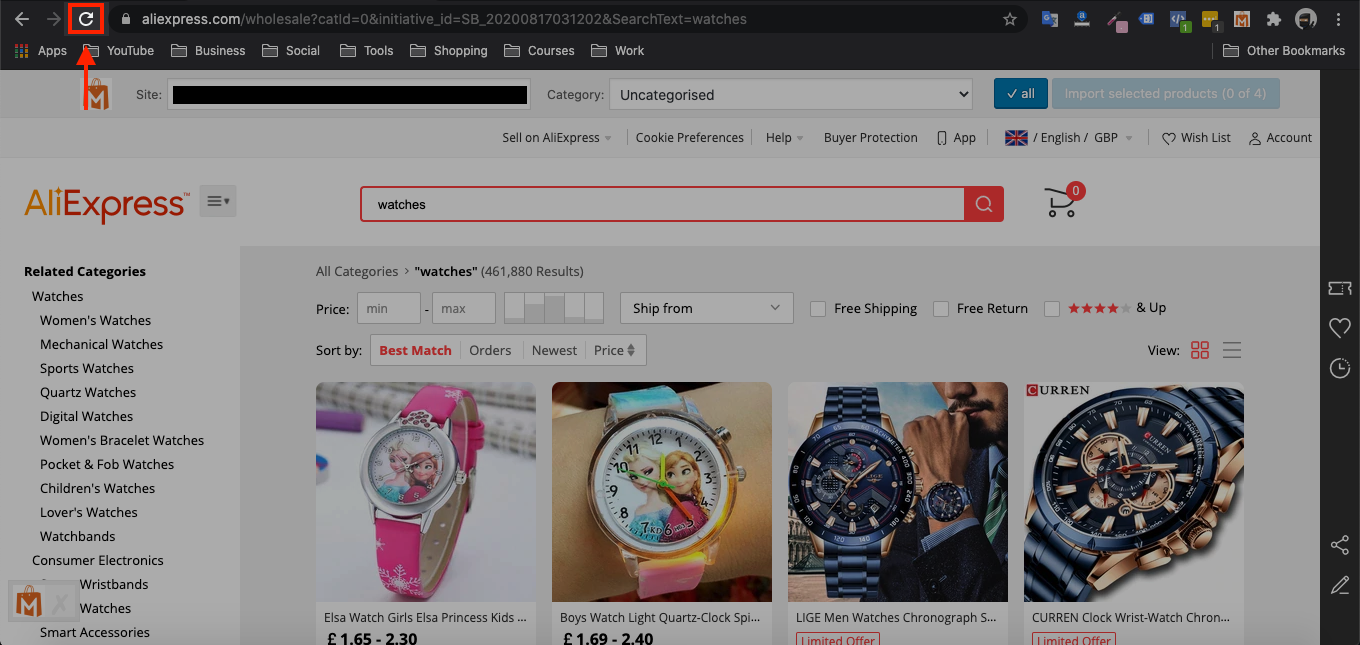
From there, refresh the AliExpress page and your store categories should then appear:
Related Articles
Guide 1: Install & Authorize RMS Chrome Extension
Guide 1: Install & Authorize RMS Chrome Extension The RMS Chrome Extension can be installed via this link. Follow the steps below in the video to install and authorise the RMS Chrome Extension: Steps in written format: 1. Click this link and open it ...Guide 1: Install & Authorize RMS Chrome Extension
The RMS Chrome Extension can be installed via this link. Follow the steps below in the video to install and authorize the RMS Chrome Extension: Steps in written format: 1. Click this link and open it in Google Chrome. 2. Click the blue 'Add to ...Setting up Google Chrome Extension
Setting up Google Chrome Extension To make AliDropship plugin work properly, you need to install and activate AliDropship Google Chrome extension. It allows you to: add products and reviews to your site directly from AliExpress edit product before ...Import Products from AliExpress
NOTE! You need to check: If you are using the latest version of AliDropship: https://alidropship.com/updates-plugin. If your site's default currency, the default database currency, and the currency on AliExpress are the same! Step 1. Install ...How To Add AliExpress Images To My Product?
How To Add AliExpress Images To My Product? 1. Download this Google Chrome Extension. 2. Click this small icon at the top of your Google Chrome Browser and pin the 'AliSave Chrome Extension' (make the pin turn blue): 3. Log into your store backend ...