How to Integrate Google Analytics
How to Integrate Google Analytics
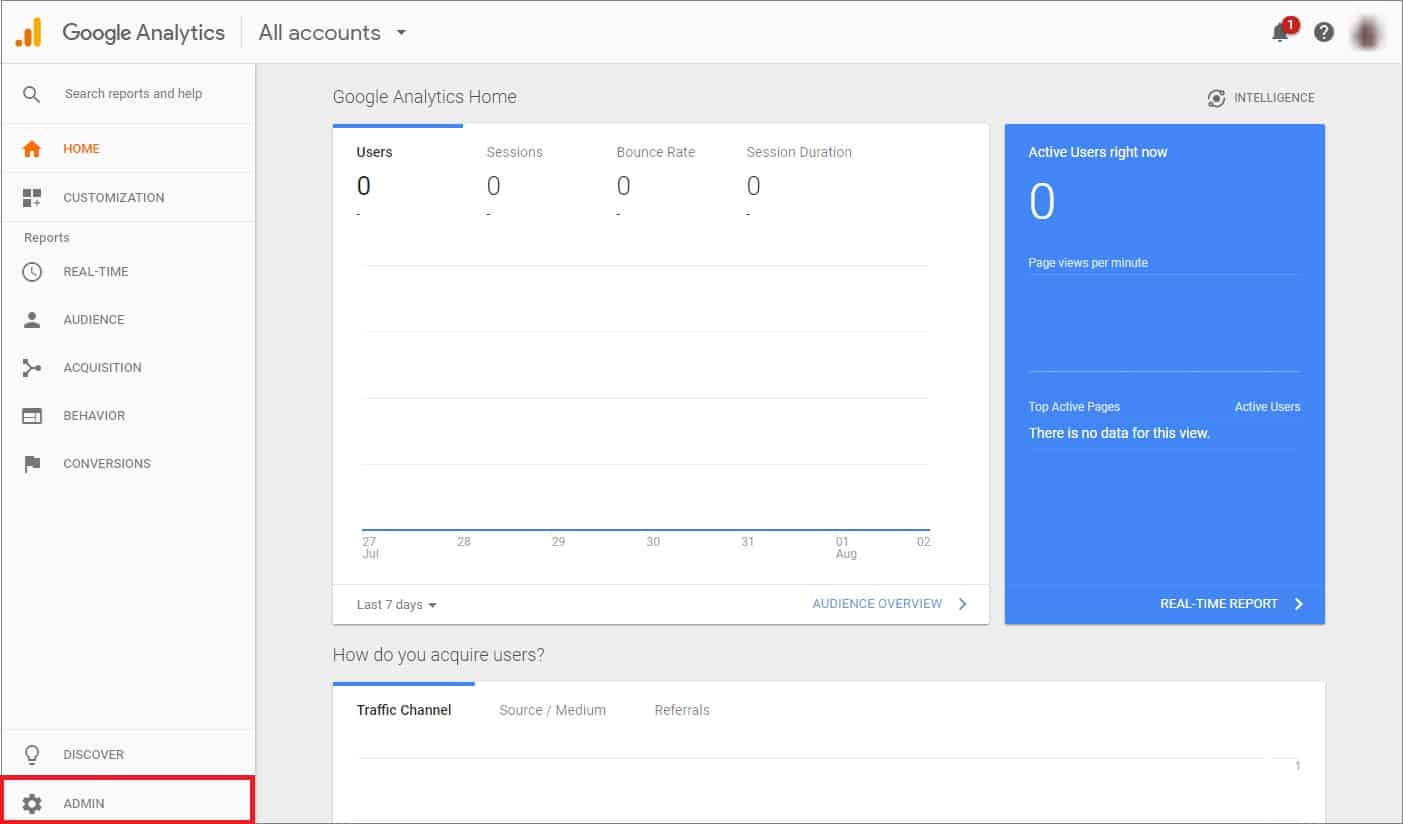
Sign in to your Google Analytics account. Click Admin at the bottom of the page.
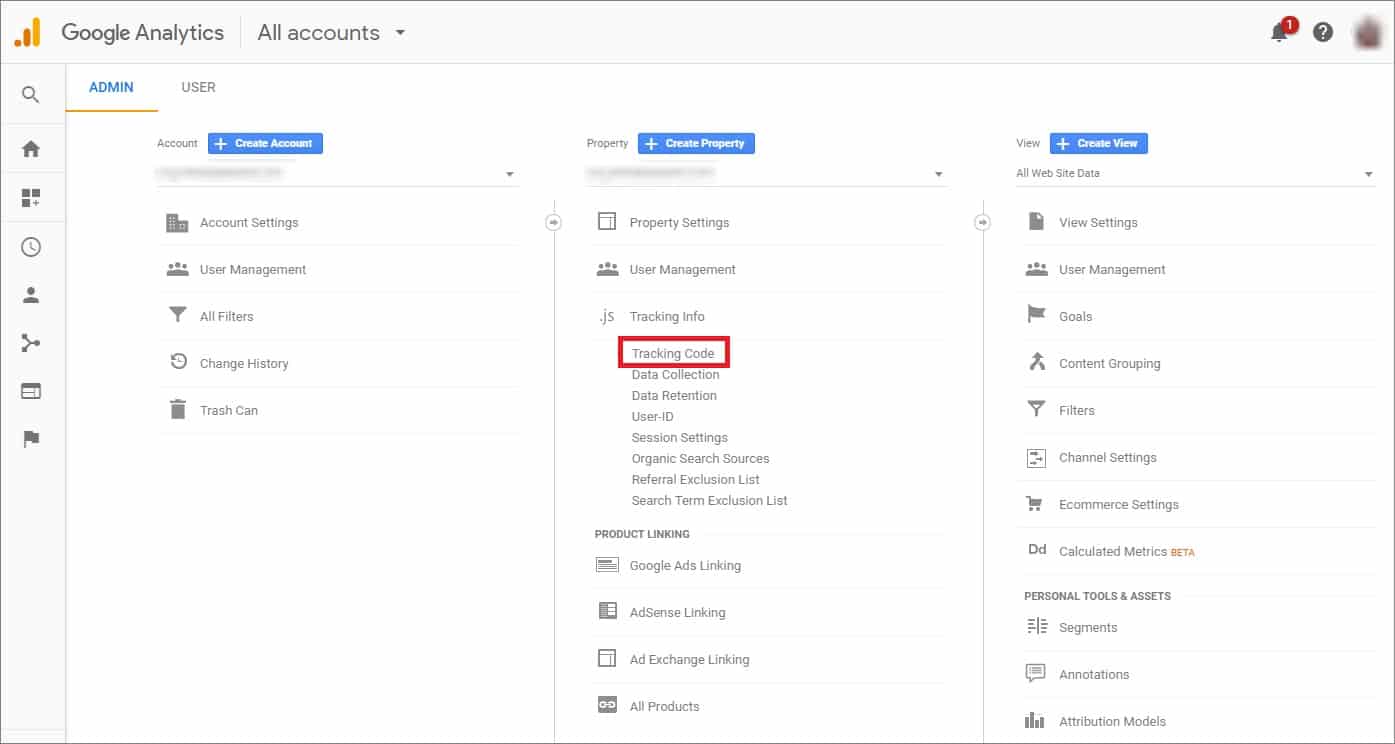
Go to the Property section => Tracking Info. Click Tracking Code in the drop-down menu.
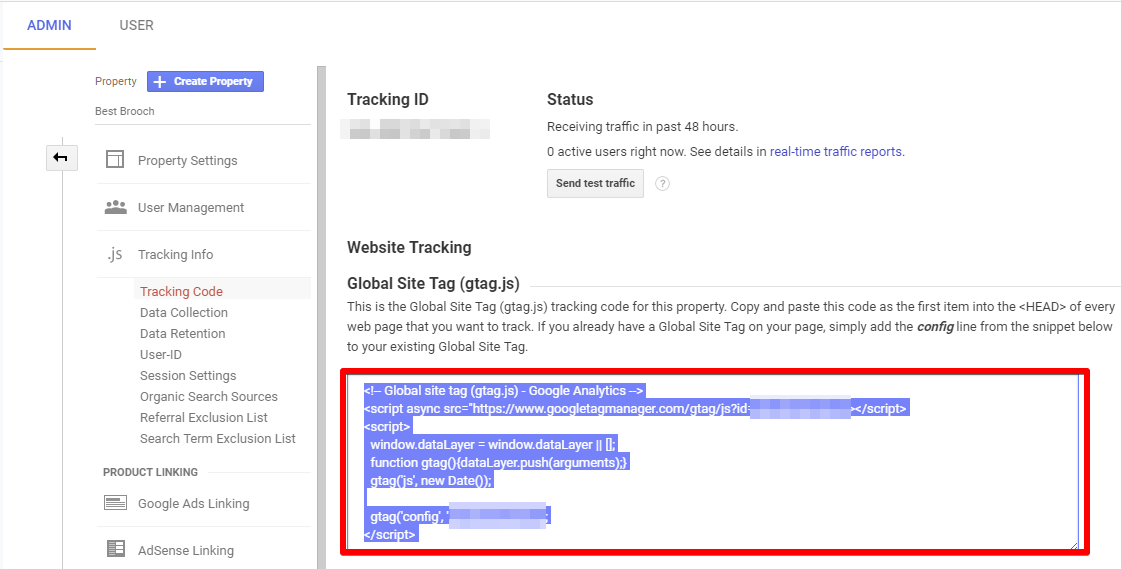
Copy the script below Global Site Tag.
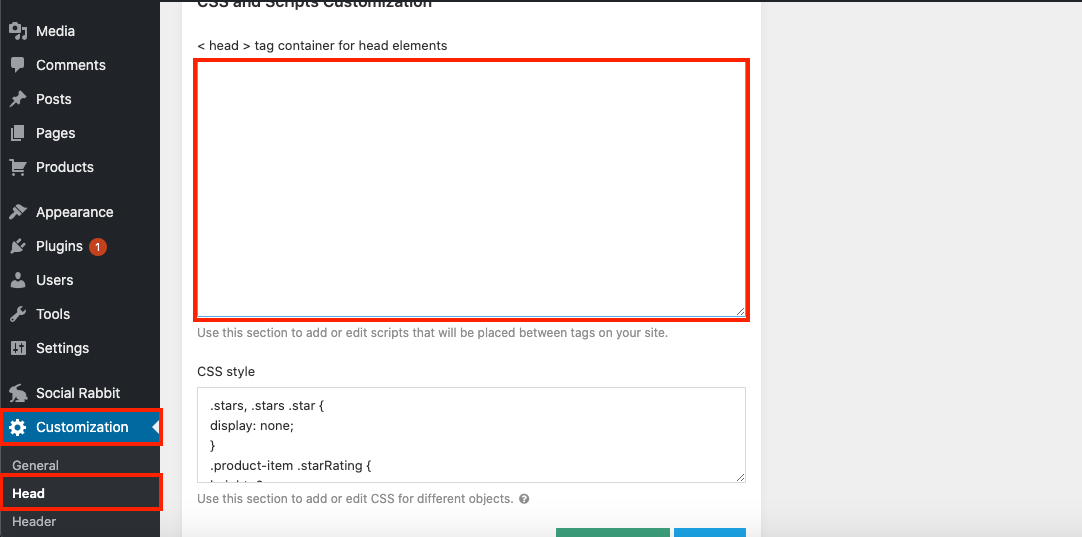
Go to your site WP dashboard => Customization => Head and add this script in < head > tag container for head elements => Click Save Settings.
Related Articles
How To Create A Google Analytics Account
How To Create A Google Analytics Account 1. How to create Google Analytics account. Click here to access Google Analytics. If you have a Google account, and are not signed in, click Sign in to Analytics. If you do not have a Google account, choose ...How To Set Up Google Analytics Traffic Reports
How To Set Up Google Analytics Traffic Reports How to make Google Analytics live stats show on your dashboard. Go to the Google Developer Console. 2. In the Google Developers Console, click the Projects Menu: 3. Enter your Project Name and click the ...How To Setup The Google Analytics Global Site Tag?
How To Setup The Google Analytics Global Site Tag? To setup the 'Google Analytics Global Site Tag', please follow the steps below. If you have not already done so, create a Google Analytics property for each website you want to collect data from. ...How To Setup Google Ads Conversion Tracking?
How To Setup Google Ads Conversion Tracking? To setup the 'Google Ads Conversion Tracking Tag', please follow the steps below. Step 1: Create a conversion action Sign in to your Google Ads account. In the top right-hand corner, click the tools icon , ...Setting up Google Chrome Extension
Setting up Google Chrome Extension To make AliDropship plugin work properly, you need to install and activate AliDropship Google Chrome extension. It allows you to: add products and reviews to your site directly from AliExpress edit product before ...