How To Set Up Google Analytics Traffic Reports
How to make Google Analytics live stats show on your dashboard.
- Go to the Google Developer Console.
2. In the Google Developers Console, click the Projects Menu:
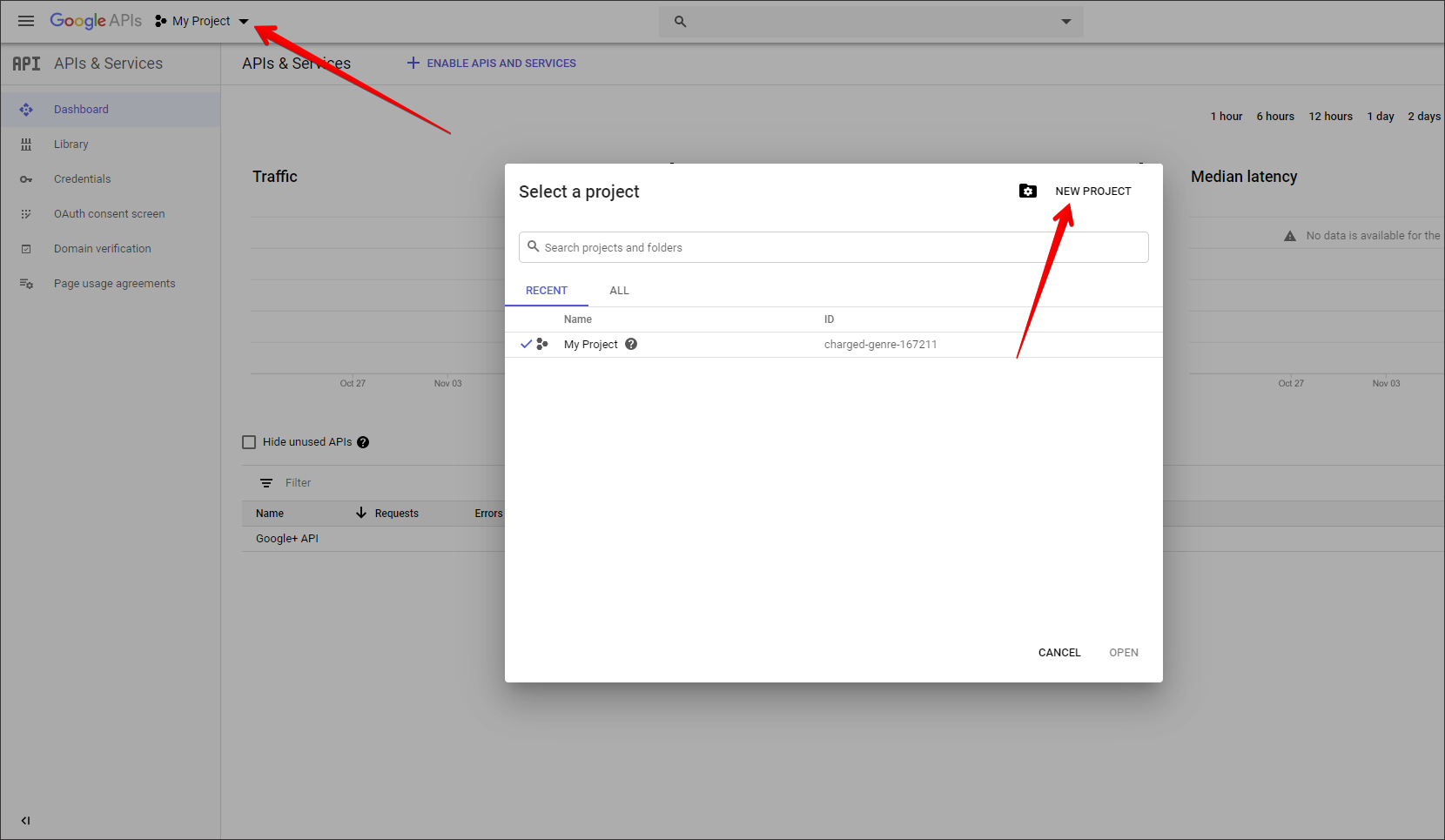
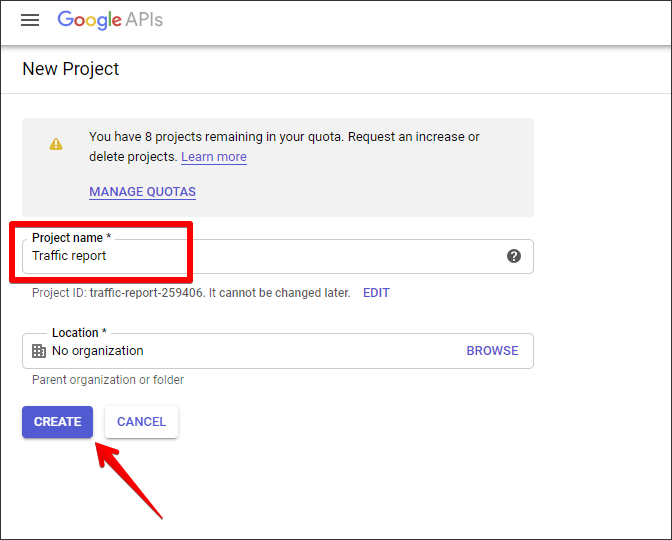
3. Enter your Project Name and click the Create button:
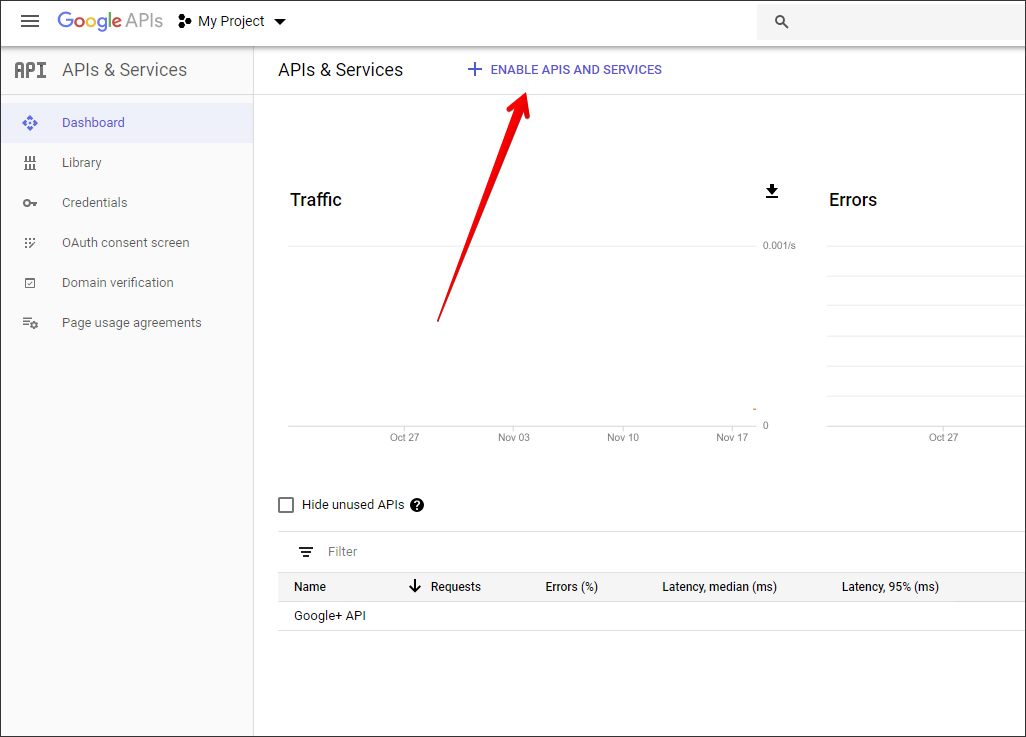
4. Click the Enable APIs and Services link in Dashboard:
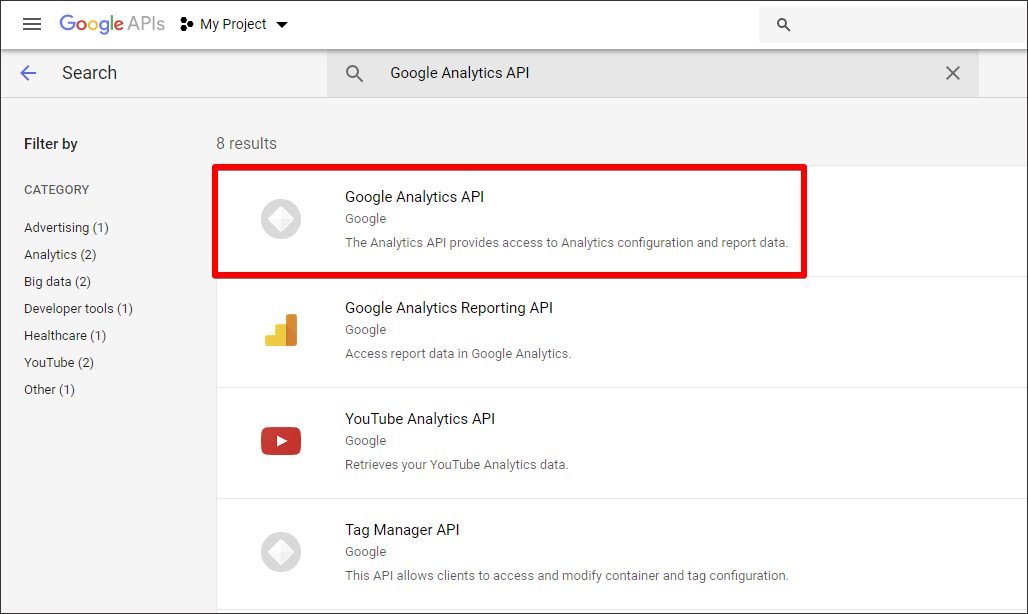
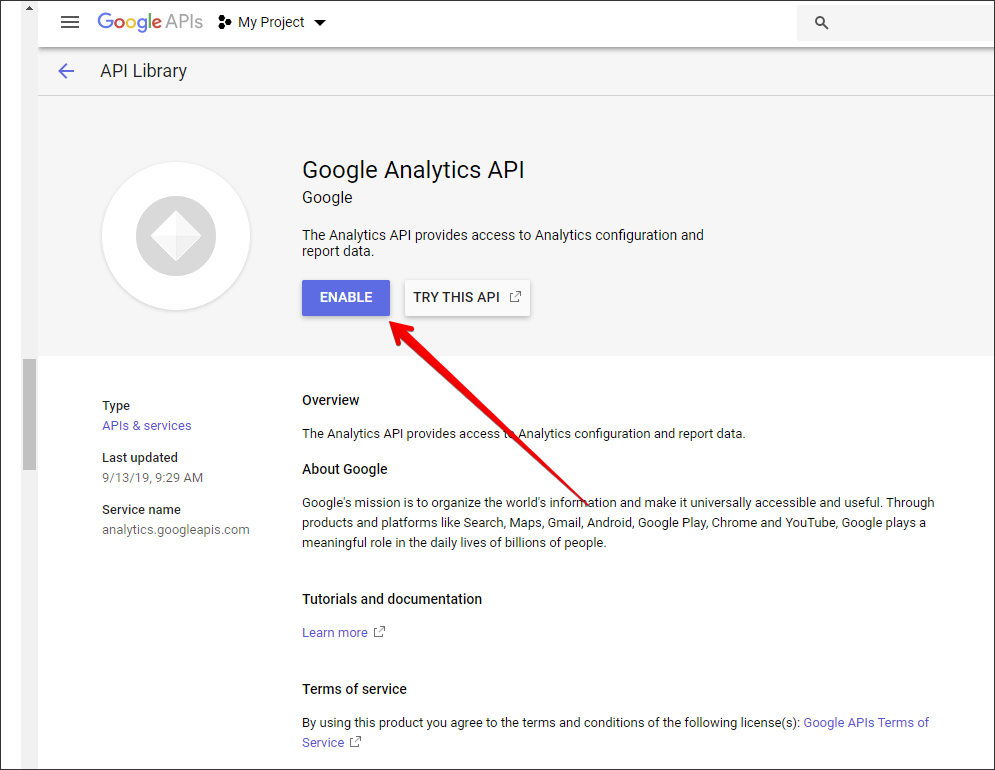
5. Locate the Google Analytics API and click it:
6. Enable it:
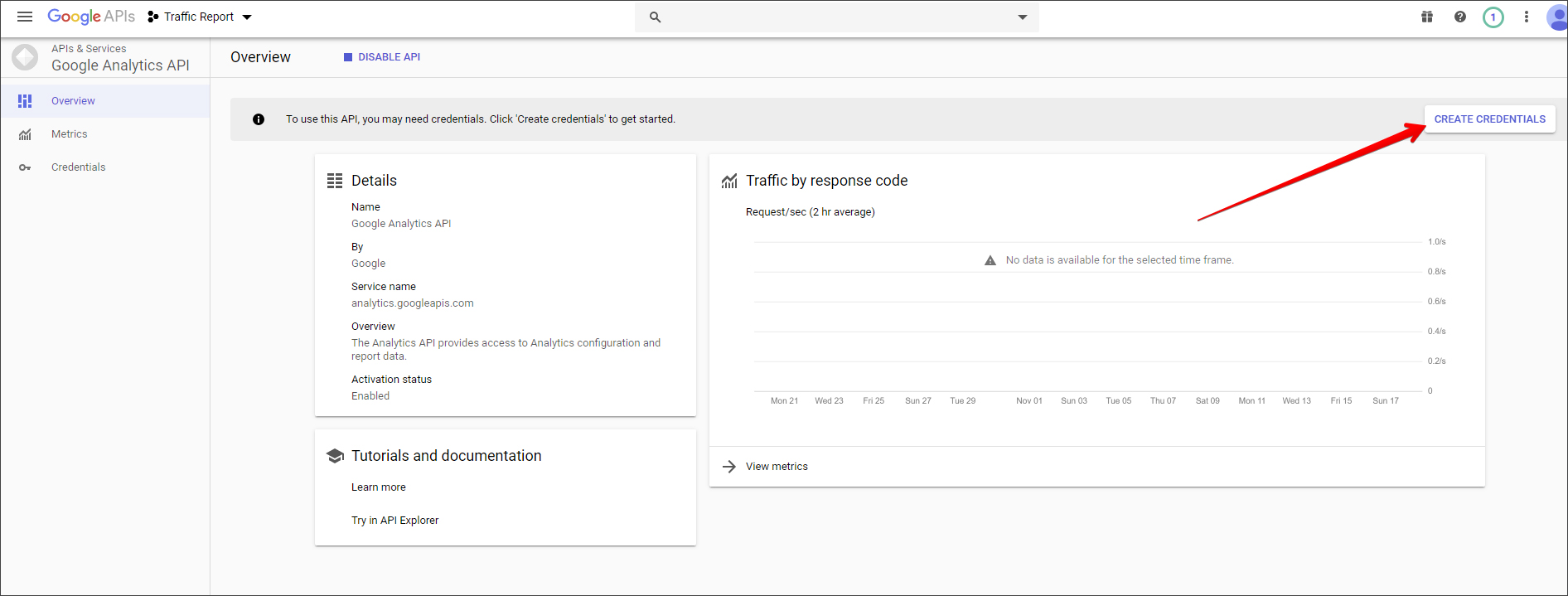
7. Click Create credentials:
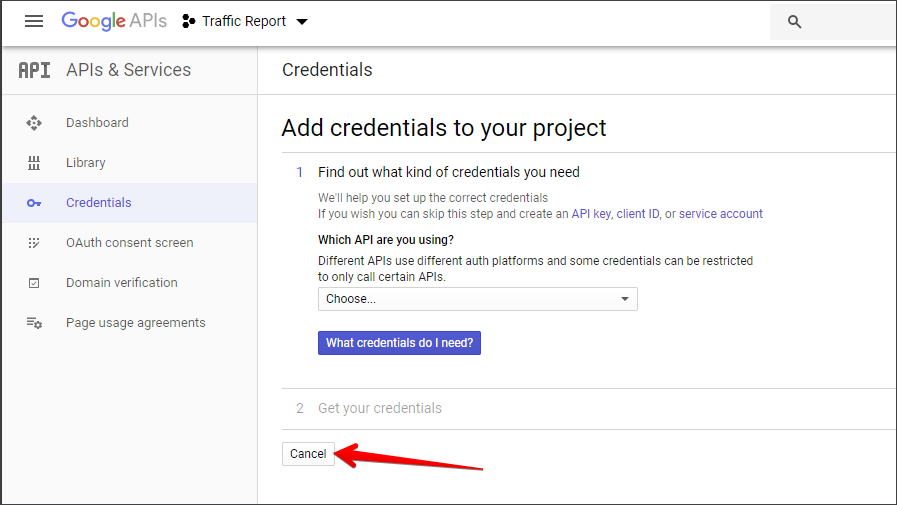
8. Skip the next step by clicking Cancel:
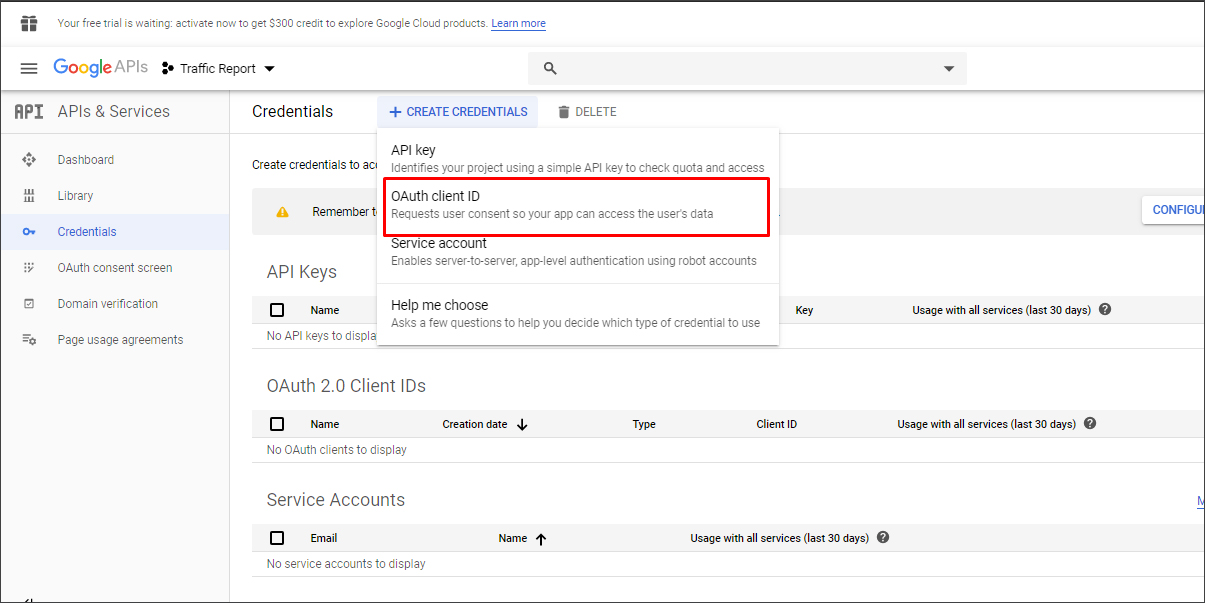
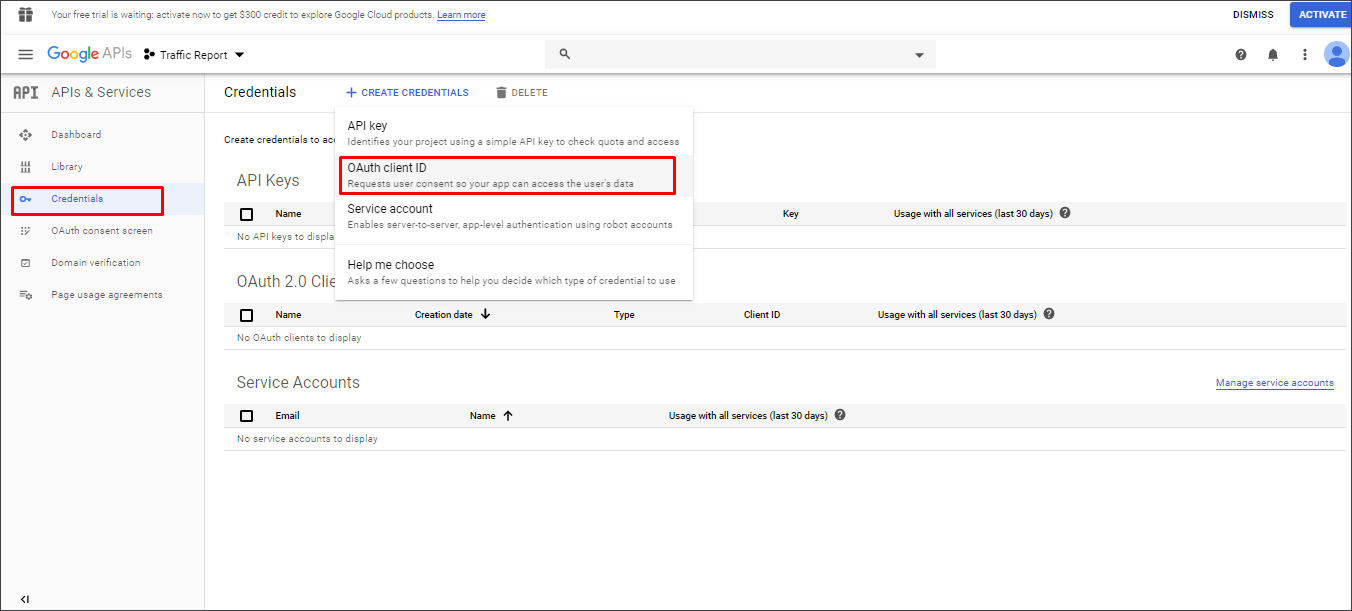
9. Click the Create Credentials and select OAuth client ID option:
10. Click the Configure Consent Screen button:
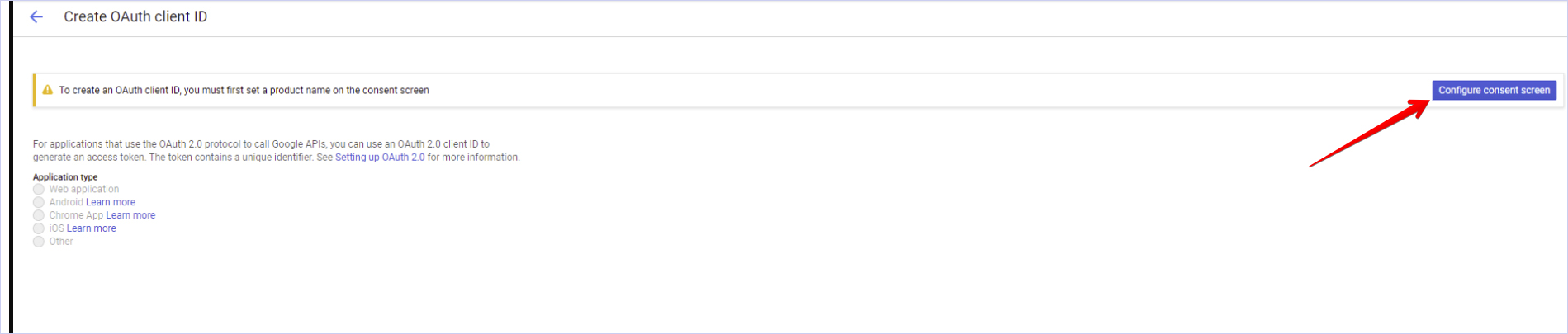
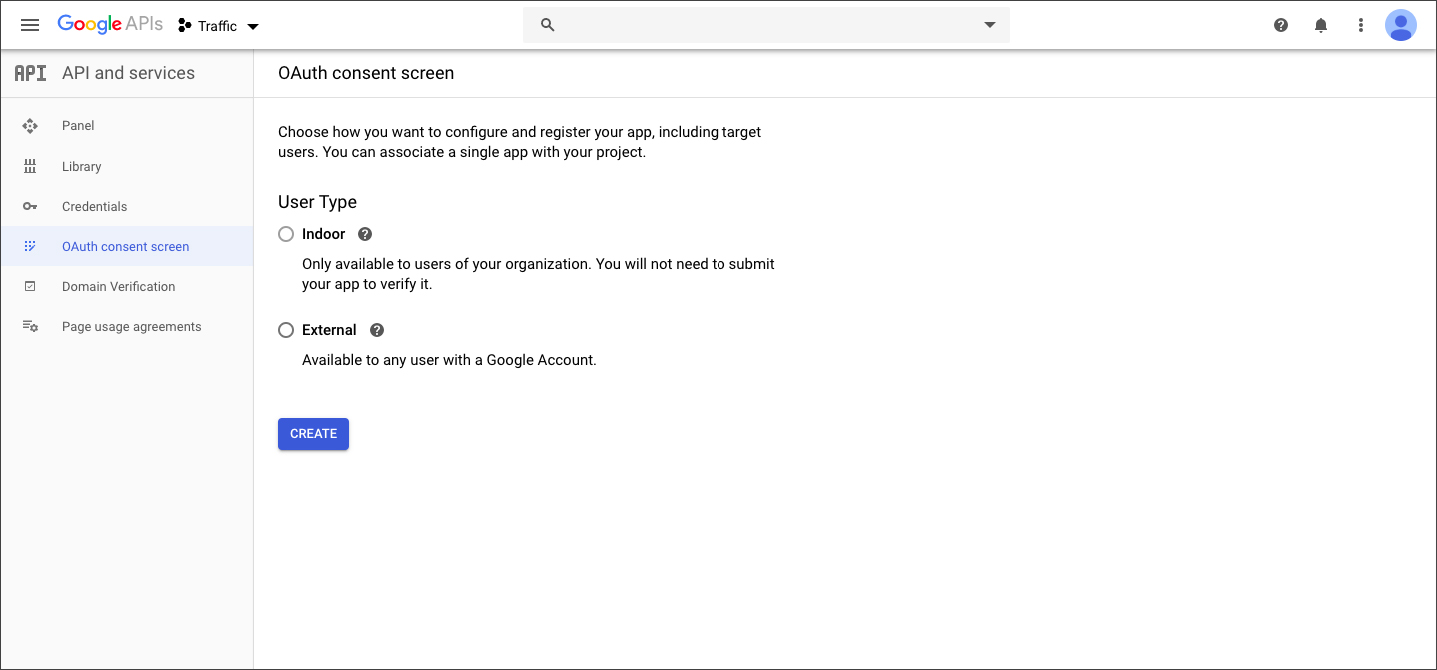
11. Choose External user type (read more about user types HERE) - -> Click 'Create':
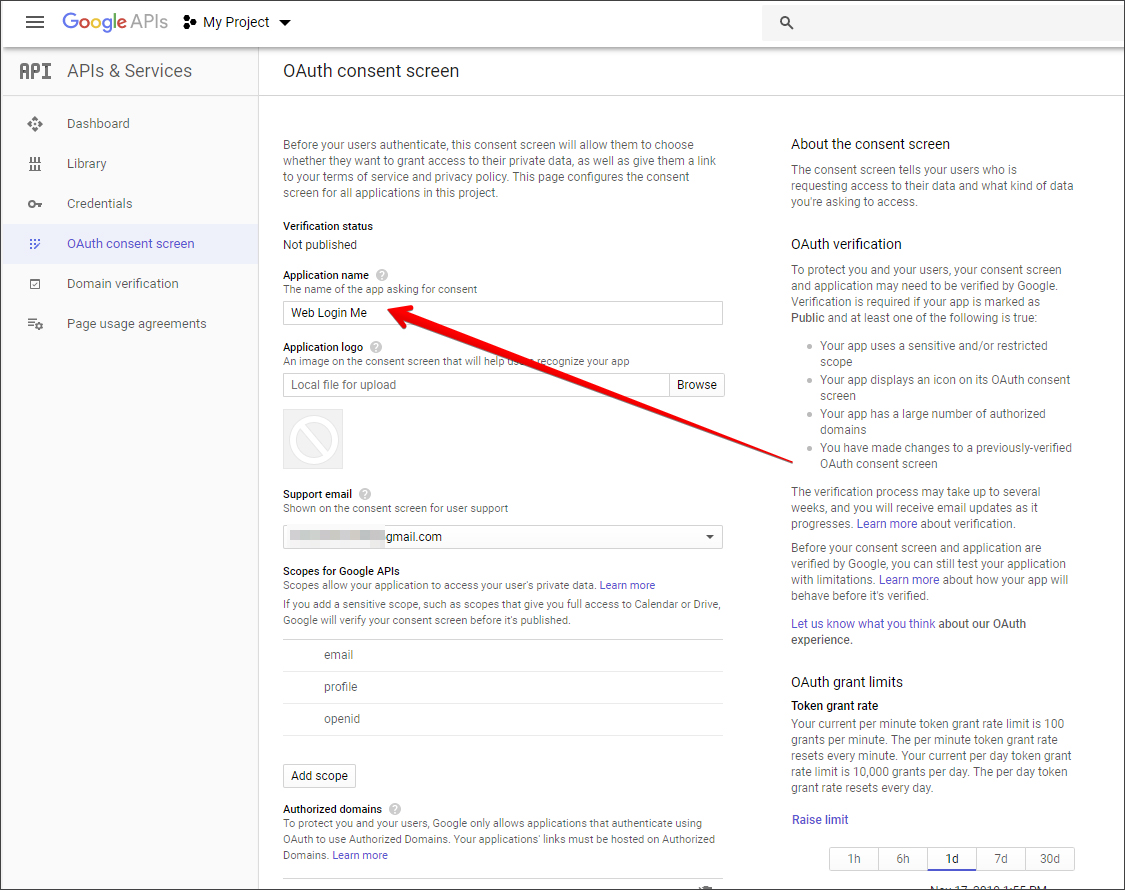
12. Enter your Application name:
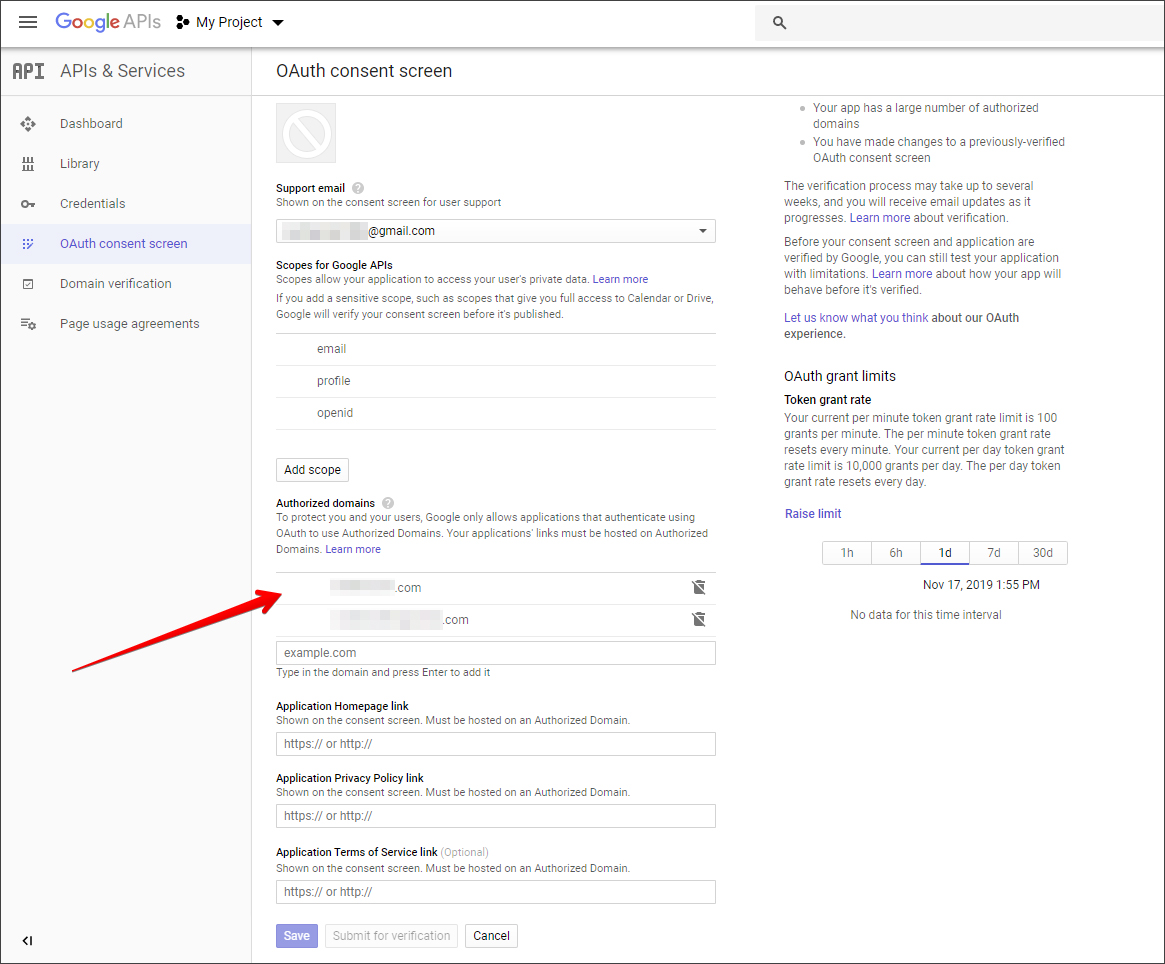
13. Enter your domain name to the Authorized domains and click the Save button:
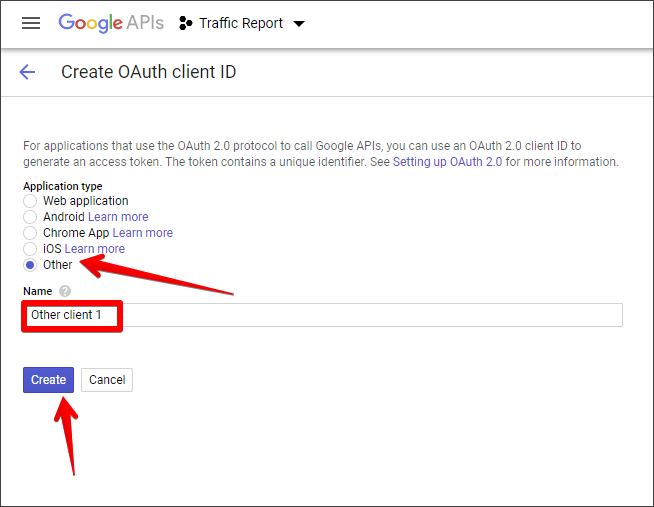
14. Go to Credentials -> OAuth client ID, then Select Other, enter Name -> Create:
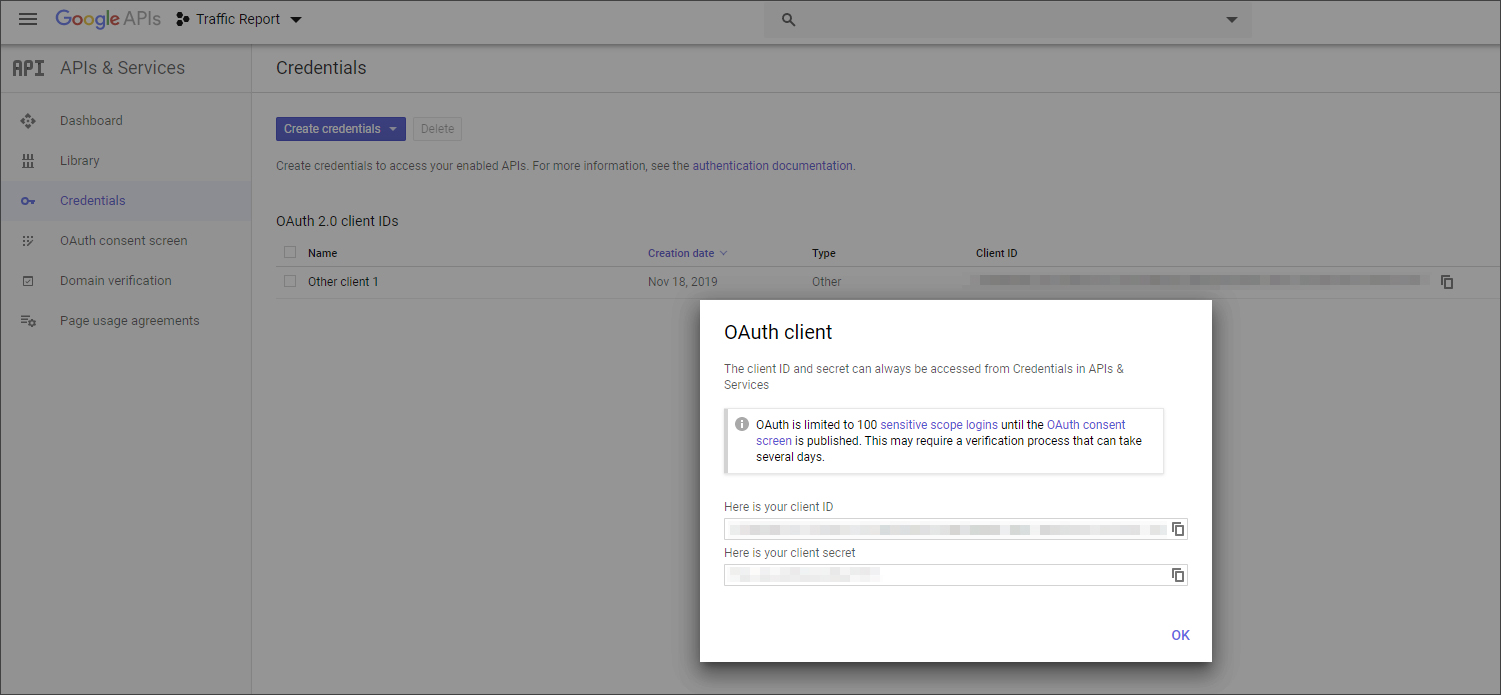
15. Client ID and Secret Client will be displayed to you:
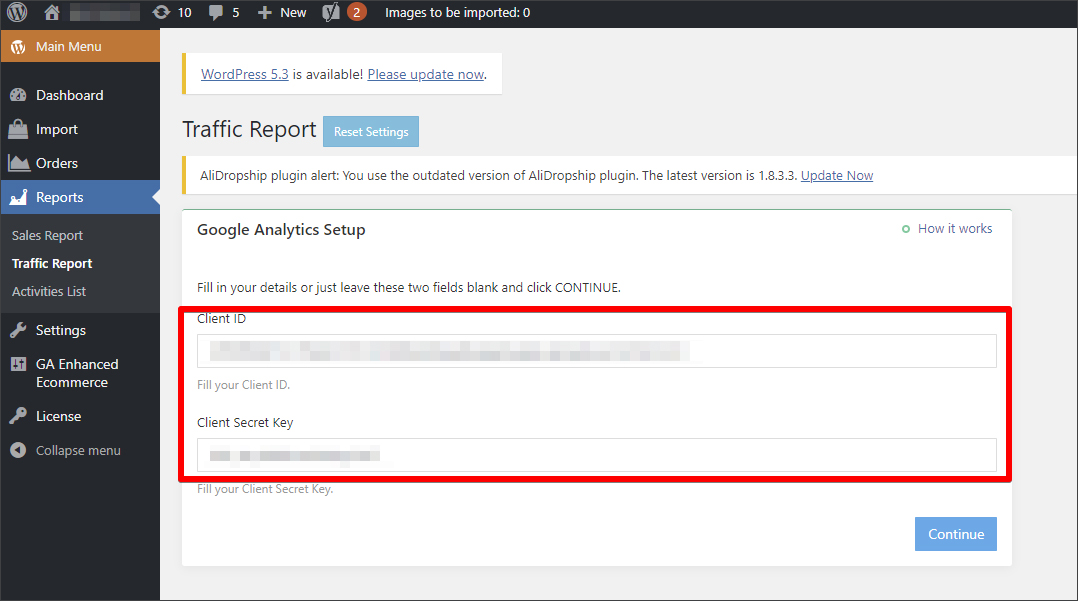
16. Copy them and paste in your WordPress admin area -> AliDropship -> Reports -> Traffic Report:
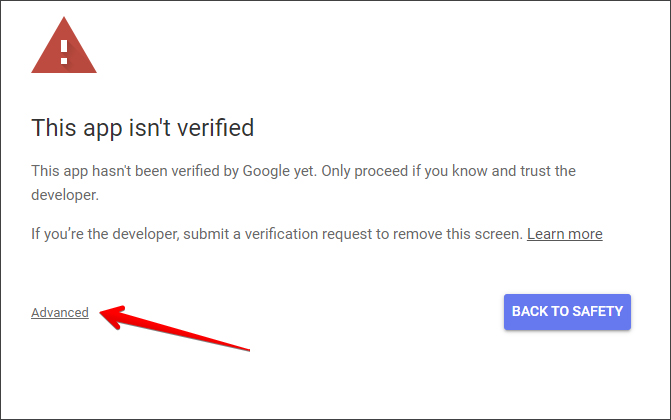
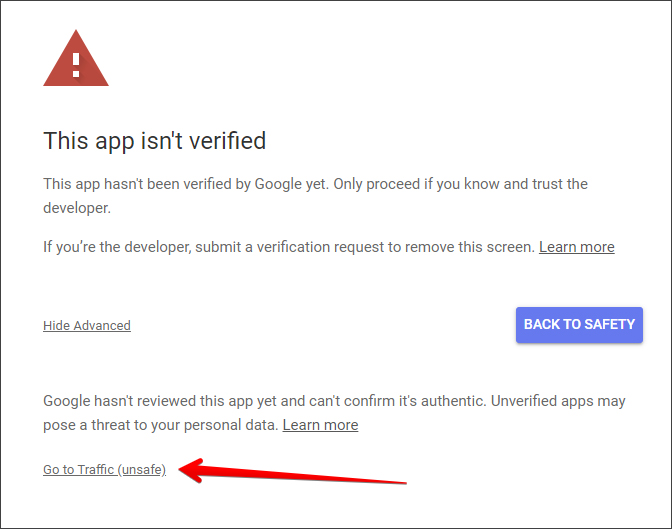
17. If you see this screen, just click Advanced -> Go to ... (your app):
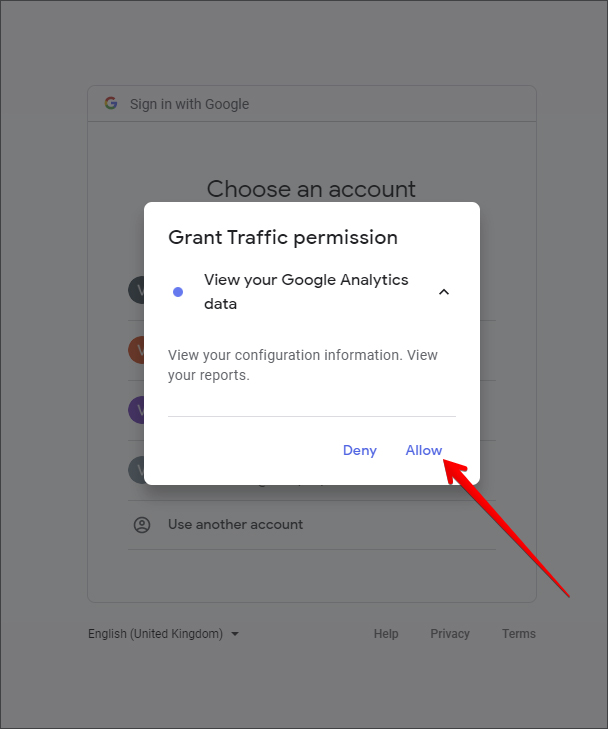
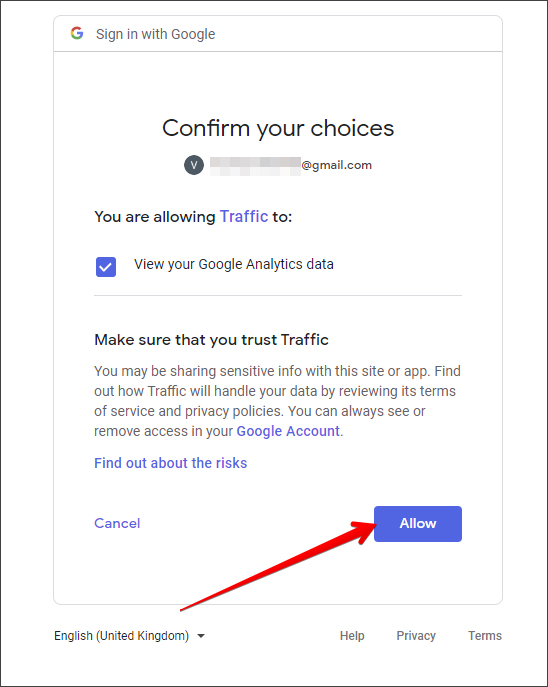
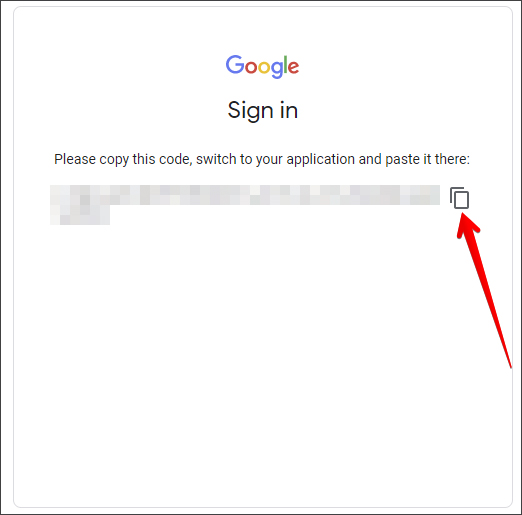
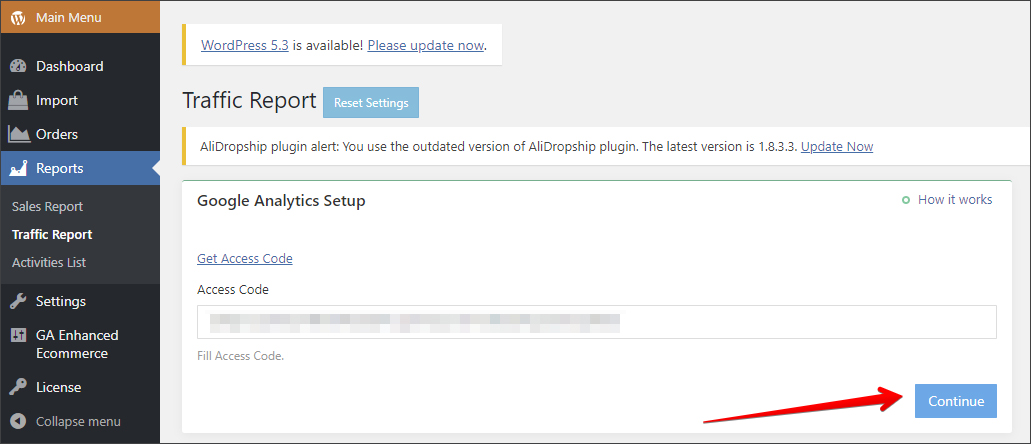
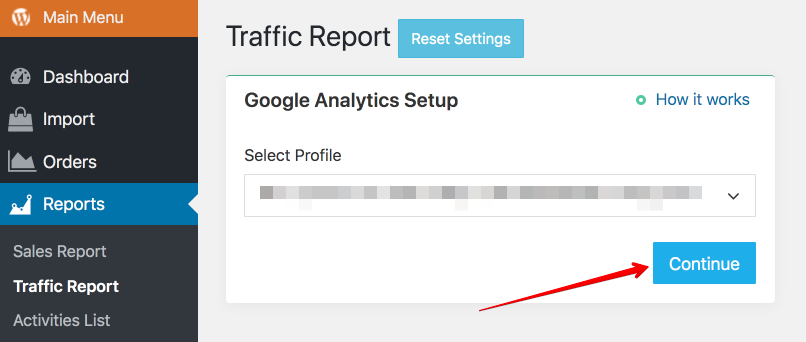
18. Now you can choose an account to continue -> copy the Access code and paste it in WordPress admin area:
Related Articles
Traffic Report (Full Guide)
Traffic Report (Full Guide) To see your 'Traffic Report', from the store dashboard go to: > Reports > Traffic Report From within this page you can track, measure and analyze a great range of data, the first being the 'Overview Report': In this graph ...How to Integrate Google Analytics
How to Integrate Google Analytics Sign in to your Google Analytics account. Click Admin at the bottom of the page. Go to the Property section => Tracking Info. Click Tracking Code in the drop-down menu. Copy the script below Global Site Tag. Go to ...How To Create A Google Analytics Account
How To Create A Google Analytics Account 1. How to create Google Analytics account. Click here to access Google Analytics. If you have a Google account, and are not signed in, click Sign in to Analytics. If you do not have a Google account, choose ...How To Setup Google Ads Conversion Tracking?
How To Setup Google Ads Conversion Tracking? To setup the 'Google Ads Conversion Tracking Tag', please follow the steps below. Step 1: Create a conversion action Sign in to your Google Ads account. In the top right-hand corner, click the tools icon , ...How To Setup The Google Analytics Global Site Tag?
How To Setup The Google Analytics Global Site Tag? To setup the 'Google Analytics Global Site Tag', please follow the steps below. If you have not already done so, create a Google Analytics property for each website you want to collect data from. ...