How To Integrate Electronic Funds Transfer (EFT) Payment Gateway?
Electronic Funds Transfer (EFT) is an additional payment gateway that can be run alongside any other payment gateway. Multiple payment options offers your customers freedom of choice when they checkout.
How it works: the customer pays you direct into your bank account by bank transfer, ensuring immediate payment direct to you.
How to integrate EFT: to integrate the EFT payment gateway, please follow the steps below:-
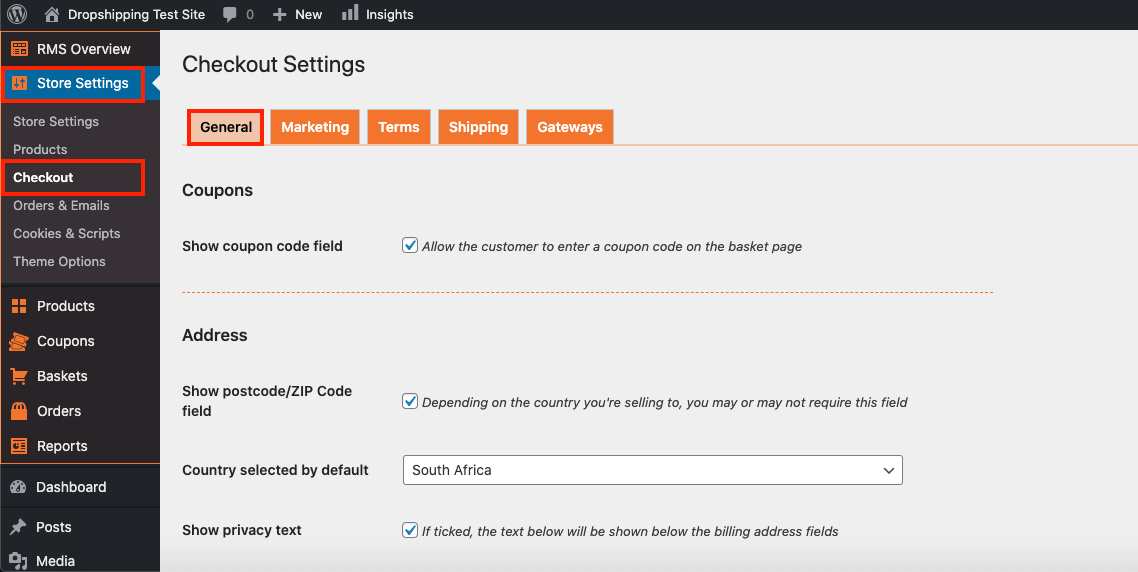
I. From the store dashboard go to: > Store Settings > Checkout > General
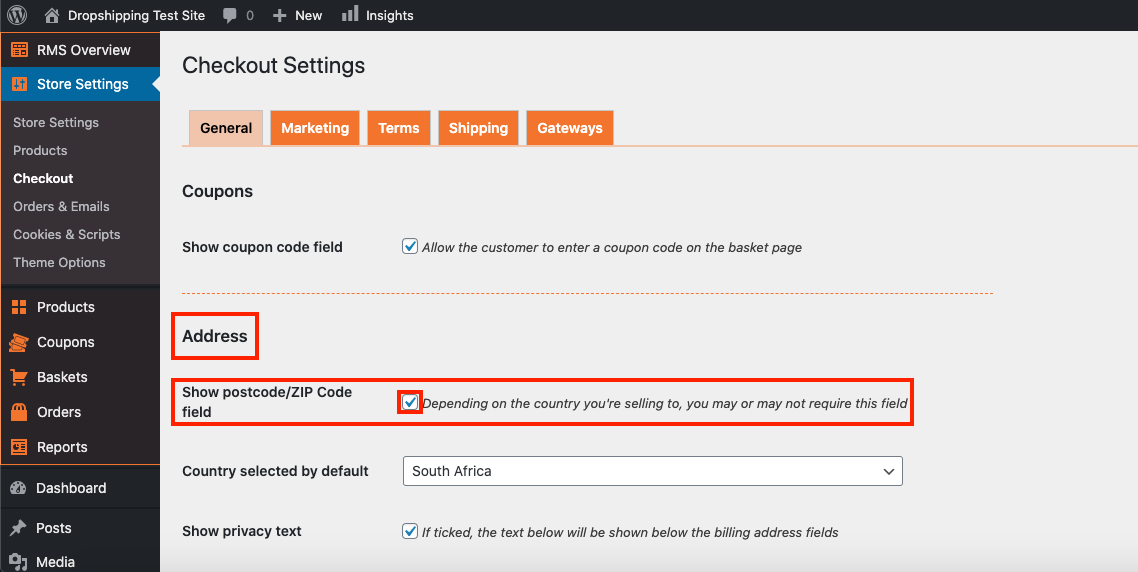
II. Under the 'Address' heading, check the tick-box labelled 'Show postcode/ZIP Code field':
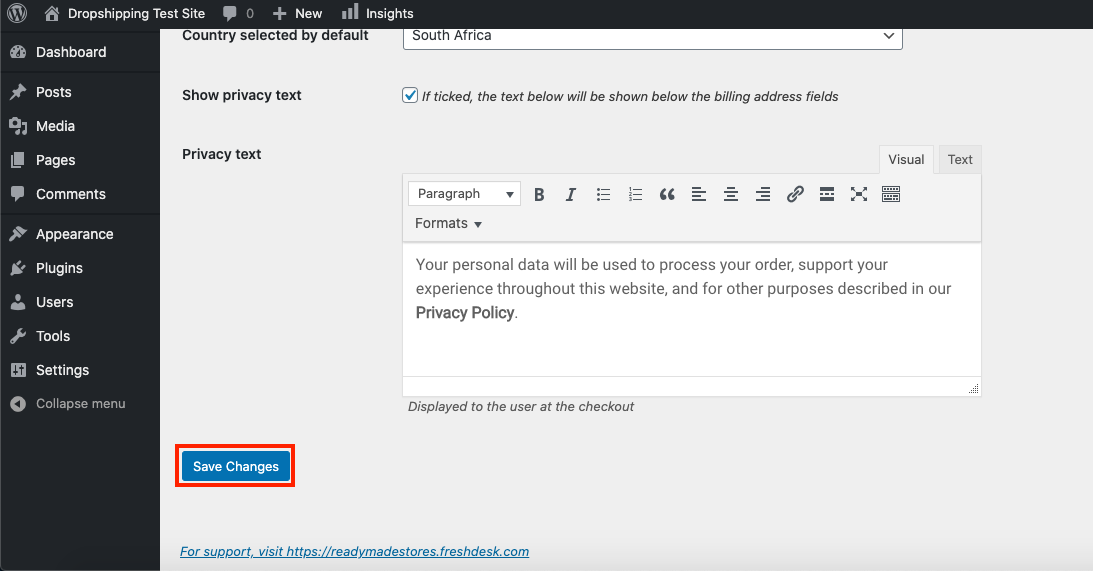
III. Click 'Save Settings' at the bottom of the page:
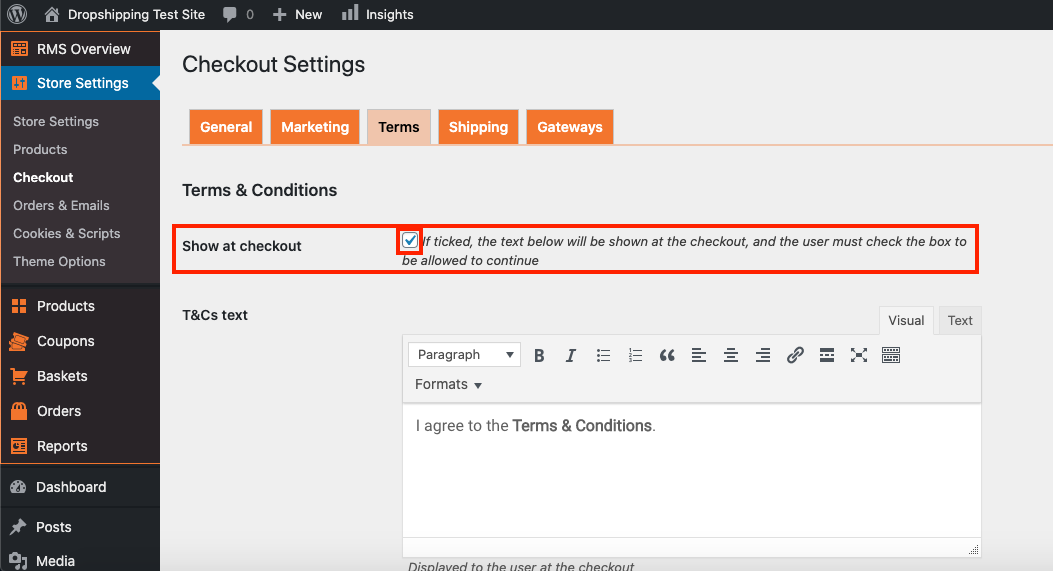
IV. From there, go to: > Store Settings > Checkout > Terms
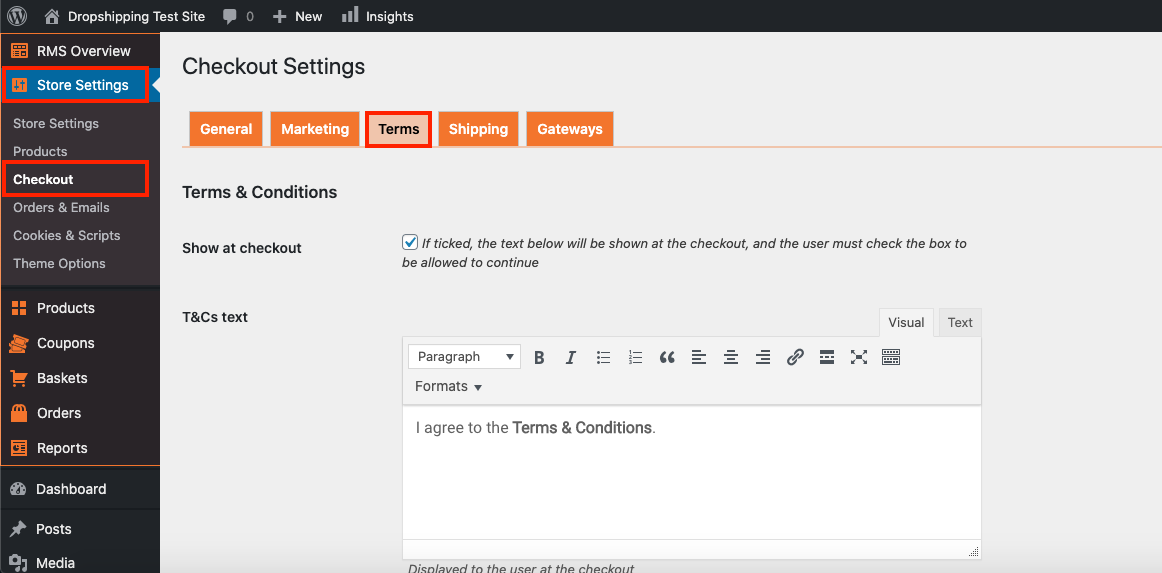
V. Check the tick-box labelled 'Show at checkout':
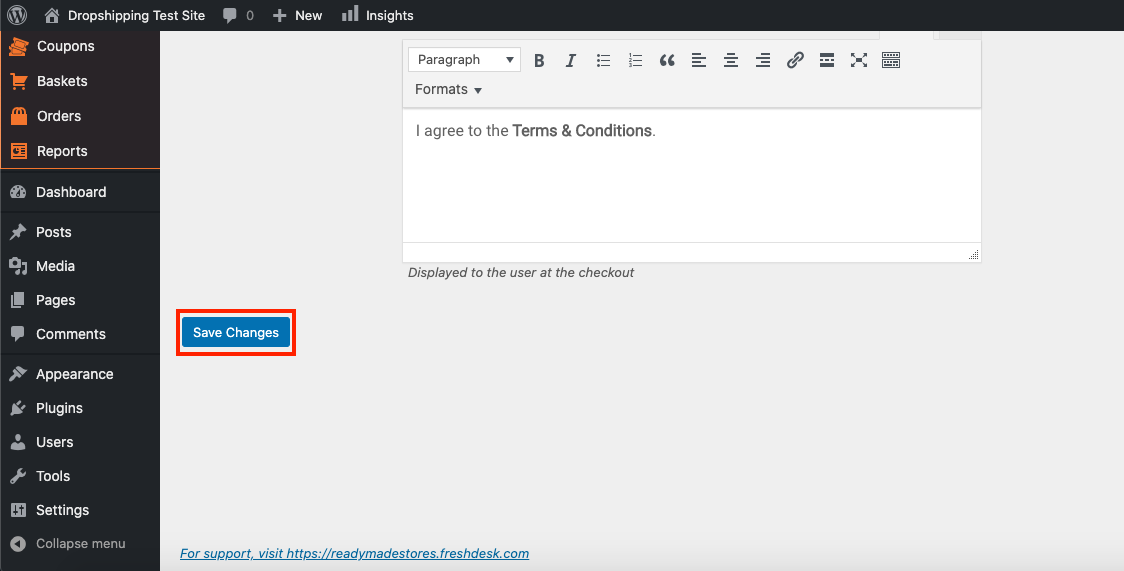
VI. Click 'Save Settings' at the bottom of the page:
VII. Following that, we will now require the details from you below:-
Name of Account Holder:
Name of Bank:
Bank Account Number:
Type of Account (cheque, savings, etc):
Bank Branch Code:
Send via a ticket
Related Articles
How To Integrate 2Checkout Payment Gateway?
How To Integrate 2Checkout Payment Gateway? To integrate the 2Checkout payment gateway: I. From the store dashboard go to: > Store Settings > Checkout > General II. Under the 'Address' heading, check the tick-box labelled 'Show postcode/ZIP Code ...How To Integrate Rave Payment Gateway?
How To Integrate Rave Payment Gateway? To integrate the Rave payment gateway: I. From the store dashboard go to: > Store Settings > Checkout > General II. Under the 'Address' heading, check the tick-box labelled 'Show postcode/ZIP Code field': III. ...How To Integrate Stripe Payment Gateway?
How To Integrate Stripe Payment Gateway? To integrate the Stripe payment gateway: I. From the store dashboard go to: > Store Settings > Checkout > General II. Under the 'Address' heading, check the tick-box labelled 'Show postcode/ZIP Code field': ...How To Integrate PayFast Payment Gateway?
How To Integrate PayFast Payment Gateway? To integrate the PayFast payment gateway: I. From the store dashboard go to: > Store Settings > Checkout > General II. Under the 'Address' heading, check the tick-box labelled 'Show postcode/ZIP Code field': ...How To Integrate PayPal Payment Gateway?
How To Integrate PayPal Payment Gateway? To integrate the PayPal payment gateway: I. From the store dashboard go to: > Store Settings > Checkout > General II. Under the 'Address' heading, check the tick-box labelled 'Show postcode/ZIP Code field': ...