How To Integrate 2Checkout Payment Gateway?
To integrate the 2Checkout payment gateway:
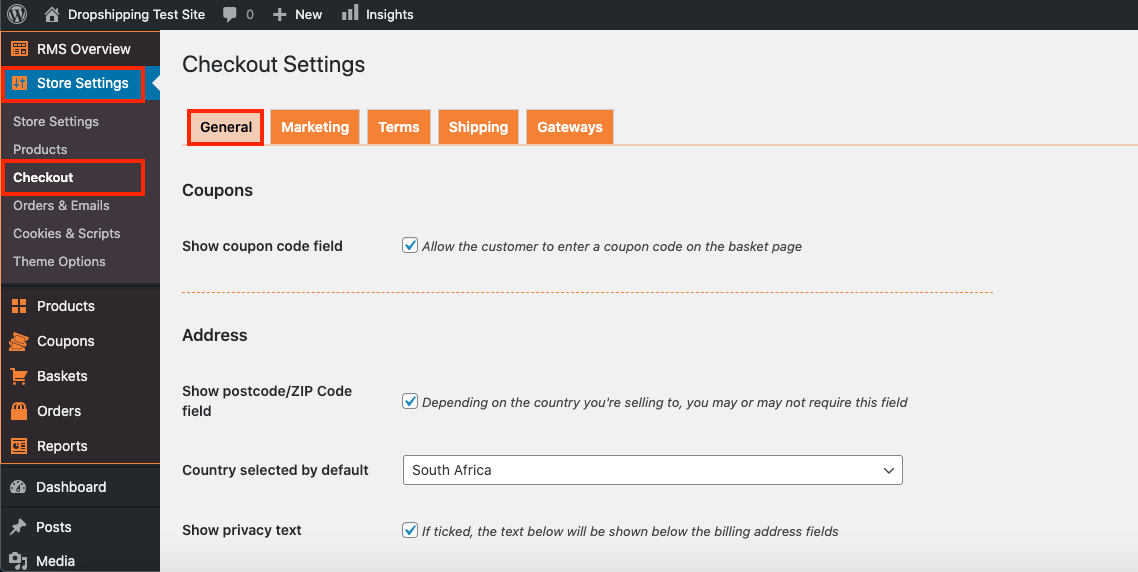
I. From the store dashboard go to: > Store Settings > Checkout > General
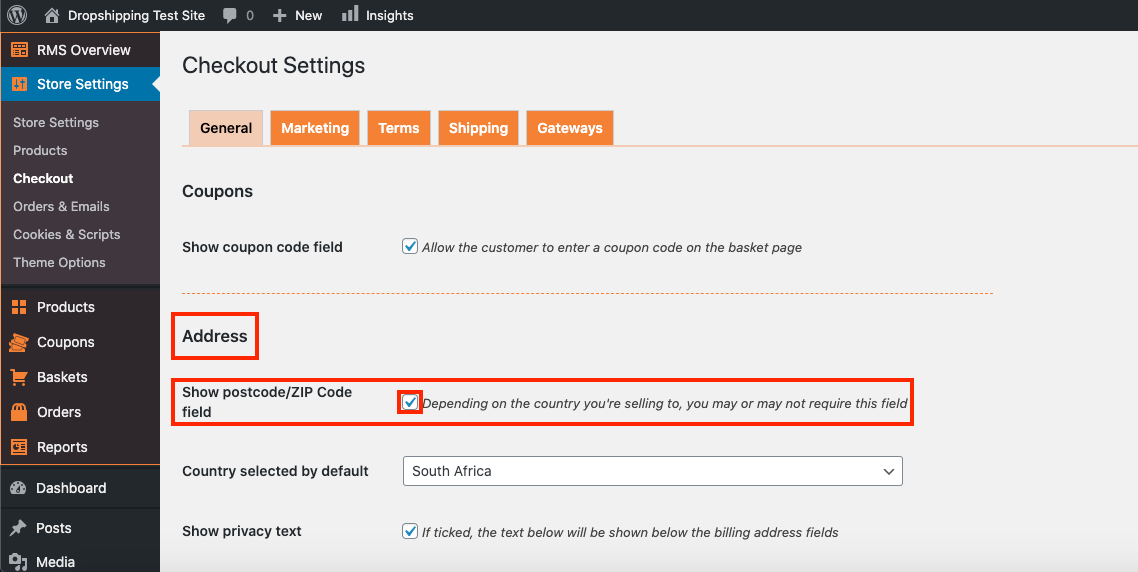
II. Under the 'Address' heading, check the tick-box labelled 'Show postcode/ZIP Code field':
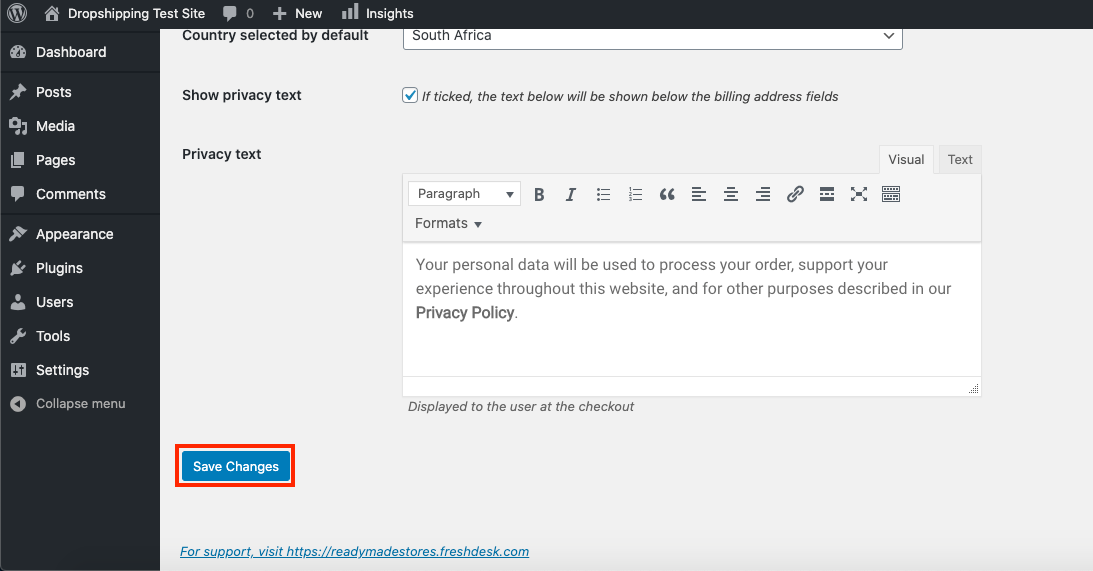
III. Click 'Save Settings' at the bottom of the page:
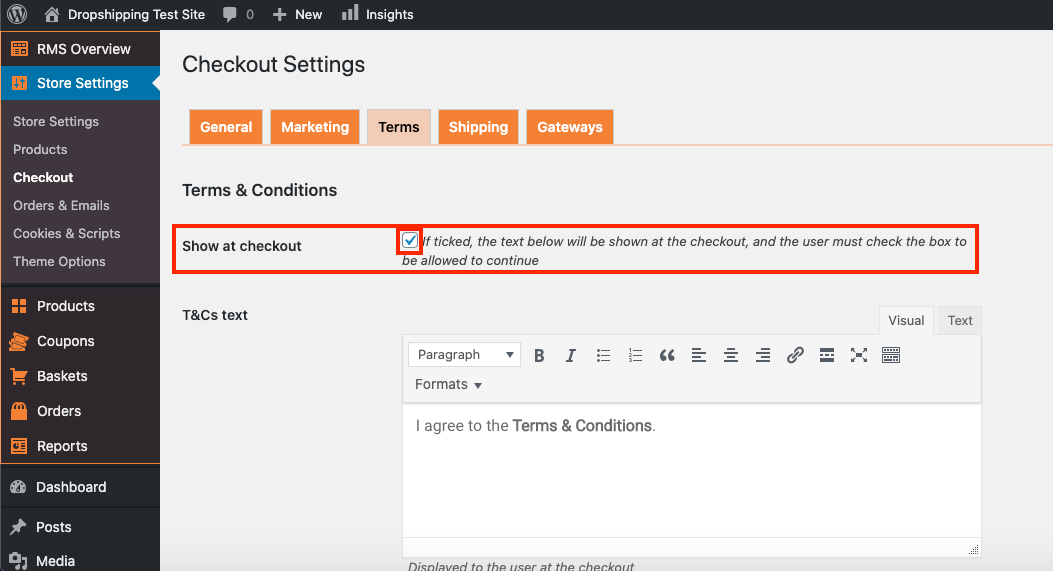
IV. From there, go to: > Store Settings > Checkout > Terms
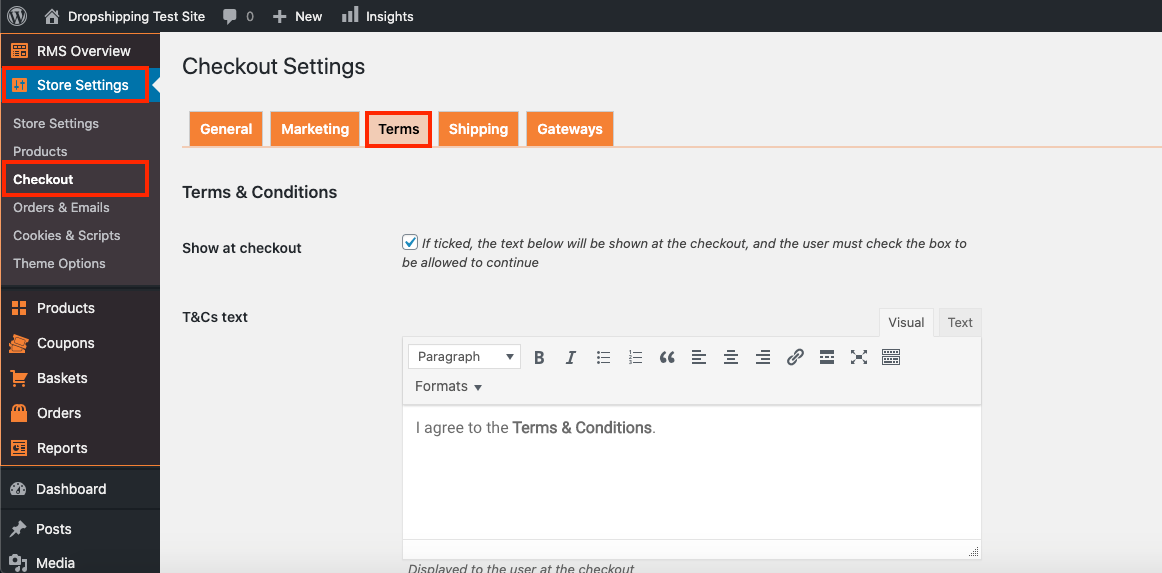
V. Check the tick-box labelled 'Show at checkout':
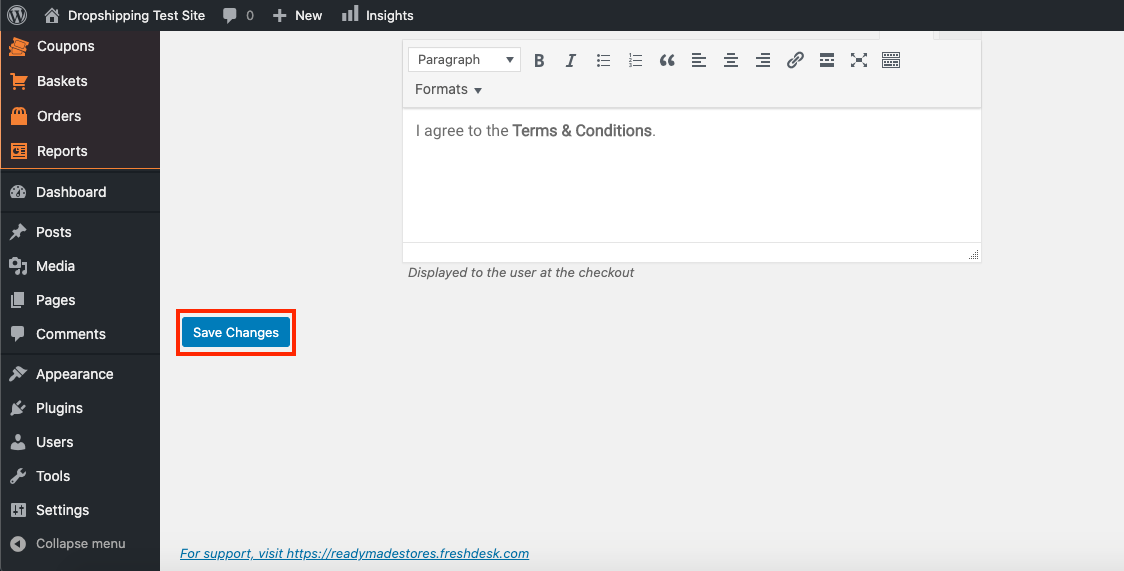
VI. Click 'Save Settings' at the bottom of the page:
1. Create a 2Checkout Account (if you haven't already done so) - 2checkout.com
2. From the store dashboard go to: > Store Settings > Checkout > Gateways
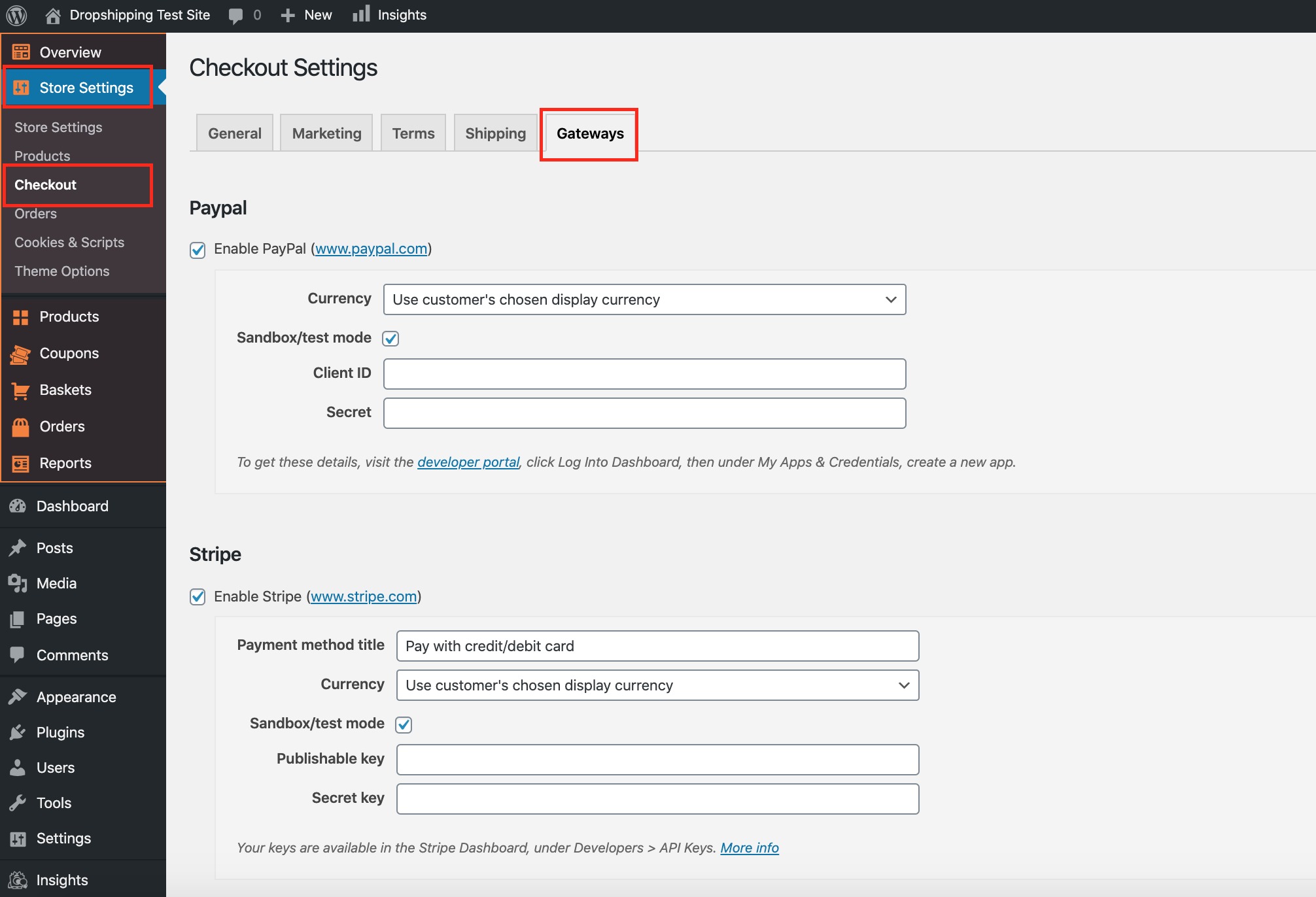
3. Scroll down to the heading '2Checkout':
4. Check the tick-box labelled 'Enable 2Checkout'
5. Alter the 'Payment method title' to how you see fit
6. Uncheck the tick-box labelled 'Sandbox/test mode'
7. Copy and paste the 'Merchant code', 'Secret key' and 'INS secret word' into the corresponding text boxes
*These details can be found after logging into 2checkout.com under:
> Dashboard > Integrations > Webhooks and API*
Related Articles
How To Integrate Rave Payment Gateway?
How To Integrate Rave Payment Gateway? To integrate the Rave payment gateway: I. From the store dashboard go to: > Store Settings > Checkout > General II. Under the 'Address' heading, check the tick-box labelled 'Show postcode/ZIP Code field': III. ...How To Integrate Stripe Payment Gateway?
How To Integrate Stripe Payment Gateway? To integrate the Stripe payment gateway: I. From the store dashboard go to: > Store Settings > Checkout > General II. Under the 'Address' heading, check the tick-box labelled 'Show postcode/ZIP Code field': ...How To Integrate PayFast Payment Gateway?
How To Integrate PayFast Payment Gateway? To integrate the PayFast payment gateway: I. From the store dashboard go to: > Store Settings > Checkout > General II. Under the 'Address' heading, check the tick-box labelled 'Show postcode/ZIP Code field': ...How To Integrate PayPal Payment Gateway?
How To Integrate PayPal Payment Gateway? To integrate the PayPal payment gateway: I. From the store dashboard go to: > Store Settings > Checkout > General II. Under the 'Address' heading, check the tick-box labelled 'Show postcode/ZIP Code field': ...How To Integrate Electronic Funds Transfer (EFT) Payment Gateway?
How To Integrate Electronic Funds Transfer (EFT) Payment Gateway? Electronic Funds Transfer (EFT) is an additional payment gateway that can be run alongside any other payment gateway. Multiple payment options offers your customers freedom of choice ...