How To Change Currency Settings?
How To Change Currency Settings?
To change the currency settings, from the store dashboard go to:
> Store Settings > Store Settings > Currencies
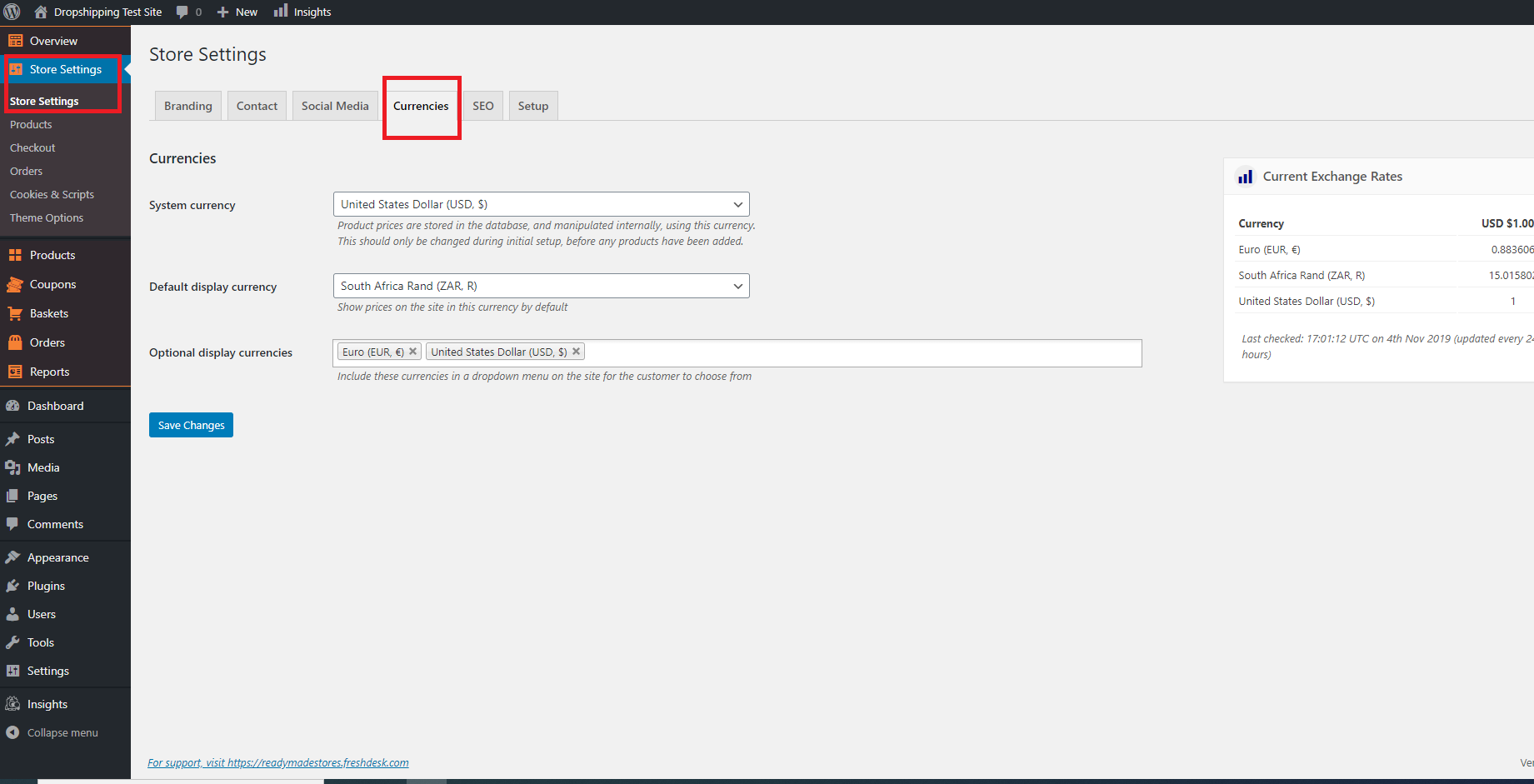
From with this page you can change the 'System currency', 'Default display currency' and 'Optional display currencies'.
*Never change the 'System currency' from 'United States Dollar (USD, $)' as this can interfere with the 'Markup Rules'*
*Underneath each of these settings is a description which informs you of what they each entail - please read them carefully*
(*Don't forget to click 'Save Changes' after making alterations*)
Related Articles
Currency settings
Your currency settings can be adjusted to your needs in AliDropship → Settings → Currency. Default currency AliDropship plugin uses US Dollars as a primary currency set by default. You can change it if you plan to work with another currency. In this ...Shipping Settings
Shipping Settings We highly recommend providing your customers a free shipping service by taking advantage of the free/low cost shipping offered by many AliExpress sellers. However the Plugin has a special section where you can create different ...How To Change The Theme?
How To Change The Theme? To alter the 'Theme', from the store dashboard go to: > Store Settings > Store Settings > Setup From within this page, hover over a theme with your cursor and click 'Activate':PayPal Classic Integration
PayPal Classic Integration Go to AliDropship -> Settings => Payments to enable PayPal as your payment gateway. Change Currency to US Dollar ($). If you are from the UK, please set as British Pound Sterling (£). Add your PayPal email -> click 'Save ...How To Change Site Logo/Favicon?
How To Change Site Logo/Favicon? To alter the site logo and favicon, from the store dashboard go to: > Store Settings > Store Settings > Branding From within this page click 'Select image' to select files from your computer and upload them to replace ...