Currency settings
Your currency settings can be adjusted to your needs in AliDropship → Settings → Currency.

Default currency
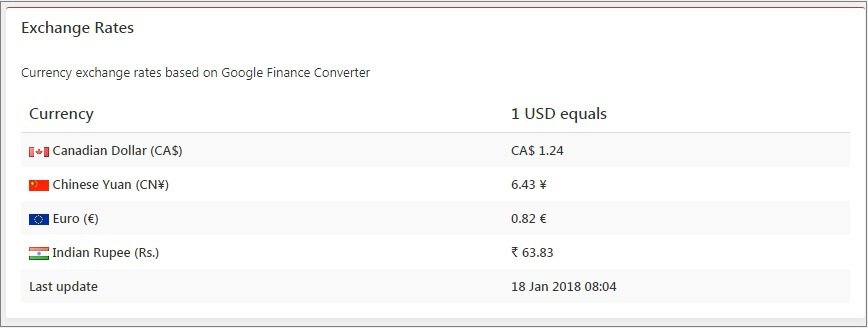
AliDropship plugin uses US Dollars as a primary currency set by default. You can change it if you plan to work with another currency. In this case, all the product prices in US Dollars will be automatically converted into the selected currency according to Google Finance converter. Up-to-date exchange rates can be found next to Currency settings.
Additional currencies
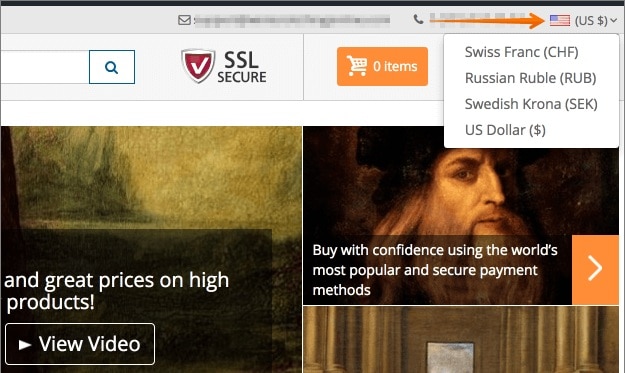
With AliDropship plugin, it is possible to add more currency options so that your customers can choose necessary currency from the dropdown menu in your store.
Currency location
Plugin automatically shows the currency based on customer’s geographical location detected by his IP address.


Currency location could not work properly at your website if you use Cloudflare. In this case you need to install mod_remoteip on your Apache web server.
Default database currency
Database currency is used by the software as your default currency for payment gateways. You should not change this currency once it has been set up as this might negatively affect the way your payment gateway works.
Related Articles
How To Change Currency Settings?
How To Change Currency Settings? To change the currency settings, from the store dashboard go to: > Store Settings > Store Settings > Currencies From with this page you can change the 'System currency', 'Default display currency' and 'Optional ...Tax Settings
Tax Settings To access the tax settings, go to AliDropship -> Settings -> Taxes and enable taxes. Activate ‘Apply to shipping costs’ option if you want to charge sales tax both on products and shipping. There are two ways to calculate your taxes: 1. ...Shipping Settings
Shipping Settings We highly recommend providing your customers a free shipping service by taking advantage of the free/low cost shipping offered by many AliExpress sellers. However the Plugin has a special section where you can create different ...Dropshipping Order Settings
Dropshipping Order Settings To access the 'Dropshipping Order Settings', from the store dashboard go to: > Store Settings > Orders and Emails > AliExpress The top tick box labelled 'Mark as Complete' changes the order status to 'Complete', and sends ...Guide 3: Set The AliExpress Currency To USD
Guide 3: Set The AliExpress Currency To USD To set the 'AliExpress Currency' to 'USD', follow the steps shown below. 1. Log into your AliExpress.com account i) click 'Account' (top right) ii) click 'Sign In' iii) use your login credentials to sign in ...