Dropshipping Order Settings
To access the 'Dropshipping Order Settings', from the store dashboard go to:
> Store Settings > Orders and Emails > AliExpress
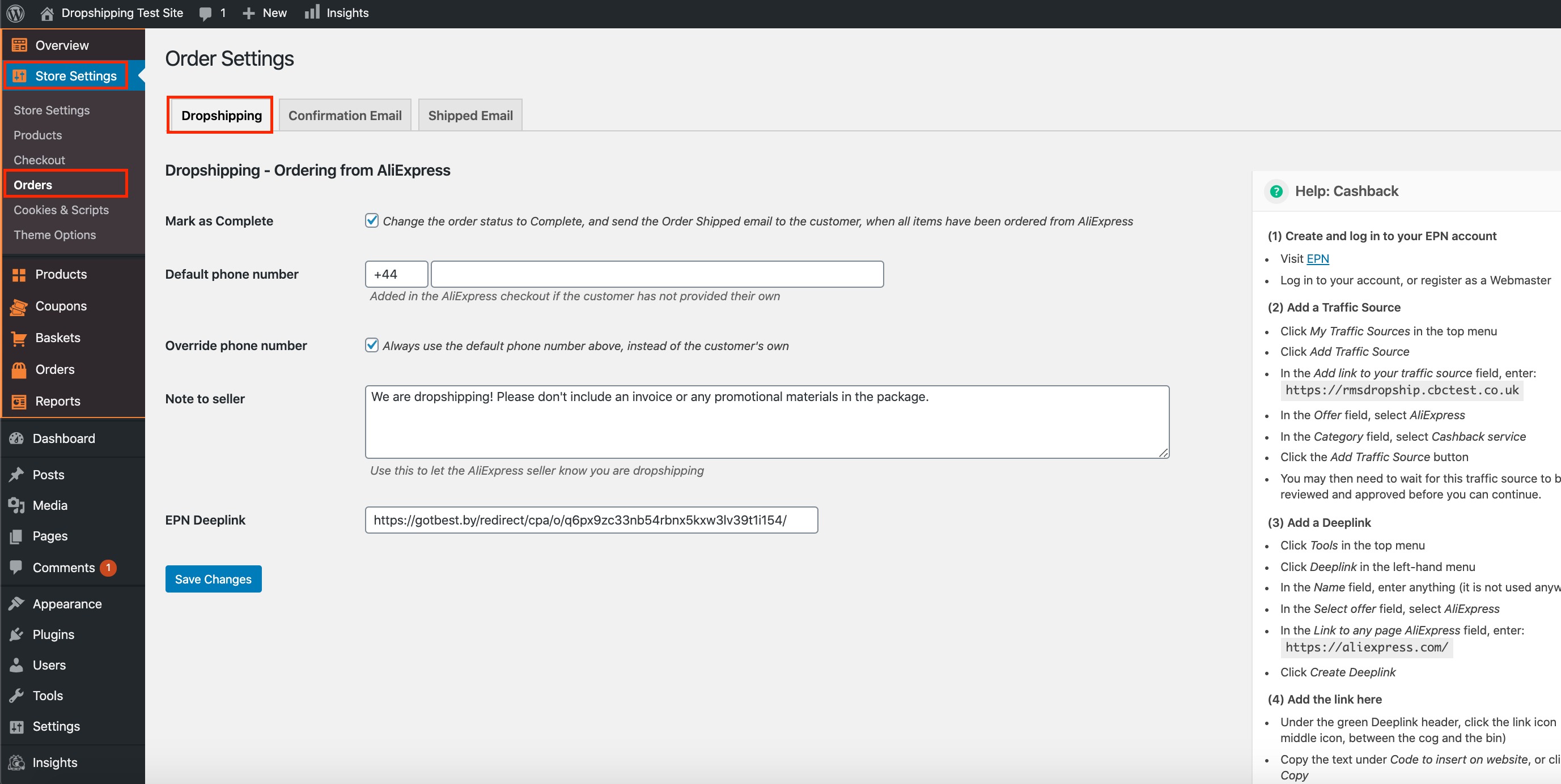
The top tick box labelled 'Mark as Complete' changes the order status to 'Complete', and sends an 'Order Shipped' email to the customer only after all items have been ordered from AliExpress.
The 'Default phone number' directly underneath is added to the AliExpress checkout if your customer has not provided their own. The only exception to this is the tick box labelled 'Override phone number' below. When this tick box is checked, the 'Default phone number' will always be used at the AliExpress checkout regardless of whether your customers supply you with their phone numbers or not.
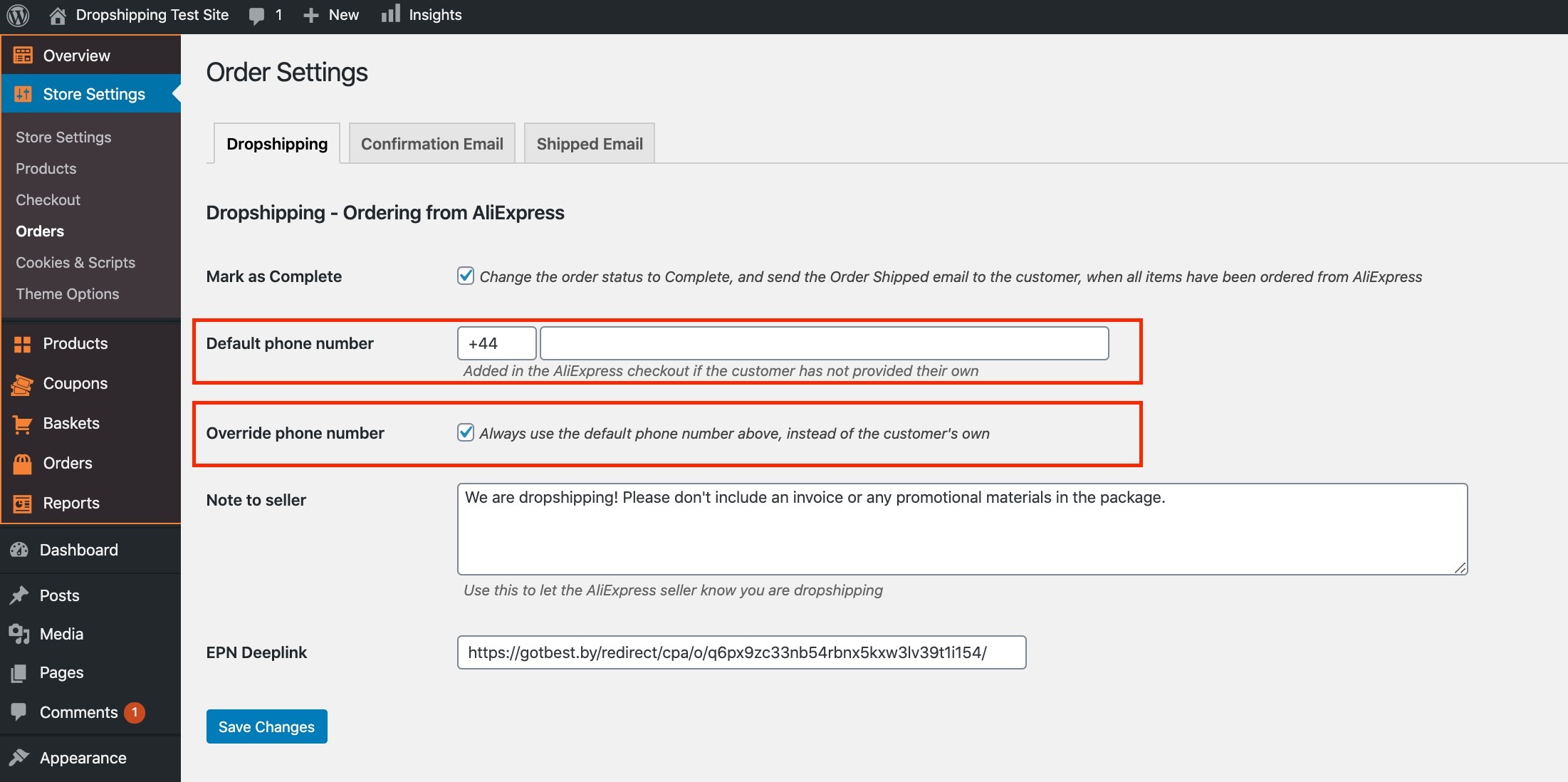
The 'Note to seller' underneath allows you to inform the AliExpress supplier of any indications before shipping is carried out.
*We recommend that you state the following: 'We are dropshipping! Please don't include an invoice or any promotional material in the package'*
*EPN Deeplink is NOT required to process orders*
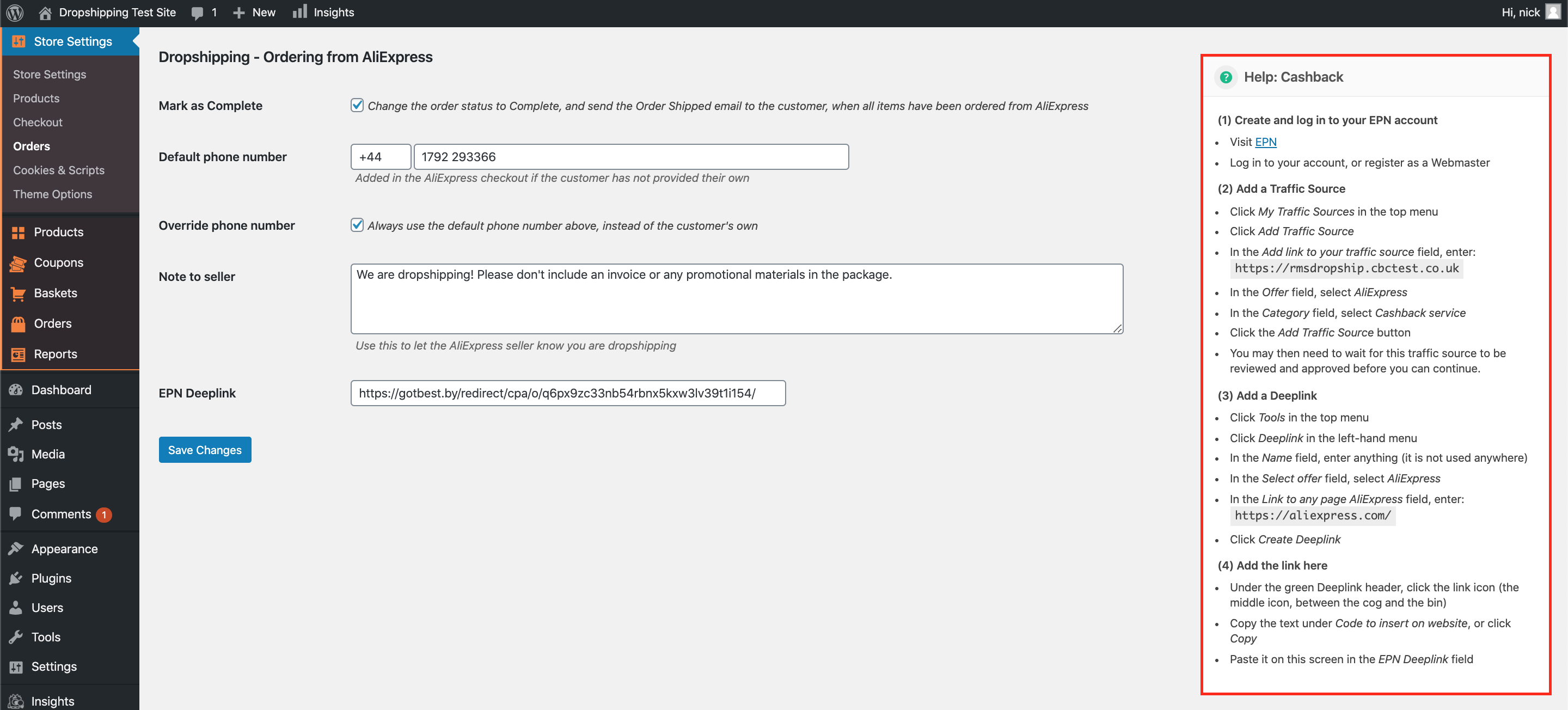
The last and final setting labelled 'EPN Deeplink' allows you to obtain cashback. Cashback essentially is a form of incentive offered to buyers of certain products whereby they receive a cash refund after making their purchase.
*The 'Help' section over to the right hand side guides you on how to set this up*
(*Don't forget to click 'Save Changes' after making alterations*)
Related Articles
Order fulfilment settings
With AliDropship plugin, it is possible to make the process of order fulfilment automated. You can adjust these settings in AliDropship → Settings → General. Activate the Mark order as 'Processed' option to make the plugin change order status from ...What Is Dropshipping?
What Is Dropshipping? In the era of e-commerce, there’s hardly a person who has not heard this word. If you have ever wondered “What is dropshipping? What is all this hype about?”, this article can explain it. Dropshipping is the form of retail where ...What is dropshipping?
What is dropshipping? In the era of e-commerce, there’s hardly a person who has not heard this word. If you have ever wondered “What is dropshipping? What is all this hype about?”, this article can explain it. Dropshipping is the form of retail where ...Shipping Settings
Shipping Settings We highly recommend providing your customers a free shipping service by taking advantage of the free/low cost shipping offered by many AliExpress sellers. However the Plugin has a special section where you can create different ...How To Alter The Shipping Settings?
How To Alter The Shipping Settings? To change the shipping settings, from the store dashboard go to: > Store Settings > Checkout > Shipping From within this page, the headings containing 'Free shipping', 'Super Savings shipping', 'Standard shipping' ...