Tax Settings
To access the tax settings, go to AliDropship -> Settings -> Taxes and enable taxes.
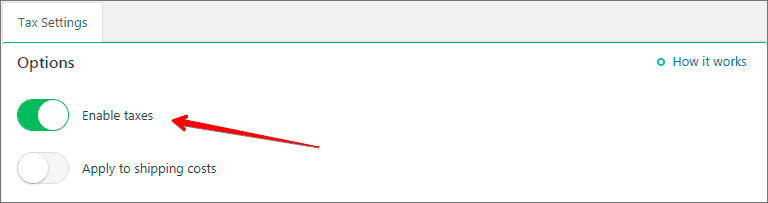
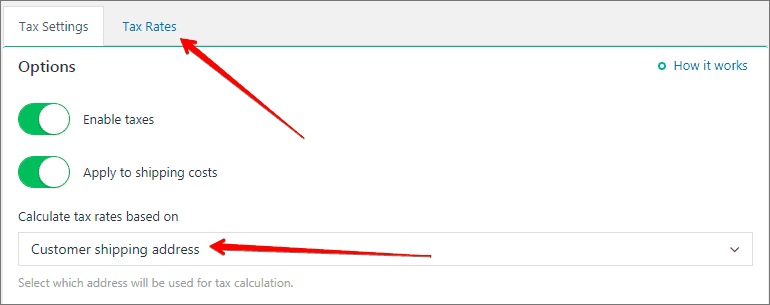
Activate ‘Apply to shipping costs’ option if you want to charge sales tax both on products and shipping.
There are two ways to calculate your taxes:
1. Based on your store address: set up your tax name and tax rate in % according to the tax regulations of you country.

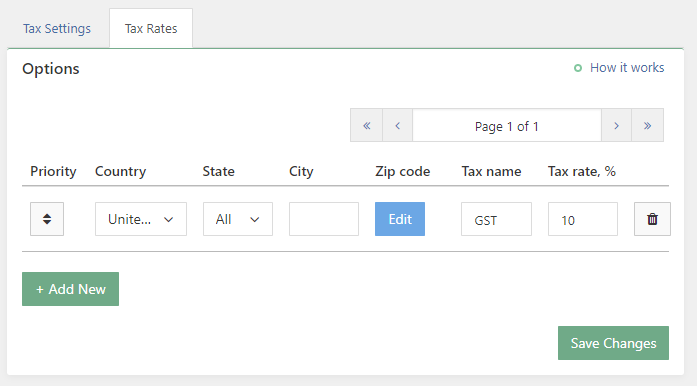
2. Based on customers shipping address: set up tax rules for targeted countries/regions/cities.
Leave fields ‘State’ and ‘City’ empty if you want a particular tax to be applied to the whole country. Once a customer reaches your checkout page and fills shipping details, the system applies taxes you have set for a particular location automatically.
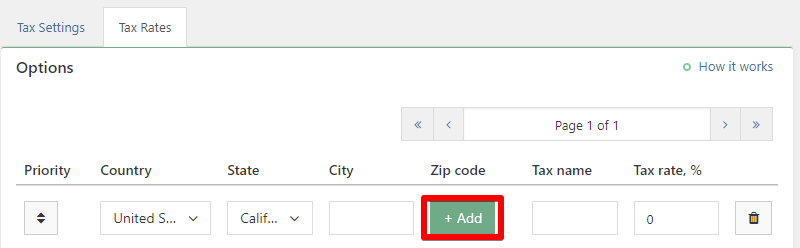
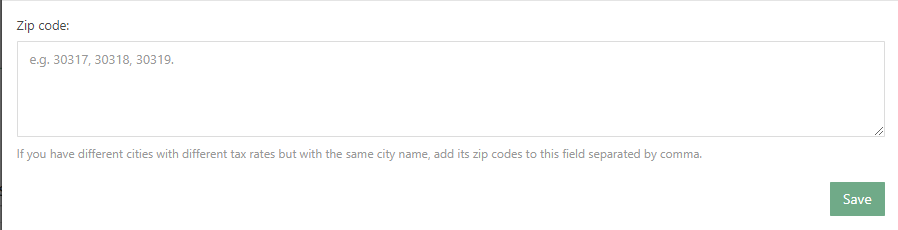
If you have different cities with different tax rates but with the same city name, add its zip codes separated by comma clicking 'Add' button:
There are also two ways to display prices:
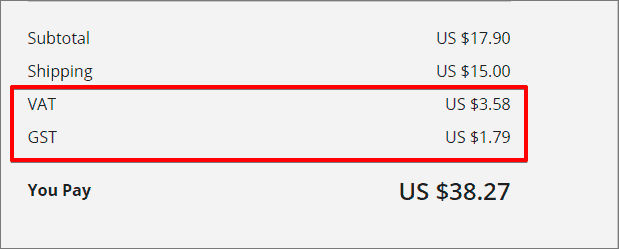
1. Excluding taxes: in this case you will see a separate line on checkout page with the name of the tax rate. All prices in your store are shown excluding taxes.

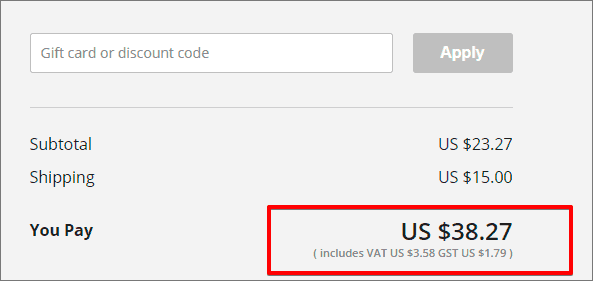
2. Including taxes: in this case all prices in your store are shown including taxes. Information about tax rate will be shown on checkout page after the total amount (in brackets).
Related Articles
Currency settings
Your currency settings can be adjusted to your needs in AliDropship → Settings → Currency. Default currency AliDropship plugin uses US Dollars as a primary currency set by default. You can change it if you plan to work with another currency. In this ...Shipping Settings
Shipping Settings We highly recommend providing your customers a free shipping service by taking advantage of the free/low cost shipping offered by many AliExpress sellers. However the Plugin has a special section where you can create different ...Dropshipping Order Settings
Dropshipping Order Settings To access the 'Dropshipping Order Settings', from the store dashboard go to: > Store Settings > Orders and Emails > AliExpress The top tick box labelled 'Mark as Complete' changes the order status to 'Complete', and sends ...Order fulfilment settings
With AliDropship plugin, it is possible to make the process of order fulfilment automated. You can adjust these settings in AliDropship → Settings → General. Activate the Mark order as 'Processed' option to make the plugin change order status from ...How To Alter SEO Settings?
How To Alter SEO Settings? To alter the SEO settings, from the store dashboard go to: > Store Settings > Store Settings > SEO From within this page on the right hand side, you will find a 'Help' guide which will inform you what each option entails. ...