Guide 3: Set The AliExpress Currency To USD
Guide 3: Set The AliExpress Currency To USD
To set the 'AliExpress Currency' to 'USD', follow the steps shown below.
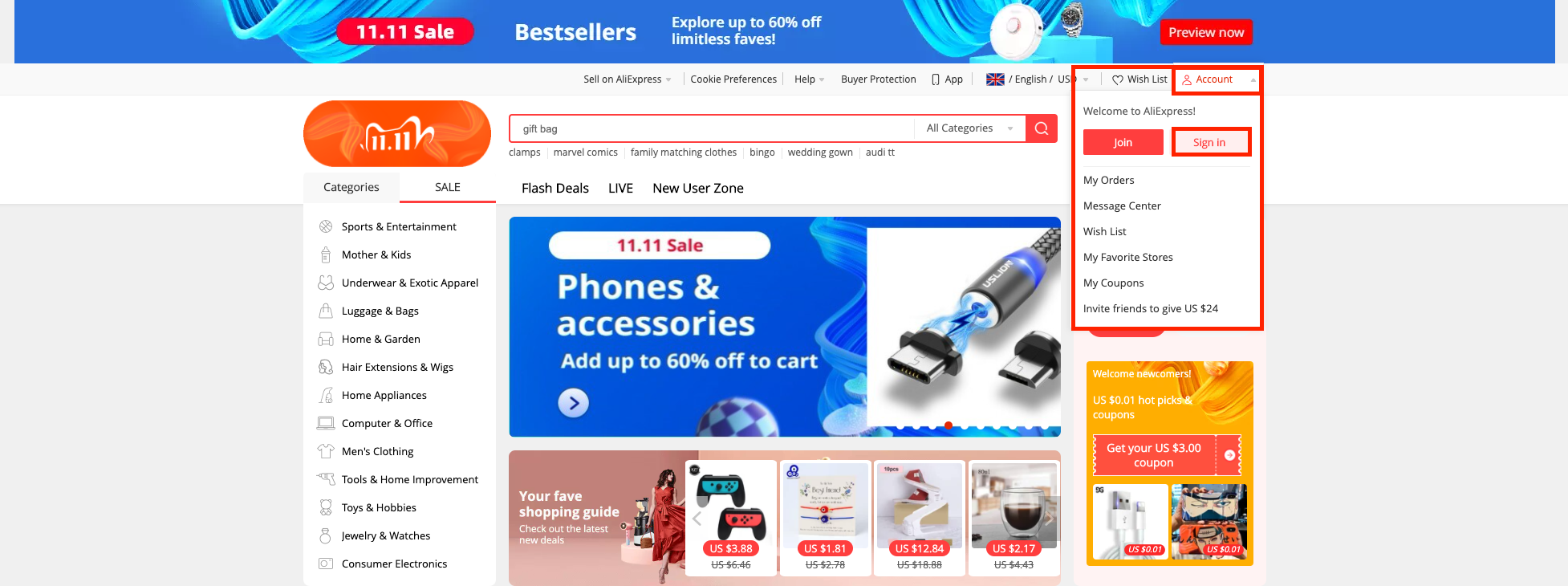
1. Log into your AliExpress.com account
i) click 'Account' (top right)
ii) click 'Sign In'
iii) use your login credentials to sign in
2. After signing into AliExpress.com, click the drop down menu to the left of 'Wish List':
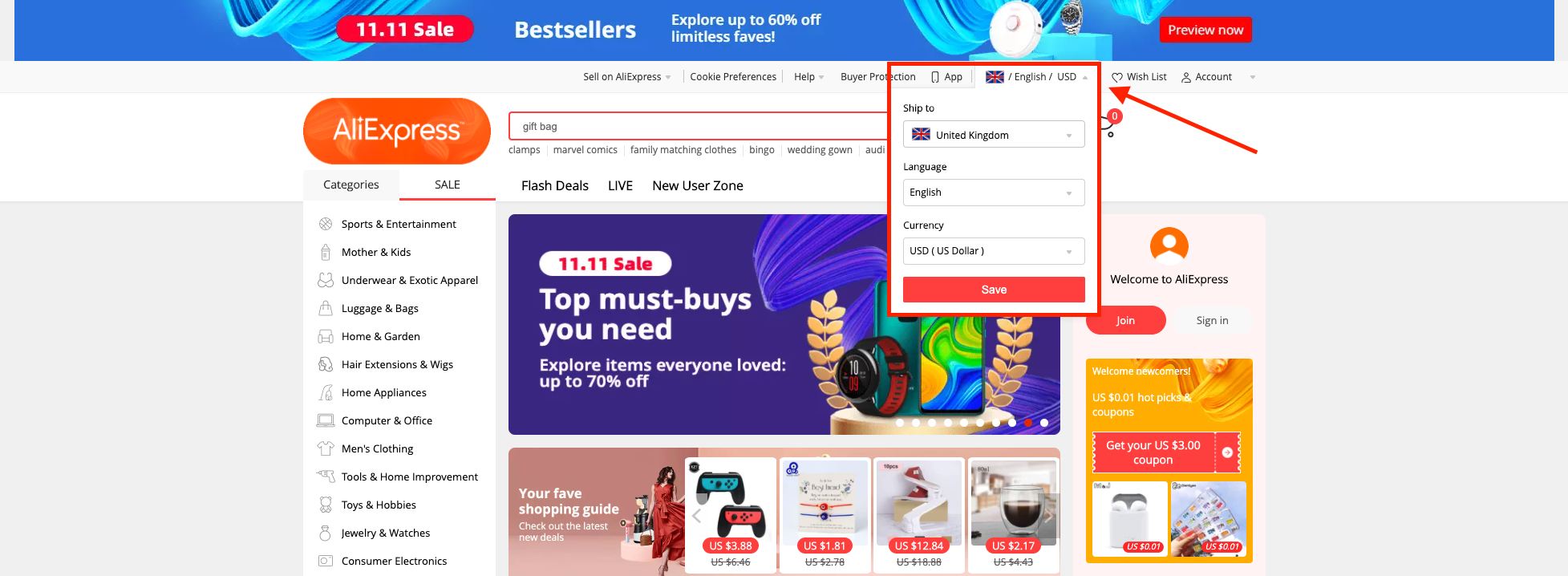
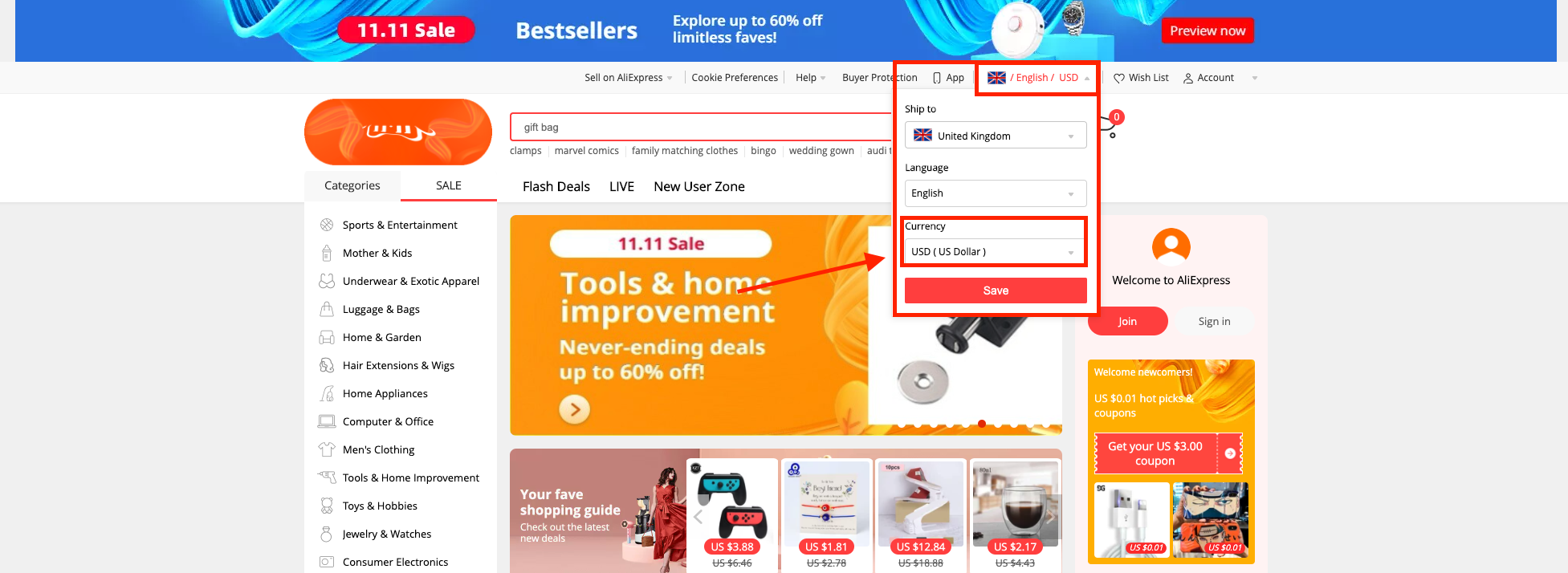
3. From there, ensure that the 'Currency' is set to 'USD ( US Dollar )'
Related Articles
Guide 4: Import Products
Guide 4: Import Products Before following the steps below, please ensure you have set the 'Currency' in AliExpress.com to 'USD ( US Dollar )' by following this guide. Once the above is completed, follow the steps below in the video to import products ...Import Products from AliExpress
NOTE! You need to check: If you are using the latest version of AliDropship: https://alidropship.com/updates-plugin. If your site's default currency, the default database currency, and the currency on AliExpress are the same! Step 1. Install ...Currency settings
Your currency settings can be adjusted to your needs in AliDropship → Settings → Currency. Default currency AliDropship plugin uses US Dollars as a primary currency set by default. You can change it if you plan to work with another currency. In this ...Guide 2: Create An AliExpress Account
Guide 2: Create An AliExpress Account To 'Create An AliExpress Account', go to: > https://www.aliexpress.com/ From within AliExpress, hover your cursor over 'Account' in the top right and click 'Join':Guide 2: Create An AliExpress Account
Guide 2: Create An AliExpress Account To 'Create An AliExpress Account', go to: > https://www.aliexpress.com/ From within AliExpress, hover your cursor over 'Account' in the top right and click 'Join':