How To Change The Theme?
How To Change The Theme?
To alter the 'Theme', from the store dashboard go to:
> Store Settings > Store Settings > Setup
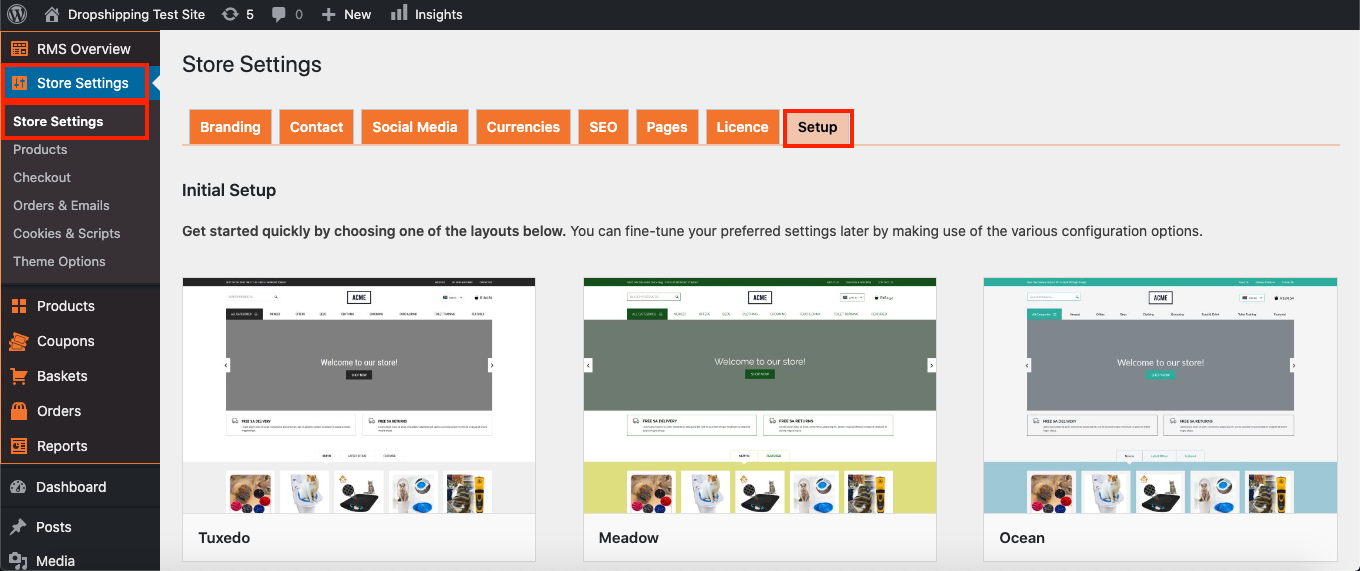
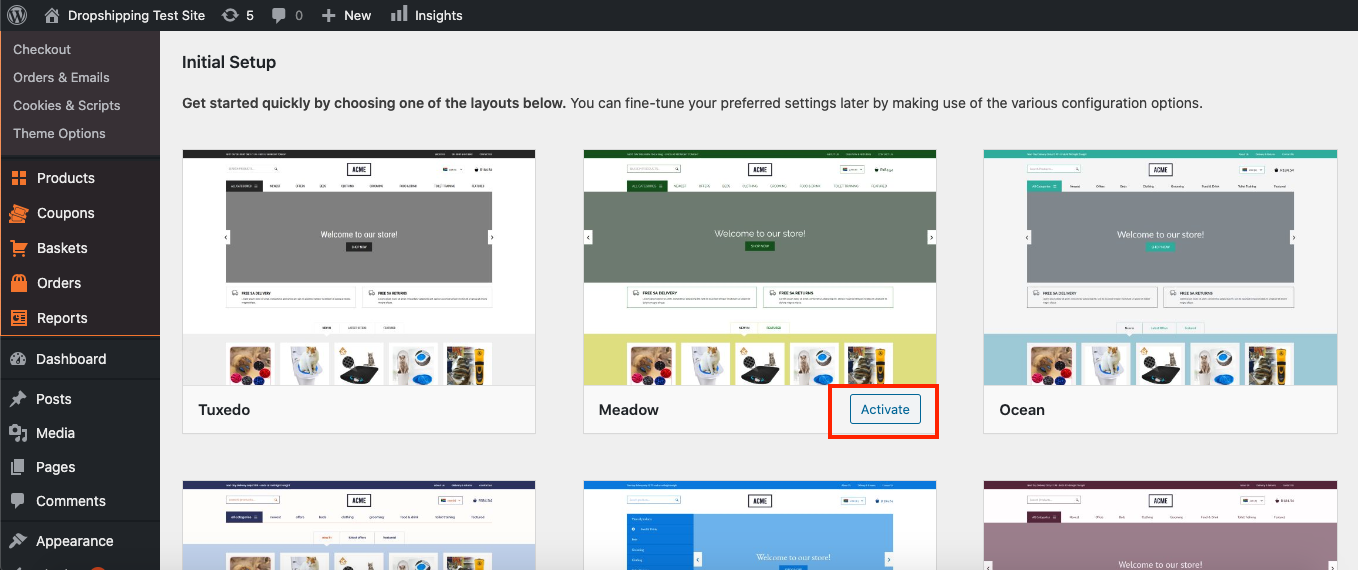
From within this page, hover over a theme with your cursor and click 'Activate':
Related Articles
Customizing the Rembrandt theme
Customizing the Rembrandt theme To start adding your categories, first go to Customization menu → General and click the Create button to add default pages and menus. Go to Products → Product Categories and select categories you want to Edit or create ...Customizing the Davinci theme
Customizing the Davinci theme To start adding your categories, first go to Customization menu → General and click the Create button to add default pages and menus. Go to Products → Product Categories and select categories you want to Edit or create a ...Change Supplier
Change Supplier Sooner or later all dropshippers face a situation when some products are out of stock. Now with 'Change Supplier' option you may find the same product at another store and replace your old link with a new one. Please make sure your ...Changing your theme
Changing your theme To download one of the themes, visit the Themes section. Choose from 6 free themes available for this version of the plugin. Once you have downloaded a theme, enter your WordPress panel and go to Appearance => Themes => Add New => ...How To Change Currency Settings?
How To Change Currency Settings? To change the currency settings, from the store dashboard go to: > Store Settings > Store Settings > Currencies From with this page you can change the 'System currency', 'Default display currency' and 'Optional ...