Change Supplier
Sooner or later all dropshippers face a situation when some products are out of stock. Now with 'Change Supplier' option you may find the same product at another store and replace your old link with a new one.
Please make sure your link looks like: https://www.aliexpress.com/item/Russia-language-support-performance-UItrabook-A1-plus-Ultimate-version-laptop-windows-10-license-new-Voyo-Vbook/32600466645.html
Do not copy information after 'html', otherwise your old link will not be changed.
Plugin will change the Product ID and Product URL in Supplier section.
To change supplier go to:
> Products > All Products
From there, find the product you'd like to change the supplier with and click on it. Scroll down to find the 'Product Options' area.
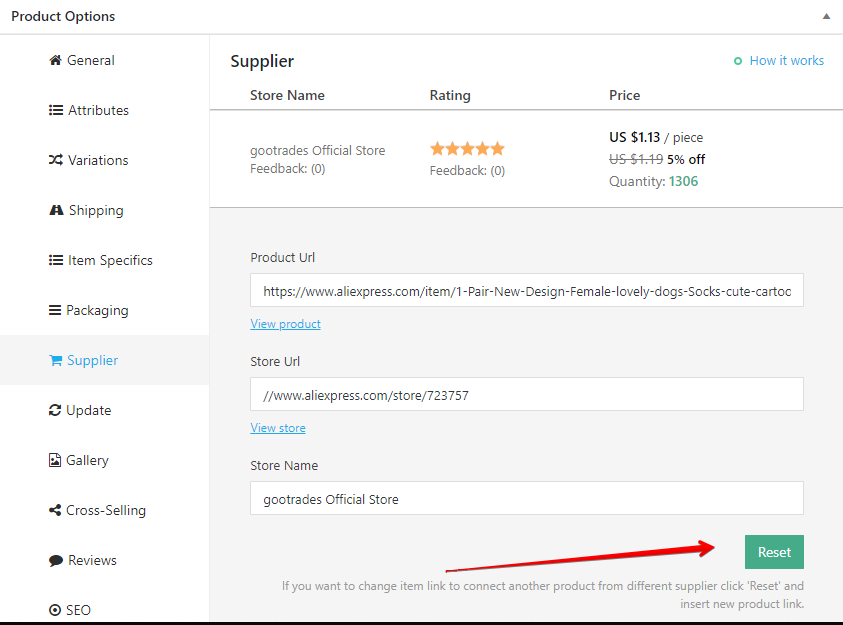
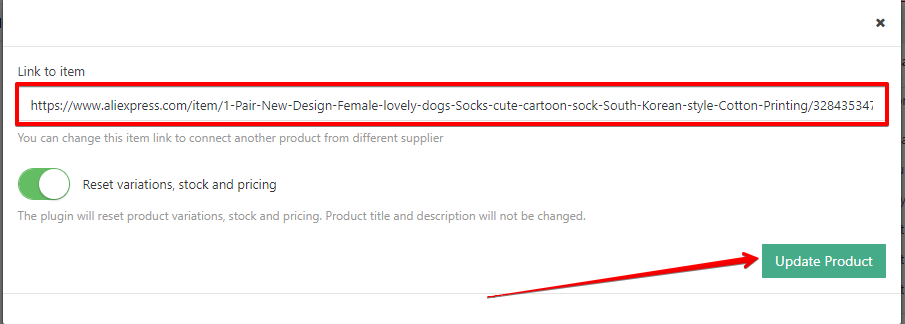
If you enable 'Reset variations, stock and pricing' option the plugin will reset product variations, stock and pricing, but title, featured image and description will not be changed.
If you've deleted some variations and want to restore them - enable 'Reset variations, stock and pricing' option and click 'Update Product'.
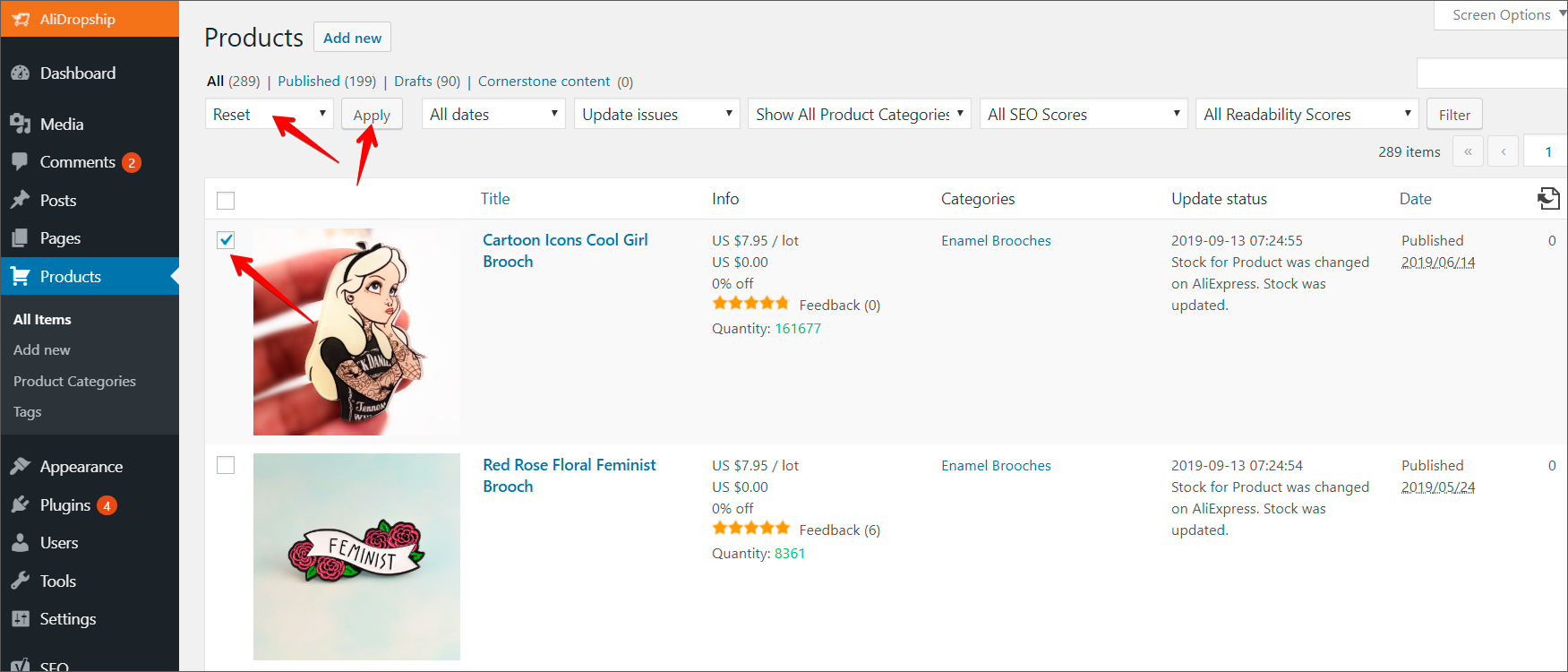
You can reset variations in a bulk!
Go to Products -> tick on products you want to be reset -> select 'Reset' -> Apply:
Related Articles
How To Change Currency Settings?
How To Change Currency Settings? To change the currency settings, from the store dashboard go to: > Store Settings > Store Settings > Currencies From with this page you can change the 'System currency', 'Default display currency' and 'Optional ...How To Change The Theme?
How To Change The Theme? To alter the 'Theme', from the store dashboard go to: > Store Settings > Store Settings > Setup From within this page, hover over a theme with your cursor and click 'Activate':How To Change Product Permalinks?
How To Change Product Permalinks? To change a product 'Permalinks', from the store dashboard go to: > Products > All Products From within this page find the 'Product' you'd like to 'Edit' by either scrolling through or searching for it via the search ...How To Change Site Logo/Favicon?
How To Change Site Logo/Favicon? To alter the site logo and favicon, from the store dashboard go to: > Store Settings > Store Settings > Branding From within this page click 'Select image' to select files from your computer and upload them to replace ...Product is no longer available on Aliexpress
Product is no longer available on Aliexpress Sometimes, when placing an order for your customer you may face the below issue: "a product is not found on AliExpress." When this this occurs you will have to try and find the same product from a ...