Changing your theme
Changing your theme
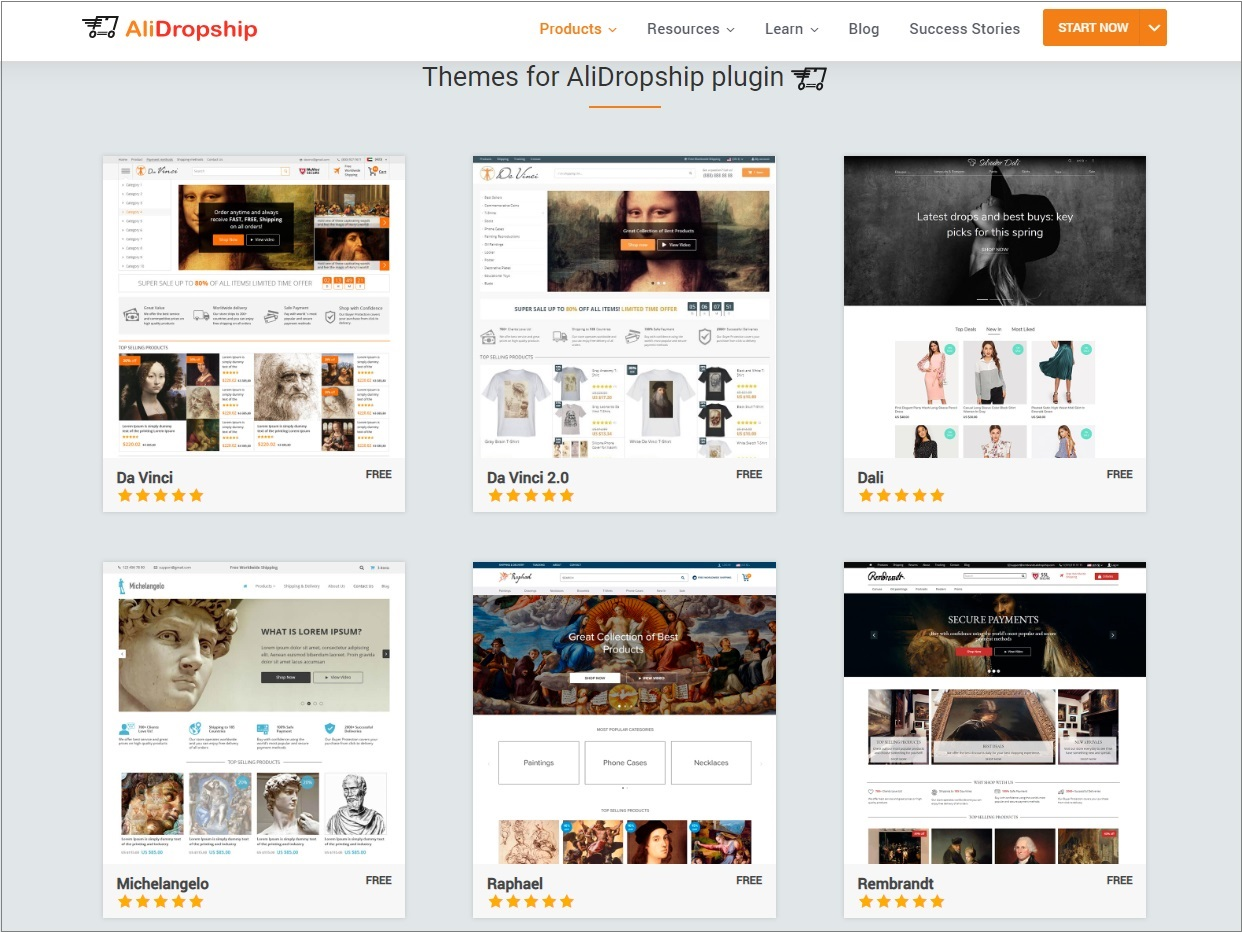
To download one of the themes, visit the Themes section.
Choose from 6 free themes available for this version of the plugin.
Once you have downloaded a theme, enter your WordPress panel and go to Appearance => Themes => Add New => Upload Theme.
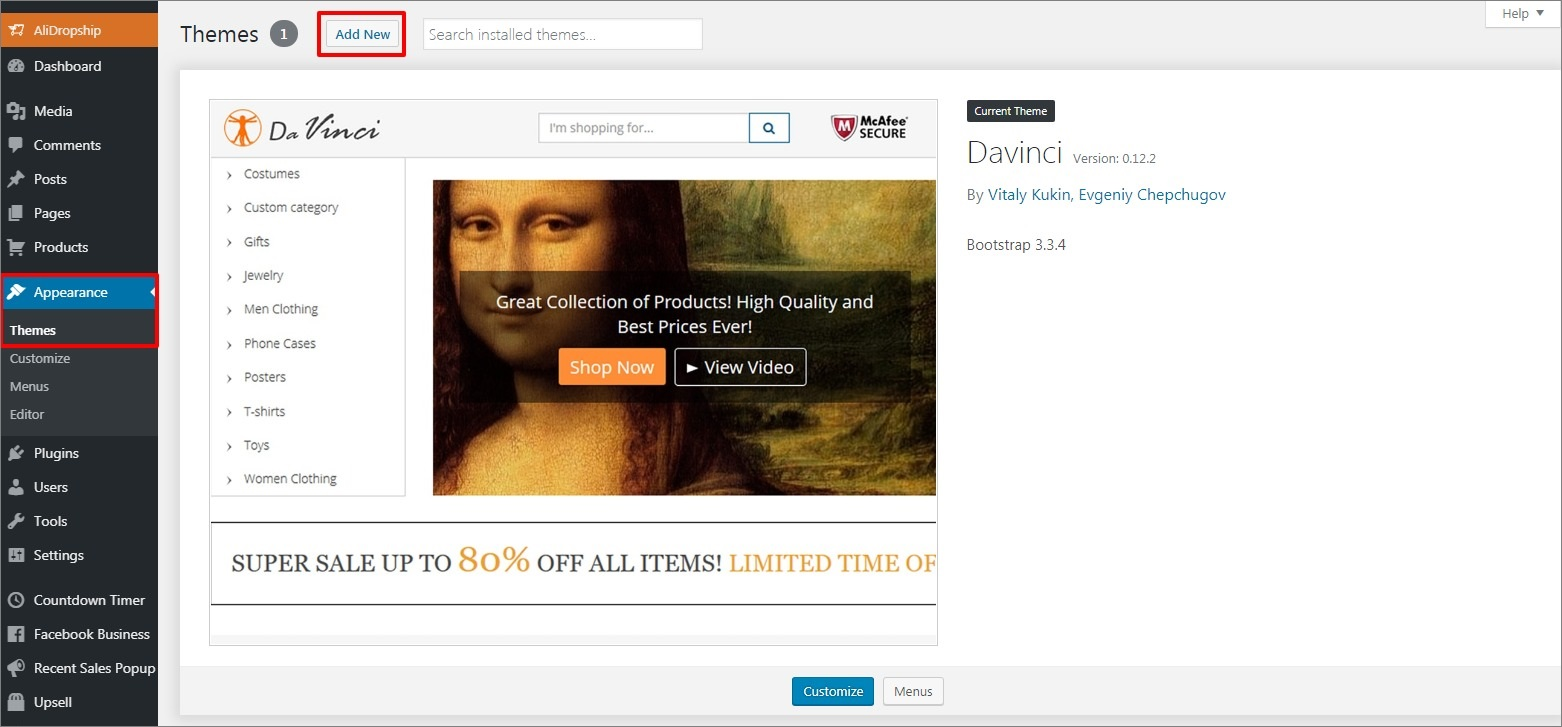
Click Upload Theme to upload the zip file you have downloaded.

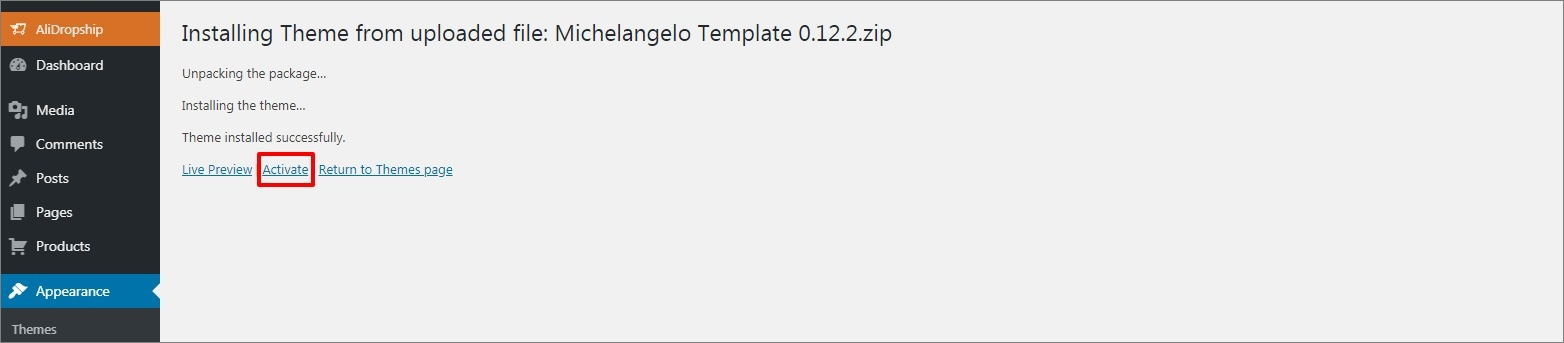
Click Activate to continue.
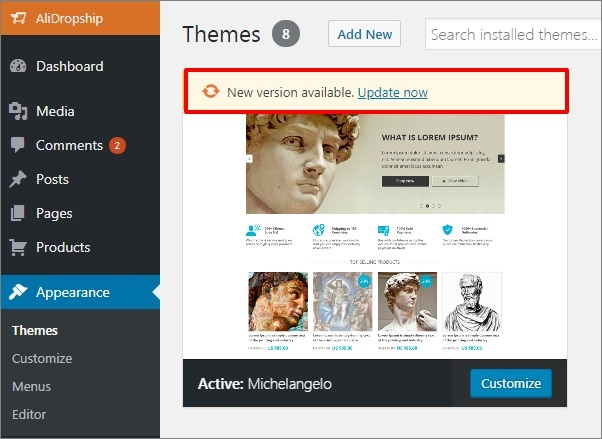
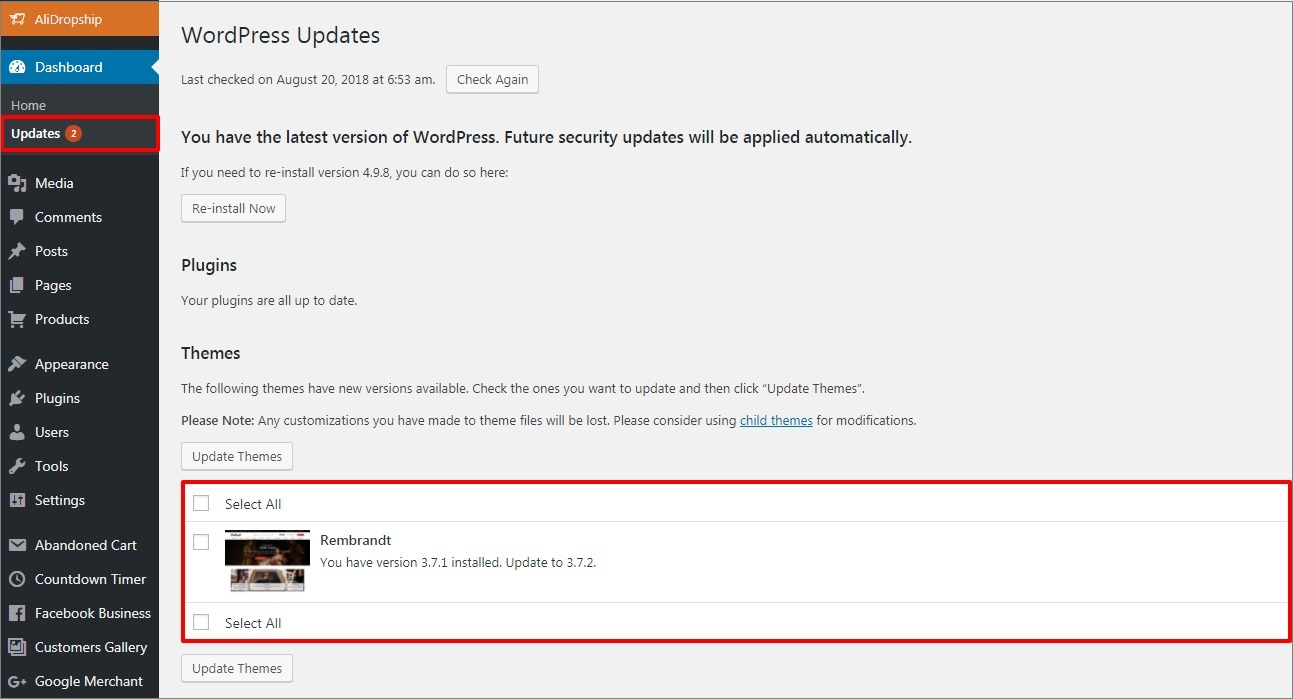
All the themes are improved and updated on a regular basis, that’s why we strongly recommend checking for new releases and keeping your themes updated. Update notifications are shown in Appearance => Themes.
Alternatively, you can check available updates in the Updates tab.
Related Articles
Customizing the Rembrandt theme
Customizing the Rembrandt theme To start adding your categories, first go to Customization menu → General and click the Create button to add default pages and menus. Go to Products → Product Categories and select categories you want to Edit or create ...Customizing the Davinci theme
Customizing the Davinci theme To start adding your categories, first go to Customization menu → General and click the Create button to add default pages and menus. Go to Products → Product Categories and select categories you want to Edit or create a ...Customising The Theme - Newsletter Settings
Customizing The Theme - Newsletter Settings To customize the themes 'Newsletter' settings, from the store dashboard go to: > Store Settings > Theme Options > Newsletter From within this page the top tick box labelled 'Show signup form' will either ...How To Change The Theme?
How To Change The Theme? To alter the 'Theme', from the store dashboard go to: > Store Settings > Store Settings > Setup From within this page, hover over a theme with your cursor and click 'Activate':Customising The Theme - Boxouts Settings
Customising The Theme - Boxouts Settings To customise the themes 'Boxout' settings, from the store dashboard go to: > Store Settings > Theme Options > Boxouts From within this page there are 2 features you can customise, these are:- 'Delivery' and ...