Customising The Theme - Newsletter Settings
To customize the themes 'Newsletter' settings, from the store dashboard go to:
> Store Settings > Theme Options > Newsletter
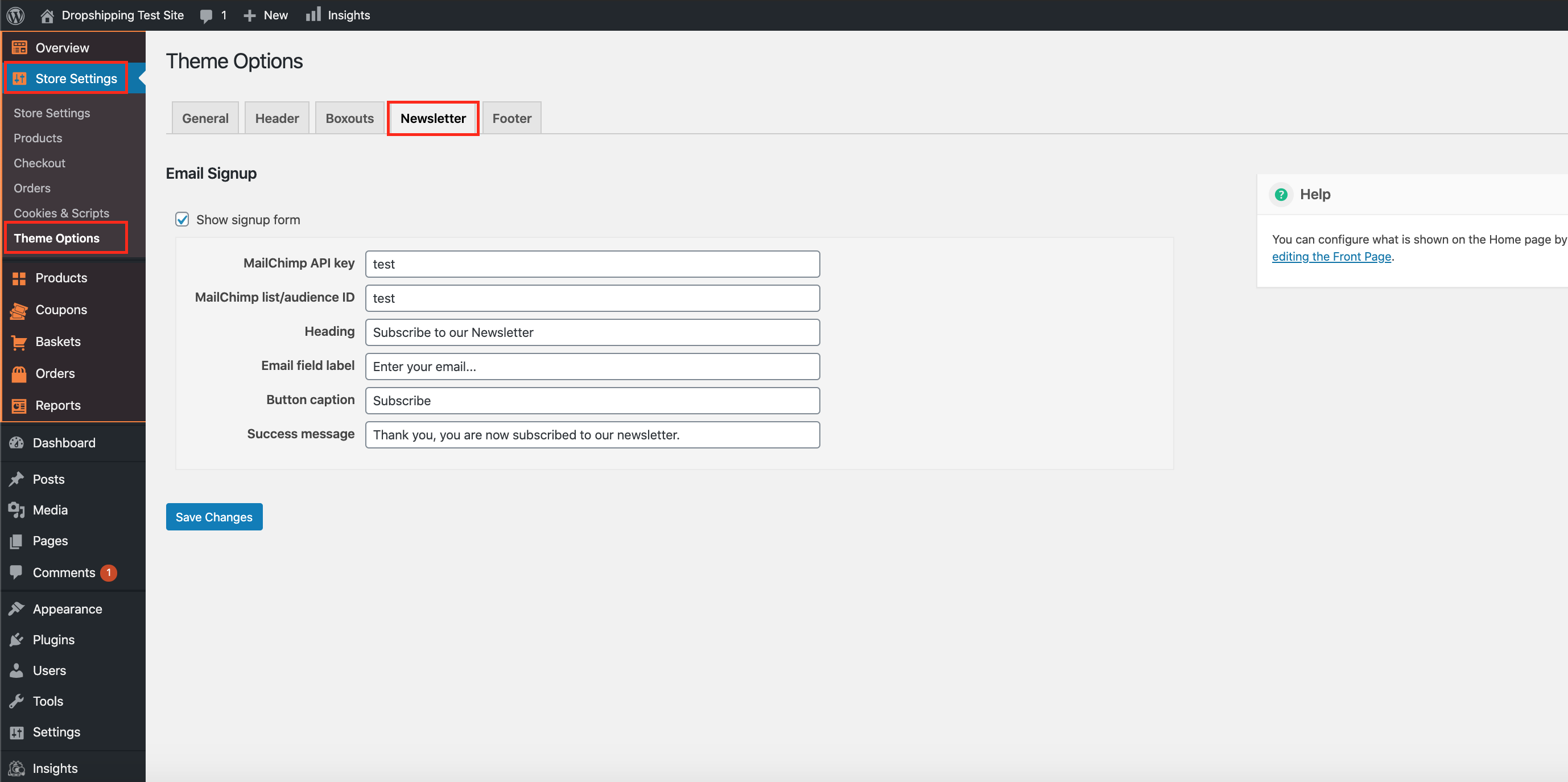
From within this page the top tick box labelled 'Show signup form' will either enable or disable this feature.
*You will require a 'MailChimp' account to compile all of your subscribed customers*
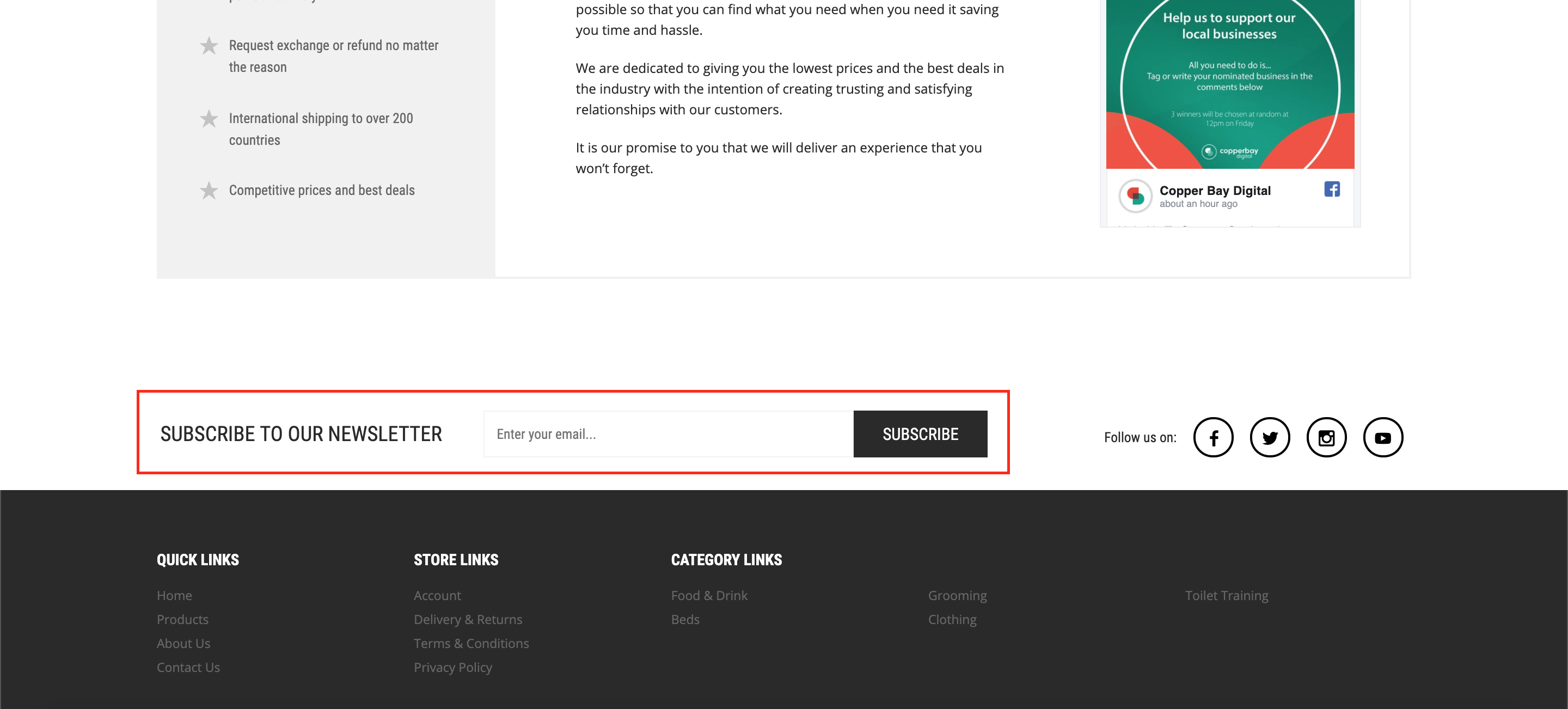
If enabled, it will feature towards the footer of your store:
After creating a 'MailChimp' account, you will need the 'API key' and 'MailChimp list/audience ID'.
For the 'MailChimp API key', follow the steps below:-
1. Log into 'MailChimp'.
2. Click your profile name to expand the Account Panel and choose 'Account Settings'.
3. Click the 'Extras Menu' and choose 'API Keys'.
4. Copy an existing 'API Key' or click the 'Create A Key' button.
5. Paste into the field 'MailChimp API key' on your store.
For the 'MailChimp list/audience ID', follow the steps below:-
1. Log into 'MailChimp'.
2. Navigate to the 'Audience' tab.
3. If you have more than one 'Audience', click the 'Current audience' drop down and choose the one you want to work with.
4. Click 'View Contacts'.
5. Click the 'Settings' drop-down and choose 'Audience name and defaults'.
6. In the 'Audience ID' section, you'll see a string of letters and numbers. This is your audience ID.
After carrying out those tasks, you can then customise the newsletter as you see fit by changing the 'Heading', 'Email field label', 'Button caption' and 'Success message':
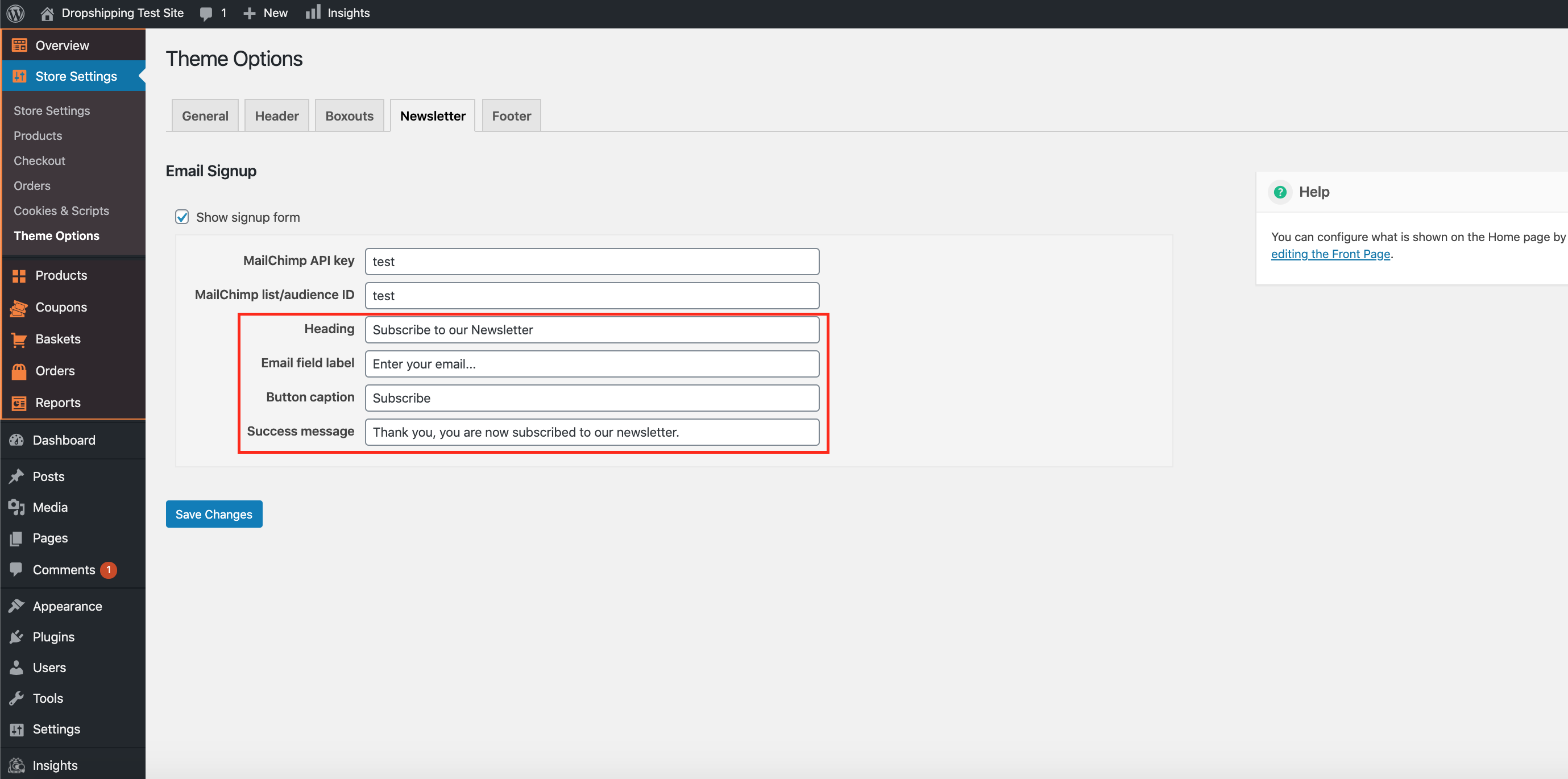
(*Don't forget to click 'Save Changes' after making alterations*)
Related Articles
Customising The Theme - Footer Settings
Customising The Theme - Footer Settings To customise the themes 'Footer' settings, from the store dashboard go to: > Store Settings > Theme Options > Newsletter From within this page the top tick box labelled 'Show menus on mobile' will either enable ...Customising The Theme - Boxouts Settings
Customising The Theme - Boxouts Settings To customise the themes 'Boxout' settings, from the store dashboard go to: > Store Settings > Theme Options > Boxouts From within this page there are 2 features you can customise, these are:- 'Delivery' and ...Customising The Theme - Header Settings
Customising The Theme - Header Settings To customise the themes 'Header' settings, from the store dashboard go to: > Store Settings > Theme Options > Header From within this page there are 3 features you can customise, these are:- 'Top flash: text' - ...Customising The Theme - General Settings
Customising The Theme - General Settings To customise the themes 'General' settings, from the store dashboard go to: > Store Settings > Theme Options > General From within this page there are many different way to customise your theme:- 'Force ...Customising The Theme - Front Page Settings
Customizing The Theme - Front Page Settings To customize the themes 'Front Page' settings, from the store dashboard go to: > Store Settings > Theme Options > Front Page From within this page there are many different way to customise your theme:- ...