Customising The Theme - Footer Settings
Customising The Theme - Footer Settings
To customise the themes 'Footer' settings, from the store dashboard go to:
> Store Settings > Theme Options > Newsletter
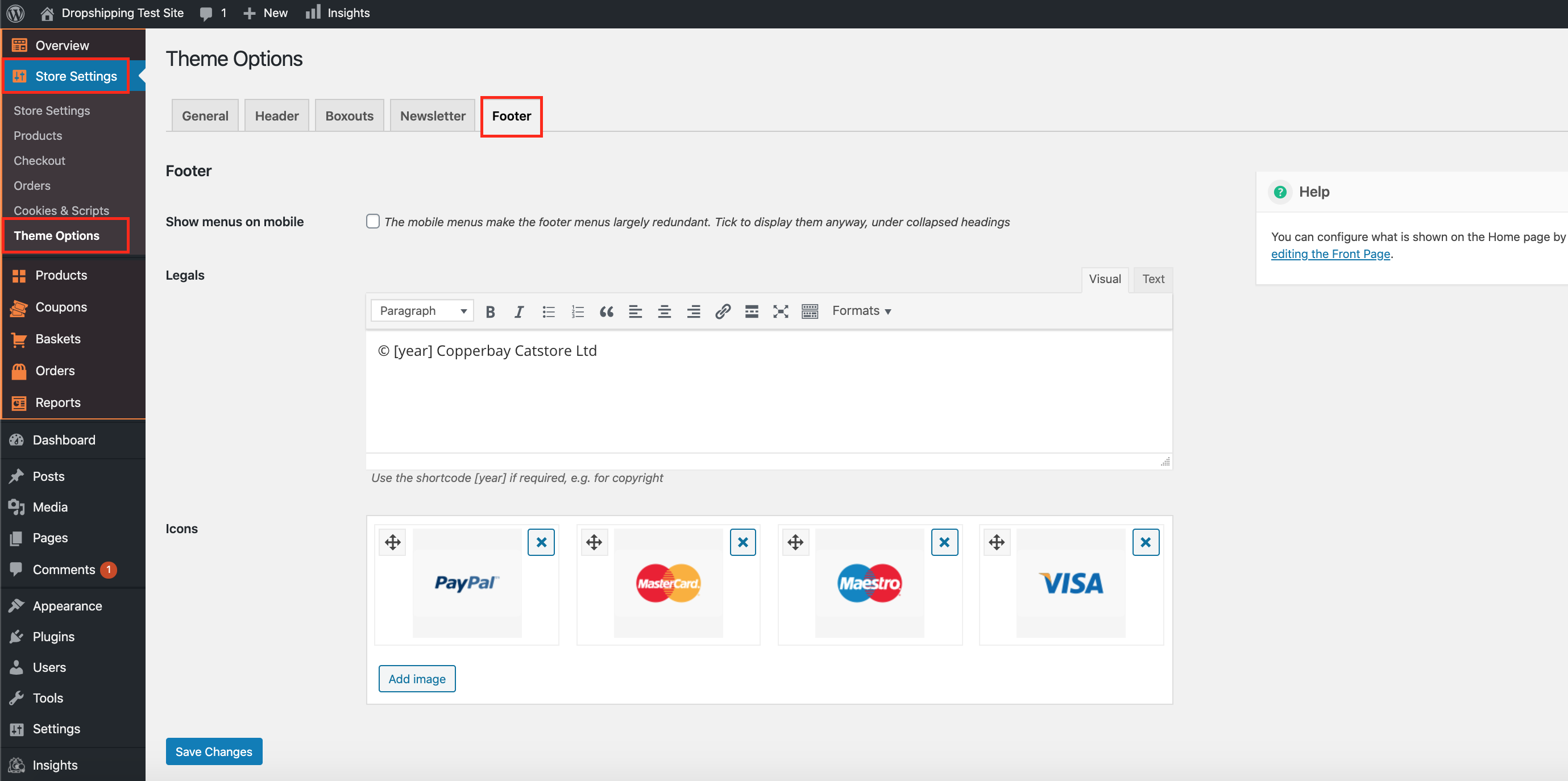
From within this page the top tick box labelled 'Show menus on mobile' will either enable or disable the footer on mobile.
The 'Legals' and 'Icons' can be altered to how you see fit and will affect this part of the footer:
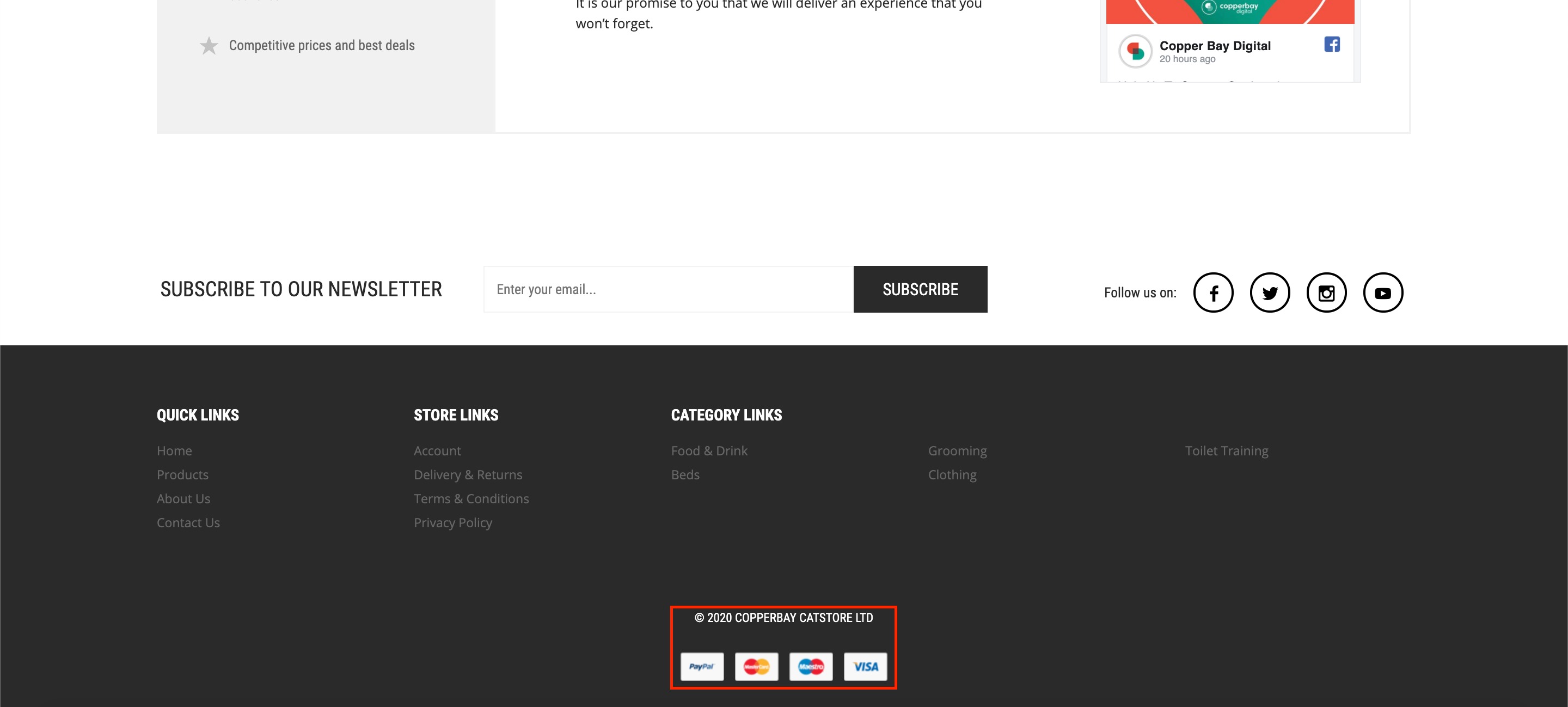
(*Don't forget to click 'Save Changes' after making alterations*)
Related Articles
Customising The Theme - Newsletter Settings
Customizing The Theme - Newsletter Settings To customize the themes 'Newsletter' settings, from the store dashboard go to: > Store Settings > Theme Options > Newsletter From within this page the top tick box labelled 'Show signup form' will either ...Customising The Theme - Boxouts Settings
Customising The Theme - Boxouts Settings To customise the themes 'Boxout' settings, from the store dashboard go to: > Store Settings > Theme Options > Boxouts From within this page there are 2 features you can customise, these are:- 'Delivery' and ...Customising The Theme - Header Settings
Customising The Theme - Header Settings To customise the themes 'Header' settings, from the store dashboard go to: > Store Settings > Theme Options > Header From within this page there are 3 features you can customise, these are:- 'Top flash: text' - ...Customising The Theme - General Settings
Customising The Theme - General Settings To customise the themes 'General' settings, from the store dashboard go to: > Store Settings > Theme Options > General From within this page there are many different way to customise your theme:- 'Force ...Customising The Theme - Front Page Settings
Customizing The Theme - Front Page Settings To customize the themes 'Front Page' settings, from the store dashboard go to: > Store Settings > Theme Options > Front Page From within this page there are many different way to customise your theme:- ...