Customising The Theme - Front Page Settings
To customize the themes 'Front Page' settings, from the store dashboard go to:
> Store Settings > Theme Options > Front Page
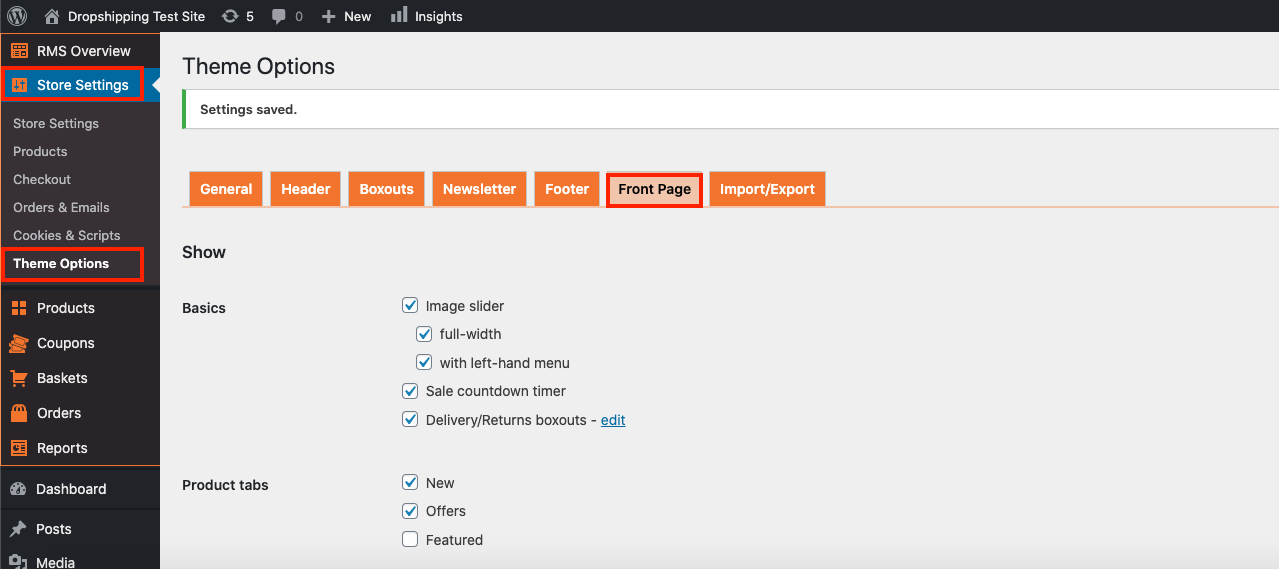
From within this page there are many different way to customise your theme:-
(Basics)
'Image slider' - checking this box enables/disables the following:
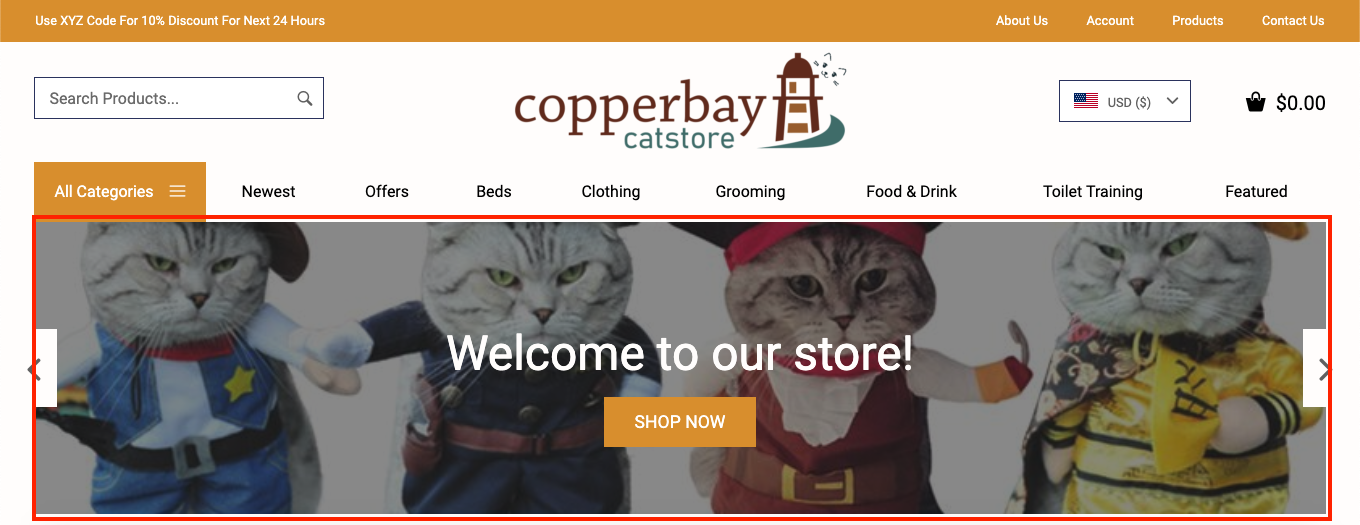
'Full-width' - checking this box enables/disables the following:
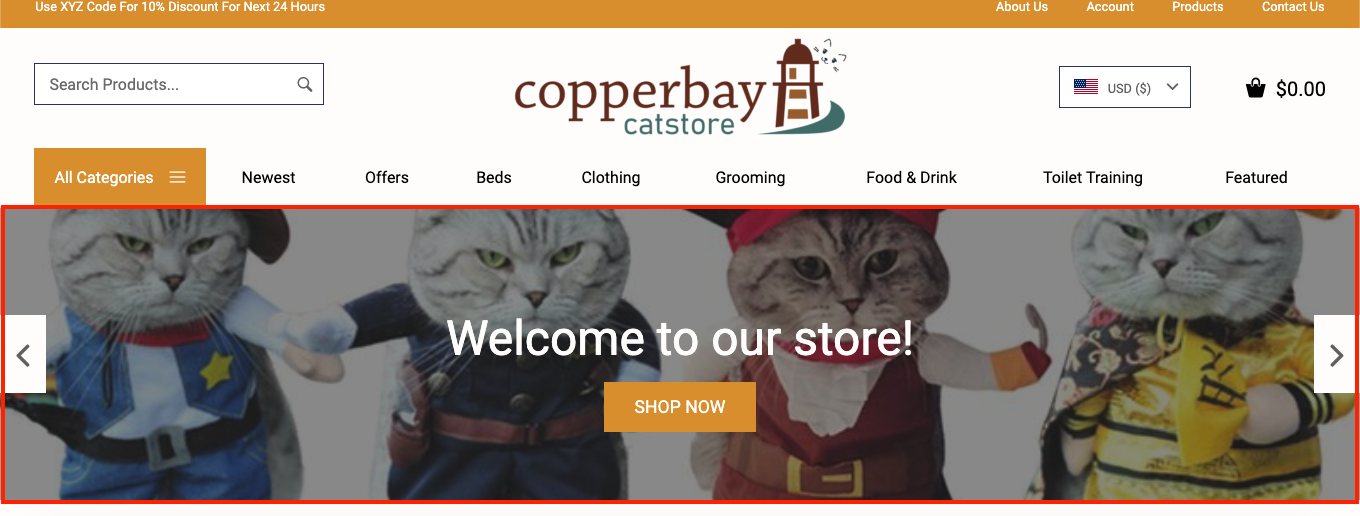
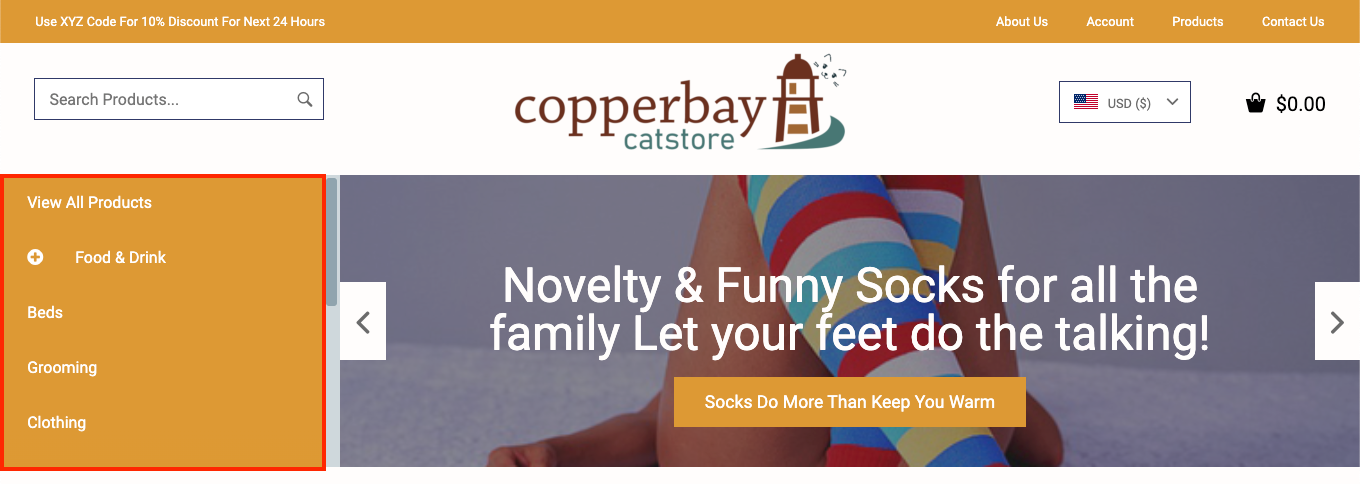
'With left-hand menu' - checking this box enables/disables the following:
'Sale countdown timer' - checking this box enables/disables the following:
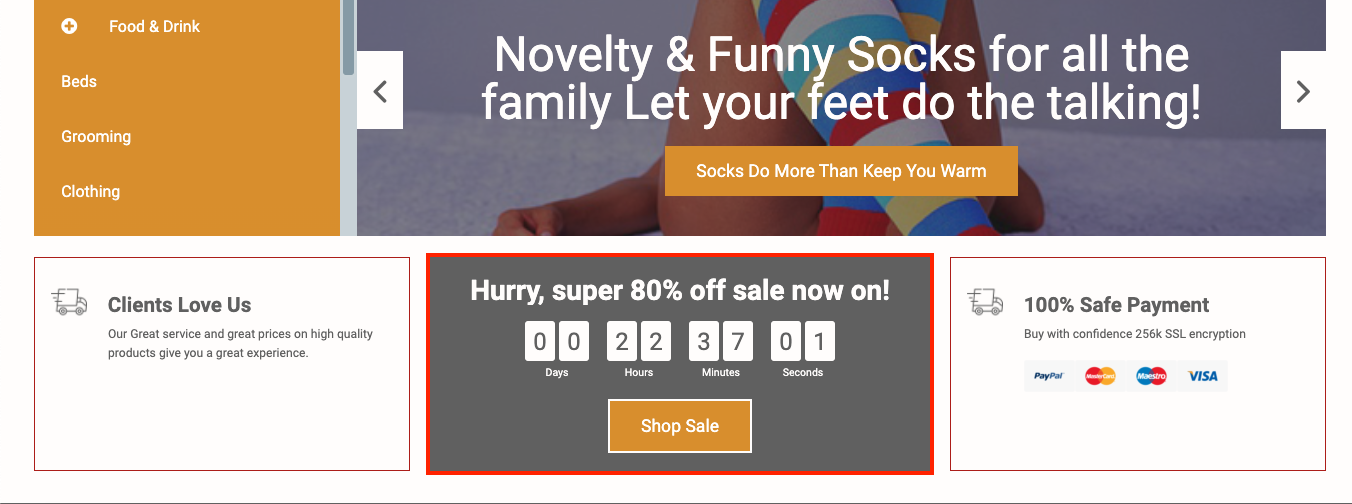
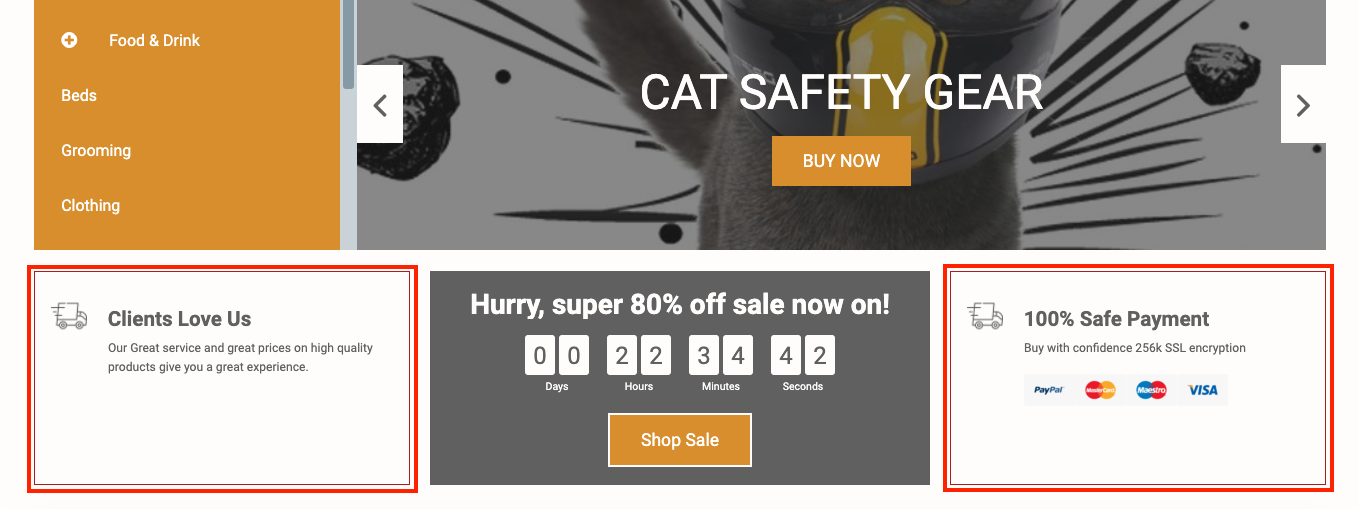
'Delivery/Returns boxouts' - checking this box enables/disables the following:
You can also click 'Edit' next to this option to alter what's shown inside these boxouts.
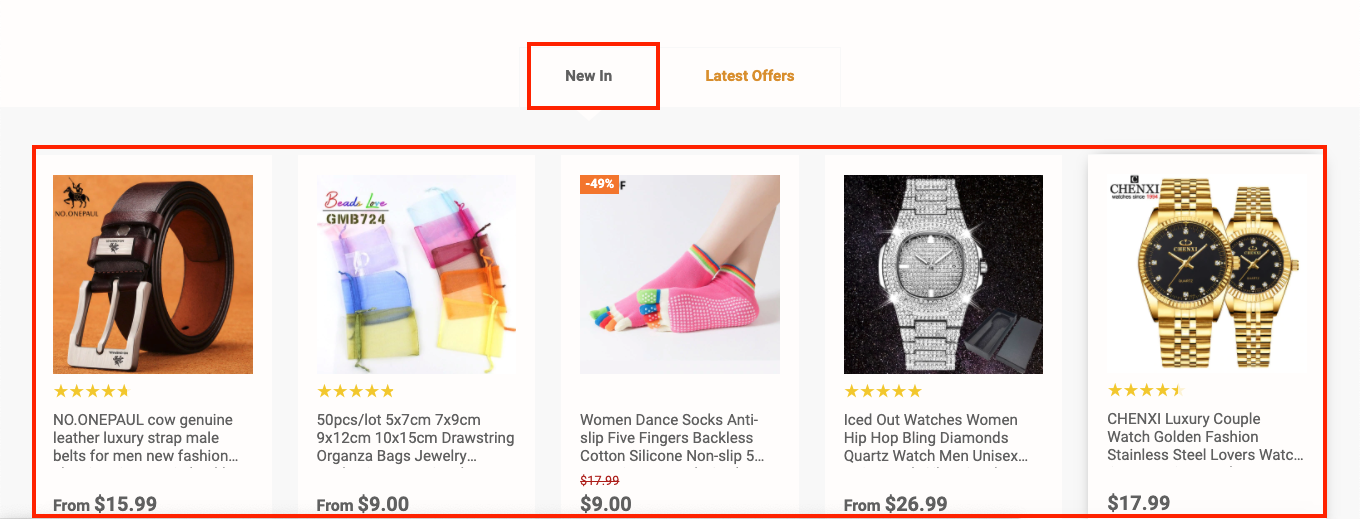
(Product tabs)
'New' - checking this box enables/disables the following:
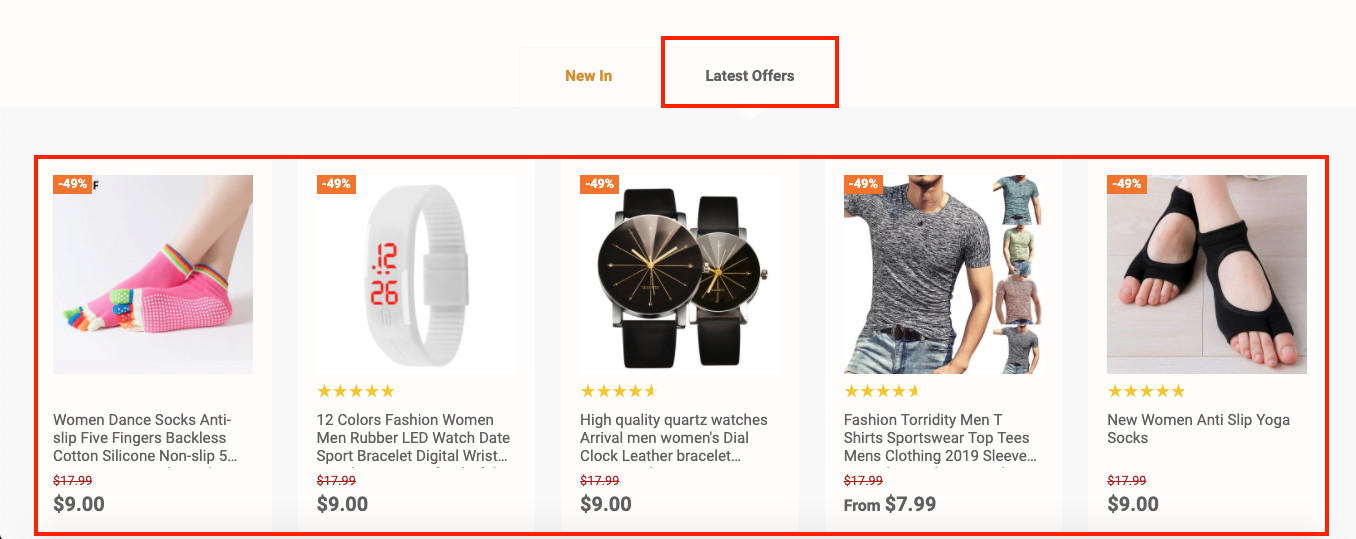
'Offer' - checking this box enables/disables the following:
'Features' - checking this box enables/disables the following:
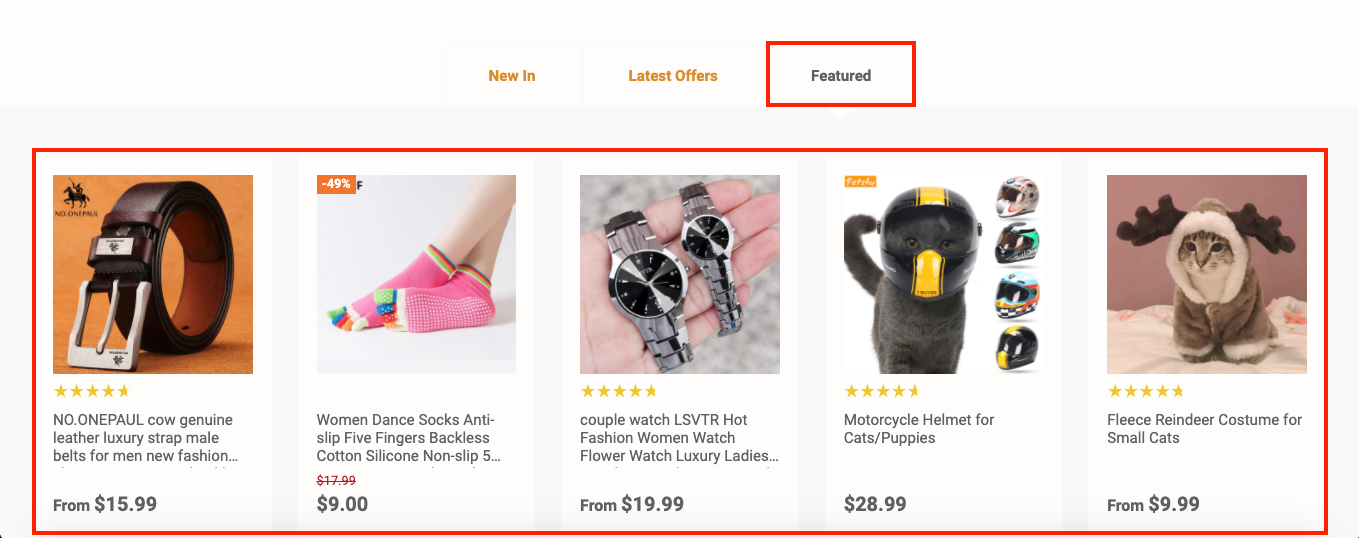
(Featured)
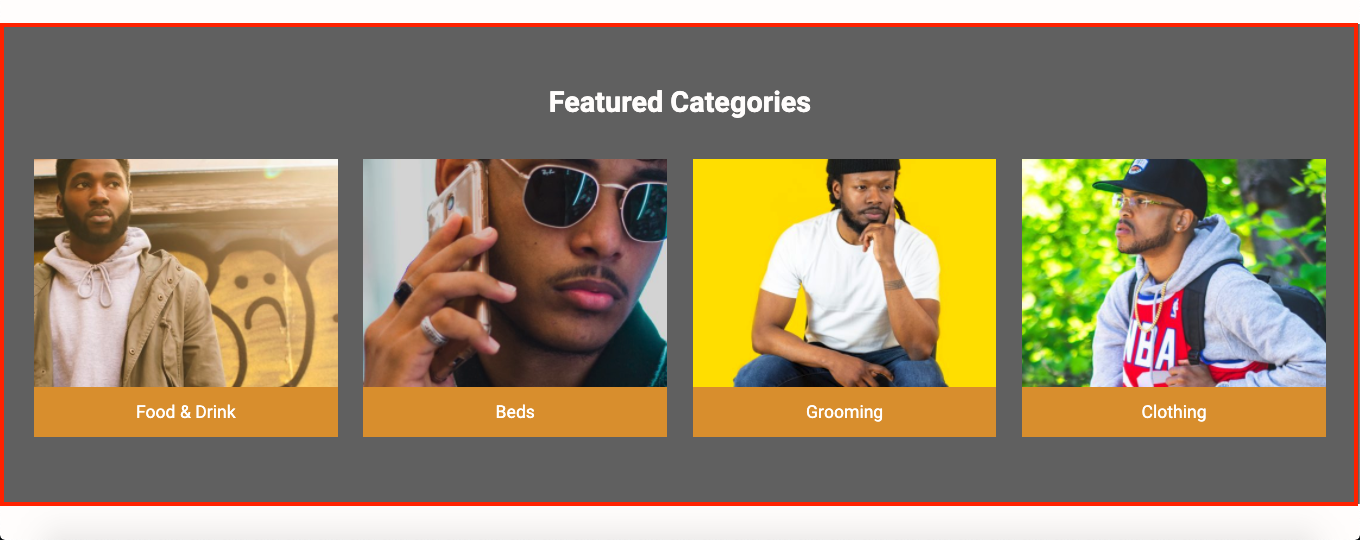
'Categories' - checking this box enables/disables the following:
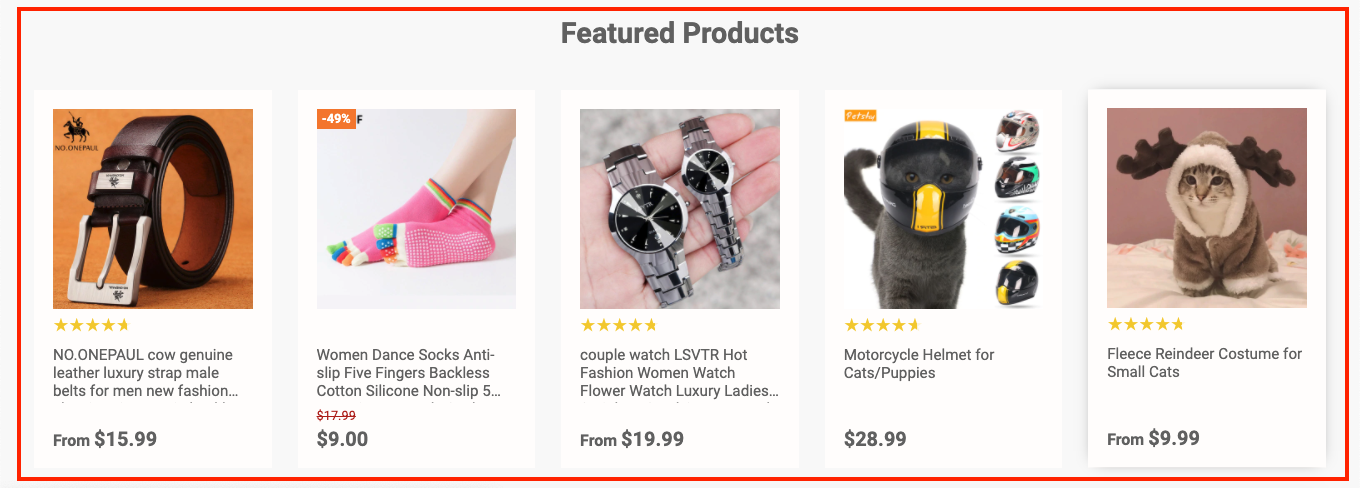
'Products' - checking this box enables/disables the following:
(About section)
'About text' - checking this box enables/disables the following:
The 'About text' is taken from the 'About Us' page and can be edited from within the store dashboard:
> Pages > All Pages > About Us
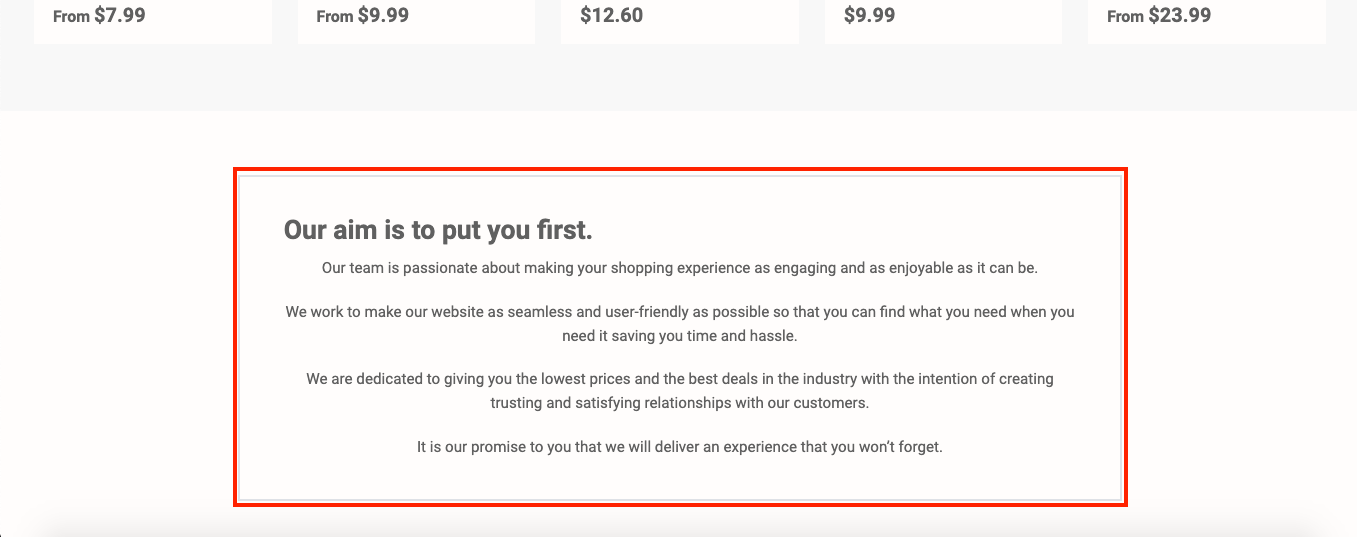
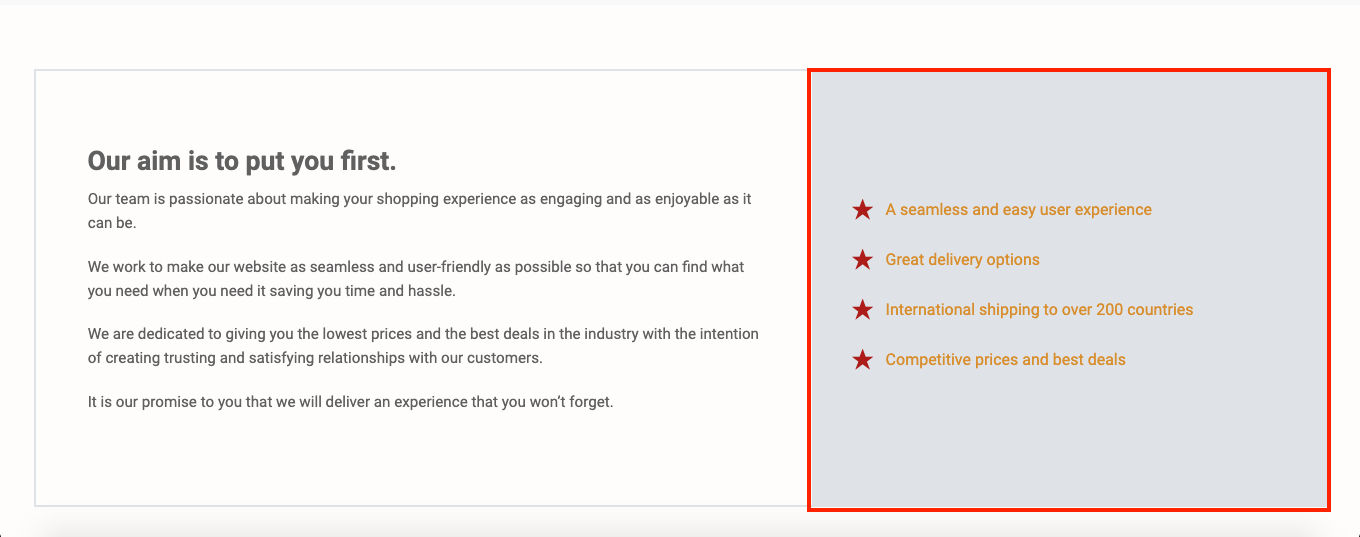
'Features text' - checking this box enables/disables the following:
The 'Features text' is taken from the 'About Us' page and can be edited from within the store dashboard:
> Pages > All Pages > About Us
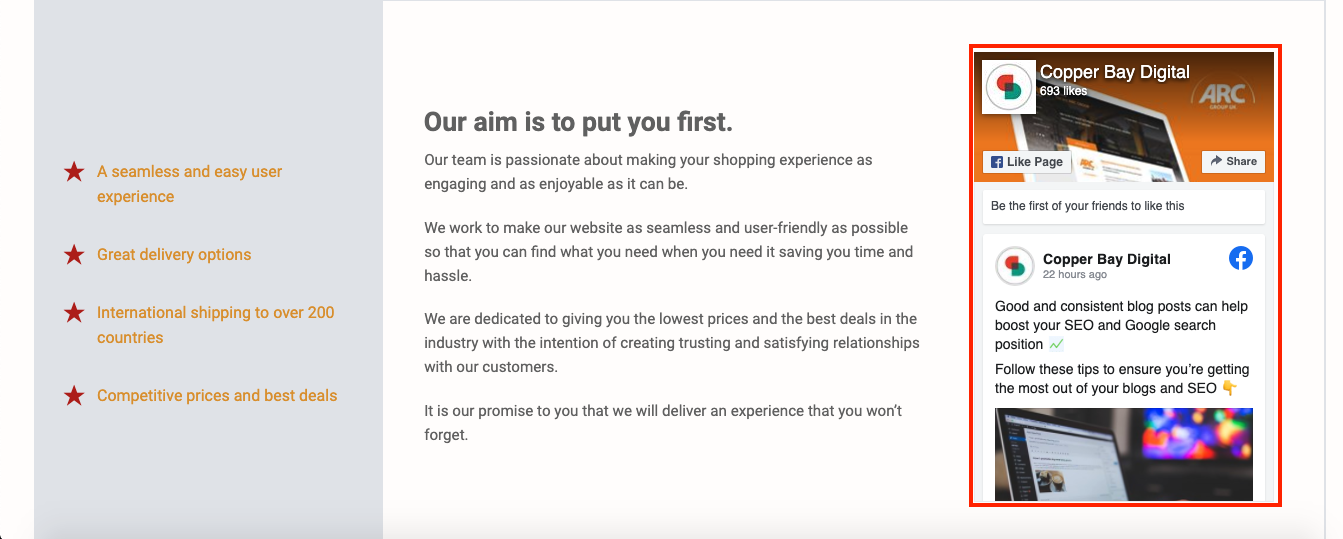
'Facebook feed' - checking this box enables/disables the following:
(Image Slider)
Note: images should be at least 1080px wide by 500px high.
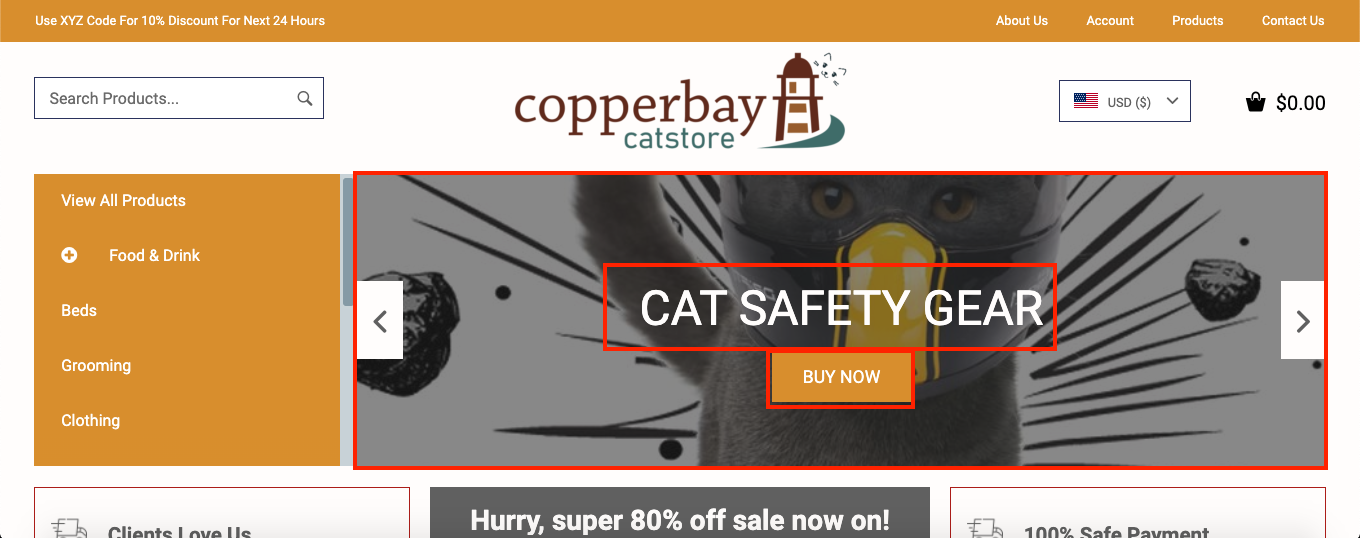
Making alterations to the 'Titles', 'Button Captions', 'Images' and 'Linked URLs' will affect the following locations:
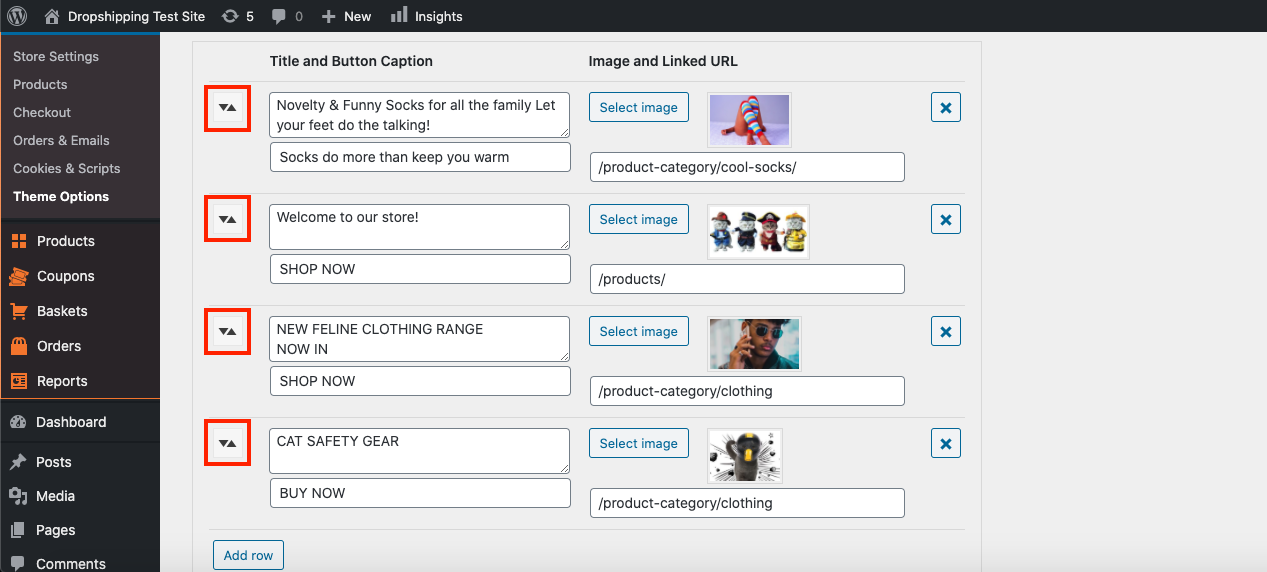
You can also drag and drop each 'Image Slider' to reorder them how you wish using these icons:
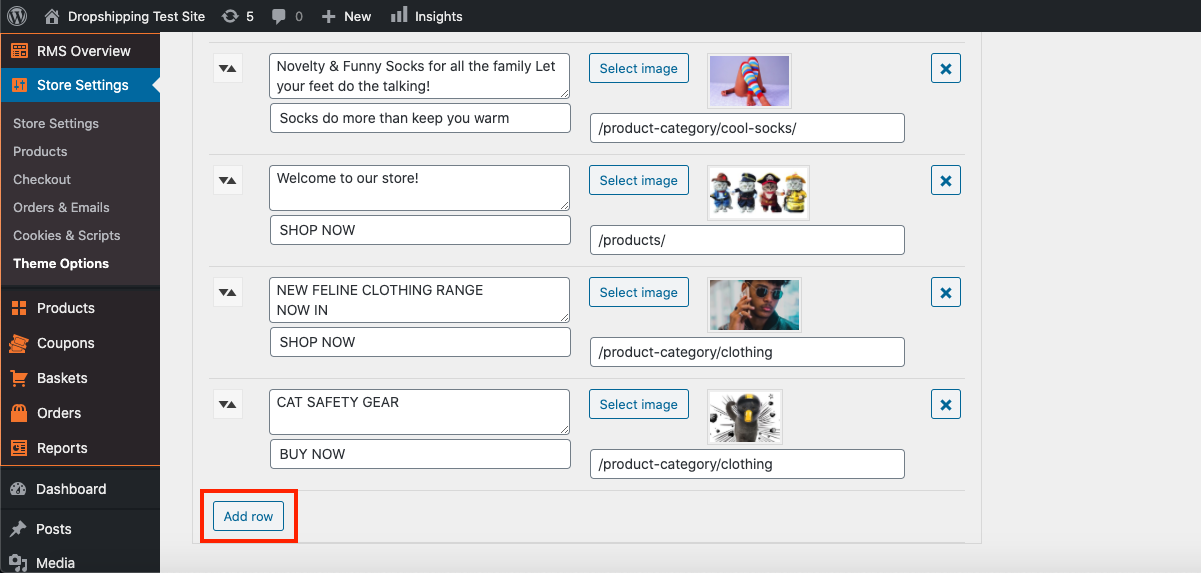
To add more 'Slider Images', click 'Add row':
(Sale Countdown Timer)
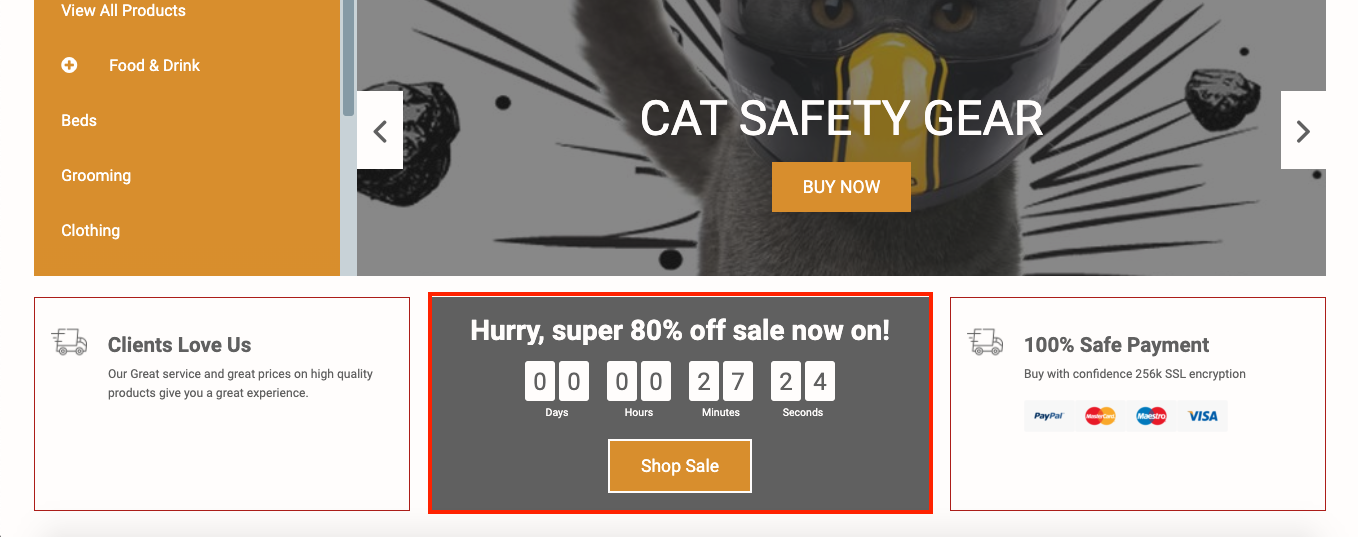
The 'Sale Countdown Timer' can be seen here:
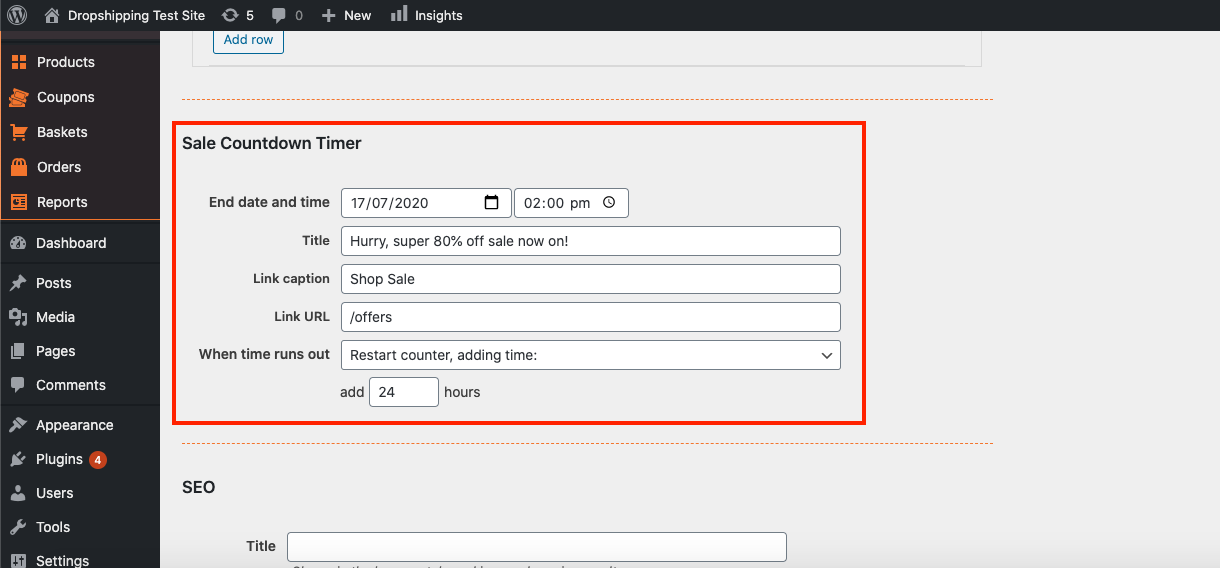
Set the 'Sale Countdown Timer' to add a element of scarcity to your store:
(SEO)
'Title' - shown in the browser tab, and in search engine results.
'Description' - shown in search engine results. Maximum 155 characters.
'Keywords' - no longer used by most search engines.
(*Don't forget to click 'Save Changes' after making alterations*)
Related Articles
Customising The Theme - Boxouts Settings
Customising The Theme - Boxouts Settings To customise the themes 'Boxout' settings, from the store dashboard go to: > Store Settings > Theme Options > Boxouts From within this page there are 2 features you can customise, these are:- 'Delivery' and ...Customising The Theme - Header Settings
Customising The Theme - Header Settings To customise the themes 'Header' settings, from the store dashboard go to: > Store Settings > Theme Options > Header From within this page there are 3 features you can customise, these are:- 'Top flash: text' - ...Customising The Theme - Footer Settings
Customising The Theme - Footer Settings To customise the themes 'Footer' settings, from the store dashboard go to: > Store Settings > Theme Options > Newsletter From within this page the top tick box labelled 'Show menus on mobile' will either enable ...Customising The Theme - General Settings
Customising The Theme - General Settings To customise the themes 'General' settings, from the store dashboard go to: > Store Settings > Theme Options > General From within this page there are many different way to customise your theme:- 'Force ...Customising The Theme - Newsletter Settings
Customizing The Theme - Newsletter Settings To customize the themes 'Newsletter' settings, from the store dashboard go to: > Store Settings > Theme Options > Newsletter From within this page the top tick box labelled 'Show signup form' will either ...