Export Products in csv file
Export Products in csv file
You can export Products: click 'Export products' button:
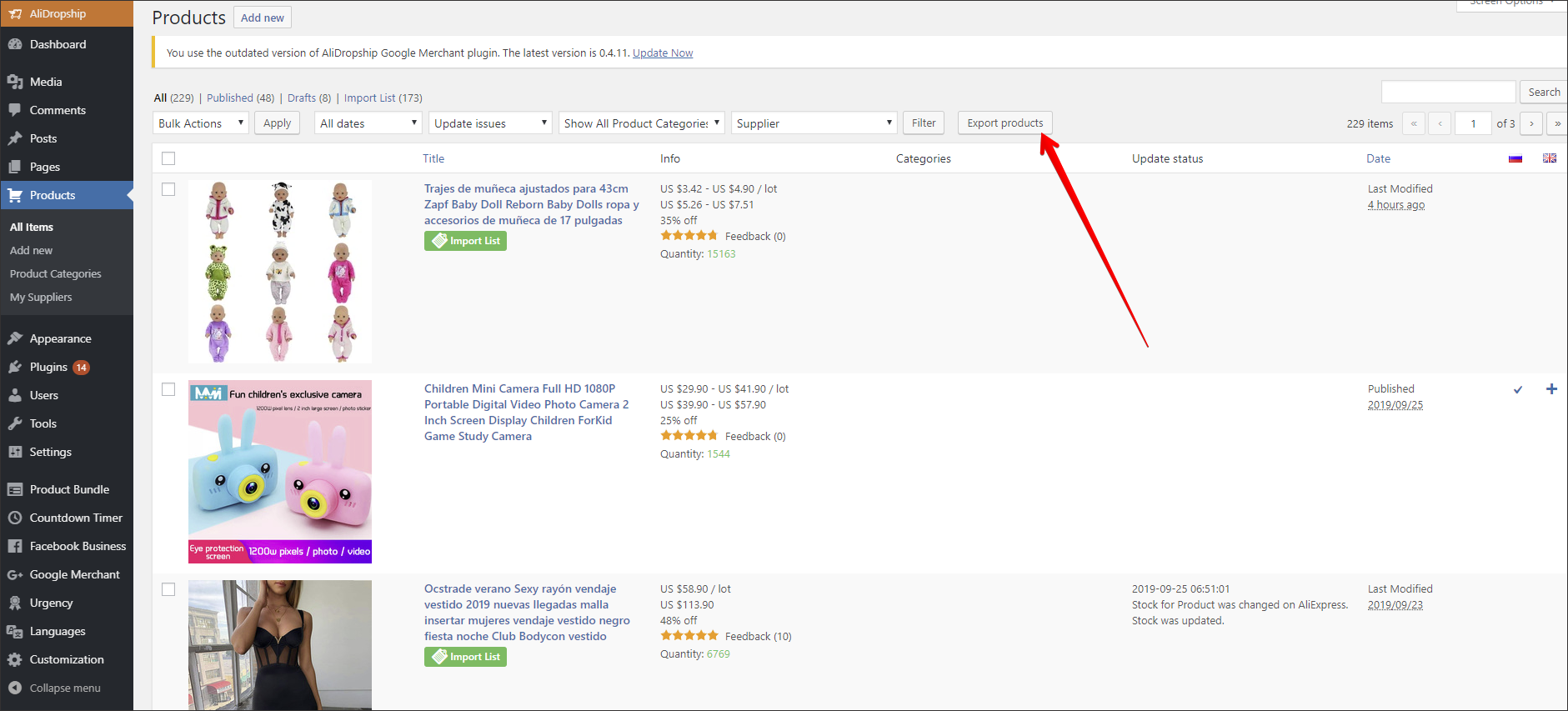
and choose what information you want to export, after that click 'Apply":
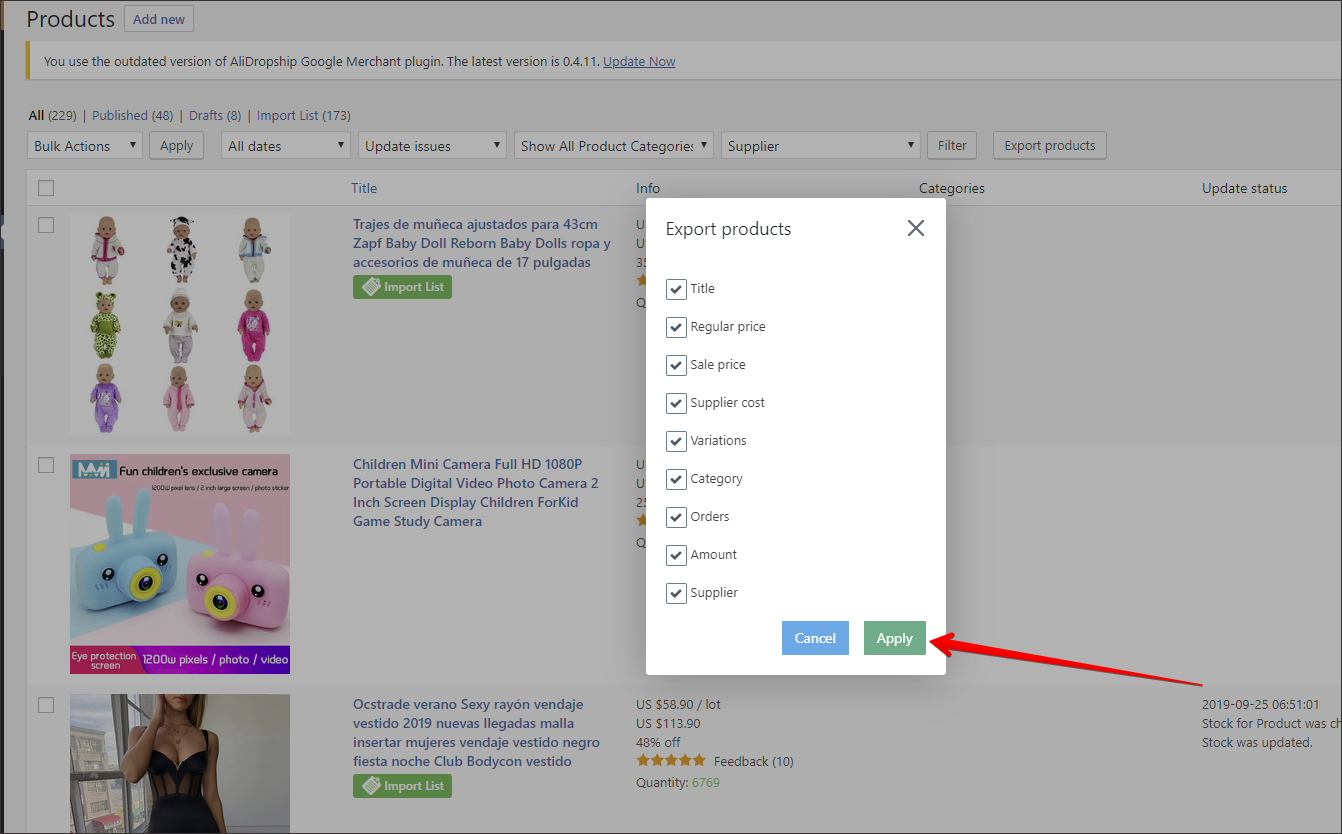
CSV file will be generated and saved (other formats are not supported):

Related Articles
How To Export Product Data?
How To Export Product Data? To export product data for use in platforms such as Google and Facebook, you will require the 'CSV/TXT Product file export function'. Once the function is owned, it can be located in: > Products > Export The column ...How To Upload Products To Facebook Catalogue?
How To Upload Products To Facebook Catalogue? To upload products to the 'Facebook Catalogue', from the store dashboard, navigate to: > Products > Export Add the following fields to the 'Include in file' column (follow the exact same order): (1. ID) ...How To Upload Products To Google Merchant Center?
How To Upload Products To Google Merchant Center? To upload products to the 'Google Merchant Center', from the store dashboard, navigate to: > Products > Export Add the following fields to the 'Include in file' column (follow the exact same order): ...Import/Export
Import/Export To 'Import/Export', from the store dashboard go to: > Store Settings > Theme Options > Import/Export To 'Export' all current layout settings, including the colour palette to a file, click 'Export current layout settings to file': To ...Updating products
Updating products AliDropship plugin provides you with the possibility to keep your product details up-to-date. With the Update option, you can check the availability of items on AliExpress and update the product’s price, stock, and variations. NOTE! ...