Changing the price of a product
Log into your store.
Go to products
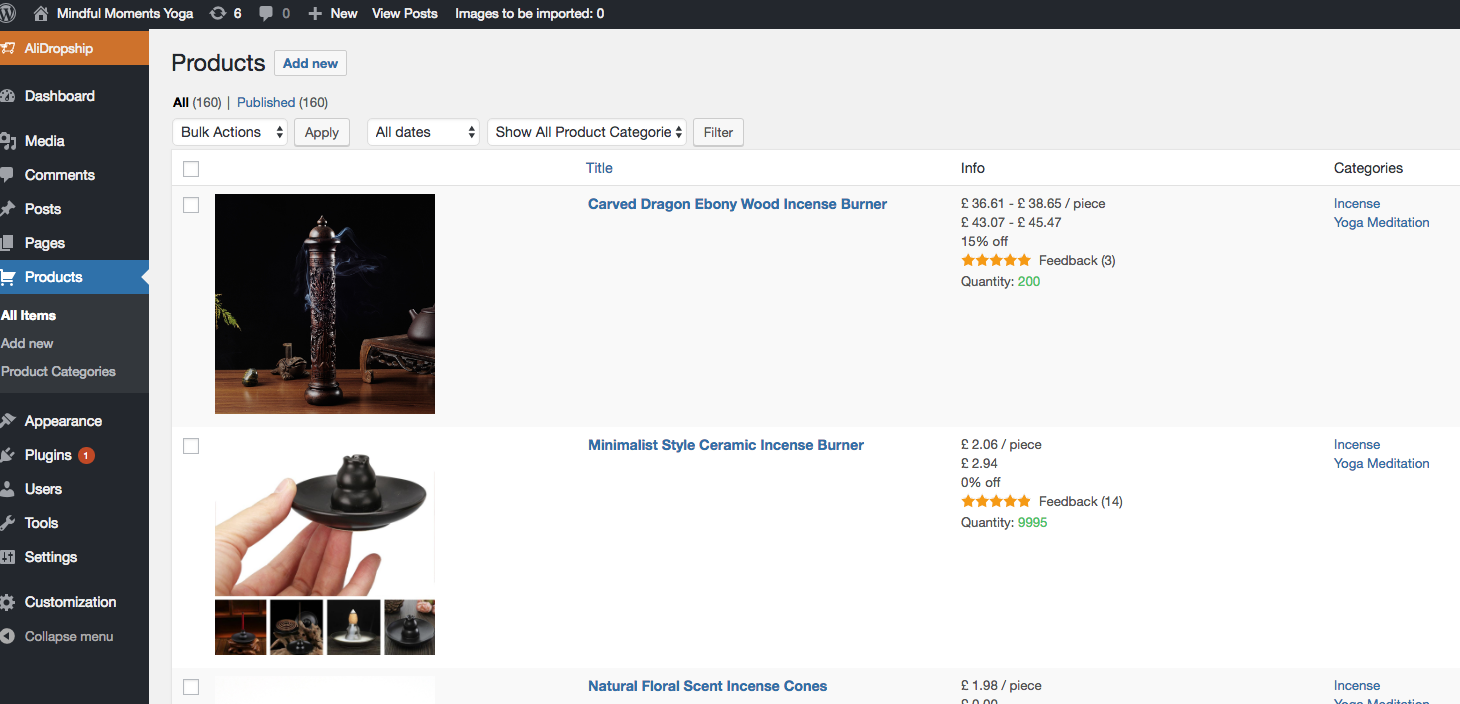
Hover over the product you want to change, click edit
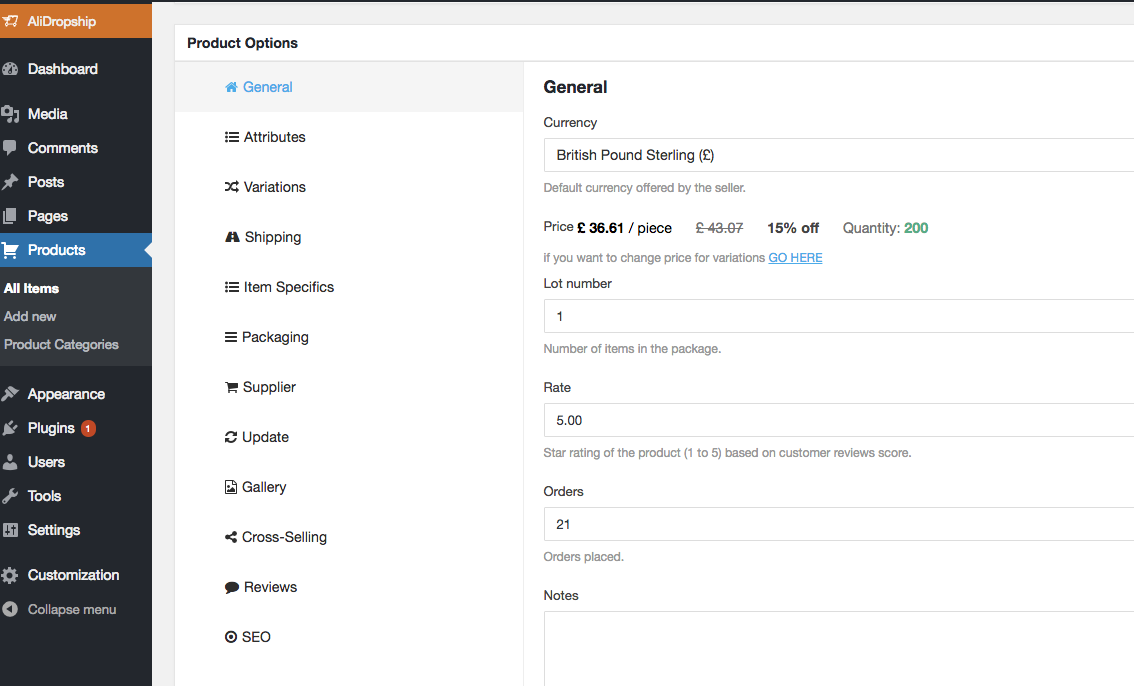
Scroll down to Product Options, click where it says GO HERE in blue
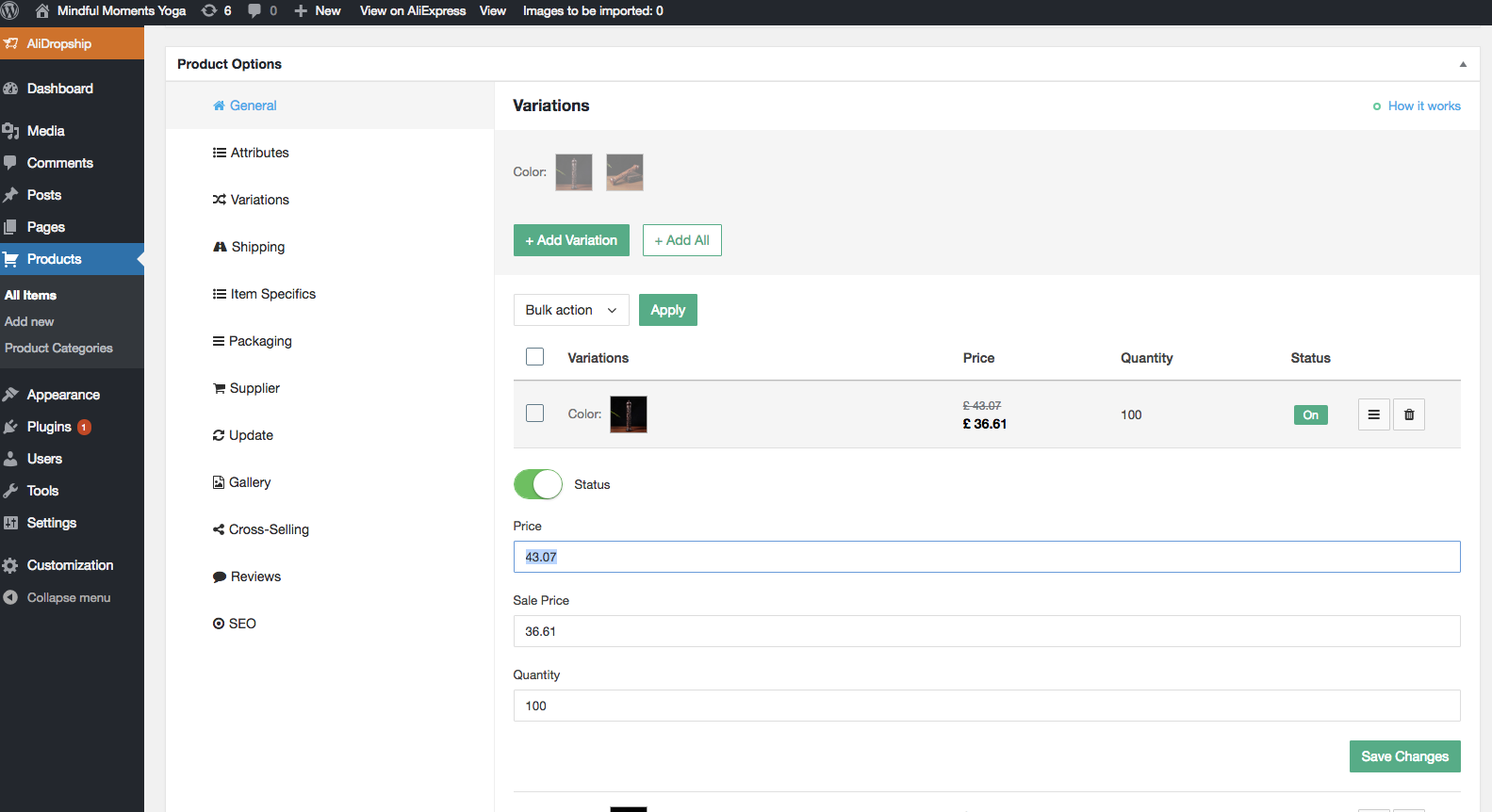
Click on the icon next to the Bin on the right, then simply change the Sale Price to what you want it to be.
Related Articles
How To Alter The Variable Price Display?
How To Alter The Variable Price Display? On your store, the 'Variable price display' alters what's shown on your product listings (as long as that product contains multiple variants with different costs - for example: red socks: $3, blue socks $3.50 ...Product Options
Product Options General In the General section you can check and customize general information about the product. Since the plugin imports products from AliExpress in US Dollar ($), it is set as the default currency. This currency may be changed to ...Changing your theme
Changing your theme To download one of the themes, visit the Themes section. Choose from 6 free themes available for this version of the plugin. Once you have downloaded a theme, enter your WordPress panel and go to Appearance => Themes => Add New => ...How To Export Product Data?
How To Export Product Data? To export product data for use in platforms such as Google and Facebook, you will require the 'CSV/TXT Product file export function'. Once the function is owned, it can be located in: > Products > Export The column ...How To Alter Product Markup Rules?
How To Alter Product Markup Rules? To alter the 'Product Markup Rules', from the store dashboard go to: > Store Settings > Products > Markup Rules From within this page you may select the price ranges of products you would like to increase the markup ...