How To Alter The Variable Price Display?
On your store, the 'Variable price display' alters what's shown on your product listings (as long as that product contains multiple variants with different costs - for example: red socks: $3, blue socks $3.50 etc):
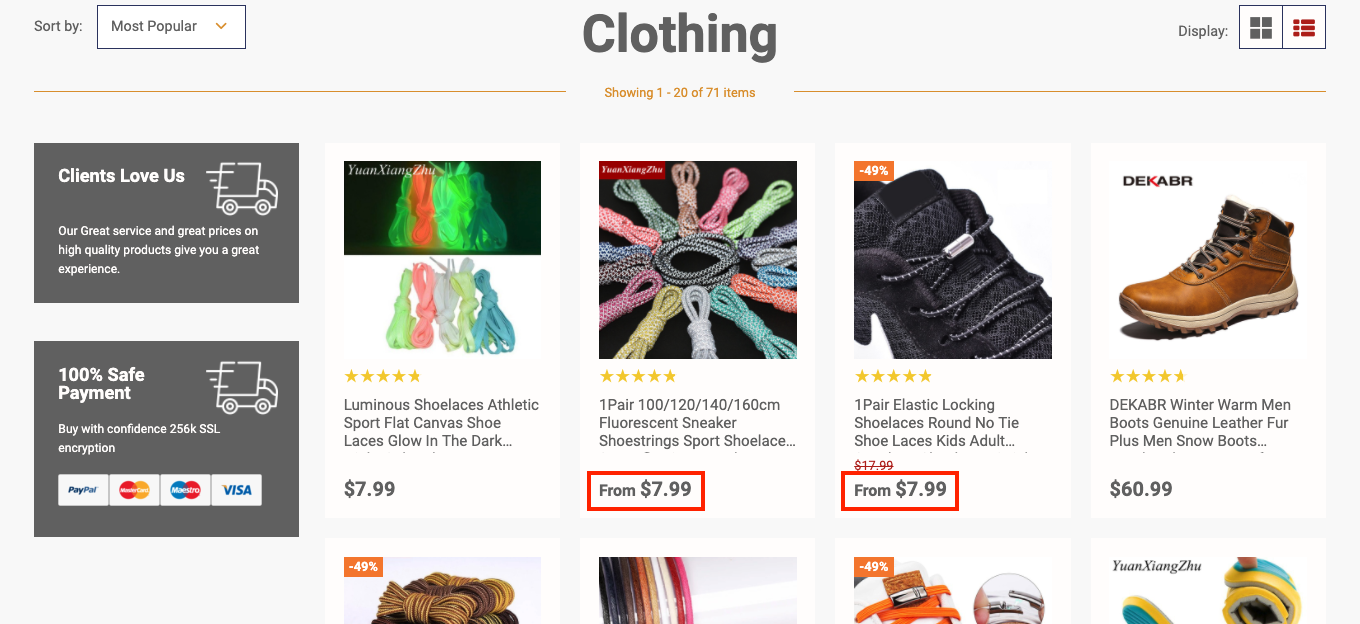
To alter the 'Variable Price Display', from the store dashboard go to:
> Store Settings > Products > General

From within this page, under the heading 'Product Listings and Carousels', the 'Variable price display' can be altered:
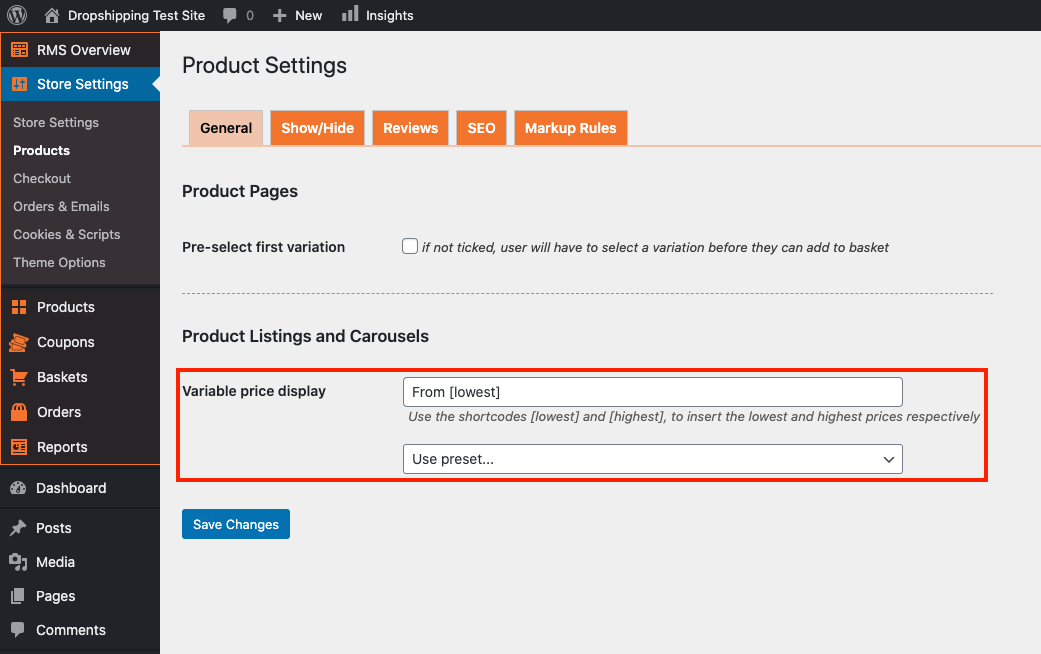
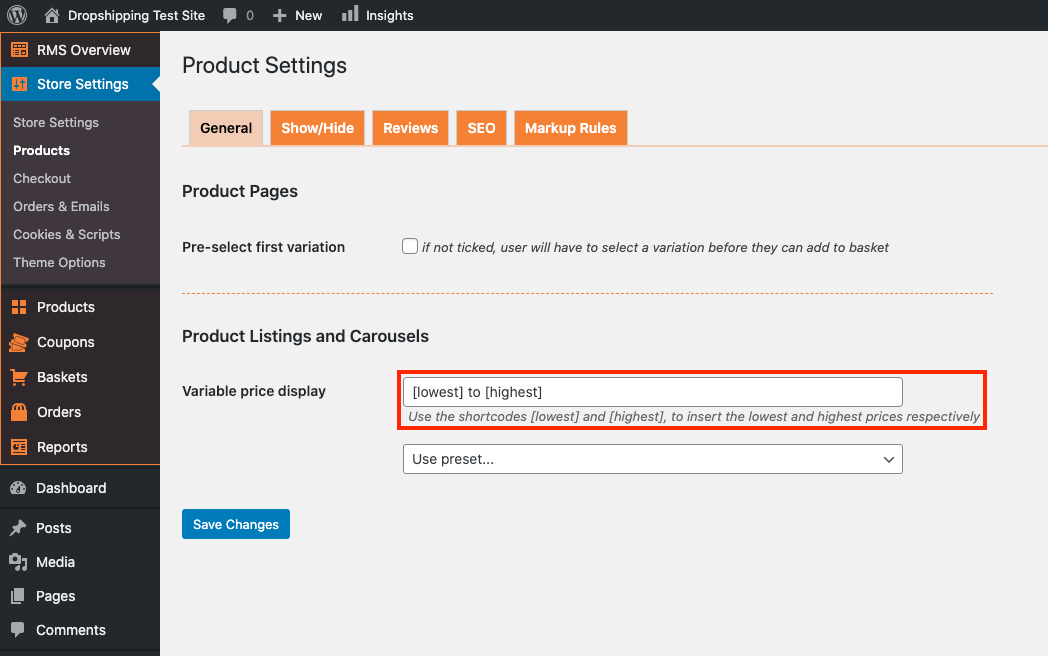
The top box can be edited how you wish, but you must use the shortcodes in order for it to function ([lowest] for lowest price and [highest] for highest price):
The drop-down menu below is the recommended option as it changes the display for you:
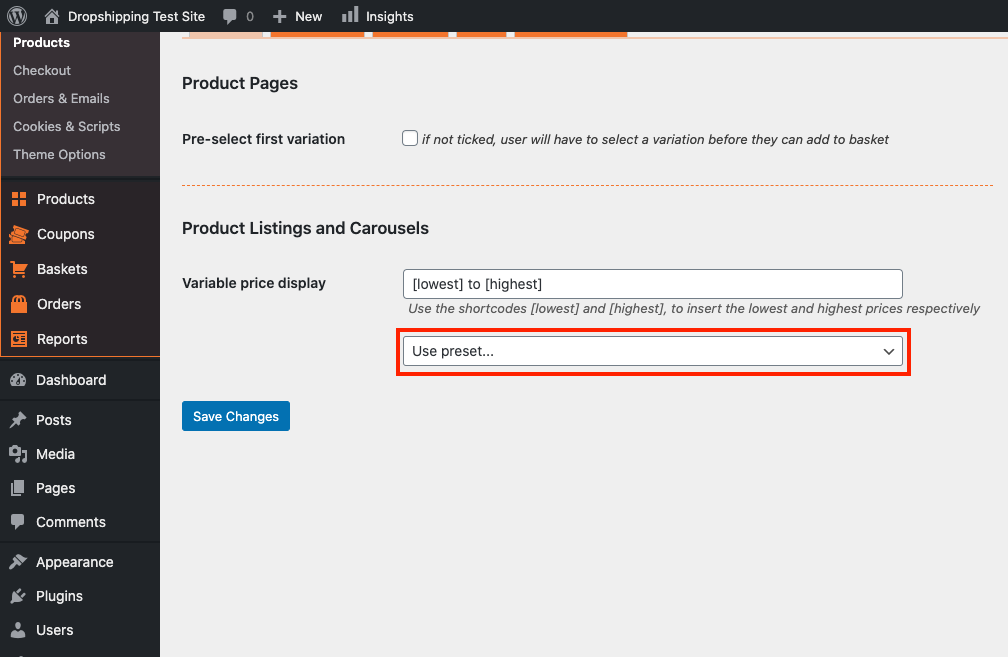
(*Don't forget to click 'Save Changes' after making alterations*)
Related Articles
How To Alter The Shipping Settings?
How To Alter The Shipping Settings? To change the shipping settings, from the store dashboard go to: > Store Settings > Checkout > Shipping From within this page, the headings containing 'Free shipping', 'Super Savings shipping', 'Standard shipping' ...How To Alter Product Markup Rules?
How To Alter Product Markup Rules? To alter the 'Product Markup Rules', from the store dashboard go to: > Store Settings > Products > Markup Rules From within this page you may select the price ranges of products you would like to increase the markup ...Changing the price of a product
Log into your store. Go to products Hover over the product you want to change, click edit Scroll down to Product Options, click where it says GO HERE in blue Click on the icon next to the Bin on the right, then simply change the Sale Price to what ...How To Alter SEO Settings?
How To Alter SEO Settings? To alter the SEO settings, from the store dashboard go to: > Store Settings > Store Settings > SEO From within this page on the right hand side, you will find a 'Help' guide which will inform you what each option entails. ...How To Alter A Products Title & Description?
How To Alter A Products Title & Description? To alter a 'Products' title and/or description, from the store dashboard go to: > Products > All Products From within this page find the 'Product' that you'd like to alter the title and/or description of, ...