How To Add reCAPTCHA?
How To Add reCAPTCHA?
'reCAPTCHA' is a CAPTCHA system that enables web hosts to distinguish between human and automated access to websites. It is used to prevent spam/scam emails from bots when using the 'Contact Us' page.
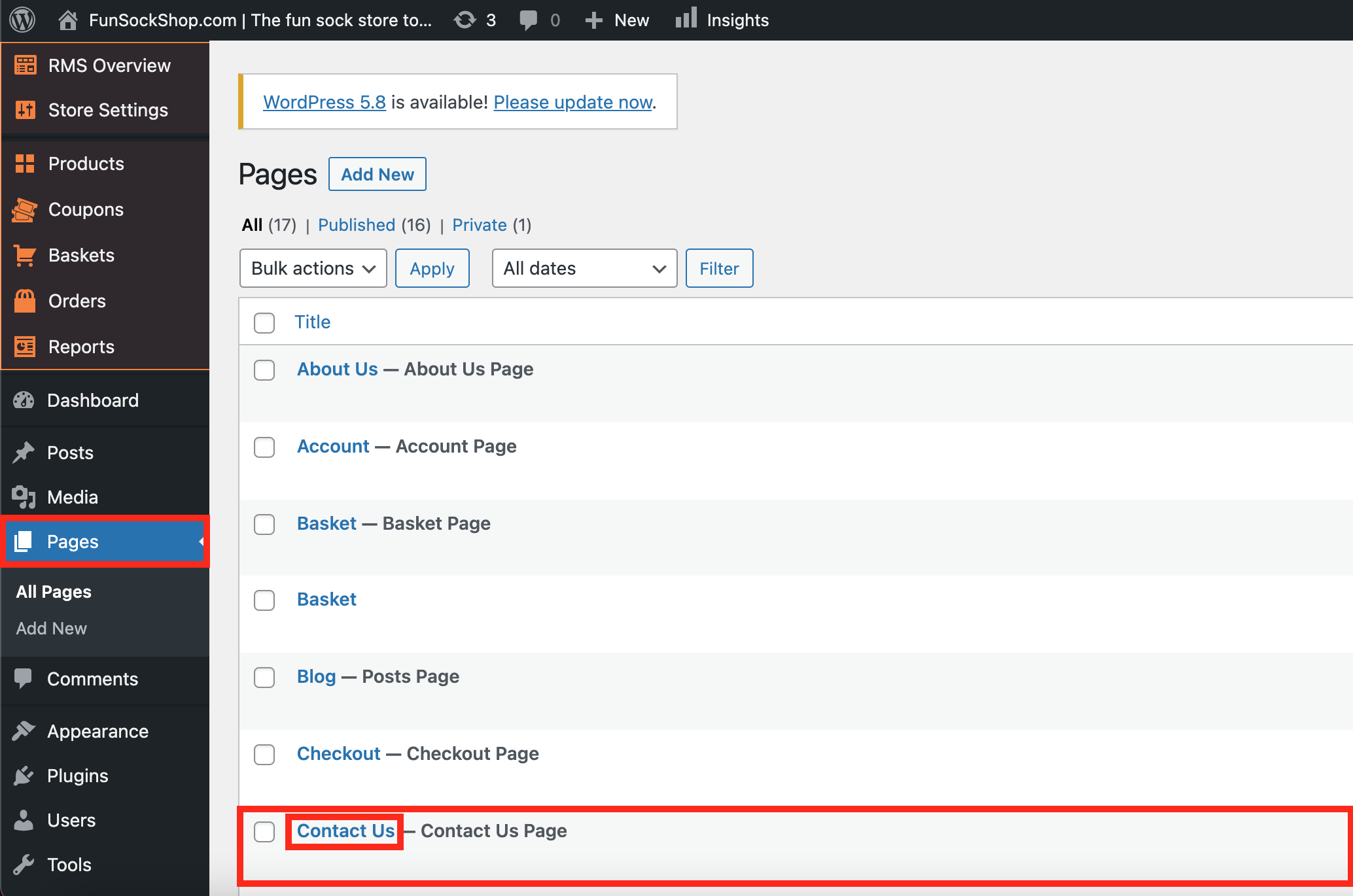
To enable 'reCAPTCHA', navigate to:
> Pages > Contact US
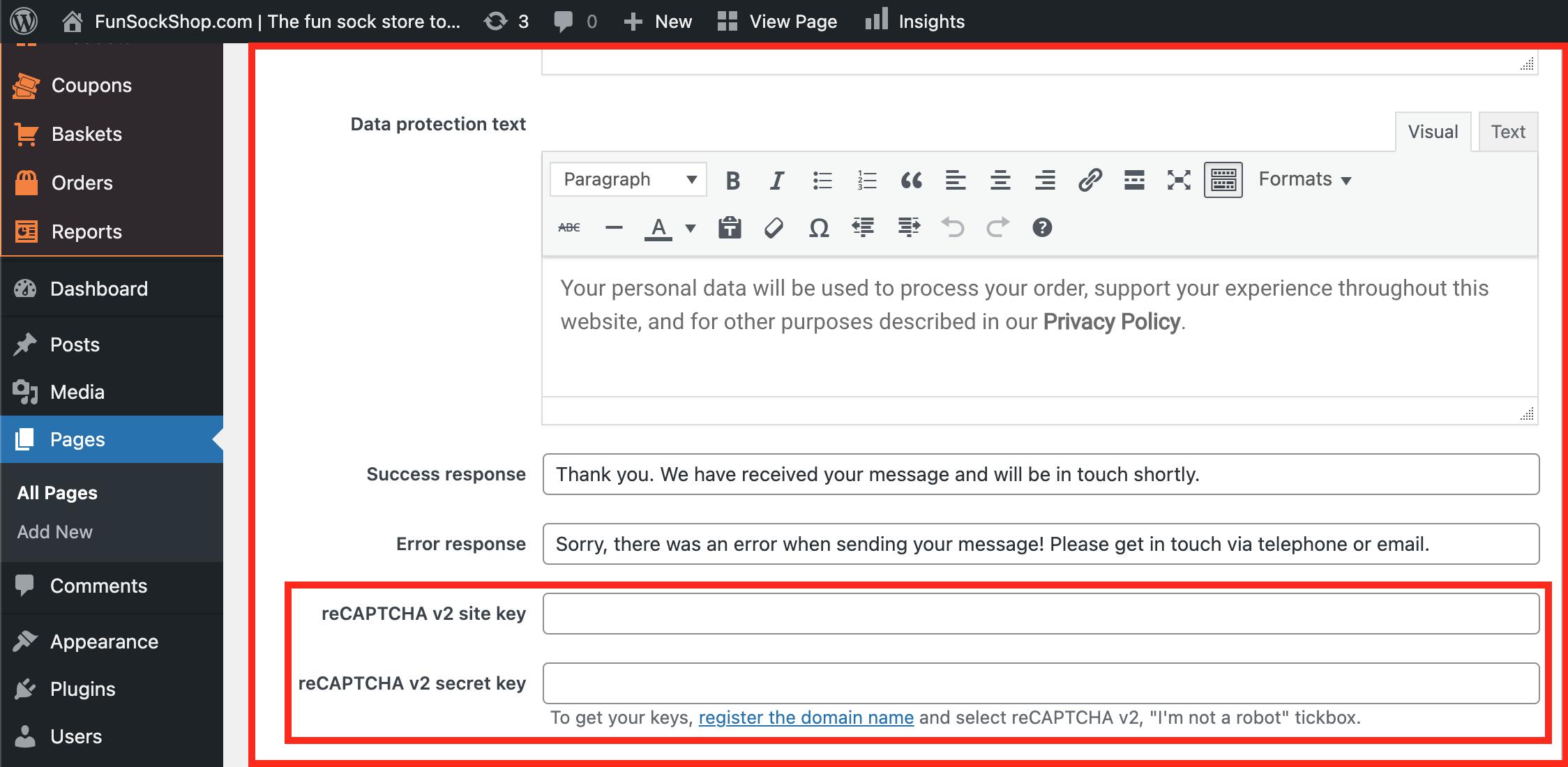
Scroll down to the bottom of the 'Contact Form':
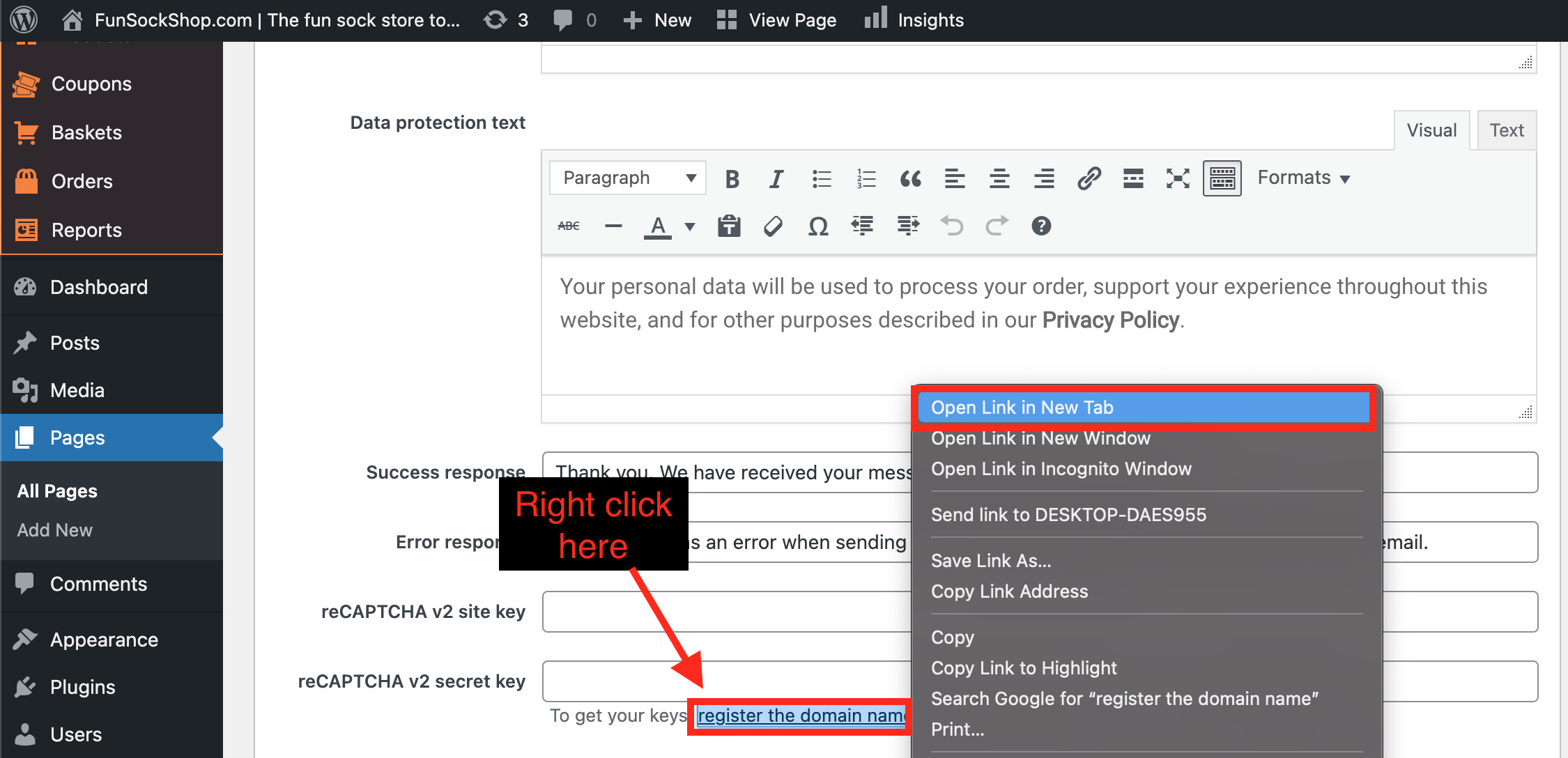
Right click the hyperlink text labelled 'register the domain name' and click 'Open Link in New Tab':
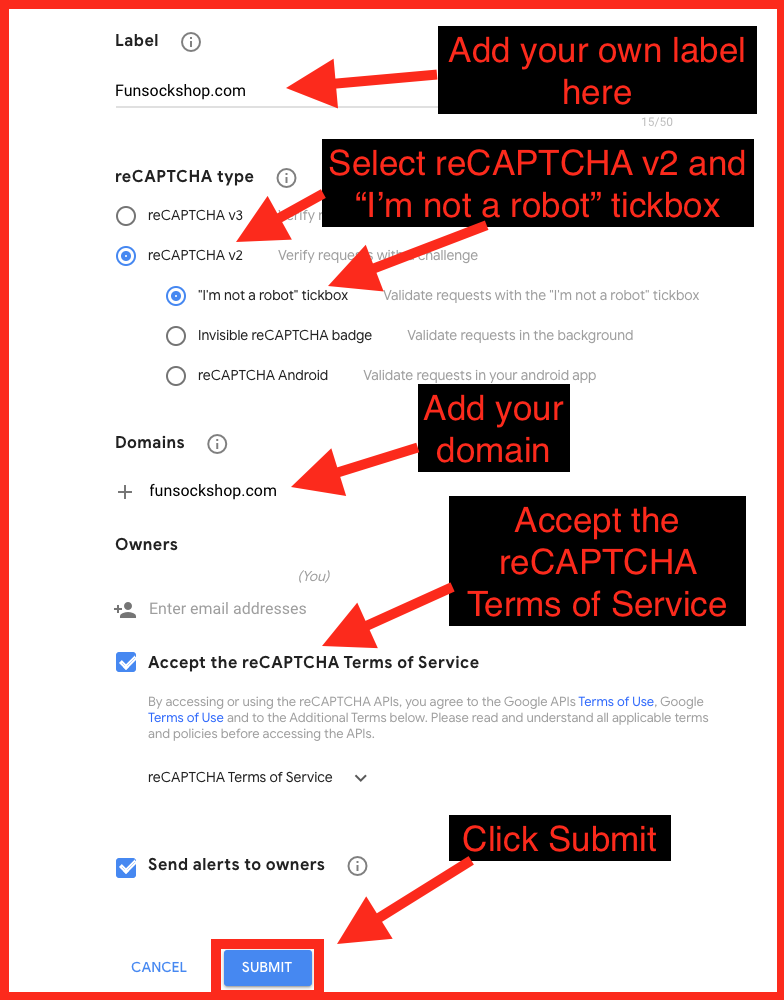
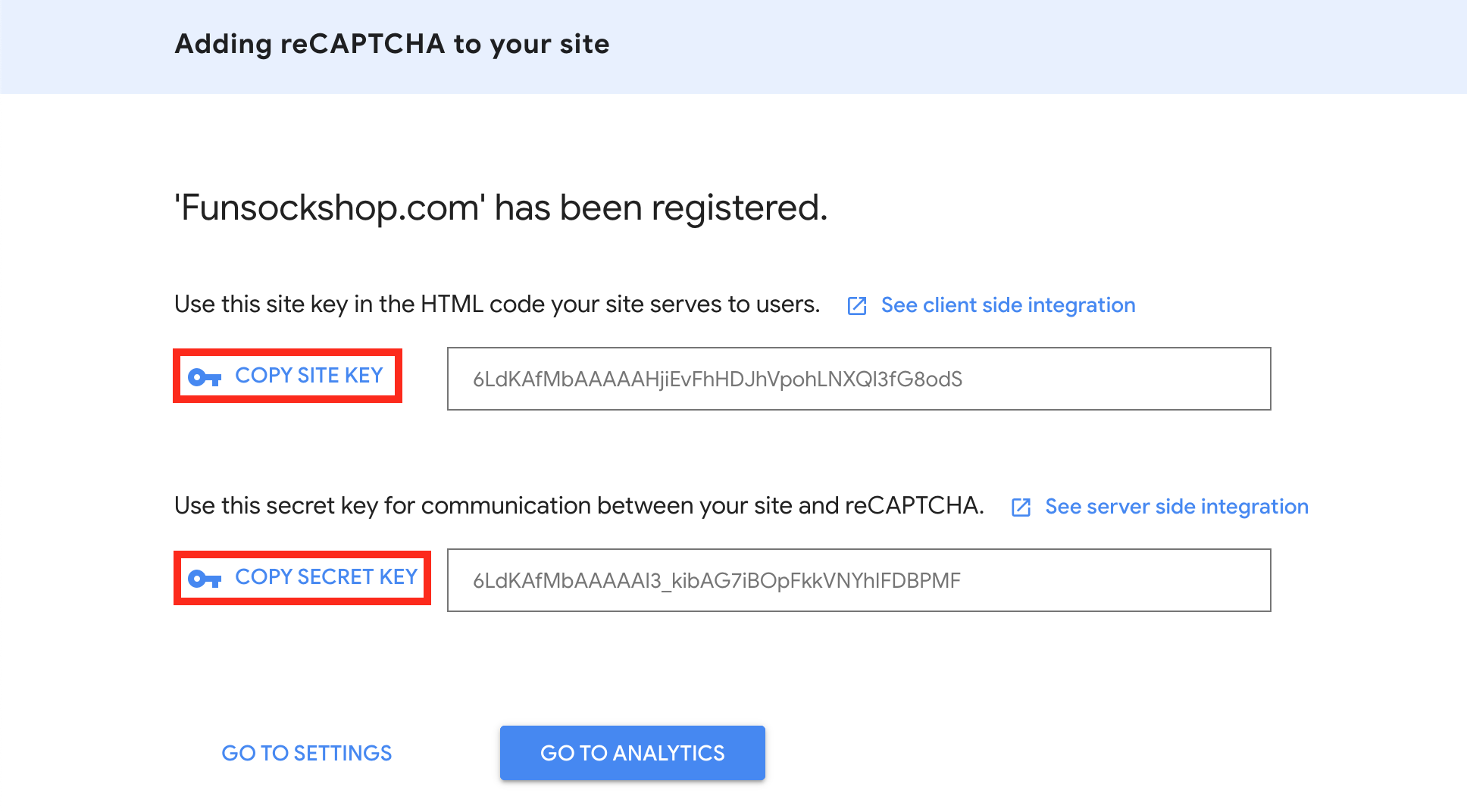
Copy the following settings:
Copy and paste the 'Site Key' and 'Secret Key' into their corresponding boxes:
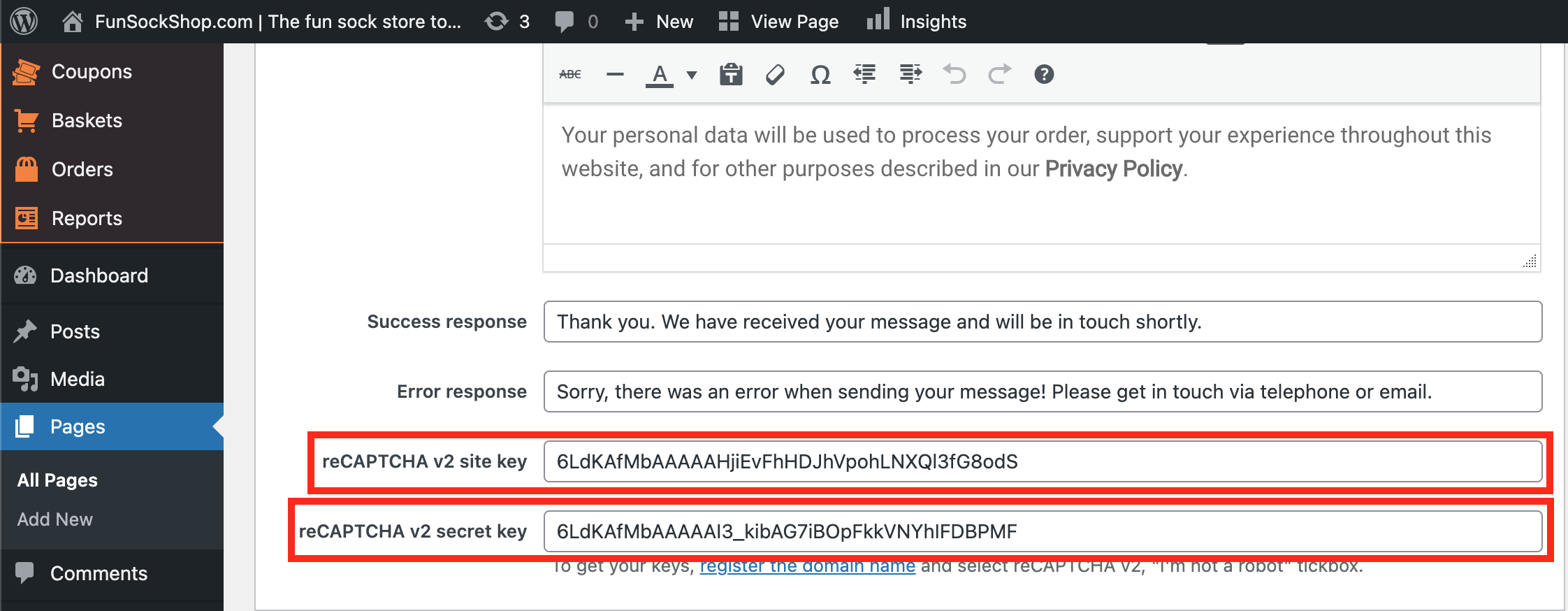
(*Don't forget to click 'Update' after making alterations*)
Related Articles
reCAPTCHA
To prevent robots from registering on your website we recommend using such tool as ‘reCAPTCHA‘: reCAPTCHA is a free service that protects your website from spam and abuse. reCAPTCHA uses an advanced risk analysis engine and adaptive CAPTCHAs to keep ...How To Add Contact Information?
How To Add Contact Information? To add contact information, from the store dashboard go to: > Store Settings > Store Settings > Contact From within this page input your 'Email address', 'Phone number' and/or 'Trading address' into the corresponding ...How To Add A New Product Category?
How To Add A New Product Category? To 'Add a new Product Category', from the store dashboard go to: > Products > Product Categories From within this page on the left hand side you'll see the heading 'Add New Category'. Underneath this heading you can ...How To Add, Remove & Rearrange Menu Items?
How To Add, Remove & Rearrange Menu Items? To 'Add a Item to a Menu', from the store dashboard go to: > Appearance > Menus From within this page at the top, click the drop-down box next to where it says 'Select a menu to edit' and find the menu you'd ...How To Add Social Media Channels?
How To Add Social Media Channels? To add social media channels to your site, from the store dashboard go to: > Store Settings > Store Settings > Social Media From within there, copy and paste the URL of your 'Facebook', 'Twitter', 'Instagram', ...