Abandoned Basket Email
'Abandoned baskets' are a nuisance, but don't feel disheartened. According to research, customers on average think about buying the same product seven times before they buy. This is why retargeting to them is key, so that they remember what they were searching for and end up buying.
Luckily we have an email sequence (already integrated on your store) which automatically reminds your customers to return to your store to continue with their purchase (via retargeting emails).
*This email is sent if a customer has added items to their basket, provided their details and begun to make the order, but has not completed it. It is sent 30 minutes, 3 hours, 12 hours, and 24 hours after the user last visited the checkout page, then a further twice during the following week*
Please follow the steps below to enable and edit the 'Abandoned Basket Email'.
----------
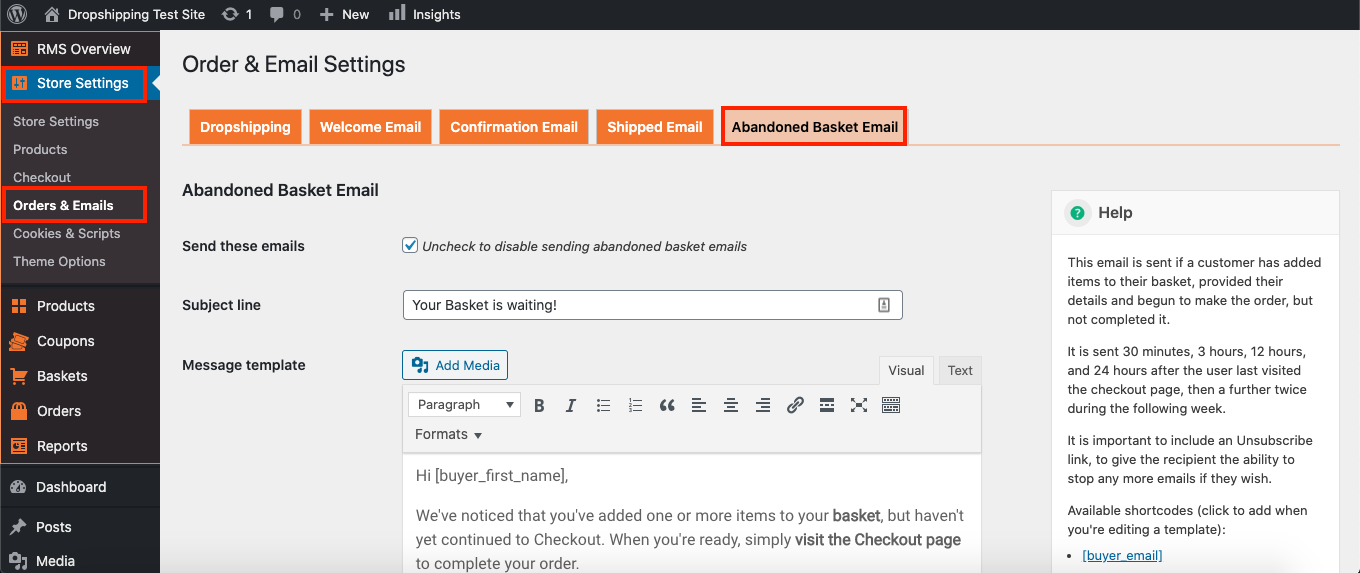
To access the 'Abandoned Basket Email Settings', from the store dashboard go to:
> Store Settings > Orders & Emails > Abandoned Basket Email
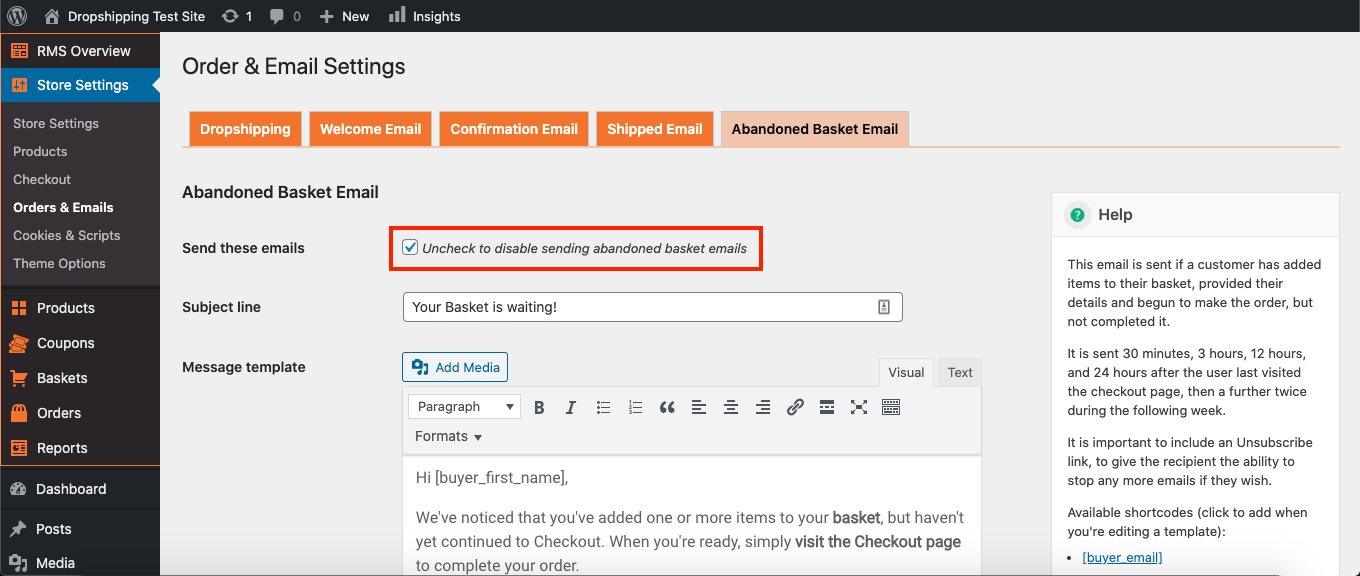
To enable/disable the 'Abandoned Basket Emails', simply check or uncheck the tick box at the top:
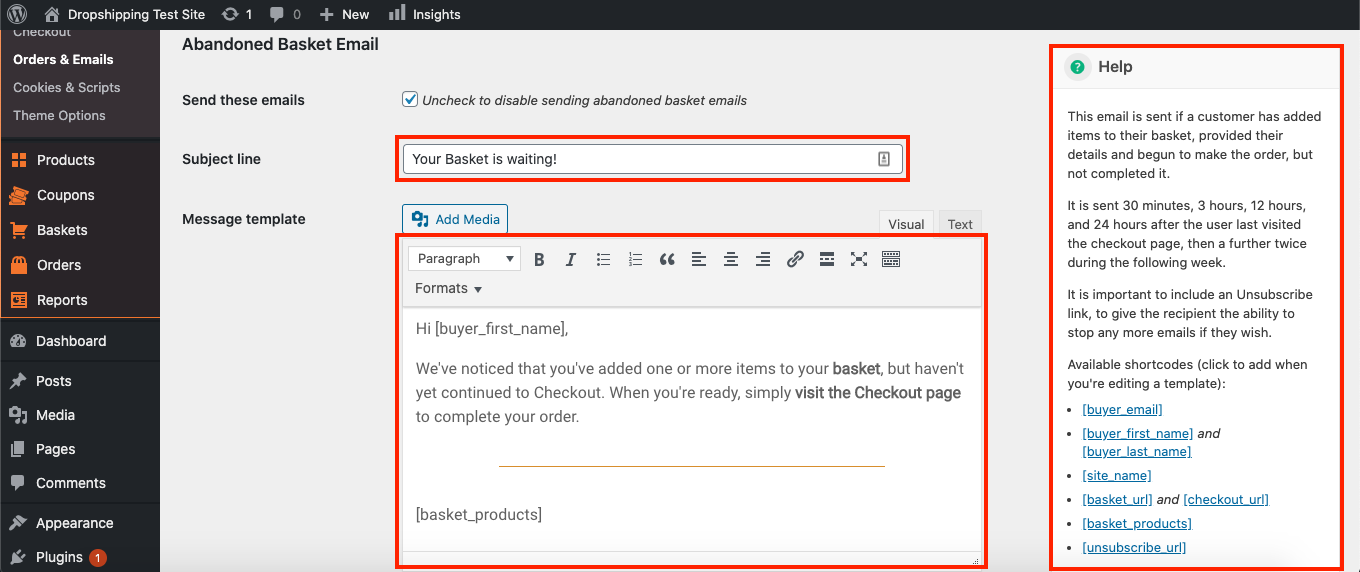
The 'Subject line' 'Message template', 'Unsubscribed success message', 'Unsubscribe failure message' can be edited as your see fit, and the 'Help' box on the right will provide you with more information:
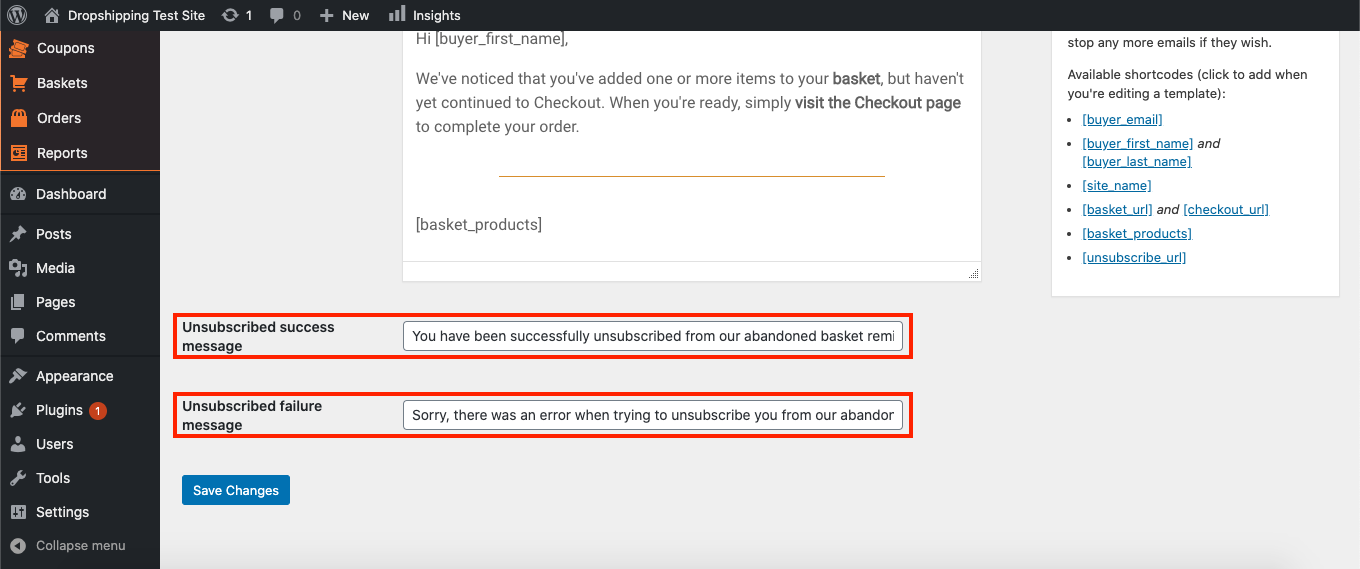
(*Don't forget to click 'Save Changes' after making alterations*)
Related Articles
Abandoned Cart
Abandoned Cart With Abandoned Cart add-on you can remind your customers what they have added to their shopping cart but did not buy and encourage them to complete their purchase. It is one of the most powerful marketing tools designed not only to ...Confirmation Email
Confirmation Email To access the 'Confirmation Email Order Settings', from the store dashboard go to: > Store Settings > Orders & Emails > Confirmation Email The first setting at the top labelled 'BBC to' allows you to blind carbon copy the ...Welcome Email
Welcome Email To access the 'Welcome Email Order Settings', from the store dashboard go to: > Store Settings > Orders & Emails > Welcome Email The 'Subject line' and 'Message template' will be sent off to your customers when they purchase from you ...Shipped Email
Shipped Email To access the 'Shipped Email Order Settings', from the store dashboard go to: > Store Settings > Orders & Emails > Shipped Email The first setting at the top labelled 'BBC to' allows you to blind carbon copy the 'Shipped Email' to an ...How To Bin A Basket?
How To Bin A Basket? To 'Bin a Basket', from the store dashboard go to: > Baskets From within this page, hover over a 'Basket' and click 'Bin' to remove it. To 'Bin' in bulk, you can tick multiple 'Baskets' checkboxes, then alter the 'Bulk Actions' ...