Abandoned Cart
With Abandoned Cart add-on you can remind your customers what they have added to their shopping cart but did not buy and encourage them to complete their purchase. It is one of the most powerful marketing tools designed not only to reconnect with clients, but also generate more sales.
You can order it here.
1. Type your email in the top box:
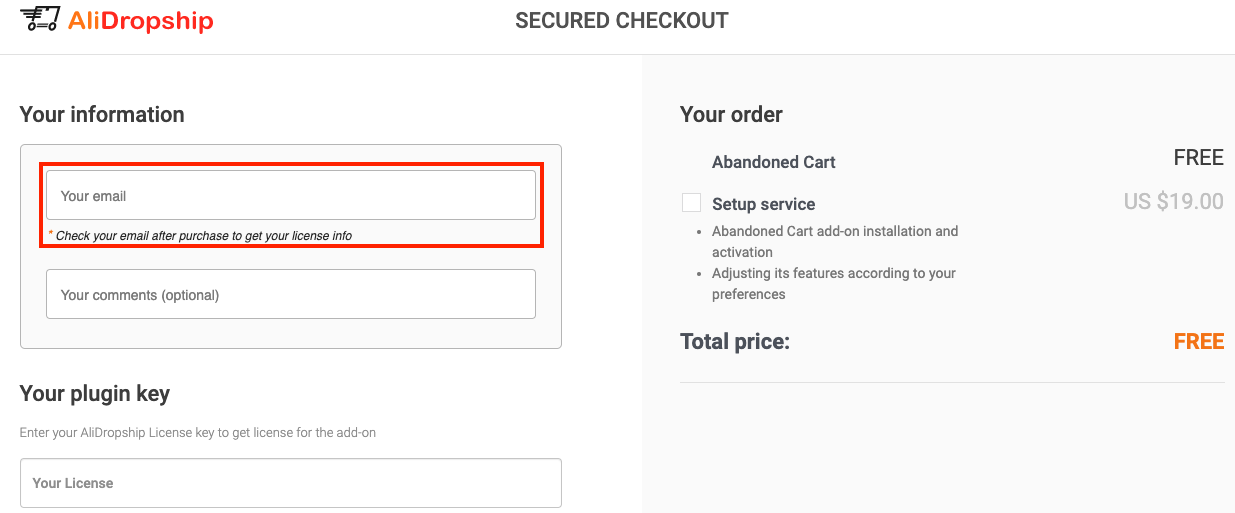
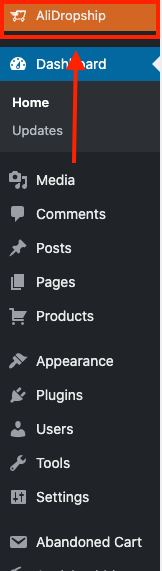
2. Open a new tab, log into your store backend and go to: > AliDropship > License:
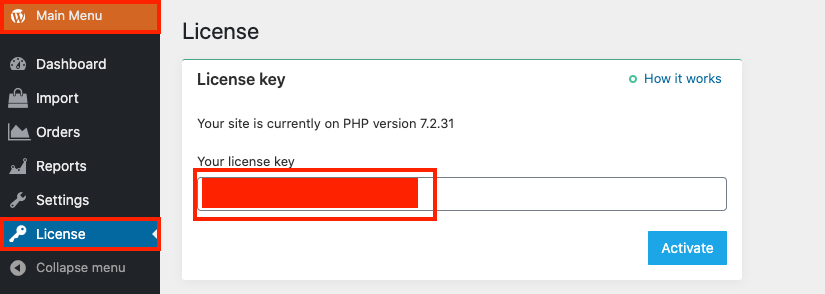
3. Copy your License key:
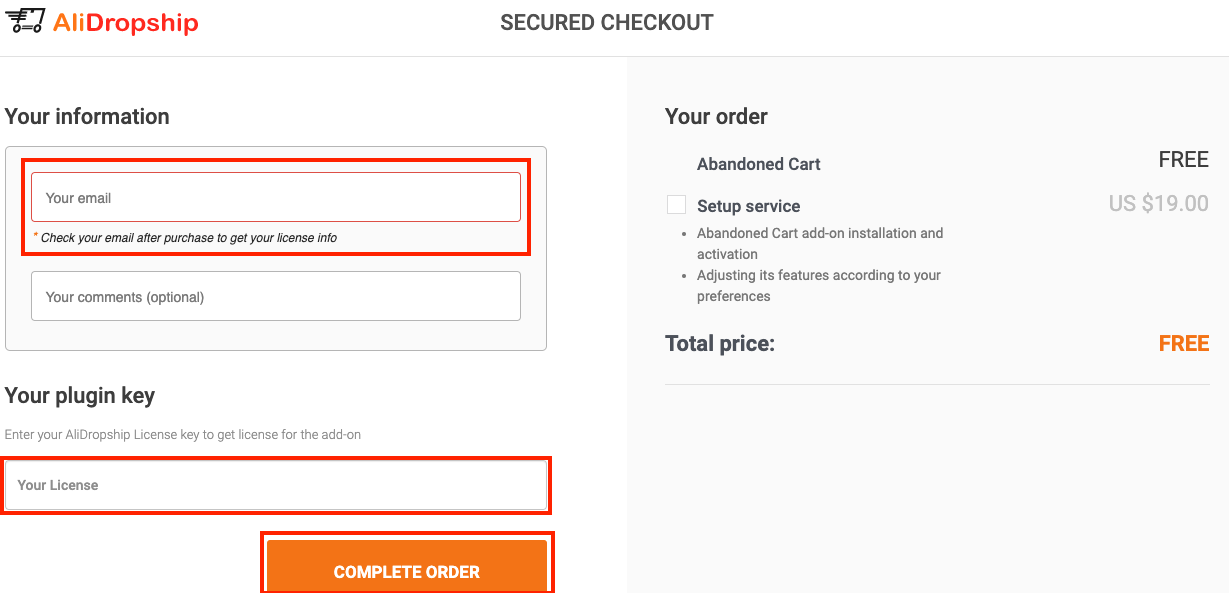
4. Paste your License key at the bottom of the AliDropship Abandoned Cart order page and click 'Complete Order':
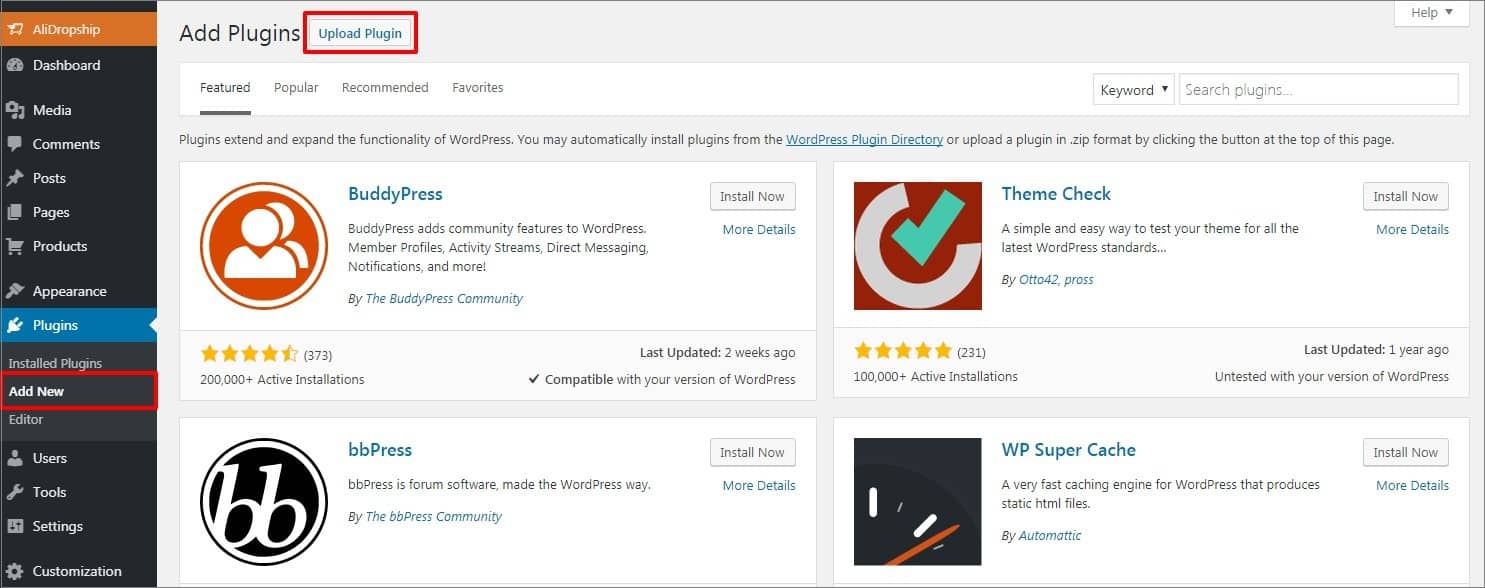
5. To install the add-on, go to the Plugins area => Add New and upload the zip file you have downloaded from the Thank you page or from the email you received after the purchase. Click Install.
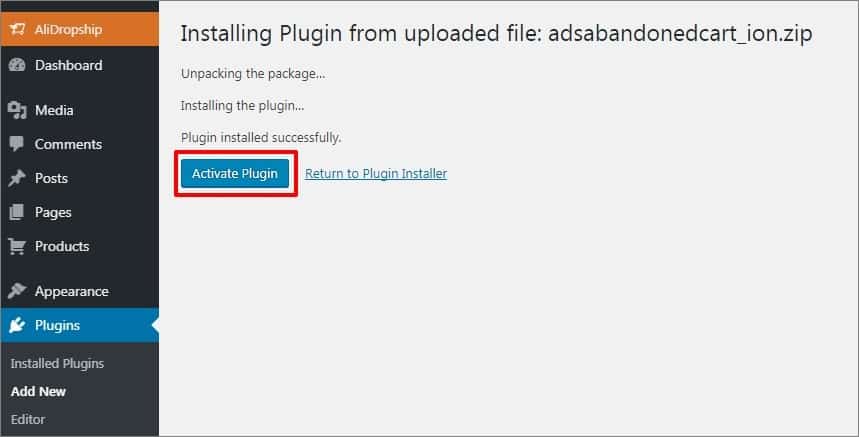
6. Activate the add-on and your license key.
Dashboard
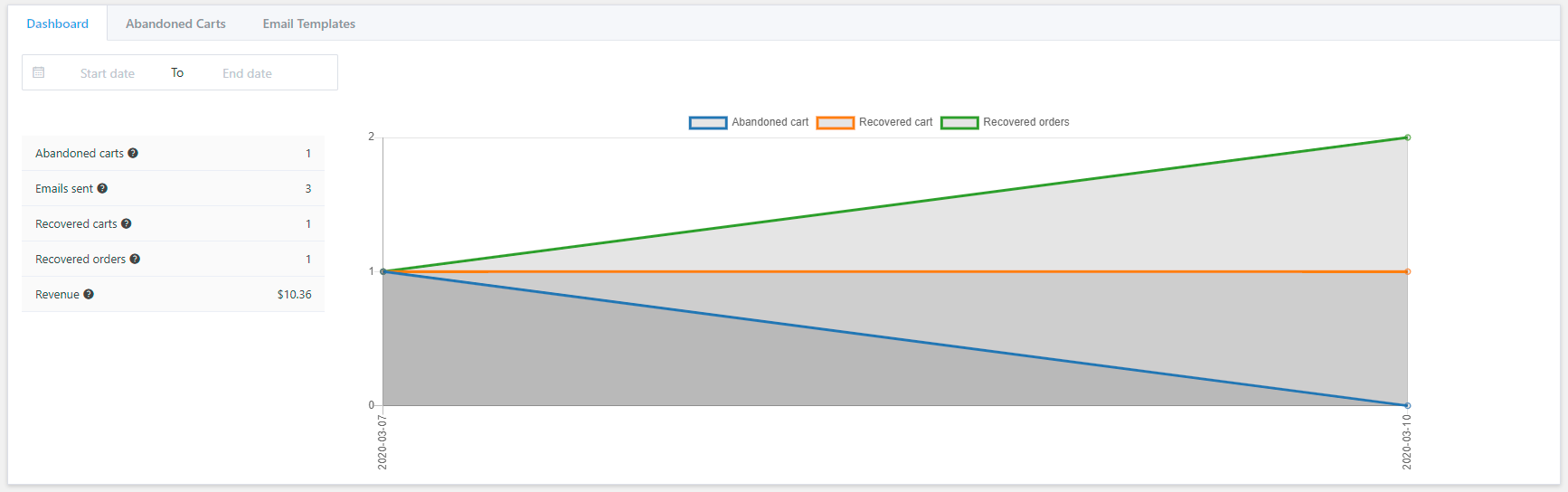
Go to the Abandoned Cart Dashboard to get started. Click on the calendar icon to choose the certain time frames for statistics to show. The summary contains the following information provided for the chosen period:
- Abandoned carts – the total number of abandoned carts
- Emails sent – the total number of emails sent
- Recovered carts – the total number of recovered carts. Abandoned cart becomes a recovered one if a customer visits the cart again using the link provided in abandoned cart email notification he received
- Recovered orders – the total number of recovered orders. An order is considered recovered in case a customer visits his cart again using the link in abandoned cart email notification and completes his purchase
- Revenue – the total revenue of recovered orders.
Abandoned Carts
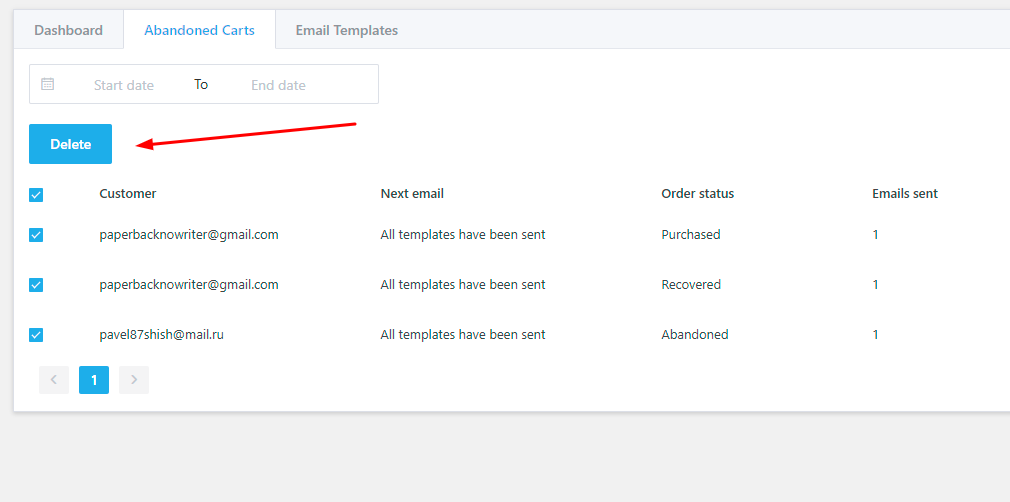
Abandoned Carts tab provides full information about your customers’ abandoned carts.
To check your clients’ abandoned carts for a preferred time period, click on the calendar icon. It is possible to delete carts one by one and in bulk by checking some carts and clicking Bulk action => Delete.
Email Templates
In Email Templates tab you can activate and edit email templates to send your clients. There are five email templates available by default. Click ‘Use default settings’ button to create default settings. To add yours, click the Add New button.
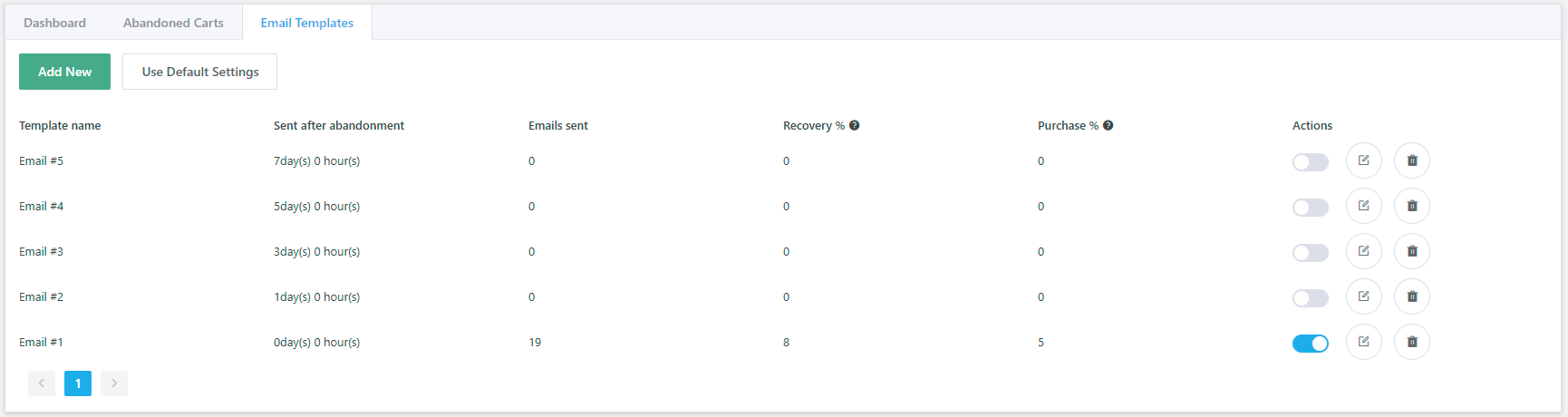
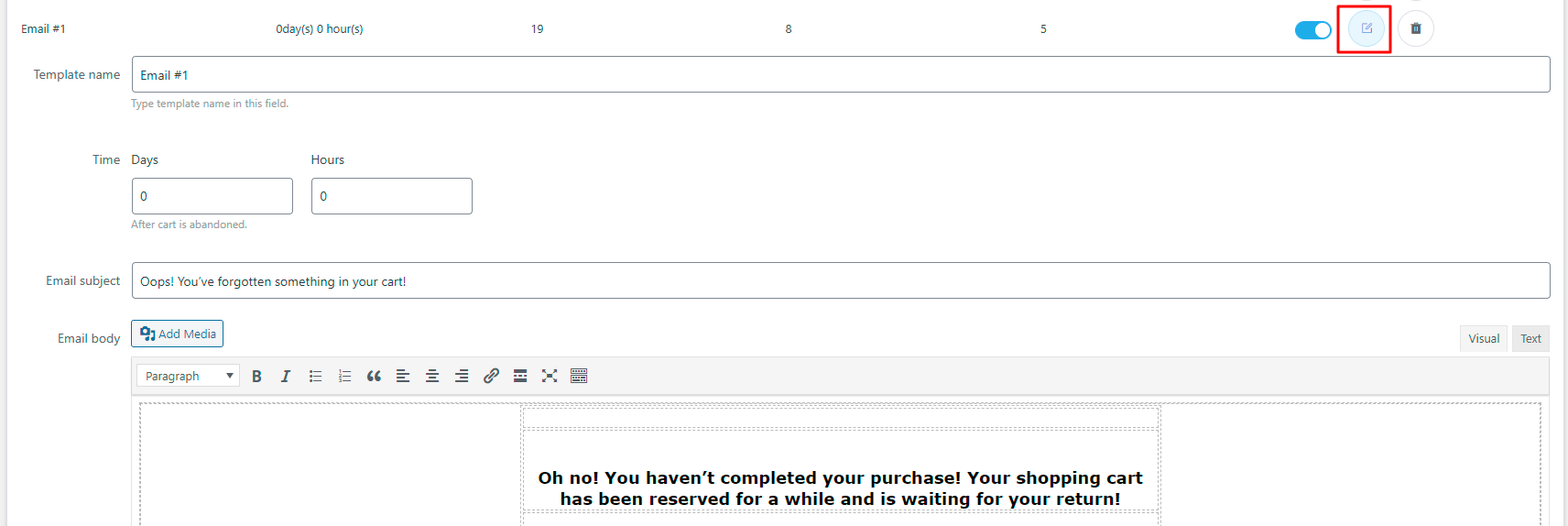
Click the Edit icon to make alterations to a certain template. It is fully customizable: change template name, subject and body and add media files. Also, you may do your own time settings: after how many hours/days after a cart was abandoned your client should receive a reminder.
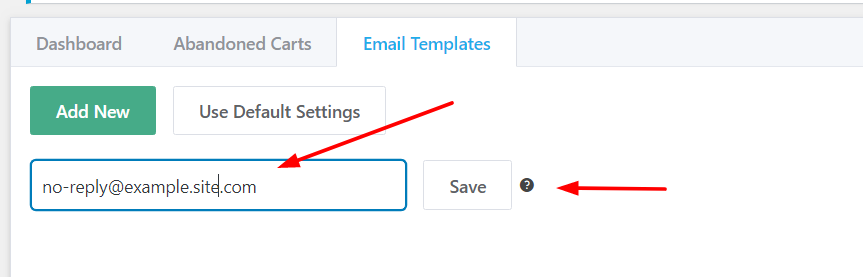
You can set an e-mail here, so your customers can use it to contact you, once they receive an Abandoned Cart e-mail:
Your clients will receive another email template (in case you have more activated in your add-on settings) if they visit the abandoned cart link provided in the reminder you sent them. There is a sequence of 5 emails in total.
Important! Abandoned Cart receives customers e-mails only in case:
- an e-mail is entered manually, without the autofilling feature;
Related Articles
Abandoned Basket Email
Abandoned Basket Email 'Abandoned baskets' are a nuisance, but don't feel disheartened. According to research, customers on average think about buying the same product seven times before they buy. This is why retargeting to them is key, so that they ...How To Get Instagram Shoutouts: A Complete Guide For Drop Shipping Business
Instagram shoutouts are a simple but promising way to promote a dropshipping store. We have been using it since 2016 and we still get great results! In this step-by-step complete guide you’ll learn how to effectively use this advertising method. ...Shipping Settings
Shipping Settings We highly recommend providing your customers a free shipping service by taking advantage of the free/low cost shipping offered by many AliExpress sellers. However the Plugin has a special section where you can create different ...AliShipping
AliShipping AliShipping is a smart tool which helps you to import shipping methods from products on AliExpress directly to your products on your website. You can order it here. To install the add-on, go to the Plugins area → Add New and upload the ...Adding your own products
Adding your own products You can populate your web store with your own products, even if they are not on sale on AliExpress. Please bear in mind that these items will not be synchronized with AliExpress API and will not be updated (stock, prices, ...