How To Bin A Basket?
How To Bin A Basket?
To 'Bin a Basket', from the store dashboard go to:
> Baskets
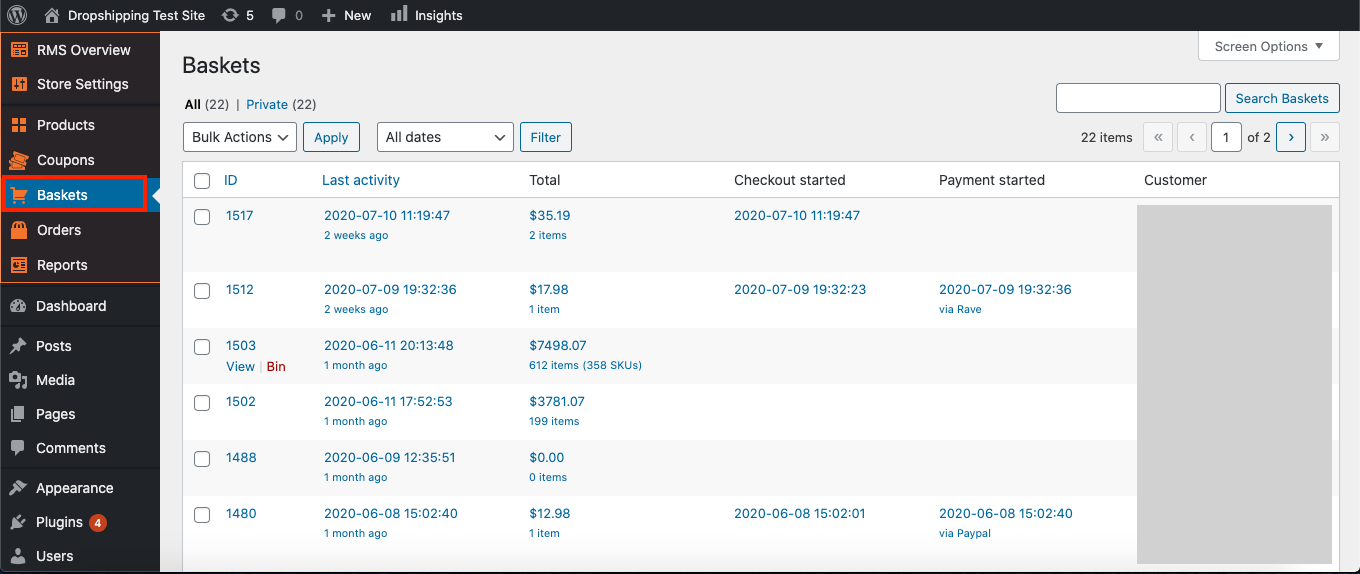
From within this page, hover over a 'Basket' and click 'Bin' to remove it.
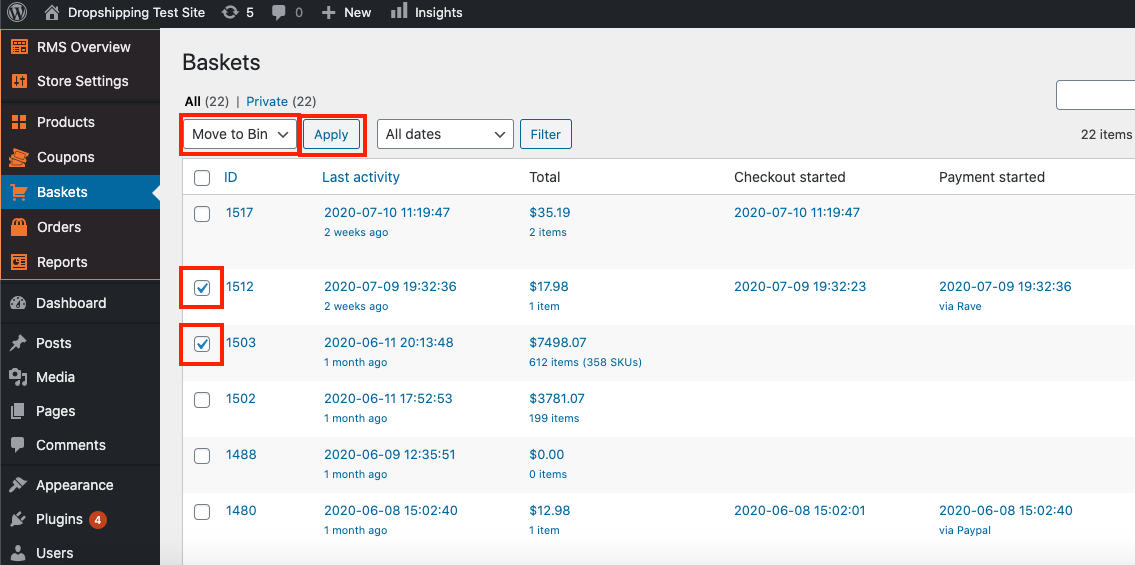
To 'Bin' in bulk, you can tick multiple 'Baskets' checkboxes, then alter the 'Bulk Actions' drop down to 'Move to Bin', and then hit 'Apply':
Related Articles
Abandoned Basket Email
Abandoned Basket Email 'Abandoned baskets' are a nuisance, but don't feel disheartened. According to research, customers on average think about buying the same product seven times before they buy. This is why retargeting to them is key, so that they ...How To Bin A Order?
How To Bin A Order? To 'Bin a Order', from the store dashboard go to: > Orders From within this page, hover over a 'Order' and click 'Bin' to remove it. To 'Bin' in bulk, you can tick multiple 'Orders' checkboxes, then alter the 'Bulk Actions' drop ...Where To Find All, Published, Draft, Pending & Bin Products?
Where To Find All, Published, Draft, Pending & Bin Products? To locate 'All', 'Published', 'Draft', 'Pending' & 'Bin' products, from the store dashboard go to: > Products > All Products From within this page at the very top you'll find the titles: ...Baskets (Full Guide)
Baskets (Full Guide) To see your 'Add to Baskets', from the store dashboard go to: > Baskets From within this page you can see all the customers who added to basket but didn't checkout. With this information you can retarget those customers so that ...How To Alter The Default Shipping Method Selected At Checkout?
How To Alter The Default Shipping Method Selected At Checkout? To change the default shipping method selected at checkout, from the store dashboard go to: > Store Settings > Checkout > Shipping From within this page, the top dropdown menu labelled ...