How To Alter The Default Shipping Method Selected At Checkout?
How To Alter The Default Shipping Method Selected At Checkout?
To change the default shipping method selected at checkout, from the store dashboard go to:
> Store Settings > Checkout > Shipping
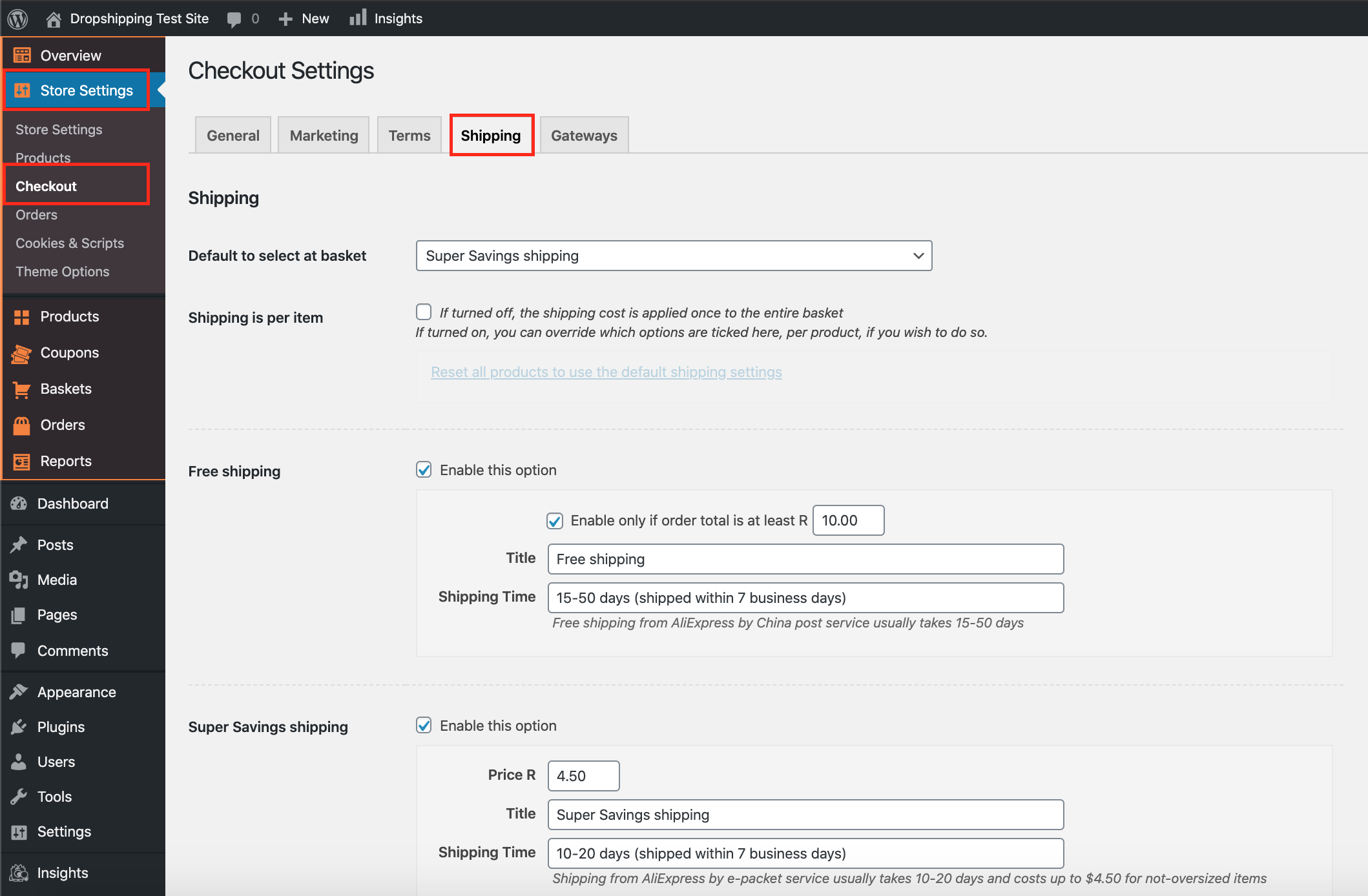
From within this page, the top dropdown menu labelled 'Default to select at basket' gives you the option to alter the default shipping. The default shipping method chosen will then always be pre-selected at basket (can be changed by your customers).
The tick-box directly underneath labelled 'Shipping is per item' is an additional setting which either applies the shipping cost to the entire basked or to individual products.
*Beside each of these settings is a description which informs you of what they each entail - please read them carefully*
(*Don't forget to click 'Save Changes' after making alterations*)
Related Articles
How To Alter The Default Country Selected At Checkout?
How To Alter The Default Country Selected At Checkout? To alter the 'Country selected by default' at checkout, from the store dashboard go to: > Store Settings > Checkout > General From within this page, under the 'Address' heading, the drop down ...How To Alter The Shipping Settings?
How To Alter The Shipping Settings? To change the shipping settings, from the store dashboard go to: > Store Settings > Checkout > Shipping From within this page, the headings containing 'Free shipping', 'Super Savings shipping', 'Standard shipping' ...How To Override The Default Shipping Settings For Product Categories?
How To Override The Default Shipping Settings For Product Categories? Print Modified on: Tue, 23 Mar, 2021 at 3:28 PM To override the default shipping settings for a product category, from the store dashboard go to: > Store Settings > Checkout > ...How To Override The Default Shipping Settings For Product Categories?
How To Override The Default Shipping Settings For Product Categories? Print Modified on: Tue, 23 Mar, 2021 at 3:28 PM To override the default shipping settings for a product category, from the store dashboard go to: > Store Settings > Checkout > ...Shipping Settings
Shipping Settings We highly recommend providing your customers a free shipping service by taking advantage of the free/low cost shipping offered by many AliExpress sellers. However the Plugin has a special section where you can create different ...