To override the default shipping settings for a product category, from the store dashboard go to:
> Store Settings > Checkout > Shipping
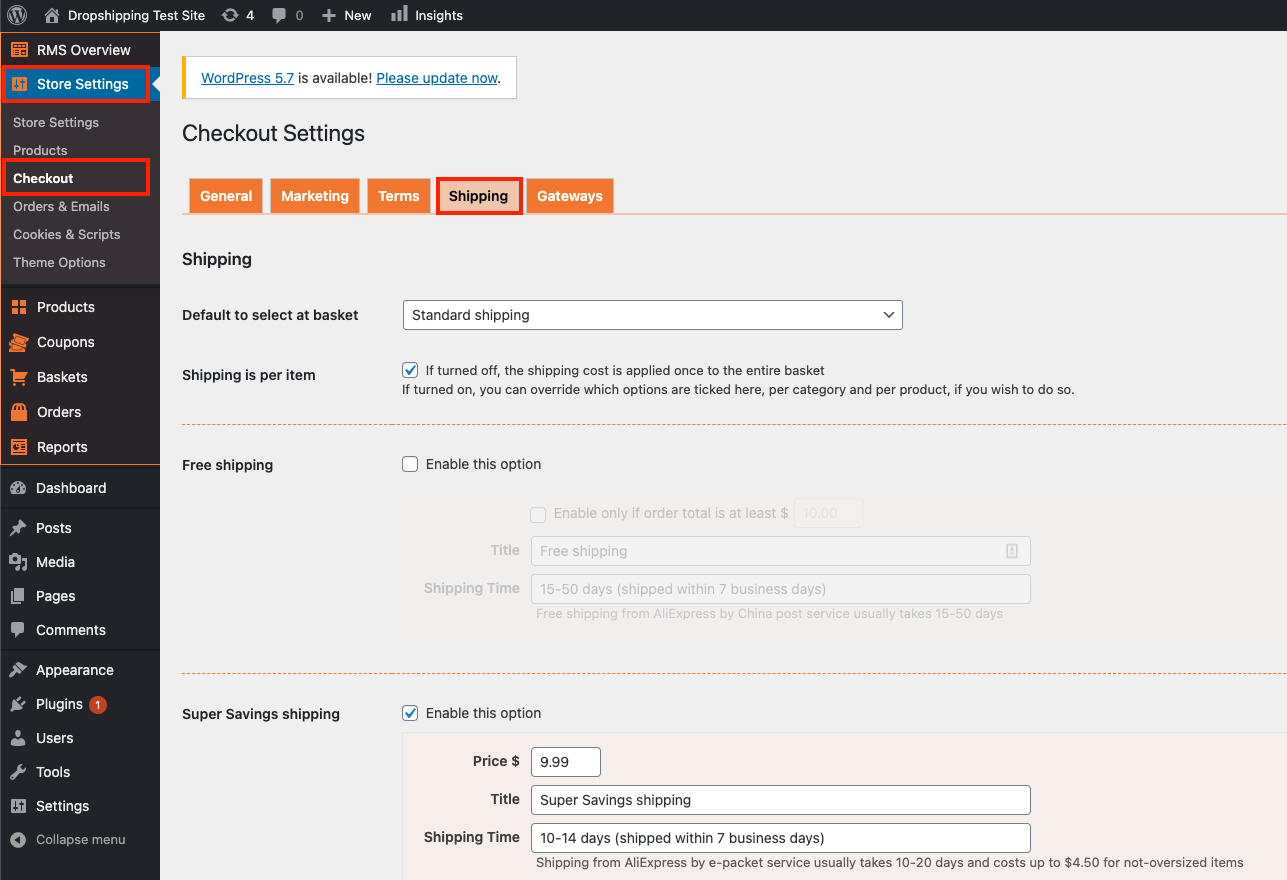
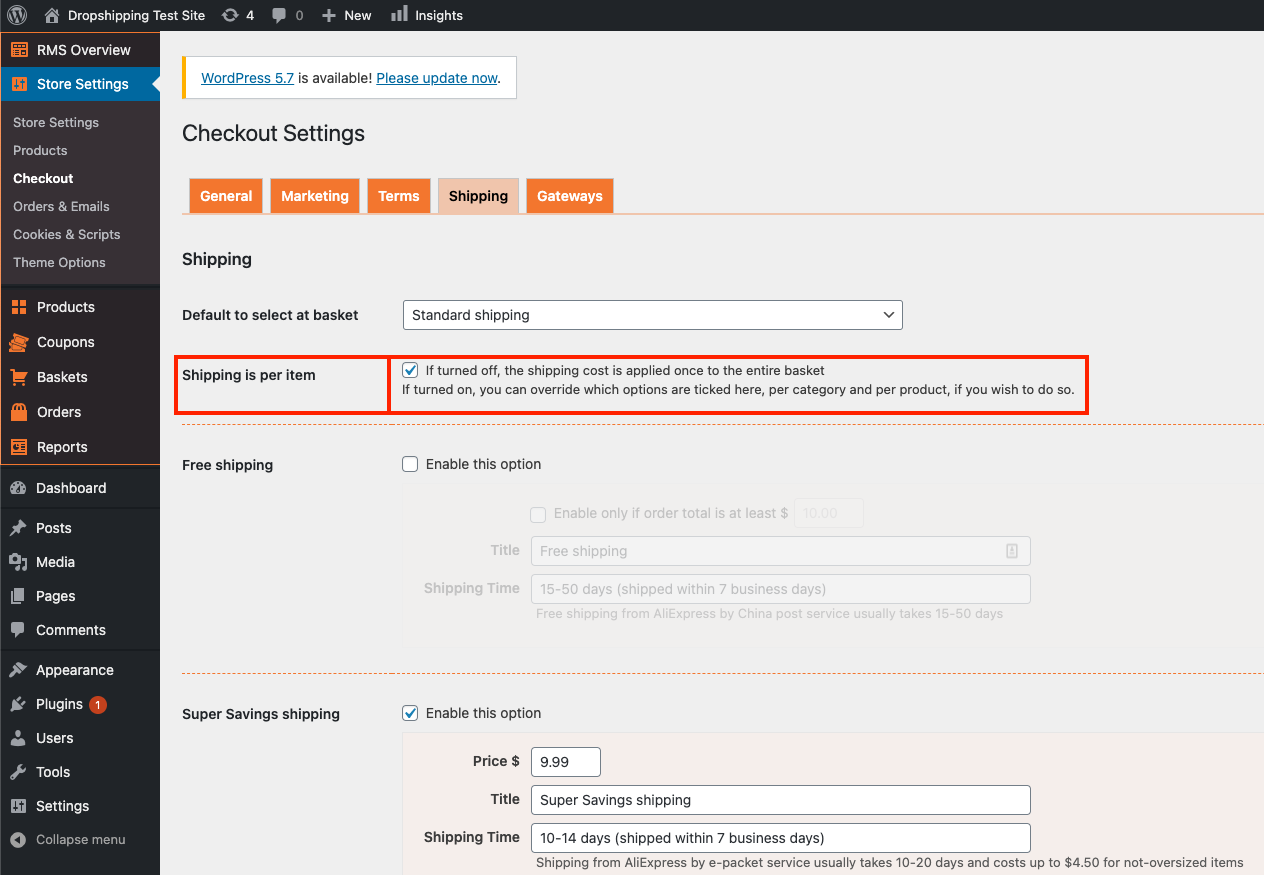
From within this page, tick the checkbox labelled 'Shipping is per item':
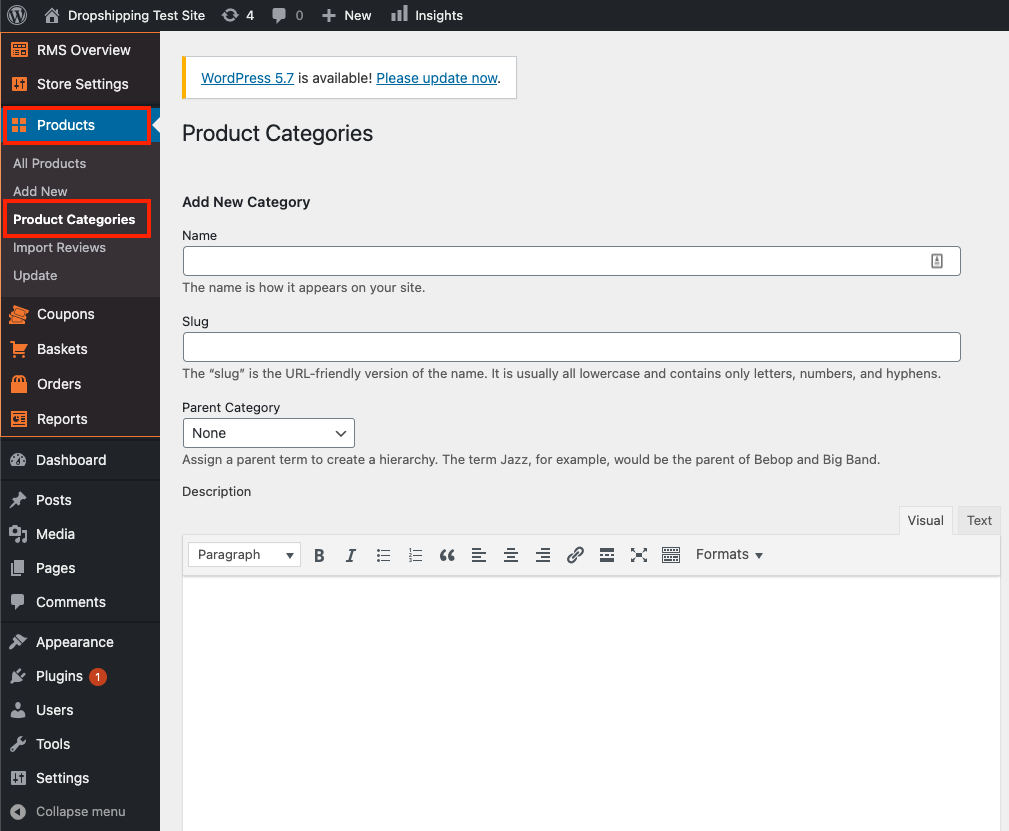
Following that, go to:
> Products > Product Categories
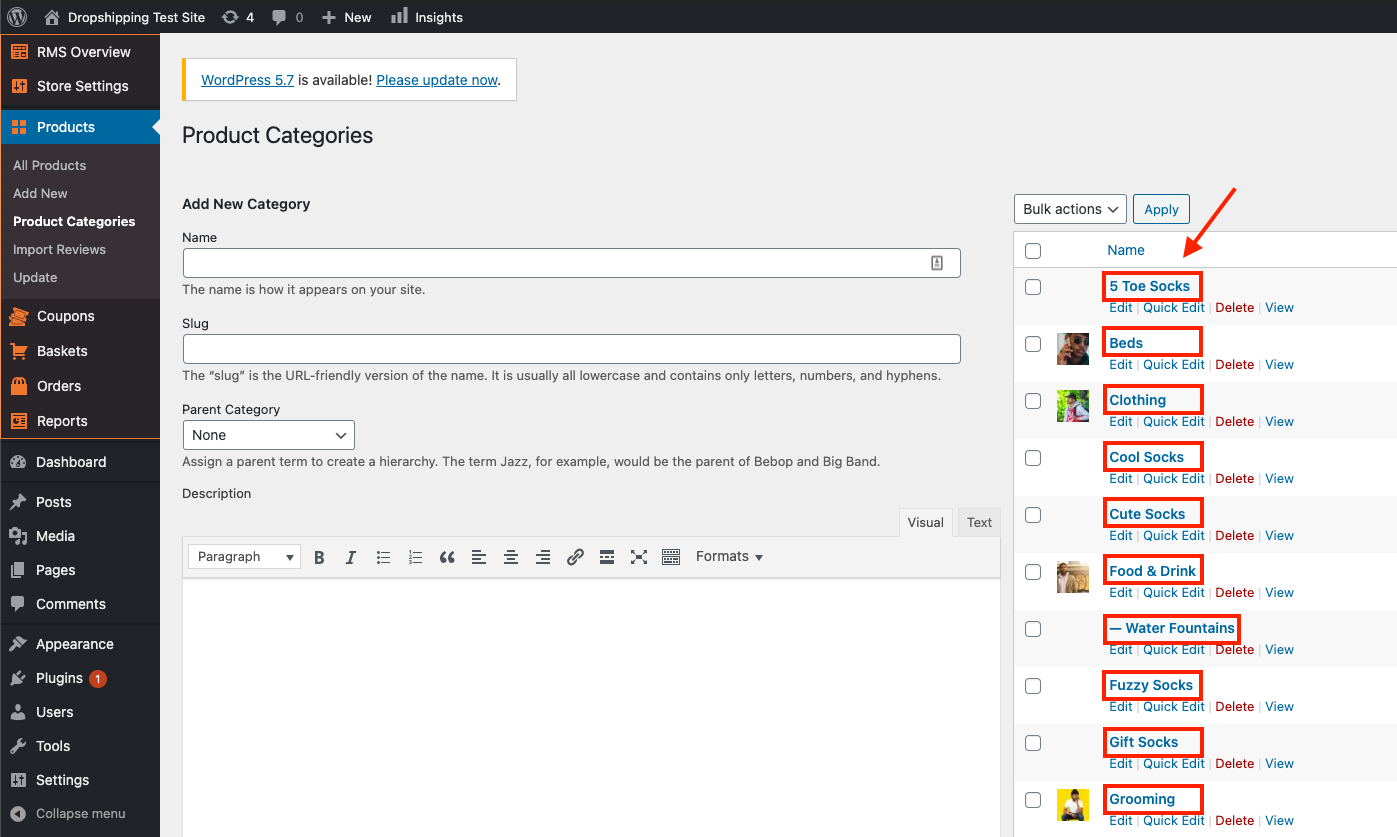
From within this page, click the 'Product Category' that you'd like to override the default shipping settings for:
After clicking the 'Product Category', scroll down the page to find the 'Shipping' settings:
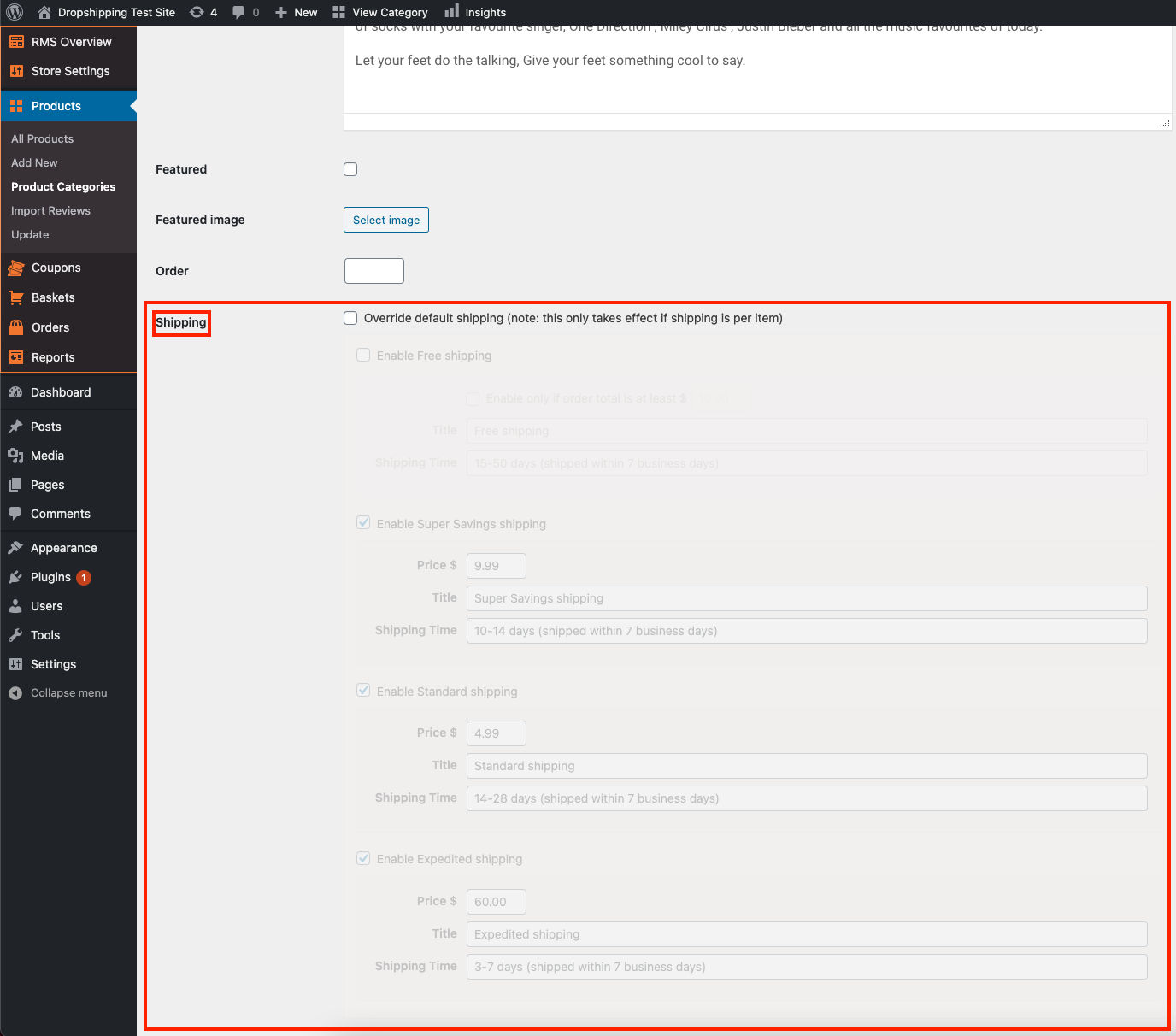
To override the default shipping settings, tick the checkbox labelled 'Override default shipping':
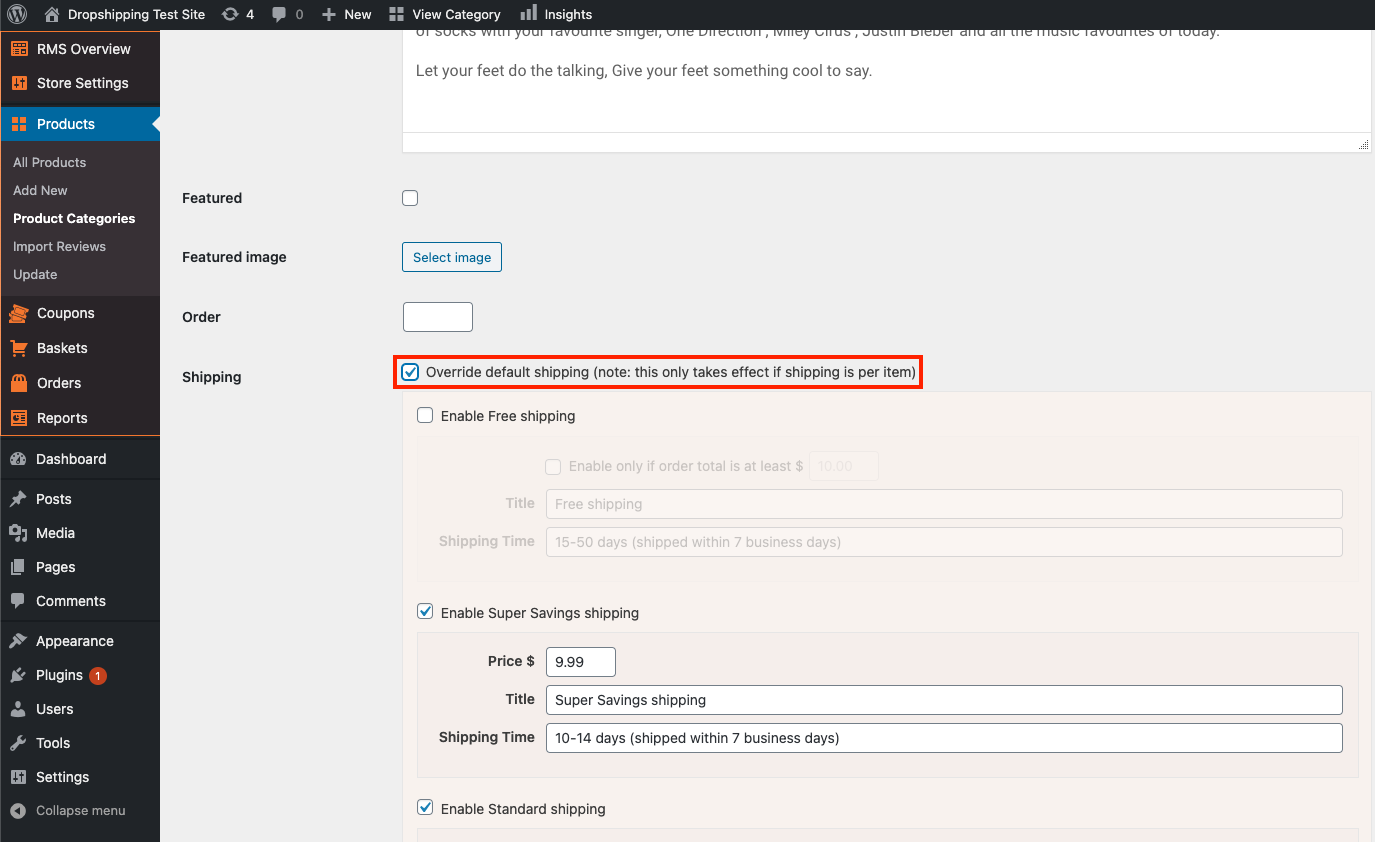
You will now be presented with the same shipping options as the default shipping settings. From here, you can alter the shipping methods as you wish and it will override the default shipping settings for that particular category.
If you wish to override other product categories default shipping settings, repeat the process for another product category.
(*Don't forget to click 'Update' after making alterations*)