How To Place Product Categories In Featured Categories?
To place 'Product Categories' within the 'Featured Categories' section, from the store dashboard go to:
> Products > Product Categories
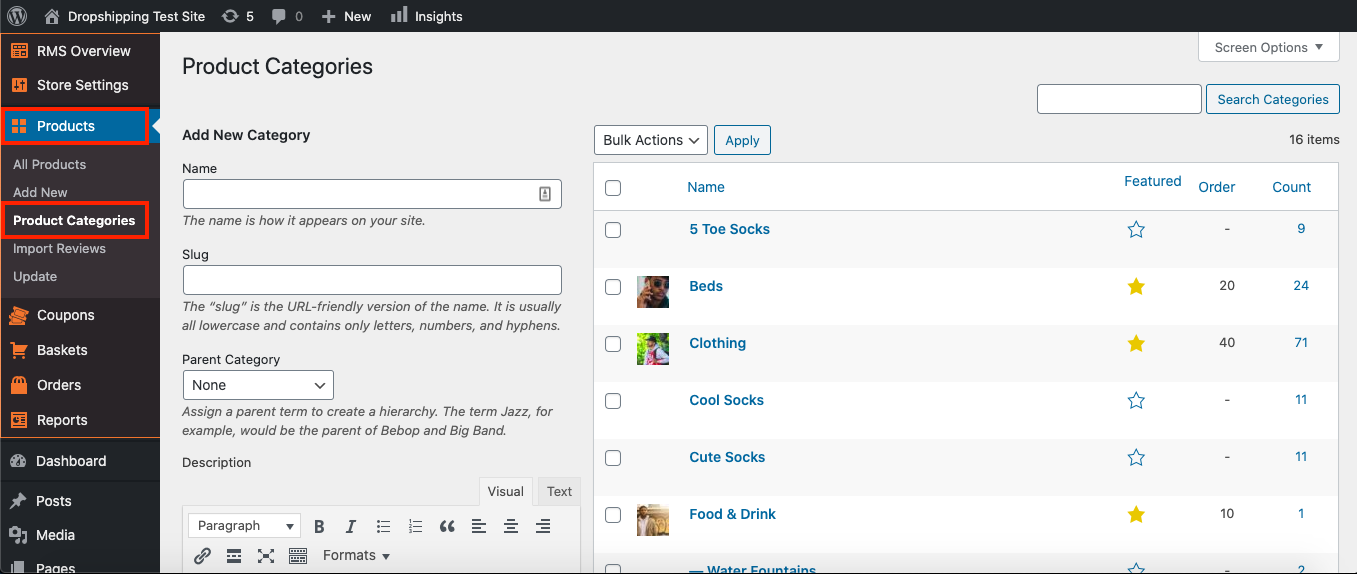
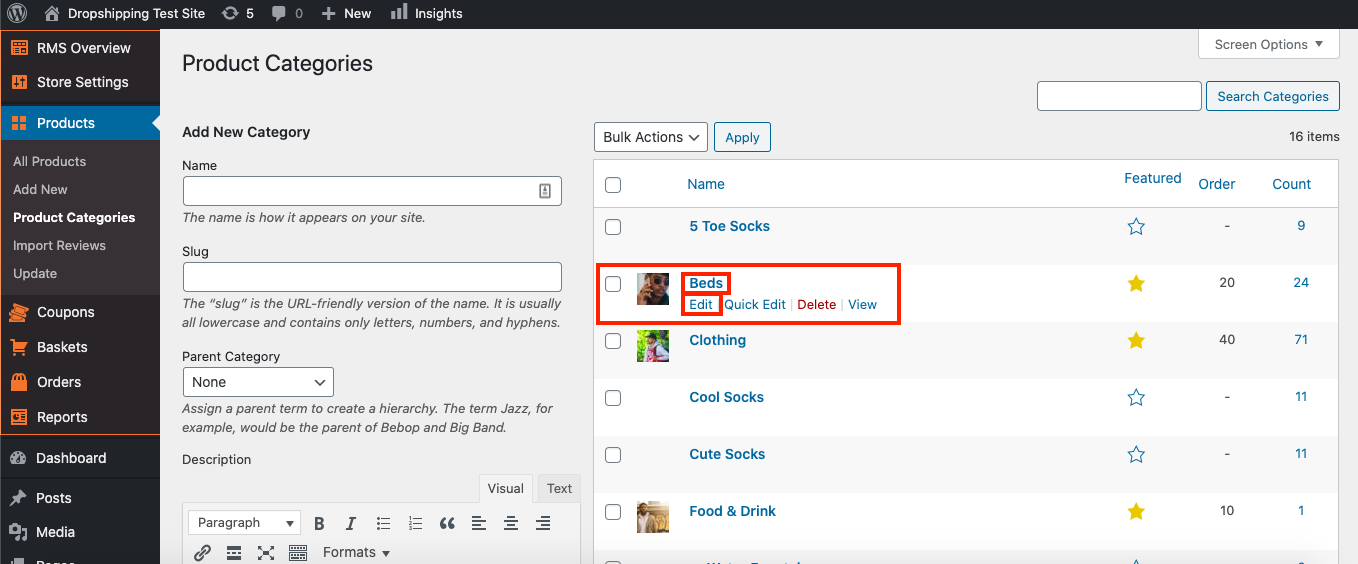
From within this page click a 'Product Category' you'd like to place in the 'Featured Categories' or hover over a 'Product Category' with your cursor and click 'Edit':
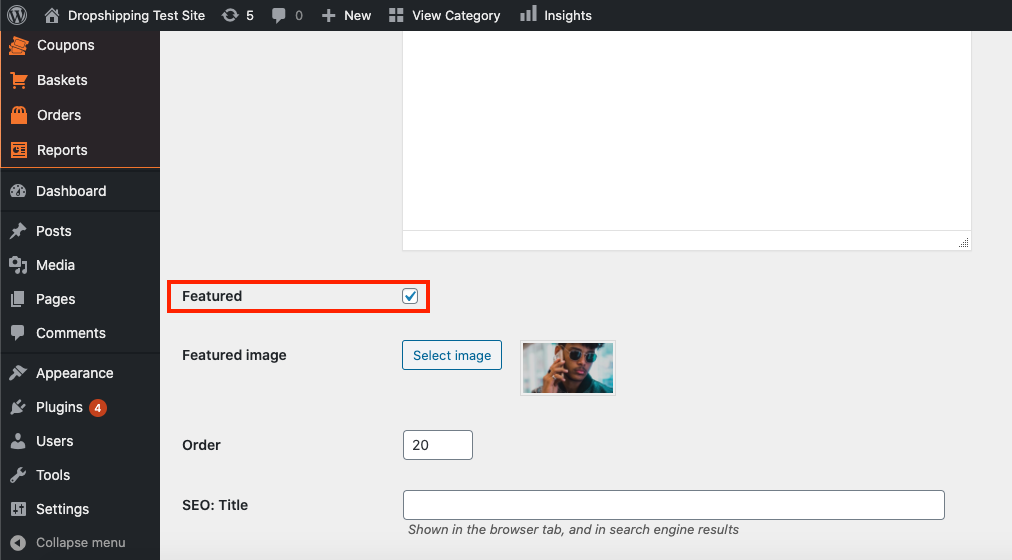
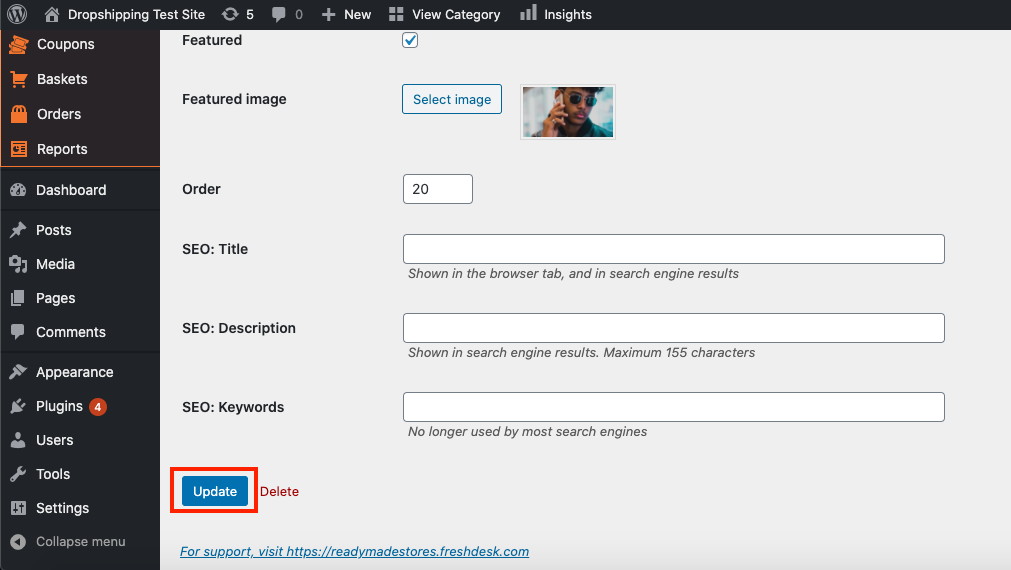
From within this page scroll down to 'Featured' and tick its checkbox:
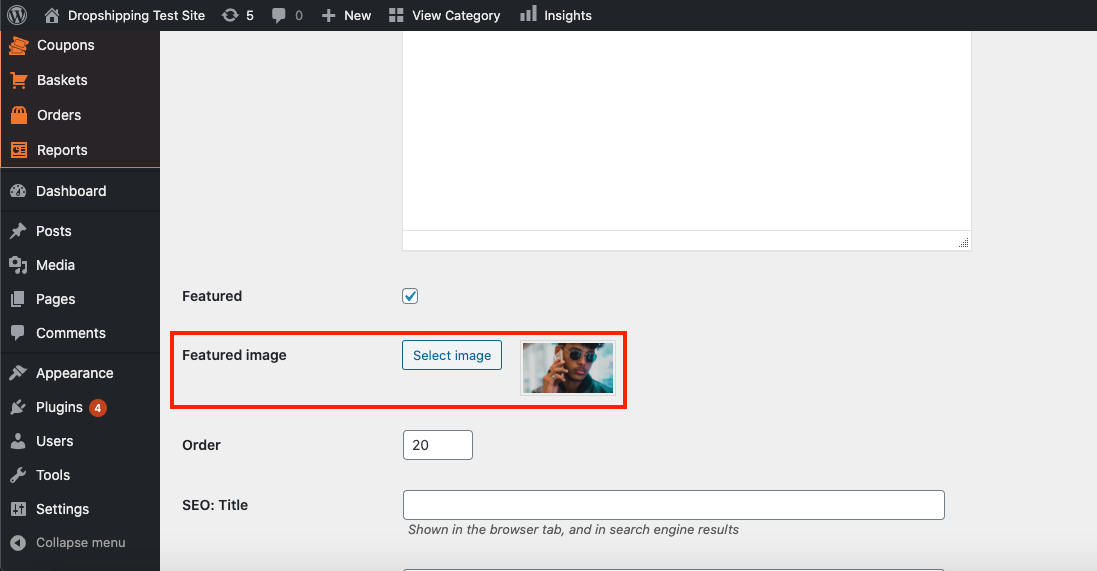
Just underneath 'Featured' you can select an image in 'Featured image':
Click 'Update' at the bottom of the page:
Once you've finished the above steps for all categories you'd like to feature, go to:
> Store Settings > Theme Options > Front Page
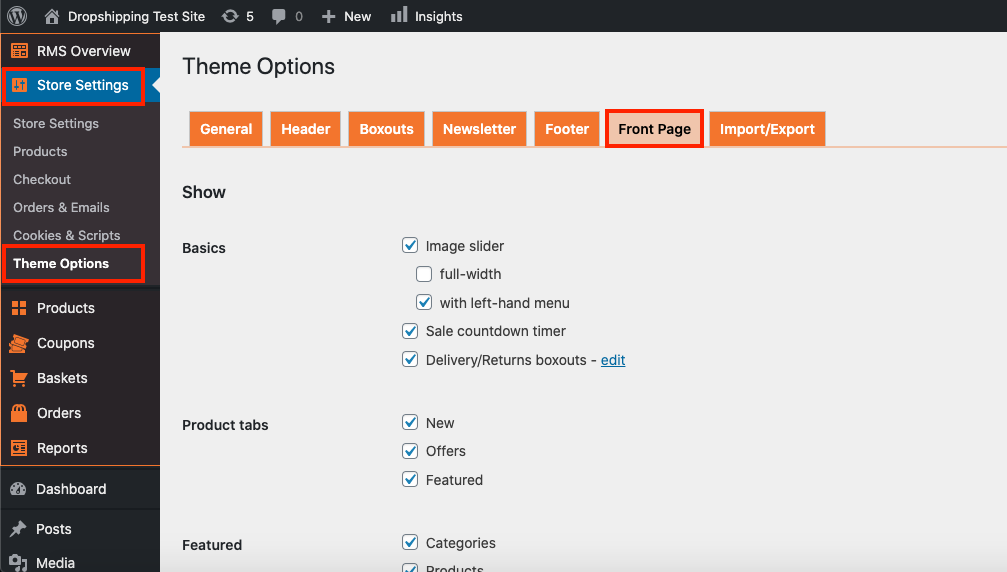
Scroll down to the 'Featured' heading and tick the checkbox 'Categories':
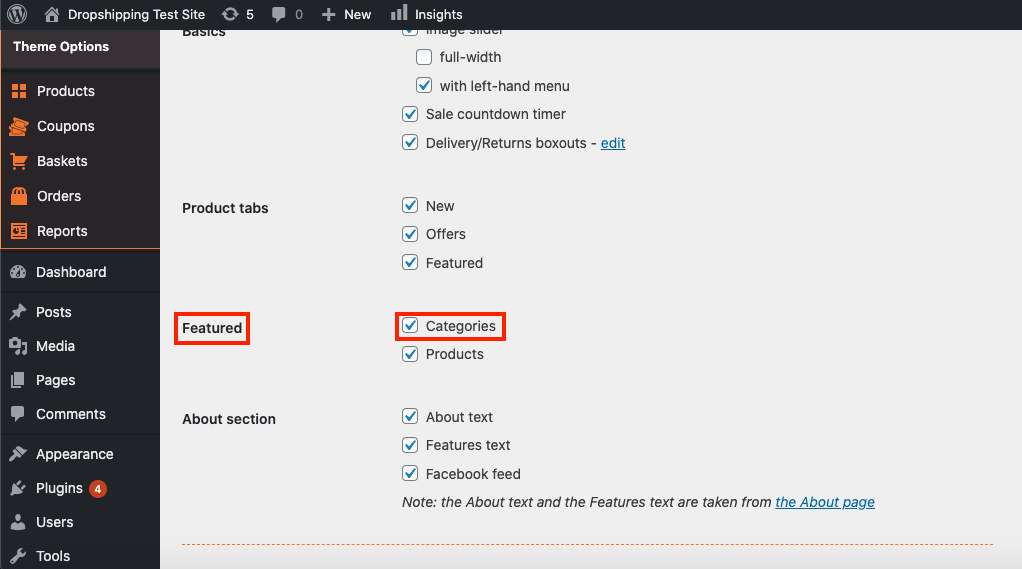
(*Don't forget to click 'Save Changes' after making alterations*)
Related Articles
How To Place Products In Featured Products?
How To Place Products In Featured Products? To place 'Products' within the 'Featured Products' section, from the store dashboard go to: > Products > All Products From within this page click a 'Product' you'd like to place in the 'Featured Products' ...How To Add/Remove Products To/From Product Categories?
How To Add/Remove Products To/From Product Categories? To add/remove 'Products' to/from 'Product Categories', from the store dashboard go to: > Products > All Products From within this page find the 'Product' that you'd like to add/remove to/from a ...How To Override The Default Shipping Settings For Product Categories?
How To Override The Default Shipping Settings For Product Categories? Print Modified on: Tue, 23 Mar, 2021 at 3:28 PM To override the default shipping settings for a product category, from the store dashboard go to: > Store Settings > Checkout > ...How To Override The Default Shipping Settings For Product Categories?
How To Override The Default Shipping Settings For Product Categories? Print Modified on: Tue, 23 Mar, 2021 at 3:28 PM To override the default shipping settings for a product category, from the store dashboard go to: > Store Settings > Checkout > ...I can't place the order
I can't place the order I don't have the Place Order Automatically button in my Wordpress. Normally, it should look like this: If you do not have this button, check the following: You are using the Google Chrome Browser The Alidropship Extension is ...