I can't place the order
I can't place the order
- I don't have the Place Order Automatically button in my Wordpress.
Normally, it should look like this:
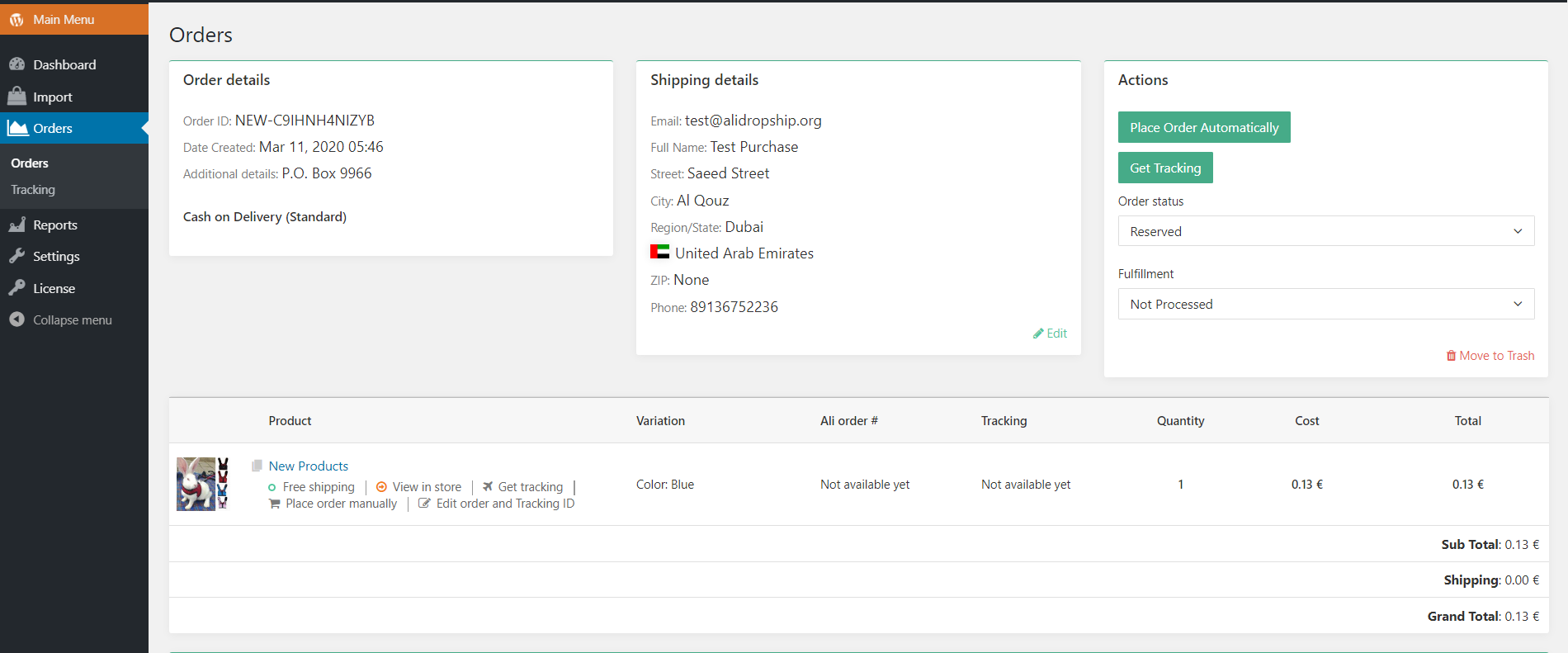
If you do not have this button, check the following:
- You are using the Google Chrome Browser
- The Alidropship Extension is installed
- The purchased product is not deleted from your Products.
2. I click the button Place Order Automatically, but nothing happens
- Check if the mb_string module is enabled on your server.
- Try to deactivate the third-party plugins
- Deactivate Cloudflare from your name servers, if you have it.
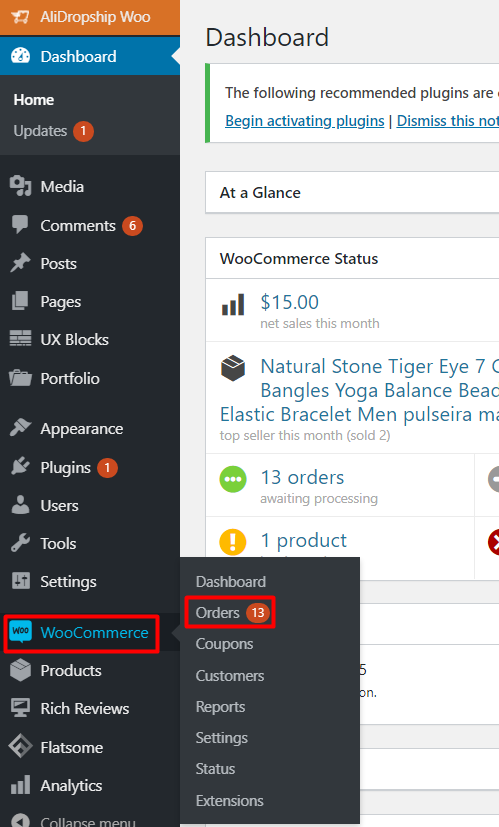
3. I do not even have the Orders tab in my Wordpress!
You are using Woocommerce, where the orders are not a part of Alidropship Woo, they are a part of Woocommerce. So you find the orders tab here:
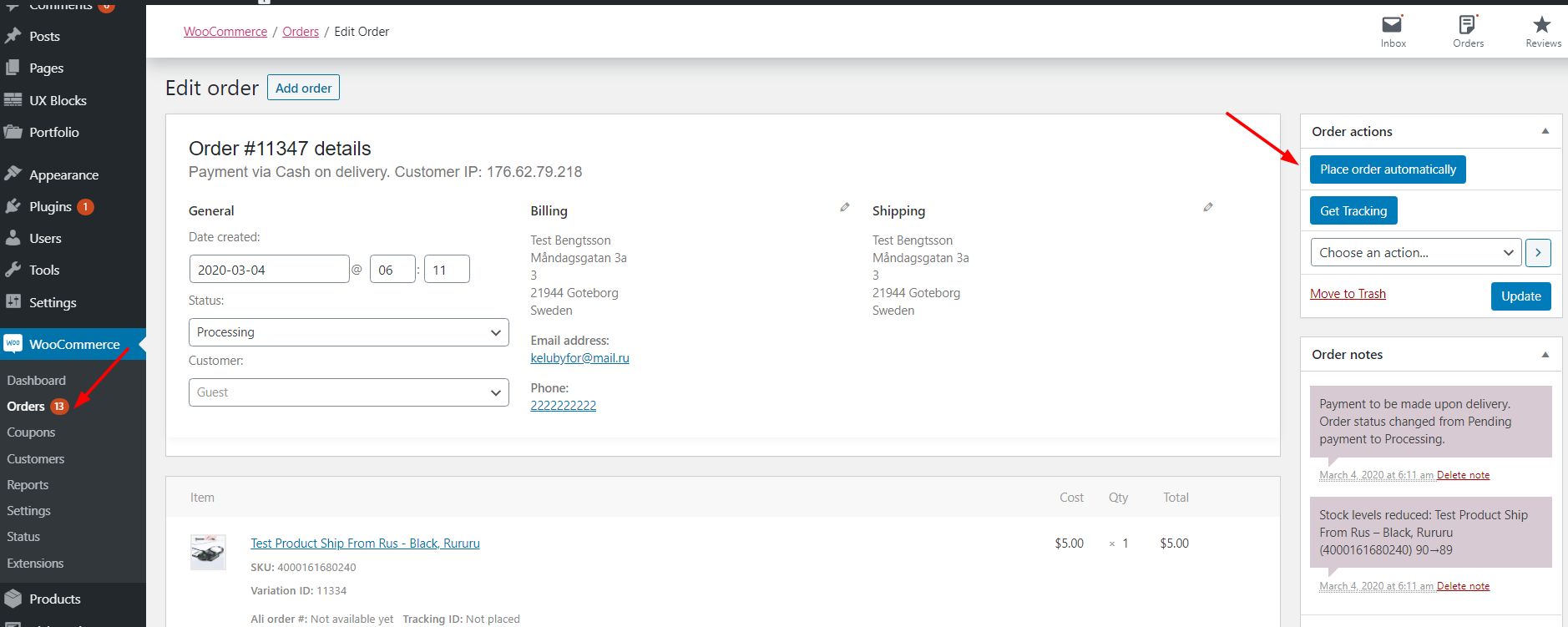
And this is how the order looks inside:
Related Articles
Order fulfilment settings
With AliDropship plugin, it is possible to make the process of order fulfilment automated. You can adjust these settings in AliDropship → Settings → General. Activate the Mark order as 'Processed' option to make the plugin change order status from ...Dropshipping Order Settings
Dropshipping Order Settings To access the 'Dropshipping Order Settings', from the store dashboard go to: > Store Settings > Orders and Emails > AliExpress The top tick box labelled 'Mark as Complete' changes the order status to 'Complete', and sends ...How To Bin A Order?
How To Bin A Order? To 'Bin a Order', from the store dashboard go to: > Orders From within this page, hover over a 'Order' and click 'Bin' to remove it. To 'Bin' in bulk, you can tick multiple 'Orders' checkboxes, then alter the 'Bulk Actions' drop ...How To Place Products In Featured Products?
How To Place Products In Featured Products? To place 'Products' within the 'Featured Products' section, from the store dashboard go to: > Products > All Products From within this page click a 'Product' you'd like to place in the 'Featured Products' ...How To Place Products In Offers?
How To Place Products In Offers? When a discount % is set up in the markup rules the products shown as discounted will then be shown in the 'Offers' section.