How To Place Products In Featured Products?
How To Place Products In Featured Products?
To place 'Products' within the 'Featured Products' section, from the store dashboard go to:
> Products > All Products
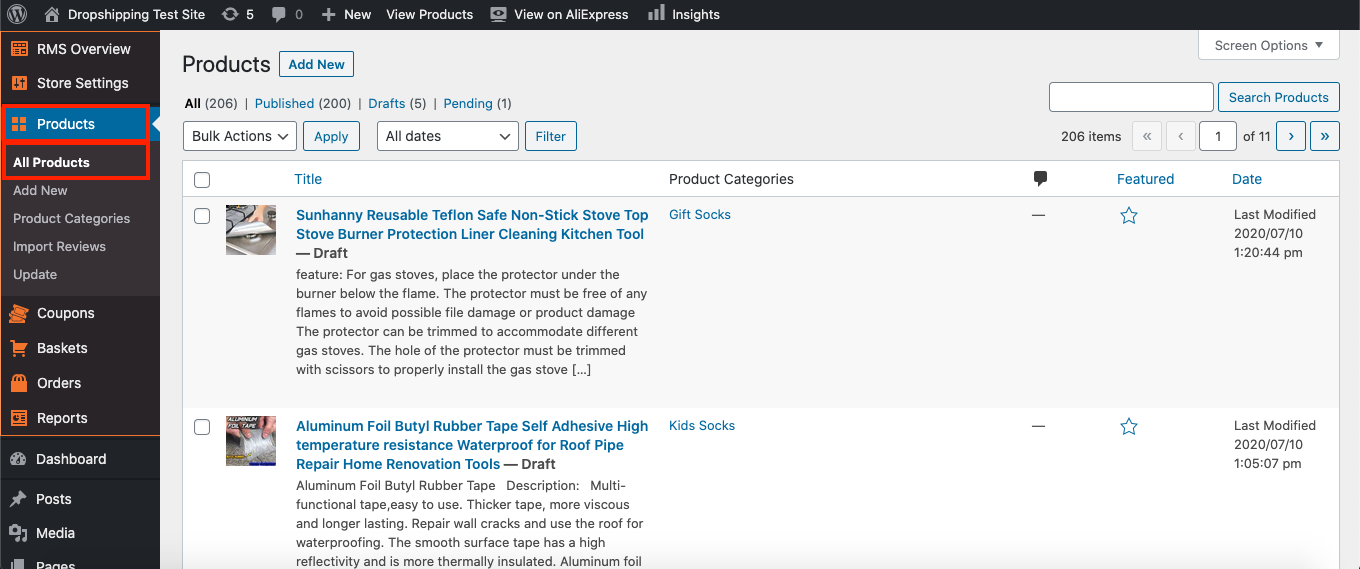
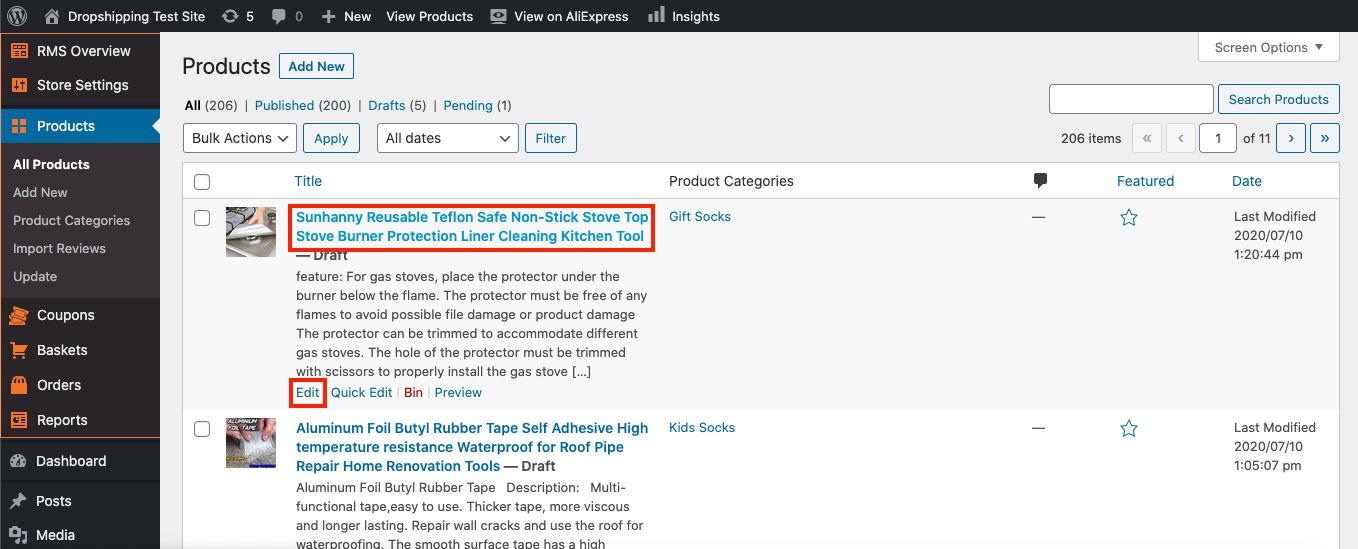
From within this page click a 'Product' you'd like to place in the 'Featured Products' or hover over a 'Product' with your cursor and click 'Edit':
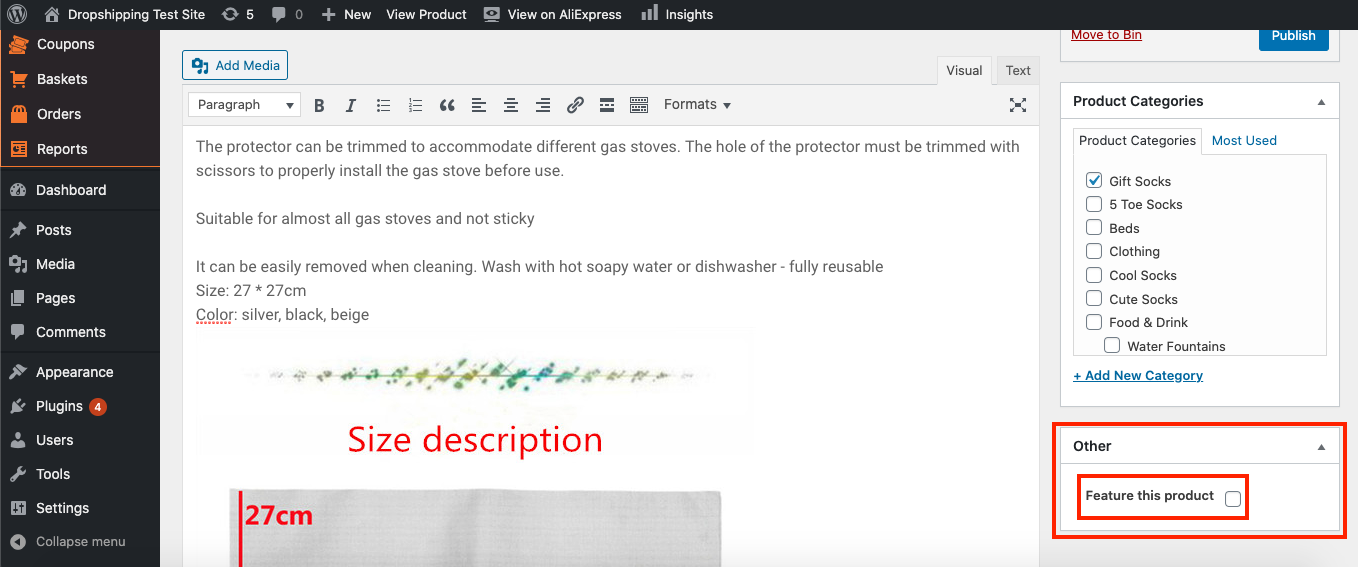
From within this page scroll down to 'Other' and tick 'Feature this product':
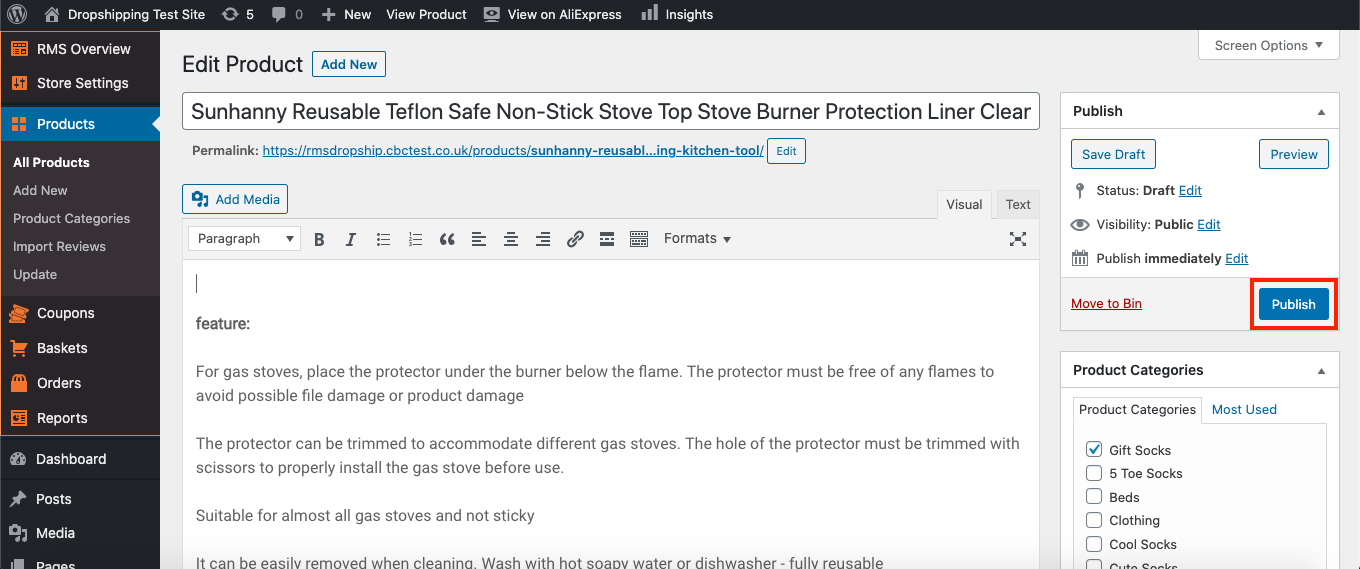
Click 'Publish' at the top of the page:
Once you've finished the above steps for all products you'd like to feature, go to:
> Store Settings > Theme Options > Front Page
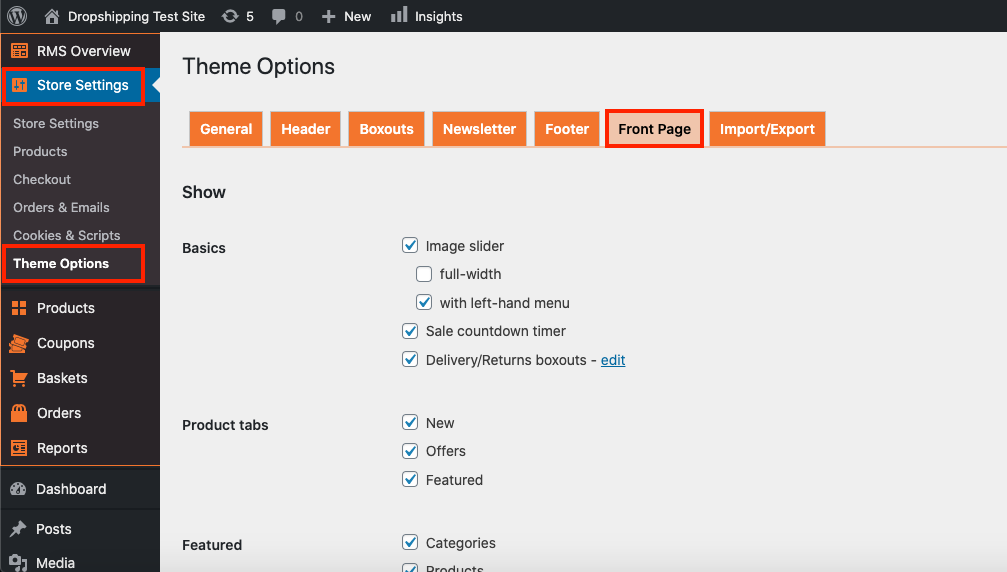
Scroll down to the 'Featured' heading and tick the checkbox 'Products':
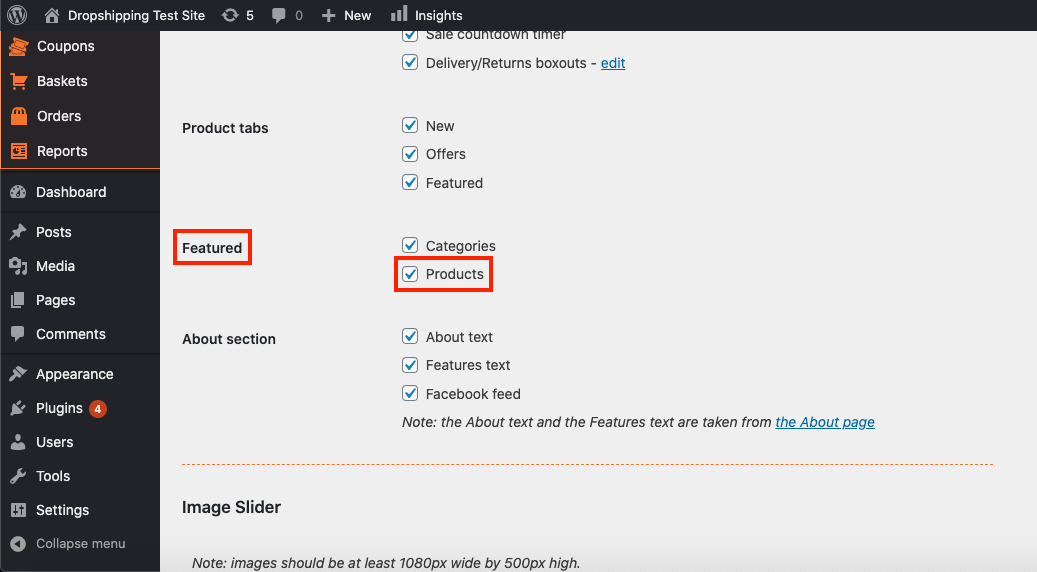
(*Don't forget to click 'Save Changes' after making alterations*)
Related Articles
How To Place Product Categories In Featured Categories?
How To Place Product Categories In Featured Categories? To place 'Product Categories' within the 'Featured Categories' section, from the store dashboard go to: > Products > Product Categories From within this page click a 'Product Category' you'd ...How To Place Products In Offers?
How To Place Products In Offers? When a discount % is set up in the markup rules the products shown as discounted will then be shown in the 'Offers' section.I can't place the order
I can't place the order I don't have the Place Order Automatically button in my Wordpress. Normally, it should look like this: If you do not have this button, check the following: You are using the Google Chrome Browser The Alidropship Extension is ...Import Products from AliExpress
NOTE! You need to check: If you are using the latest version of AliDropship: https://alidropship.com/updates-plugin. If your site's default currency, the default database currency, and the currency on AliExpress are the same! Step 1. Install ...Adding your own products
Adding your own products You can populate your web store with your own products, even if they are not on sale on AliExpress. Please bear in mind that these items will not be synchronized with AliExpress API and will not be updated (stock, prices, ...