How To Enable/Disable Email Marketing Signup Text At Checkout?
How To Enable/Disable Email Marketing Signup Text At Checkout?
To switch the 'Marketing signup text' on/off, from the store dashboard go to:
> Store Settings > Checkout > Marketing
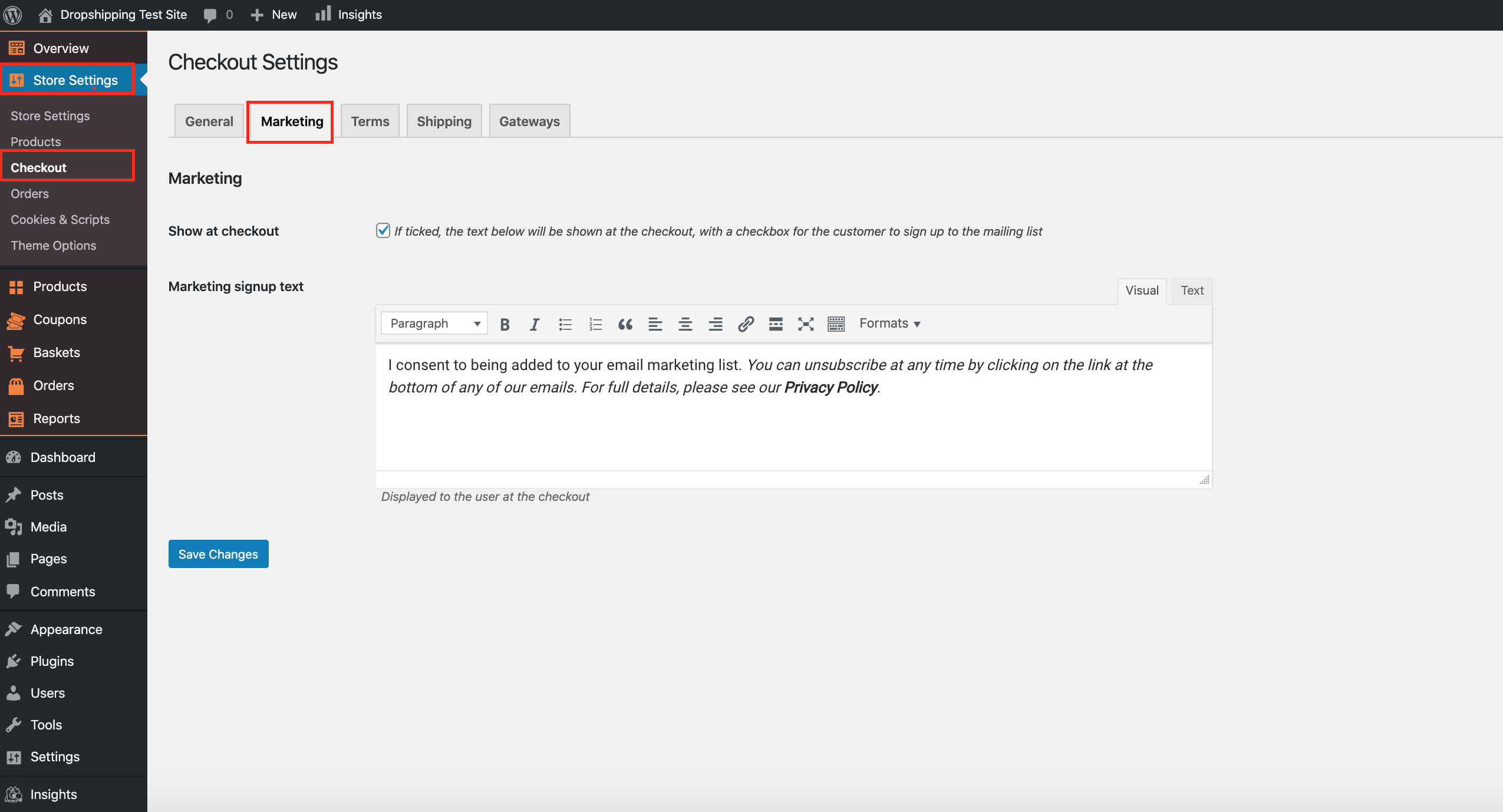
From within this page, the top tick-box labelled 'Show at checkout' will either enable or disable the feature. The 'Marketing signup text' box underneath can be customised to your liking.
(*Don't forget to click 'Save Changes' after making alterations*)
Related Articles
How To Enable/Disable Privacy Text At Checkout?
How To Enable/Disable Privacy Text At Checkout? To switch 'Show privacy text' on/off, from the store dashboard go to: > Store Settings > Checkout > General From within this page, the second tick-box under the 'Address' heading labelled, 'Show privacy ...How To Enable/Disable Terms And Conditions At Checkout?
How To Enable/Disable Terms And Conditions At Checkout? To switch the 'Terms & Conditions' on/off, from the store dashboard go to: > Store Settings > Checkout > Terms From within this page, the top tick-box labelled 'Show at checkout' will either ...How To Enable/Disable Postcode/ZIP Field At Checkout?
How To Enable/Disable Postcode/ZIP Field At Checkout? To switch 'Show postcode/ZIP Code field' on/off, from the store dashboard go to: > Store Settings > Checkout > General From within this page, the top tick-box under the 'Address' heading labelled ...Abandoned Basket Email
Abandoned Basket Email 'Abandoned baskets' are a nuisance, but don't feel disheartened. According to research, customers on average think about buying the same product seven times before they buy. This is why retargeting to them is key, so that they ...How To Enable/Disable Coupon Code Field?
How To Enable/Disable Coupon Code Field? To enable the 'Coupon code field', from the store dashboard go to: > Store Settings > Checkout > General From within this page the top tick box labelled 'Show coupon code field' gives you the option to enable ...