How To Enable/Disable Privacy Text At Checkout?
How To Enable/Disable Privacy Text At Checkout?
To switch 'Show privacy text' on/off, from the store dashboard go to:
> Store Settings > Checkout > General
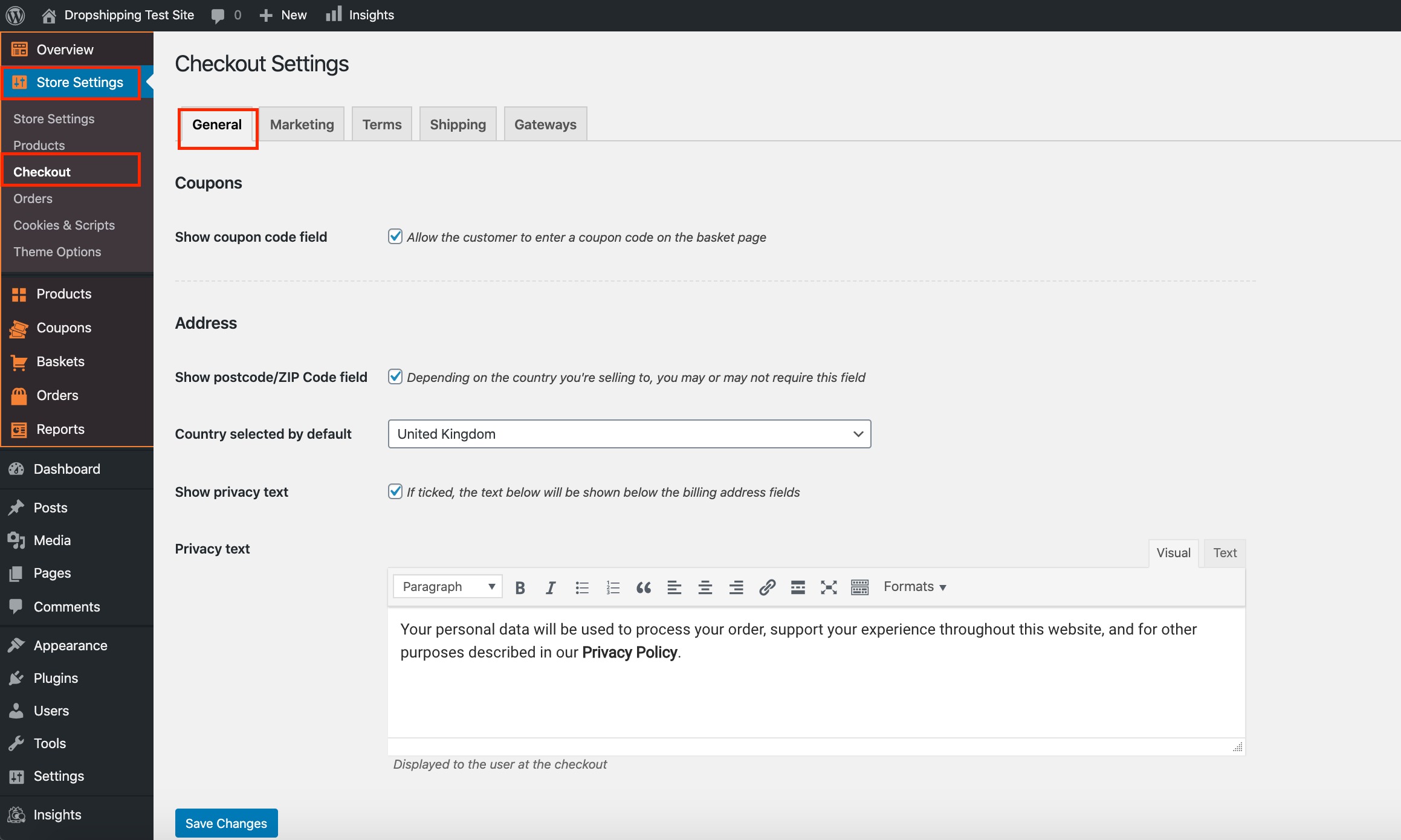
From within this page, the second tick-box under the 'Address' heading labelled, 'Show privacy text' will either enable or disable the feature. The 'Privacy text' box underneath can be customised to your liking.
(*Don't forget to click 'Save Changes' after making alterations*)
Related Articles
How To Enable/Disable Email Marketing Signup Text At Checkout?
How To Enable/Disable Email Marketing Signup Text At Checkout? To switch the 'Marketing signup text' on/off, from the store dashboard go to: > Store Settings > Checkout > Marketing From within this page, the top tick-box labelled 'Show at checkout' ...How To Enable/Disable Terms And Conditions At Checkout?
How To Enable/Disable Terms And Conditions At Checkout? To switch the 'Terms & Conditions' on/off, from the store dashboard go to: > Store Settings > Checkout > Terms From within this page, the top tick-box labelled 'Show at checkout' will either ...How To Enable/Disable Postcode/ZIP Field At Checkout?
How To Enable/Disable Postcode/ZIP Field At Checkout? To switch 'Show postcode/ZIP Code field' on/off, from the store dashboard go to: > Store Settings > Checkout > General From within this page, the top tick-box under the 'Address' heading labelled ...How To Enable/Disable Coupon Code Field?
How To Enable/Disable Coupon Code Field? To enable the 'Coupon code field', from the store dashboard go to: > Store Settings > Checkout > General From within this page the top tick box labelled 'Show coupon code field' gives you the option to enable ...How To Enable/Disable Cookies Consent?
How To Enable/Disable Cookies Consent? To enable/disable the 'Cookie Consent', from the store dashboard go to: > Store Settings > Cookies & Scripts > Setup From within this page, the top tick-box will either enable or disable the feature. If using ...