How To Enable/Disable Coupon Code Field?
How To Enable/Disable Coupon Code Field?
To enable the 'Coupon code field', from the store dashboard go to:
> Store Settings > Checkout > General
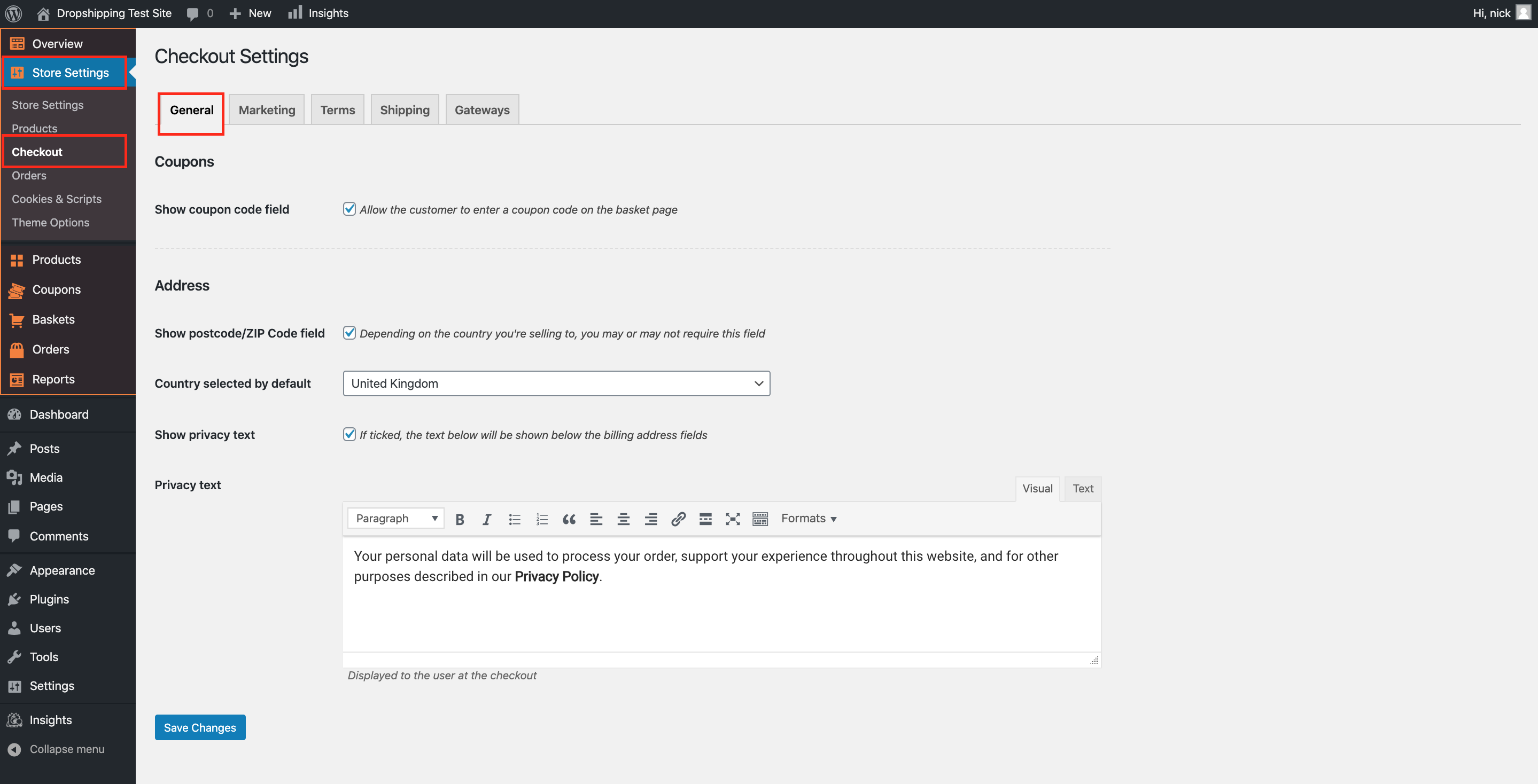
From within this page the top tick box labelled 'Show coupon code field' gives you the option to enable 'Coupons'.
(*Don't forget to click 'Save Changes' after making alterations*)
Related Articles
How To Enable/Disable Postcode/ZIP Field At Checkout?
How To Enable/Disable Postcode/ZIP Field At Checkout? To switch 'Show postcode/ZIP Code field' on/off, from the store dashboard go to: > Store Settings > Checkout > General From within this page, the top tick-box under the 'Address' heading labelled ...How To Create Coupon Codes?
How To Create Coupon Codes? Before you create 'Coupon Codes', please ensure that you have enabled the 'Coupon Code Field'. Once this tick box is enabled, to create 'Coupons', from the store dashboard go to: > Coupons > All Coupons Click 'Add New' at ...How To Enable/Disable Cookies Consent?
How To Enable/Disable Cookies Consent? To enable/disable the 'Cookie Consent', from the store dashboard go to: > Store Settings > Cookies & Scripts > Setup From within this page, the top tick-box will either enable or disable the feature. If using ...How To Enable/Disable Related Products?
How To Enable/Disable Related Products? To switch the 'Related Products' feature on/off, from the store dashboard go to: > Store Settings > Products > Show/Hide From within this page, the bottom box labelled, 'Related Products' will either enable or ...How To Enable/Disable Specifications & Delivery Tabs?
How To Enable/Disable Specifications & Delivery Tabs? To switch the 'Specifications' & 'Delivery' tabs on/off, from the store dashboard go to: > Store Settings > Products > Show/Hide From within this page, the tick boxes labelled, 'Item Specifics' & ...