How To Add Items To Menus?
How To Add Items To Menus?
To 'Add an Item to a Menu', from the store dashboard go to:
> Appearance > Menus
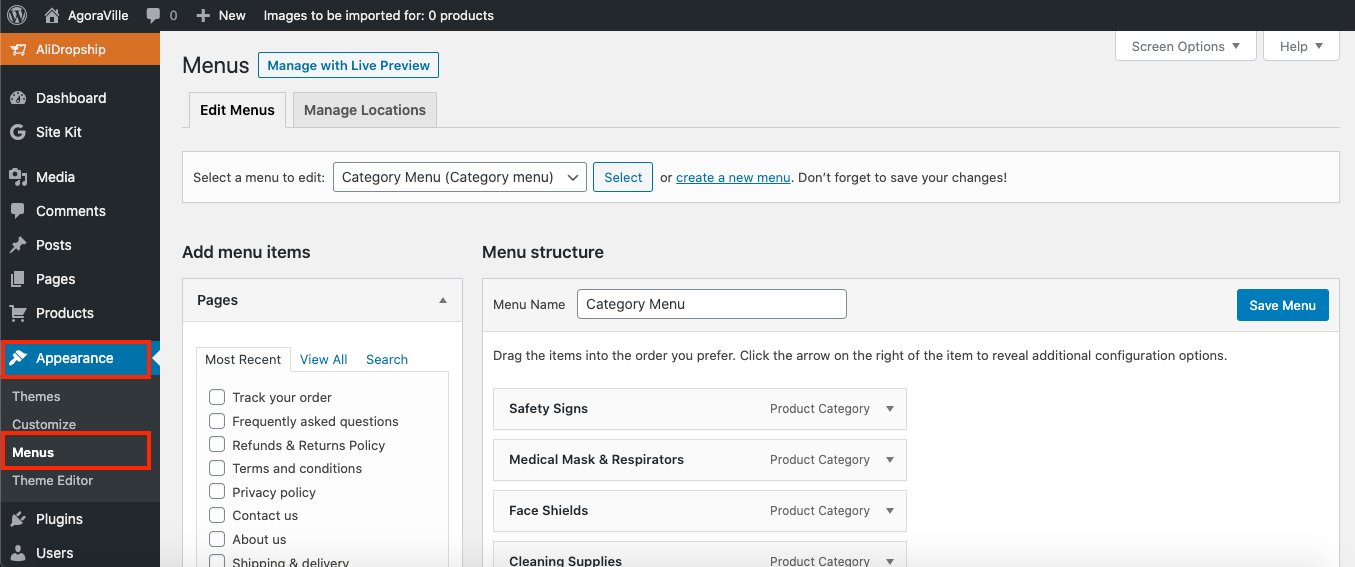
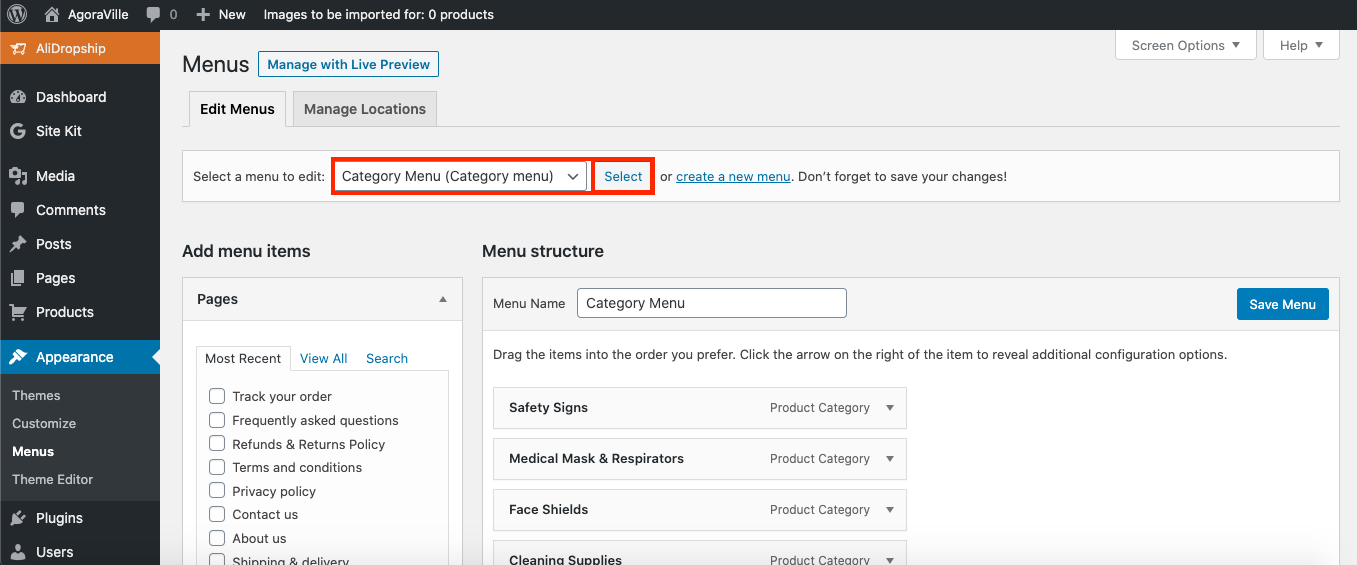
From within this page at the top, click the drop-down box next to where it says 'Select a menu to edit' and find the menu you'd like to make changes to, then click 'Select' to edit that specific menu on your store:
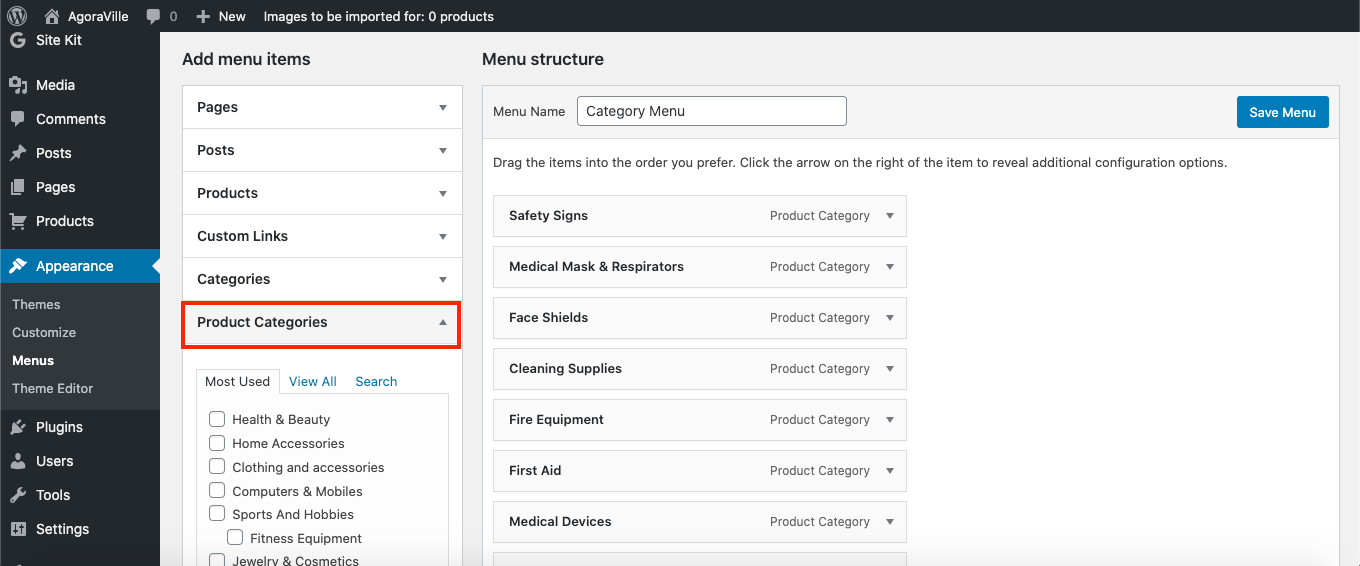
To add a specific 'product category', open up its corresponding drop-down on the left hand side (for 'Pages', open 'Pages', for 'Posts', open 'Posts' etc.):
To add a 'Product Category' or 'Product Categories', simply check the tick-boxes of the ones you'd like and click 'Add to Menu':
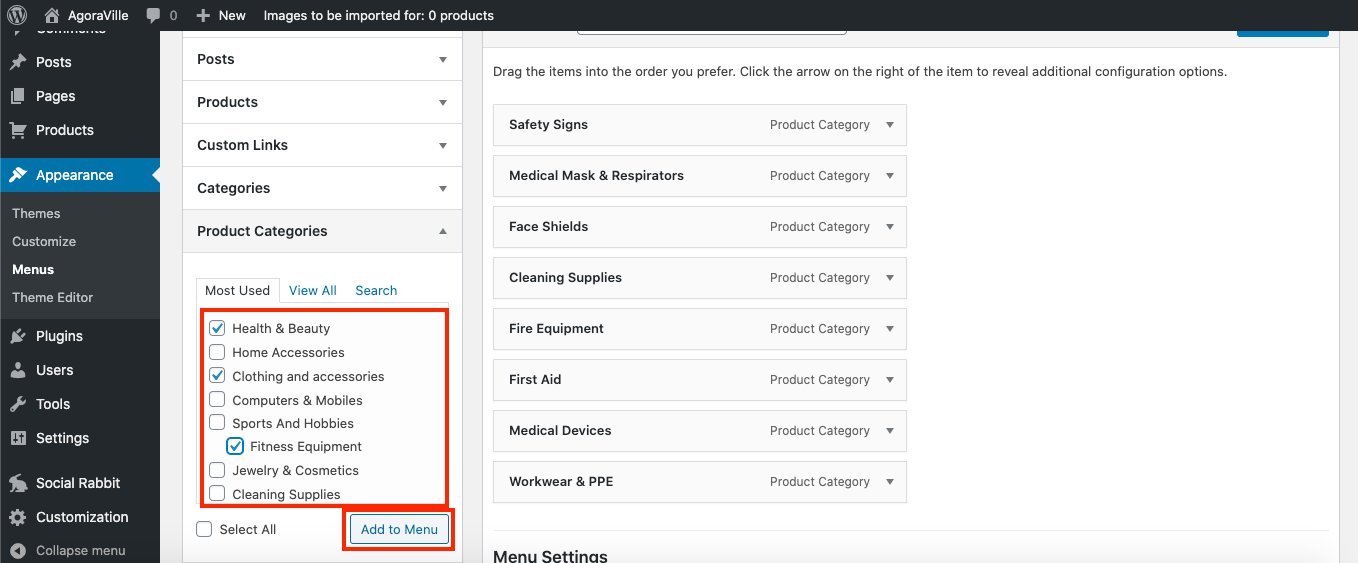
Your 'Product Categories' will then appear at the bottom of the 'Menu structure' over to the right hand side:
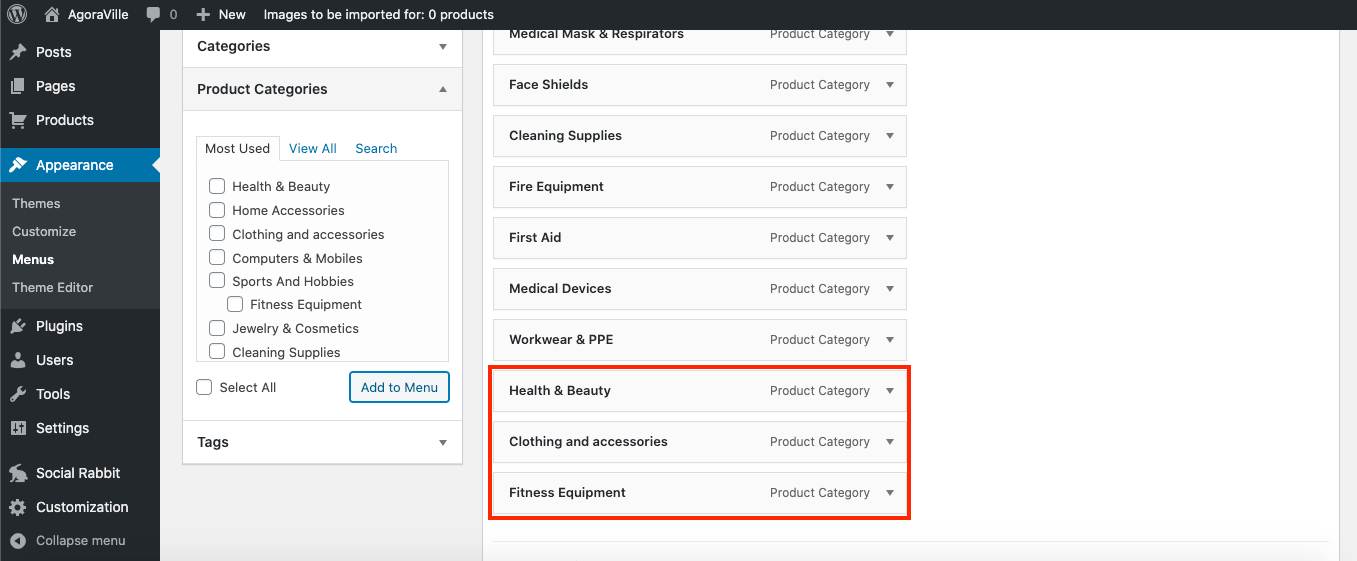
To rearrange the menus contents, simply drag and drop a menu item wherever you like.
To delete a menu item, click the arrow to right of it and then click 'Remove':
(*Once you're satisfied with the arrangement, don't forget to click 'Save Menu' at the top right*)
Related Articles
How To Add, Remove & Rearrange Menu Items?
How To Add, Remove & Rearrange Menu Items? To 'Add a Item to a Menu', from the store dashboard go to: > Appearance > Menus From within this page at the top, click the drop-down box next to where it says 'Select a menu to edit' and find the menu you'd ...How To Add, Remove & Rearrange Menu Items?
How To Add, Remove & Rearrange Sub-Menu Items? To 'Add/Remove Sub-Menu Items', from the store dashboard go to: > Appearance > Menus From within this page at the top, click the drop-down box next to where it says 'Select a menu to edit' and find the ...I have added categories to my web site, but I don't see them on my homepage. Why?
I have added categories to my web site, but I don't see them on my homepage. Why? Once your product categories are created, you need to add them to your menu. Go to Appearance => Menus and select a menu to make changes to or create a new one. Check ...Adding blog
Adding a Blog You can use our built-in blogging platform to post engaging content on your website. Blog posts are great if you want to generate traffic to your site and build a community around your brand. To get started with blogging, please go to ...Customizing the Davinci theme
Customizing the Davinci theme To start adding your categories, first go to Customization menu → General and click the Create button to add default pages and menus. Go to Products → Product Categories and select categories you want to Edit or create a ...