Adding blog
You can use our built-in blogging platform to post engaging content on your website. Blog posts are great if you want to generate traffic to your site and build a community around your brand.
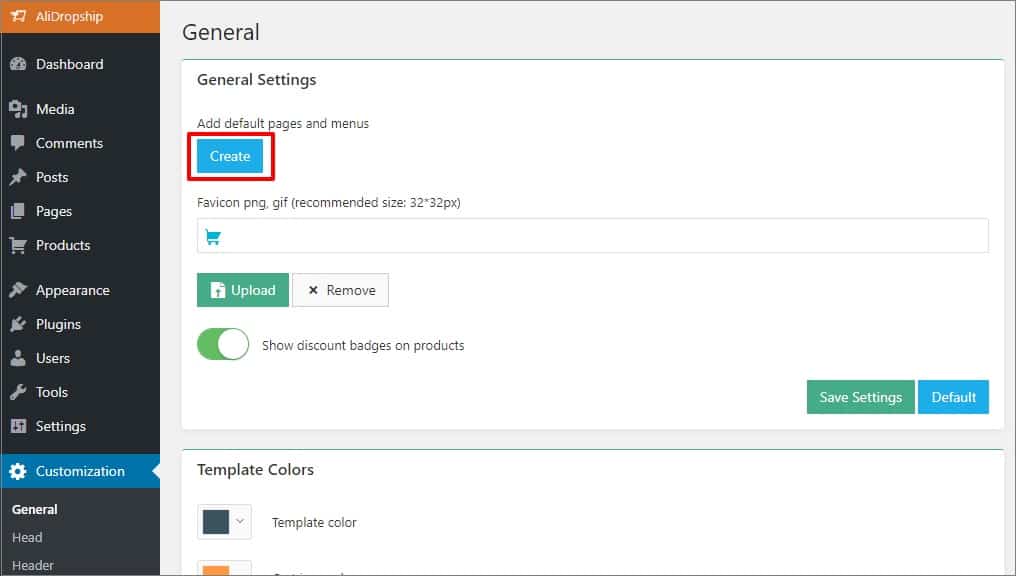
To get started with blogging, please go to Customization in your WordPress admin area and click Add default pages and menus.
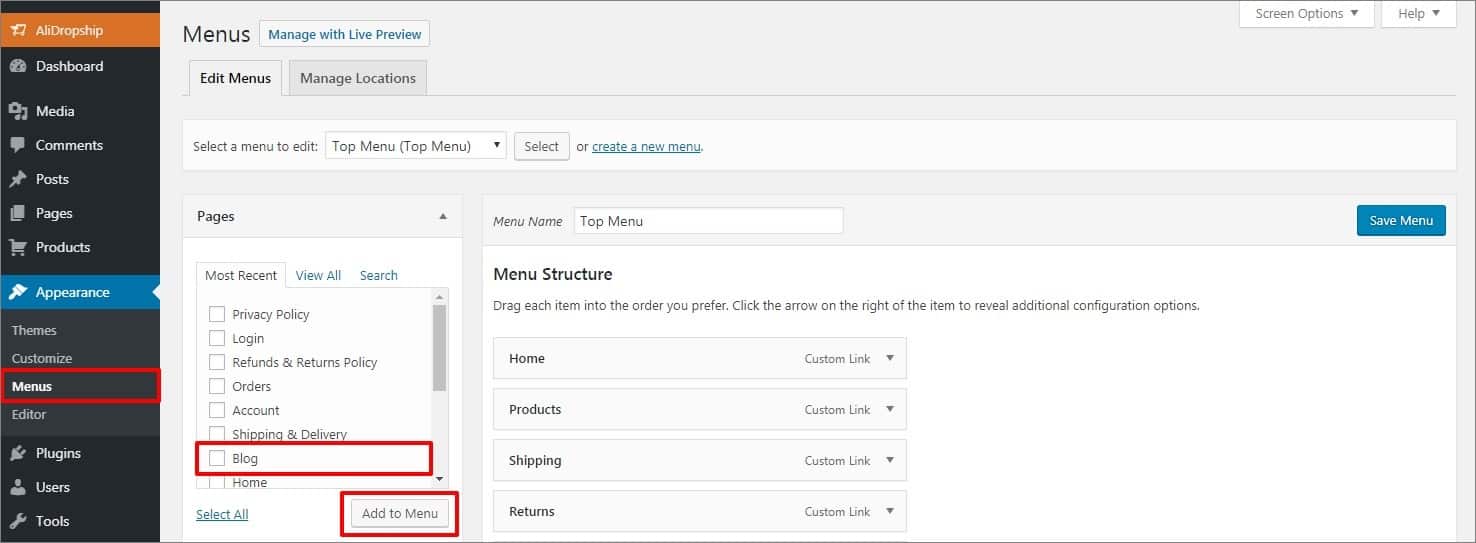
Now that you have created the blog, you can add it to your menu. Go to the Appearance → Menus. Select a menu to edit, for example, Top Menu. Check Blog and click the Add to menu button. Click the Save Menu button.
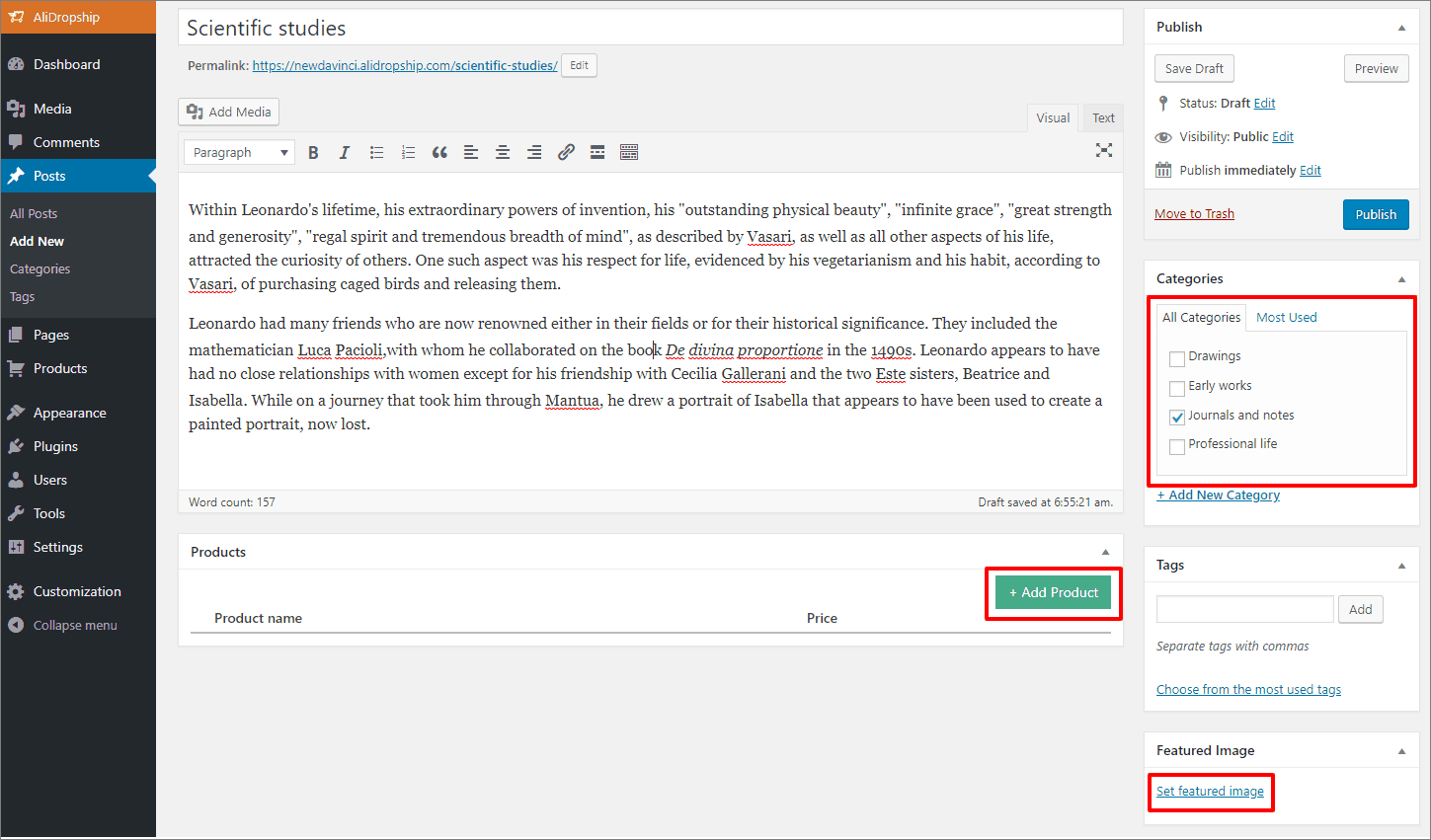
To add a post to your blog, click Posts → Add New. Assign your post to a blog category and upload a featured image. Besides, you may add products to your article so your readers can shop this story. Use the green Add Product button for these purposes.
In the pop-up, use the '+' icon to add items to shop. Type product name you are searching for in the search field or use the dropdown menu to select a certain product category.

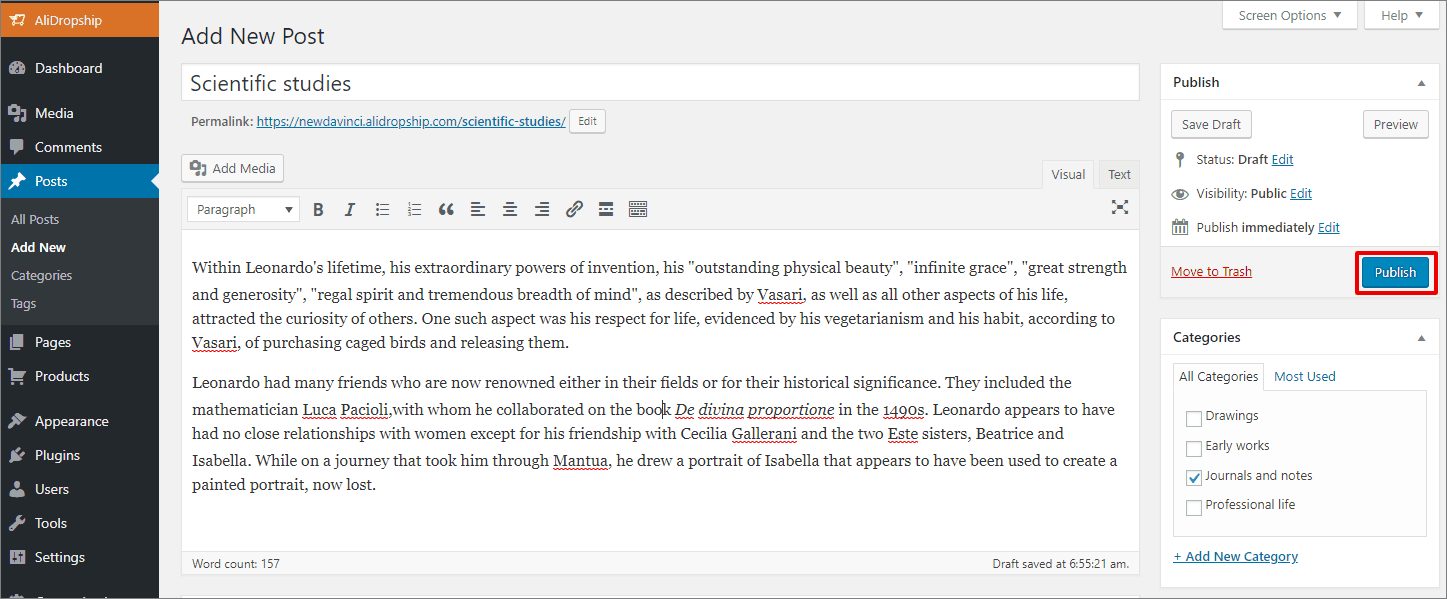
Click Publish to finish. If you do not want to publish your blog post yet, use the Save Draft button.
To customize your blog, go to Customization → Blog.
Upload your blog logo and adjust colors. The plugin will use your website logo if you do not upload an additional logo for blog pages.
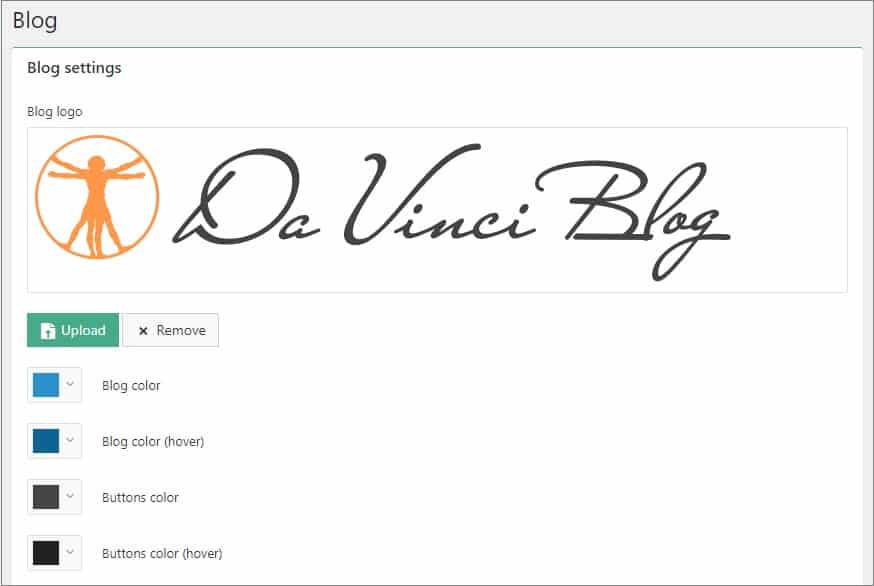
Upload your ad banners for Homepage and Single pages and add links.

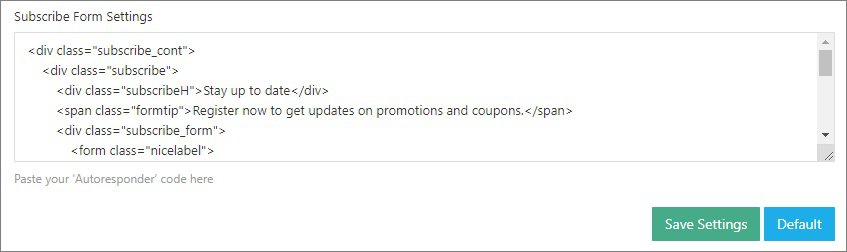
Add your code for subscription form in Subscribe Form Settings at the bottom of the page and click Save Settings.
Related Articles
Adding Social Media
Adding Social Media After you have created accounts in social media networks, you need to set up social buttons and widgets on your store. Go to > Customization > Social Media > Social Pages links Add your Facebook, Instagram, Twitter, Pinterest and ...Adding your own products
Adding your own products You can populate your web store with your own products, even if they are not on sale on AliExpress. Please bear in mind that these items will not be synchronized with AliExpress API and will not be updated (stock, prices, ...Customizing the Davinci theme
Customizing the Davinci theme To start adding your categories, first go to Customization menu → General and click the Create button to add default pages and menus. Go to Products → Product Categories and select categories you want to Edit or create a ...Customizing the Rembrandt theme
Customizing the Rembrandt theme To start adding your categories, first go to Customization menu → General and click the Create button to add default pages and menus. Go to Products → Product Categories and select categories you want to Edit or create ...How to Customize your site
How to Customize your site Go to Products => Product Categories and select categories you want to Edit or create a new one. To create a subcategory, add its name and select the corresponding parent category. Click Add a New Category. Once your ...