Adding Social Media
After you have created accounts in social media networks, you need to set up social buttons and widgets on your store.
Go to > Customization > Social Media > Social Pages links
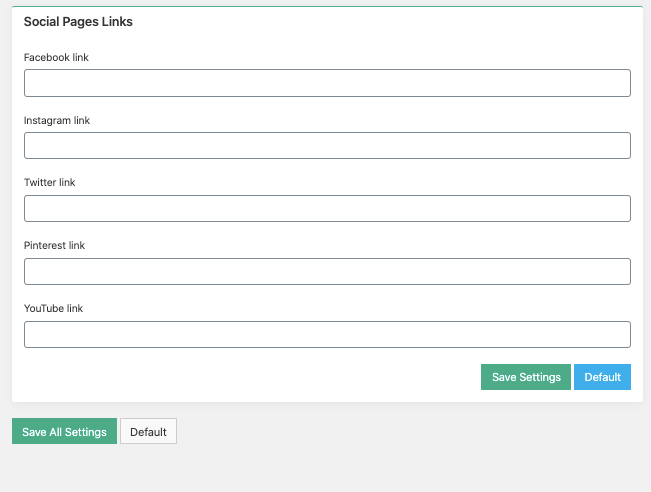
Add your Facebook, Instagram, Twitter, Pinterest and YouTube accounts URLs to the Social pages links fields. These links will be connected to the social media buttons placed in the footer of your site.

If you don’t have an account in some particular social network, or just don’t want to add the icon for that network, leave it blank. Save settings and check if everything is correct.
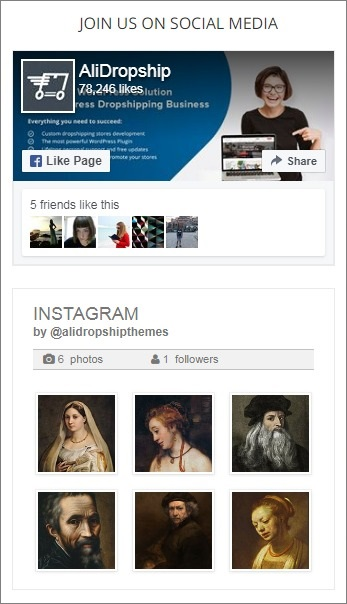
Besides social media buttons you can also place Facebook and Instagram widgets on your site.
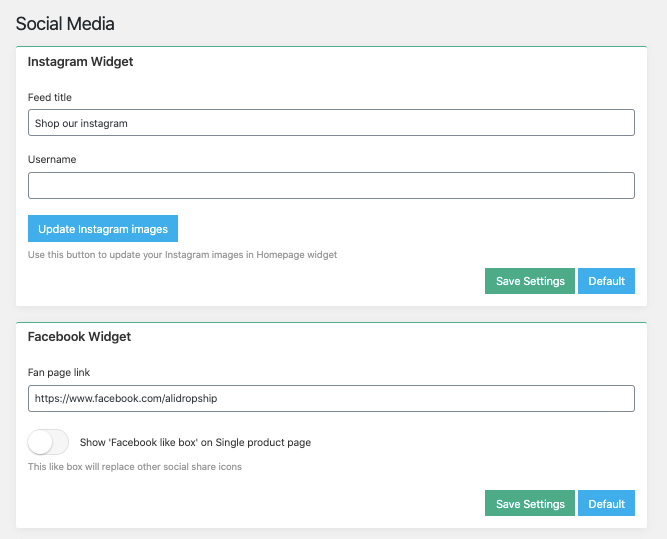
Facebook Widget
Enter Facebook fan page link in the required field.
Instagram Widget
Enter Instagram account URL and username you want to add to the “Instagram Widget” area. You will see the Instagram widget that showcases your latest Instagram pictures.
Related Articles
Step 3: Linking Social Media Accounts
To link your social media accounts to your store, please see this guide: https://readymadestores.zohodesk.com/portal/en/kb/articles/how-to-add-social-media-channelsHow To Add Social Media Channels?
How To Add Social Media Channels? To add social media channels to your site, from the store dashboard go to: > Store Settings > Store Settings > Social Media From within there, copy and paste the URL of your 'Facebook', 'Twitter', 'Instagram', ...How To Enable/Disable Social Media Sharing Buttons?
How To Enable/Disable Social Media Sharing Buttons? To switch the 'Social Media Sharing Buttons' feature on/off, from the store dashboard go to: > Store Settings > Products > Show/Hide From within this page, the tick box labelled, 'Social media ...14 Social Media Setup & Marketing Downloads
Setup and run your campaigns. pdf building_a_targeted_facebook_audience.pdf 270.29 KB pdf creating_google_alerts.pdf 519.49 KB pdf creating_social_accounts.pdf 365.6 KB pdf facebook_advertising_step_by_step.pdf 649.88 KB pdf ...Adding blog
Adding a Blog You can use our built-in blogging platform to post engaging content on your website. Blog posts are great if you want to generate traffic to your site and build a community around your brand. To get started with blogging, please go to ...