How To Enable/Disable Social Media Sharing Buttons?
How To Enable/Disable Social Media Sharing Buttons?
To switch the 'Social Media Sharing Buttons' feature on/off, from the store dashboard go to:
> Store Settings > Products > Show/Hide
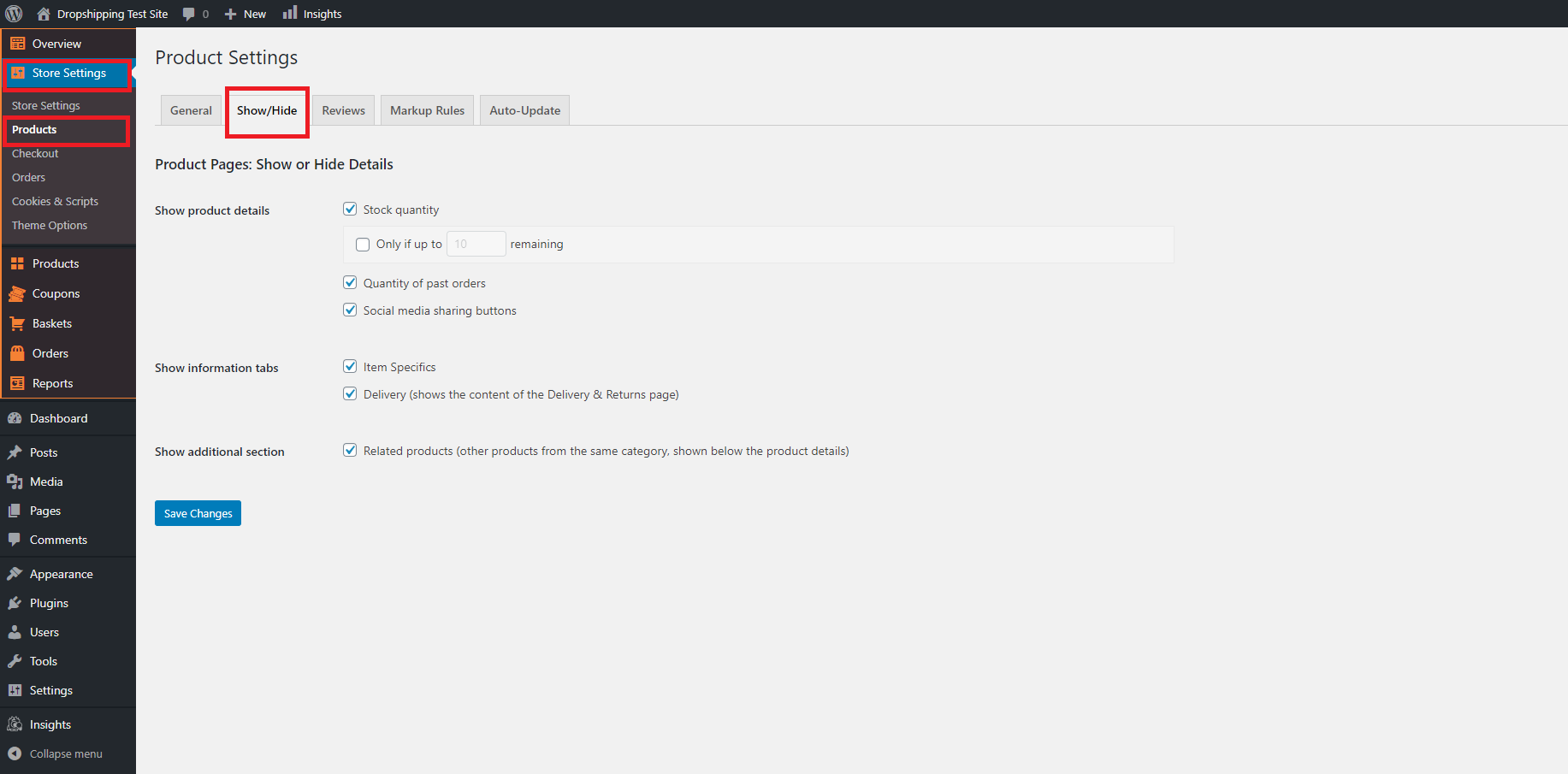
From within this page, the tick box labelled, 'Social media sharing buttons' will either enable or disable the feature.
(*Don't forget to click 'Save Changes' after making alterations*)
Related Articles
Adding Social Media
Adding Social Media After you have created accounts in social media networks, you need to set up social buttons and widgets on your store. Go to > Customization > Social Media > Social Pages links Add your Facebook, Instagram, Twitter, Pinterest and ...Step 3: Linking Social Media Accounts
To link your social media accounts to your store, please see this guide: https://readymadestores.zohodesk.com/portal/en/kb/articles/how-to-add-social-media-channelsHow To Add Social Media Channels?
How To Add Social Media Channels? To add social media channels to your site, from the store dashboard go to: > Store Settings > Store Settings > Social Media From within there, copy and paste the URL of your 'Facebook', 'Twitter', 'Instagram', ...How To Enable/Disable Cookies Consent?
How To Enable/Disable Cookies Consent? To enable/disable the 'Cookie Consent', from the store dashboard go to: > Store Settings > Cookies & Scripts > Setup From within this page, the top tick-box will either enable or disable the feature. If using ...How To Enable/Disable Related Products?
How To Enable/Disable Related Products? To switch the 'Related Products' feature on/off, from the store dashboard go to: > Store Settings > Products > Show/Hide From within this page, the bottom box labelled, 'Related Products' will either enable or ...