I have added categories to my web site, but I don't see them on my homepage. Why?
I have added categories to my web site, but I don't see them on my homepage. Why?
Once your product categories are created, you need to add them to your menu.
Go to Appearance => Menus and select a menu to make changes to or create a new one. Check items from Product Categories tab, which should be added to your menu, in the left-hand sidebar.
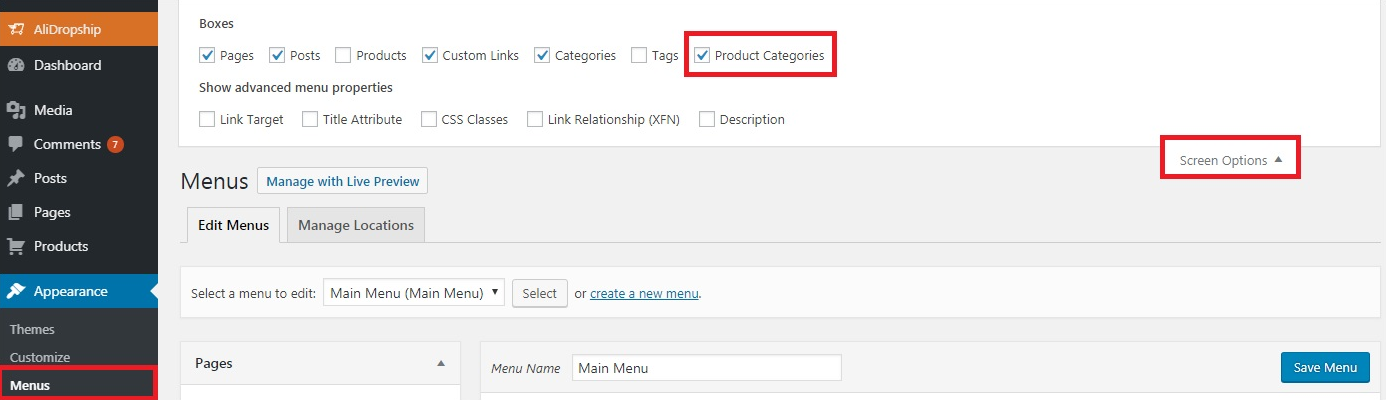
If you don't see such a tab, click Screen Options at the top of the page and tick "Product Categories":
Now drag items to change their display order and move them to the right to make sub items. You can edit them by clicking the down arrow symbol.
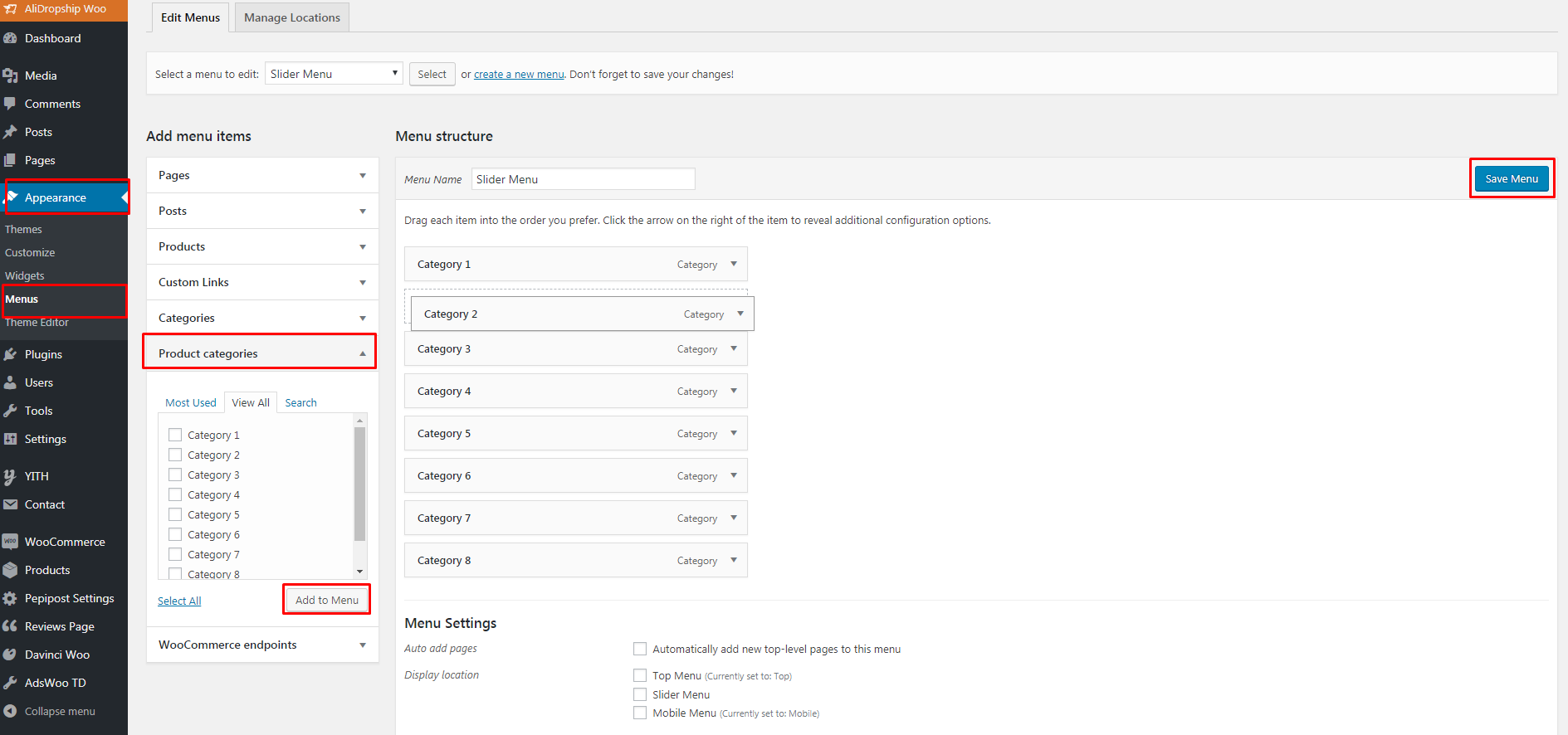
Do not forget to save the menu.
Related Articles
I Have Added Categories, But I Don't See Them On My Homepage?
I Have Added Categories, But I Don't See Them On My Homepage? Once your product categories are created, you need to add them to your menu.How to Customize your site
How to Customize your site Go to Products => Product Categories and select categories you want to Edit or create a new one. To create a subcategory, add its name and select the corresponding parent category. Click Add a New Category. Once your ...About your site
About your site The use of our tools is totally free. They become available immediately after you register. Unlike traditional booking systems, we don’t charge anything to connect you to the network. Commissions from suppliers are 7% to 20%, ...How To Setup The Google Analytics Global Site Tag?
How To Setup The Google Analytics Global Site Tag? To setup the 'Google Analytics Global Site Tag', please follow the steps below. If you have not already done so, create a Google Analytics property for each website you want to collect data from. ...Why Aren't My Categories Appearing In The RMS Chrome Extension On AliExpress?
Why Aren't My Categories Appearing In The RMS Chrome Extension On AliExpress? Sometime when browsing for products to import on AliExpress, your categories may not appear in the RMS Chrome Extension: To fix this issue, right click on the RMS Chrome ...