How To Access Conversion Scripts?
How To Access Conversion Scripts?
To access the 'Conversion Scripts', from the store dashboard go to:
> Store Settings > Cookies & Scripts > Conversion Scripts
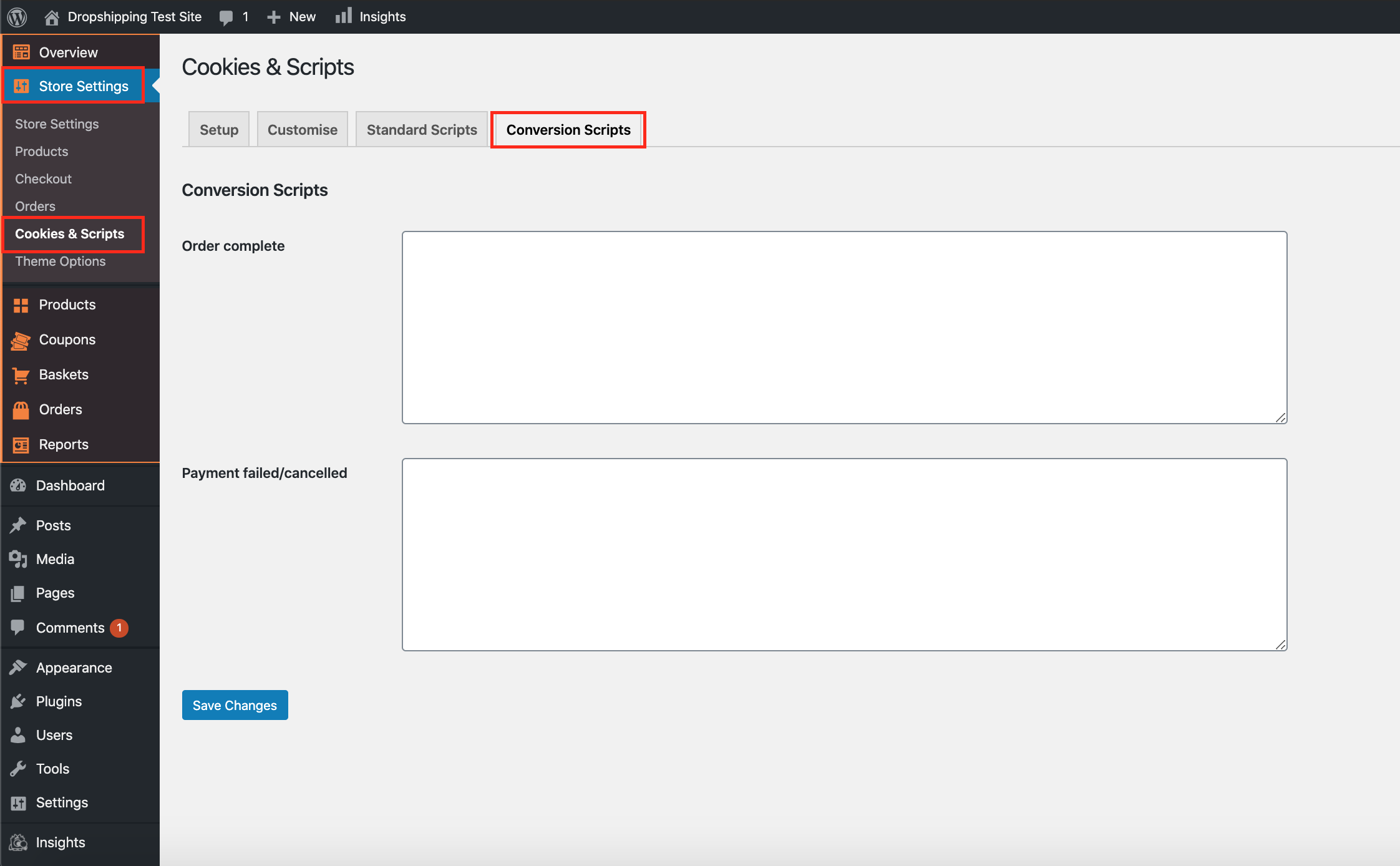
(*Don't forget to click 'Save Changes' after making alterations*)
Related Articles
How To Access Standard Scripts?
How To Access Standard Scripts? To access the 'Standard Scripts', from the store dashboard go to: > Store Settings > Cookies & Scripts > Standard Scripts (*Don't forget to click 'Save Changes' after making alterations*)My IP Address Is Blocking My Access?
My IP Address Is Blocking My Access? The FREE VPN Chrome Extension can be installed via this link. Step 1: click the link above ^ Step 2: Click 'Add to Chrome' on the VPN Chrome Extension page Step 3: Click 'Add Extension' Step 4: Click the jigsaw ...How To Setup Google Ads Conversion Tracking?
How To Setup Google Ads Conversion Tracking? To setup the 'Google Ads Conversion Tracking Tag', please follow the steps below. Step 1: Create a conversion action Sign in to your Google Ads account. In the top right-hand corner, click the tools icon , ...Setting Up The Facebook Pixel
Setting Up The Facebook Pixel Step 1: Go to Pixel To access your Facebook pixel, go to facebook.business.com. From the home page, click the “Business Manager” tab. On the drop down menu, click “Pixels“. Step 2: Click “Create a Pixel” You will then be ...Customizing the Rembrandt theme
Customizing the Rembrandt theme To start adding your categories, first go to Customization menu → General and click the Create button to add default pages and menus. Go to Products → Product Categories and select categories you want to Edit or create ...