Setting Up The Facebook Pixel
Step 1: Go to Pixel
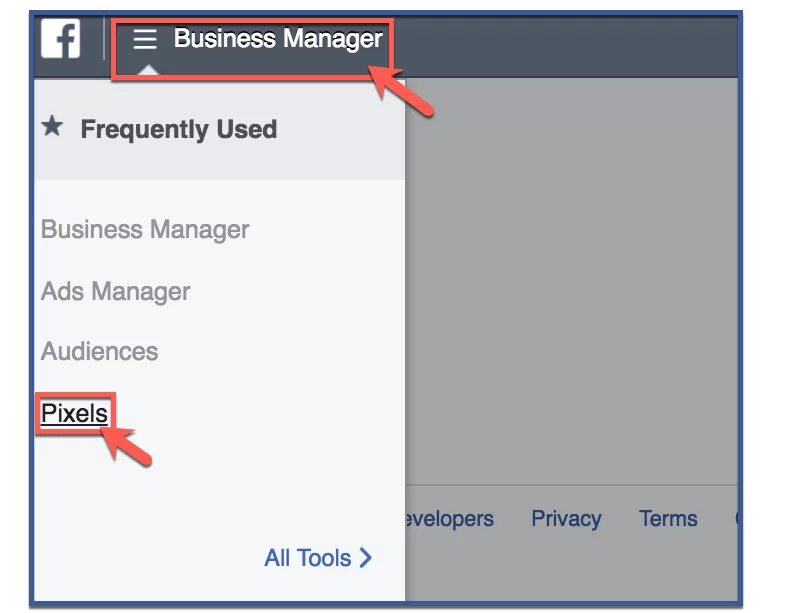
To access your Facebook pixel, go to facebook.business.com. From the home page, click the “Business Manager” tab. On the drop down menu, click “Pixels“.
Step 2: Click “Create a Pixel”
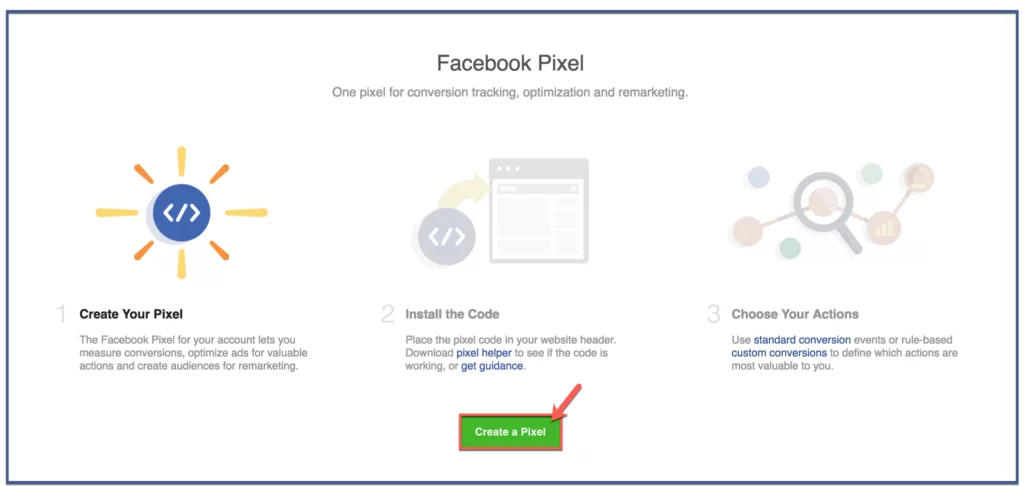
You will then be redirected to your pixel page which will look like the image below. Click “Create a Pixel” to create your very own Facebook pixel.
Step 3: Click “Create Pixel”
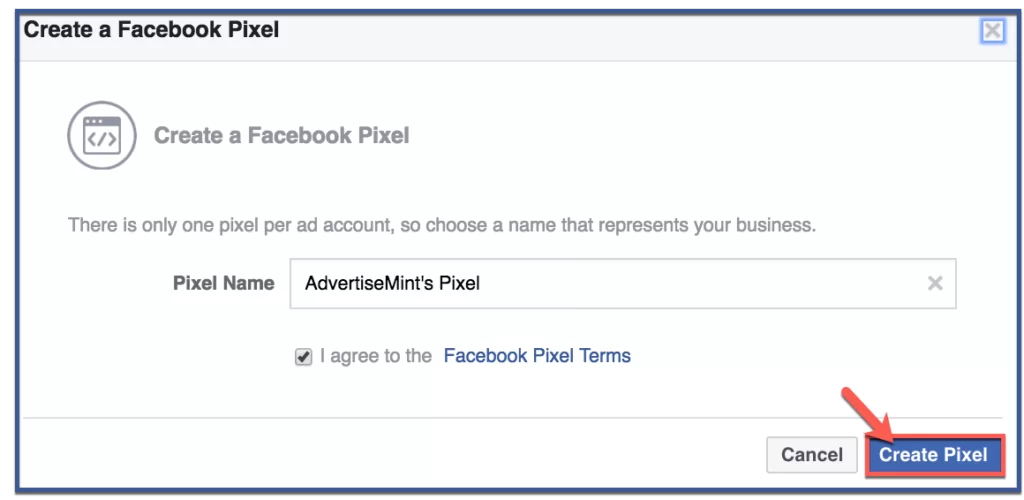
Give your pixel a name. Afterward, click “Create Pixel“.
Step 4: You’re done!
Congratulations, you’ve created your Facebook pixel! Now that you’ve created a pixel, you have several options. You can email, share, or view the code. To view your pixel, follow the steps below.
View Pixel
Step 1: Click “Install Pixel Now“
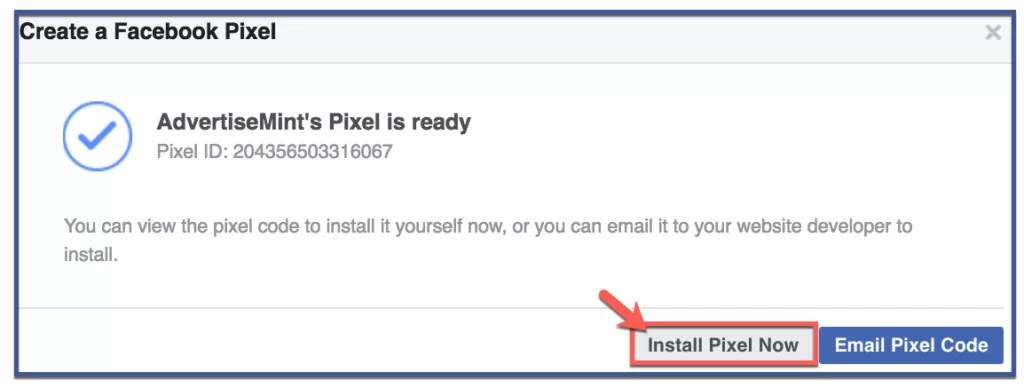
Click “Install Pixel Now” to view your pixel code.
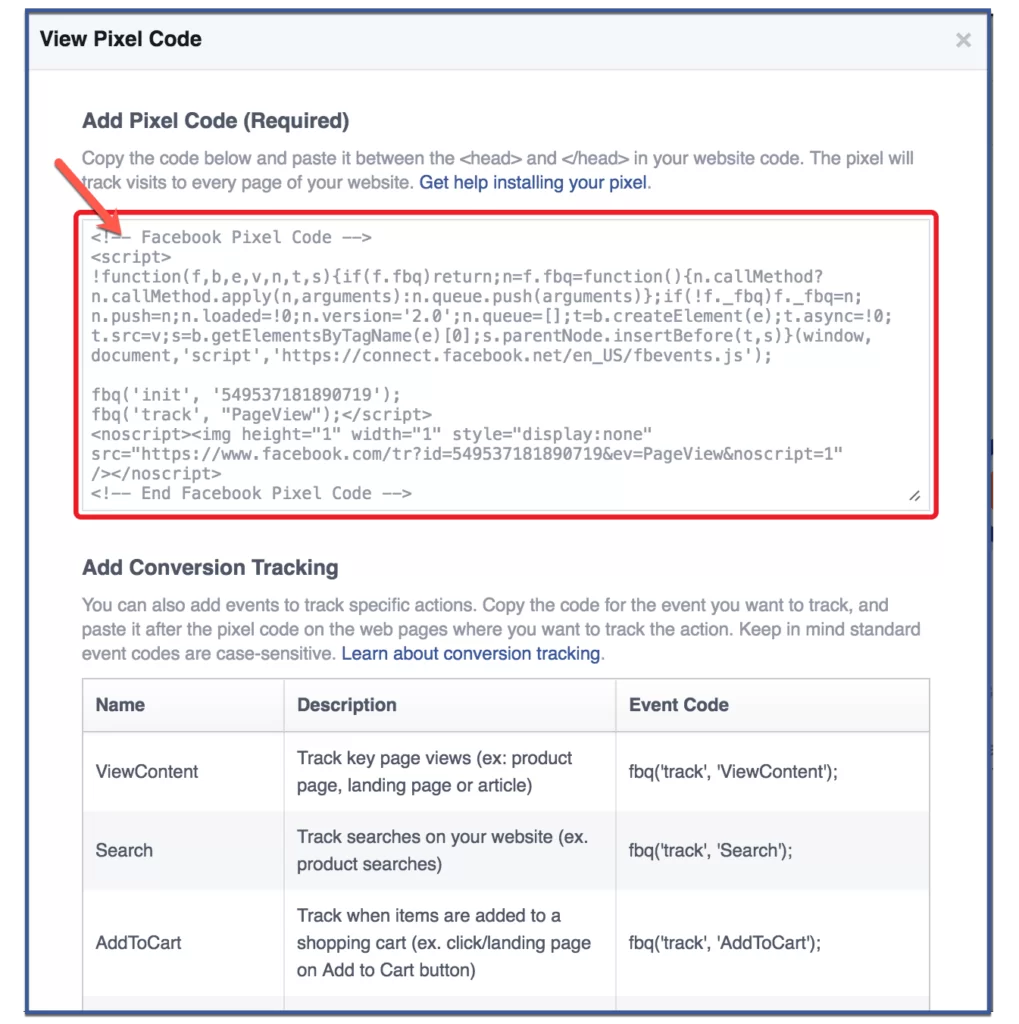
Step 2: Copy Code
Copy and paste the code between the <head> and </head> tags within your website code. This code will track visits to every page of your website.
Step 2: Paste Code
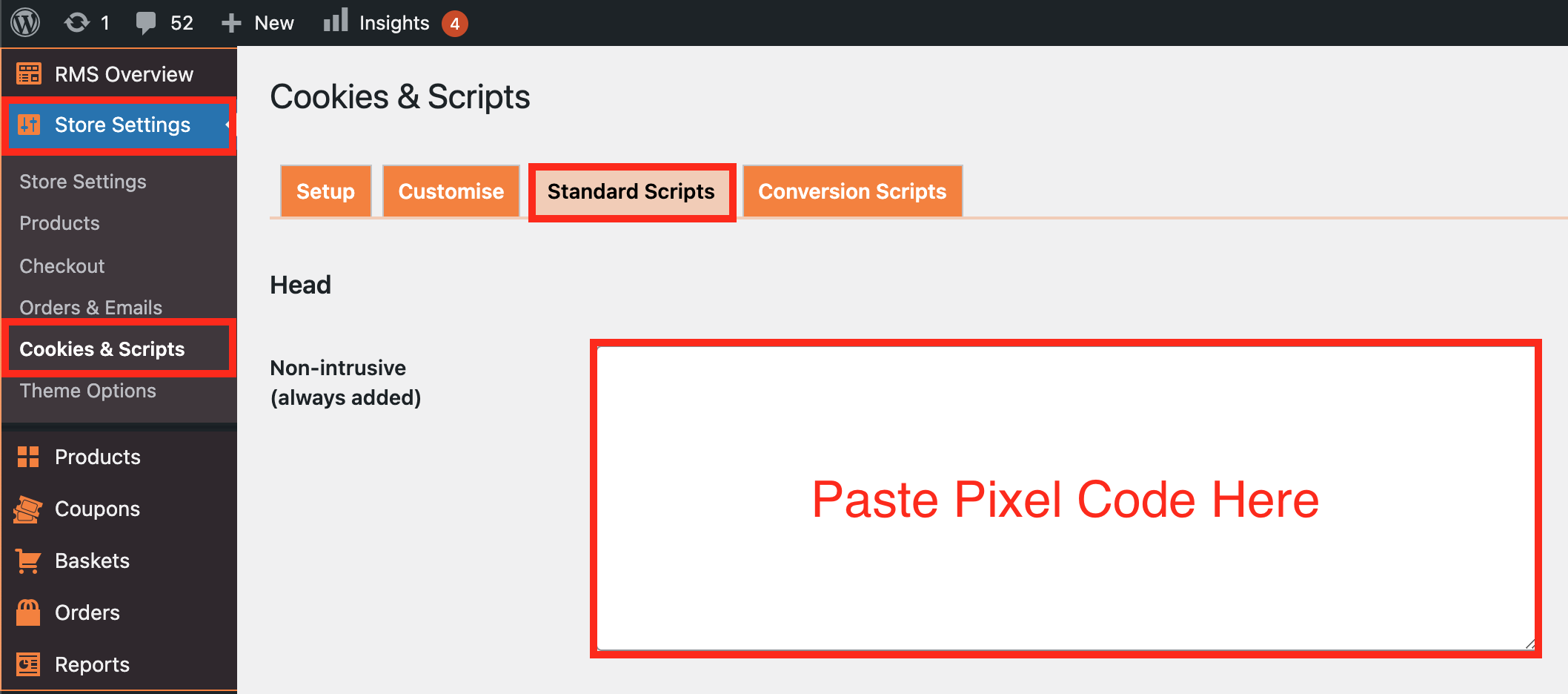
Log into your store backend and navigate to: > Store Settings > Cookies & Scripts > Standard Scripts. In the 'Non-intrusive (always added)' section, paste the code and click 'Save Changes' at the bottom of the page.
Related Articles
Facebook authorization
With the Facebook Login option, you can provide your customers with a secure, fast, and convenient way to log into your website without them having to create a password. To get started, visit https://developers.facebook.com/, enter or create your ...Setting customer accounts
To provide your customers with the possibility to create accounts in your store, you need to enable this option in AliDropship => Settings => Customer Accounts. Once this option is activated, your clients will be able to create an account at the end ...How to use Facebook Ads
Facebook Ads can take your drop shipping business to a brand new level – or, in some cases, cause damage. This will never happen if you go by our instructions and treat them right! When you start your dropshipping business, you come to a conclusion ...Setting up Google Chrome Extension
Setting up Google Chrome Extension To make AliDropship plugin work properly, you need to install and activate AliDropship Google Chrome extension. It allows you to: add products and reviews to your site directly from AliExpress edit product before ...How to Promote on Facebook
How to Promote on Facebook Drop shipping is awesome. You can run this business in any point on the globe, you don’t need much money to start, and it’s not necessary to have any previous experience in the field. That’s why people readily buy ...