Setting customer accounts
To provide your customers with the possibility to create accounts in your store, you need to enable this option in AliDropship => Settings => Customer Accounts.
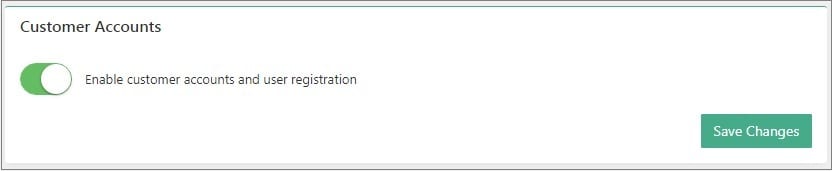
Once this option is activated, your clients will be able to create an account at the end of checkout process.

Your customers can log in to their accounts by clicking Log in in the top right corner of the page or create a new one.
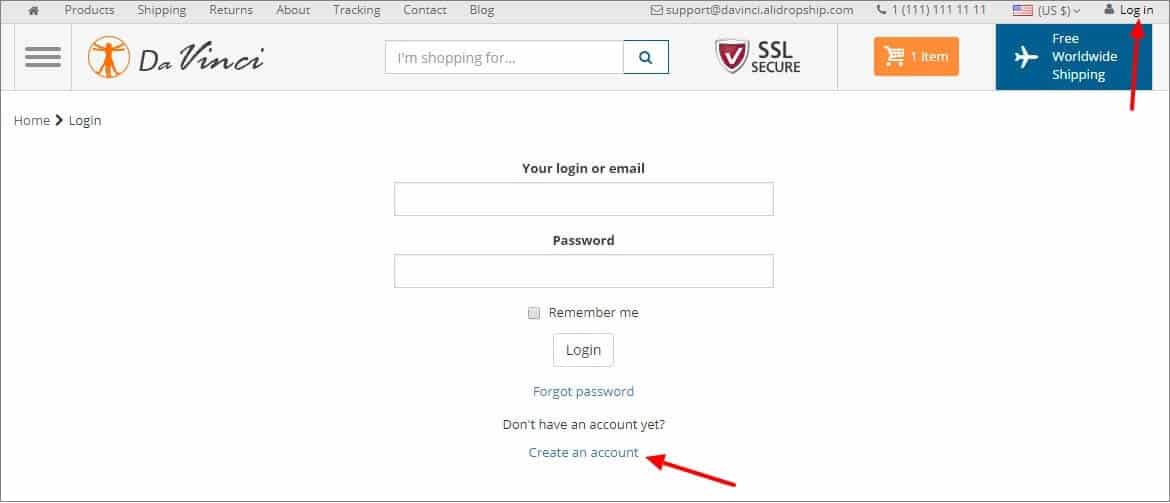
Your customers can store their contact/shipping details, check list of products they purchased and track status of orders.


Your customers may access their personal accounts using their social media profiles:
reCAPTCHA
To prevent robots from registering on your website we recommend using such tool as reCAPTCHA:
reCAPTCHA is a free service that protects your website from spam and abuse. reCAPTCHA uses an advanced risk analysis engine and adaptive CAPTCHAs to keep automated software from engaging in abusive activities on your site. It does this while letting your valid users pass through with ease.
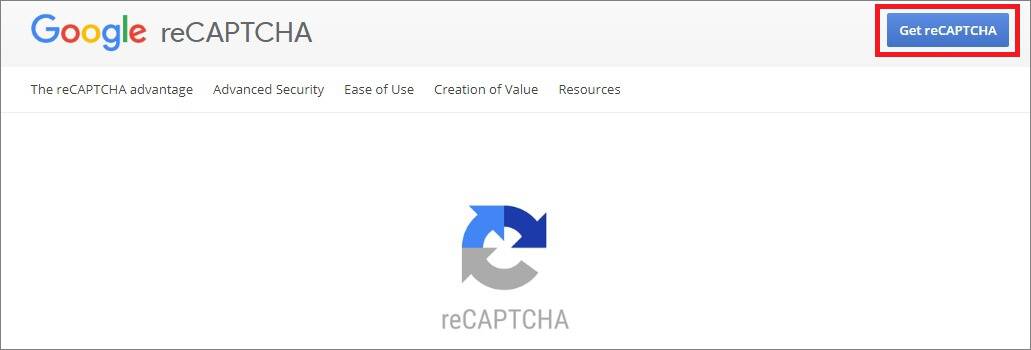
First, you need to register:
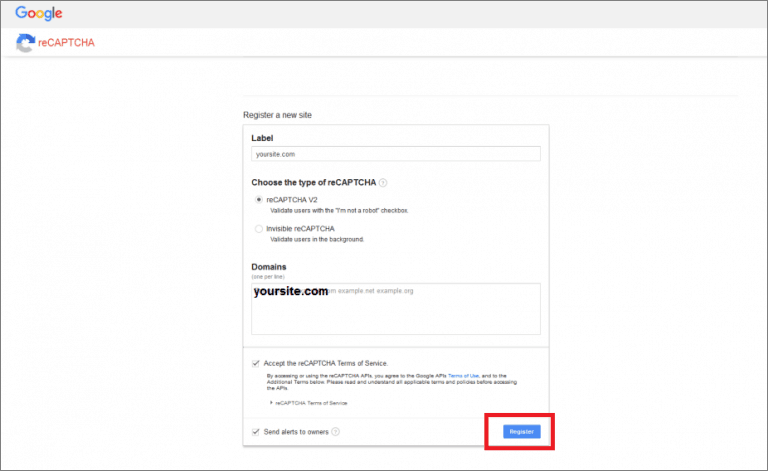
Copy Site key, Secret key and URL.
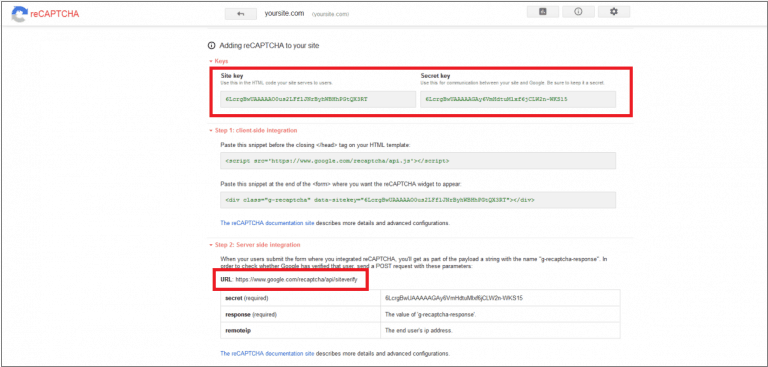
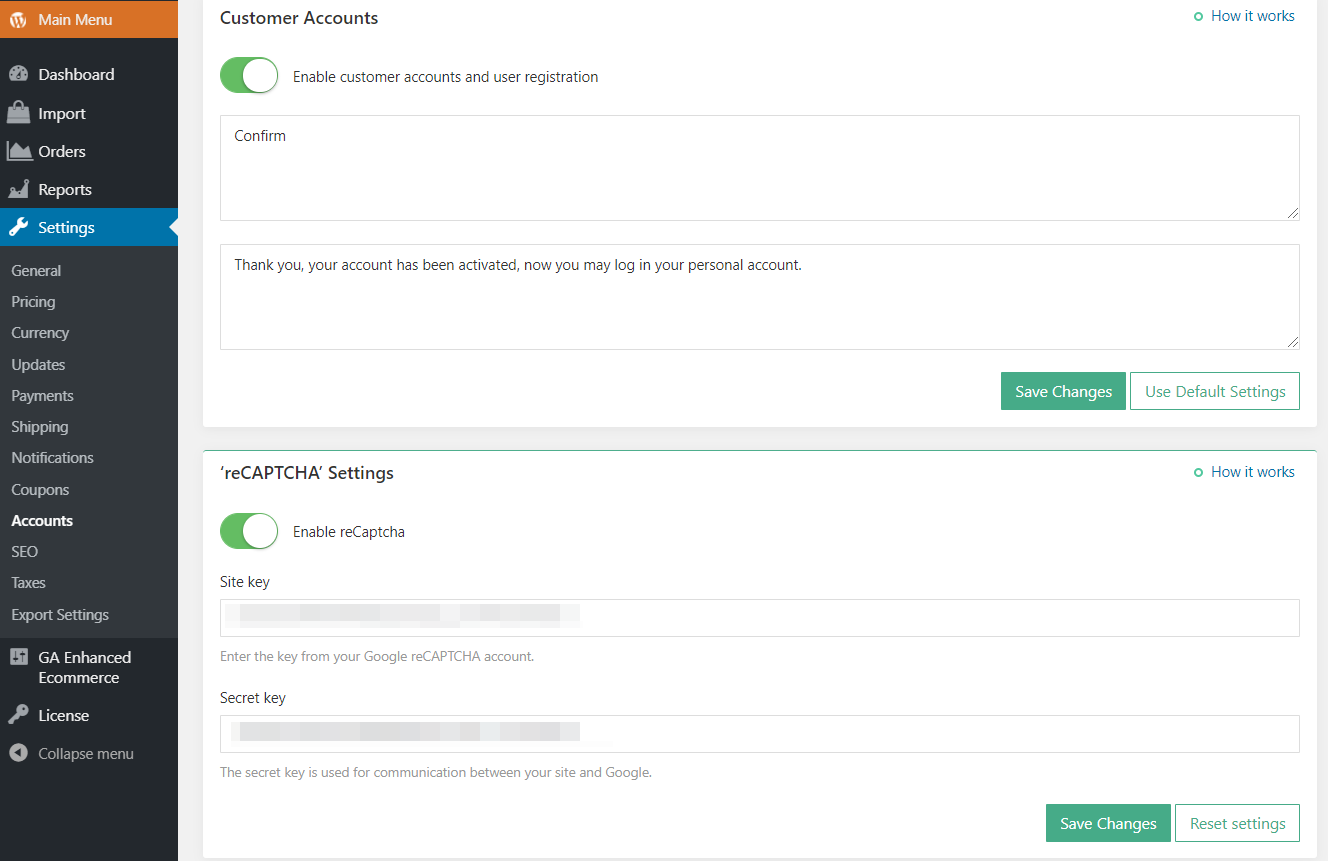
Insert them in your WordPress admin area: AliDropship => Settings => Accounts => ReCAPTCHA. Click Save Changes.
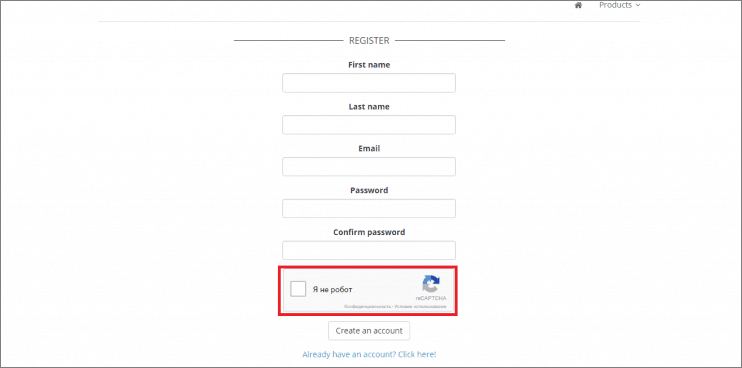
You may check reCAPTCHA icon on your registration page:
Related Articles
Setting up Google Chrome Extension
Setting up Google Chrome Extension To make AliDropship plugin work properly, you need to install and activate AliDropship Google Chrome extension. It allows you to: add products and reviews to your site directly from AliExpress edit product before ...Step 3: Linking Social Media Accounts
To link your social media accounts to your store, please see this guide: https://readymadestores.zohodesk.com/portal/en/kb/articles/how-to-add-social-media-channelsSetting Up The Facebook Pixel
Setting Up The Facebook Pixel Step 1: Go to Pixel To access your Facebook pixel, go to facebook.business.com. From the home page, click the “Business Manager” tab. On the drop down menu, click “Pixels“. Step 2: Click “Create a Pixel” You will then be ...How Do I Return Or Refund A Customer?
How Do I Return Or Refund A Customer? AliExpress has a strong buyer protection system with full money back guarantee. So, if your customer is not satisfied with a product or did not receive it and asking for a refund, we would recommend getting in ...When My Customer Receives The Package, Does It Have Any Receipts Or Promotional Materials?
When My Customer Receives The Package, Does It Have Any Receipts Or Promotional Materials? There are no signs of AliExpress and prices on packages. However, sometimes sellers from AliExpress include their business cards in the package. Anyway you can ...