Connecting PayPal Account
Connecting PayPal Account
There are two possible options to connect your PayPal account - Option 1: Classic integration) and Option 2: API REST V1.
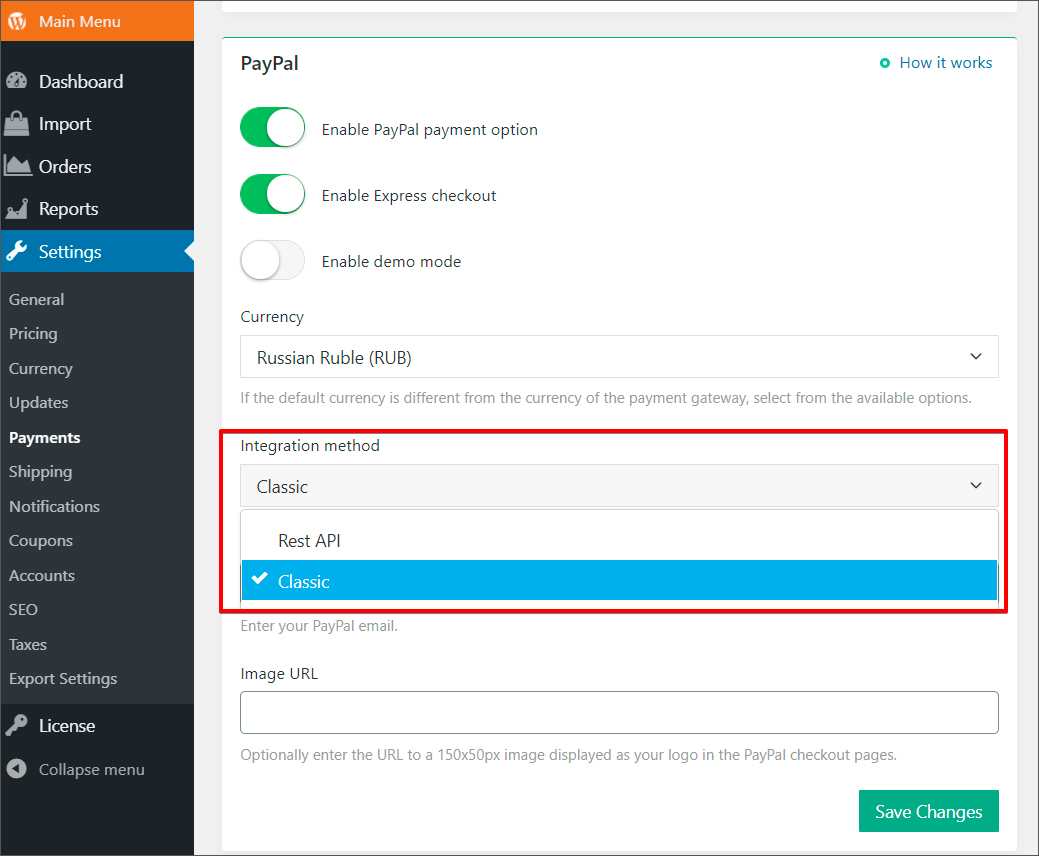
We recommend trying Classic first. In case you have issues with getting payments through this integration (it is usually related to some requirements PayPal applies to countries where an account is registered in) you can try API REST V1 integration.
Option 1: PayPal Classic Integration
Option 2: PayPal API REST V1 Integration
Related Articles
Connecting Rave Account
Connecting Rave Account Go to https://rave.flutterwave.com/signup and register your account. Set the 'Currency' as 'South African Rands (ZAR)' Use the Copy Key button to copy the API information to your store, do not try to type it, copy it straight ...Connecting BlueSnap account
Connecting BlueSnap account You can start with test payments before your Merchant Application is approved. Create your sandbox account You will receive email with verification link -> click it: Log in your sandbox account and go to API settings: ...Connecting Stripe Account
Connecting Stripe Account Please note! You need SSL certificate installed on your site to use Stripe. South African clients can purchase an SSL here, for any other clients it's here. To register an account with Stripe, visit https://stripe.com/ and ...Connecting 2Checkout Account
Connecting 2Checkout Account Visit 2checkout and sign up for an account. Fill out the required fields to create an account. Once you have submitted your registration request, you will receive an email confirmation with your account number and further ...Connecting Payssion Account
Connection Payssion Account Visit https://payssion.com to sign up for an account. Click the link in your email to verify your account: Log in your account and click Merchant Services in the left menu, then click Add App – > Use direct API. Fill in ...