Activity Report (Full Guide)
Activity Report (Full Guide)
To see your 'Activity Report', from the store dashboard go to:
> Reports > Activity Report
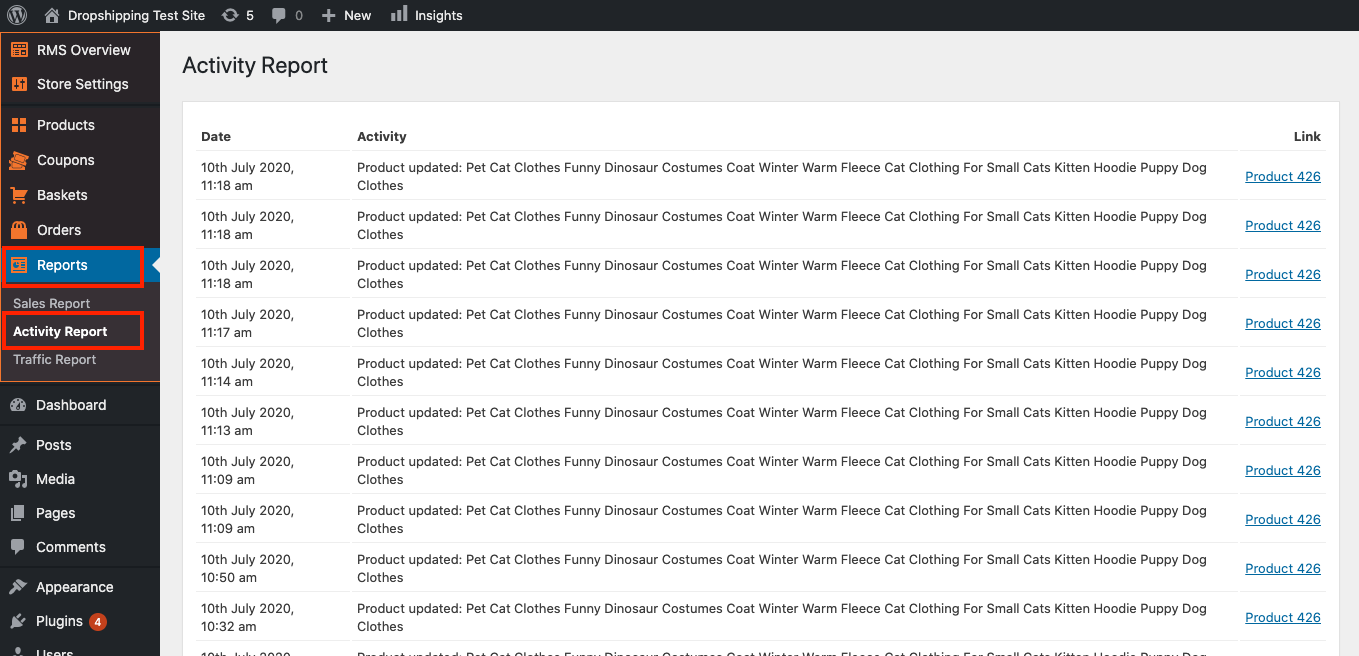
From within this page you can see all the changes you've made since the beginning.
Related Articles
Sales Report (Full Guide)
Sales Report (Full Guide) To see your 'Sales Report', from the store dashboard go to: > Reports > Sales Report From within this page you can track and analyse the key indicators of your business. The 'Overview' provides a summary of your total orders ...Traffic Report (Full Guide)
Traffic Report (Full Guide) To see your 'Traffic Report', from the store dashboard go to: > Reports > Traffic Report From within this page you can track, measure and analyze a great range of data, the first being the 'Overview Report': In this graph ...Orders (Full Guide)
Orders (Full Guide) To see your 'Orders', from the store dashboard go to: > Orders From within this page you can see all the customers who placed an 'Order' with you and their status will be pooled at the top in various categories for quick and easy ...Baskets (Full Guide)
Baskets (Full Guide) To see your 'Add to Baskets', from the store dashboard go to: > Baskets From within this page you can see all the customers who added to basket but didn't checkout. With this information you can retarget those customers so that ...Editing Products (Full Guide)
Editing Products (Full Guide) To access the 'Product Details', from the store dashboard go to: > Products > All Products From within this page find the 'Product' you'd like to 'Edit' by either scrolling through or searching for it via the search box ...