Returns and refunds
AliExpress has a strong buyer protection system with full money back guarantee. So, if your customer is not satisfied with a product or did not receive it and asking for a refund, we would recommend getting in touch with your seller to resolve the issue.
If you have not managed to do this, you can dispute the purchase with your AliExpress seller. AliExpress suppliers tend to refund inexpensive products quickly without you having to return the items because they would prefer to avoid disputes and receive returns for relatively low-cost items. This enables you to issue a full or partial refund to your customer through PayPal without them having returns either. The reputation of wholesalers is rather exposed, that is why they are usually responsive as their feedback ratings are at stake.
To open a dispute, go to your AliExpress account => All orders.
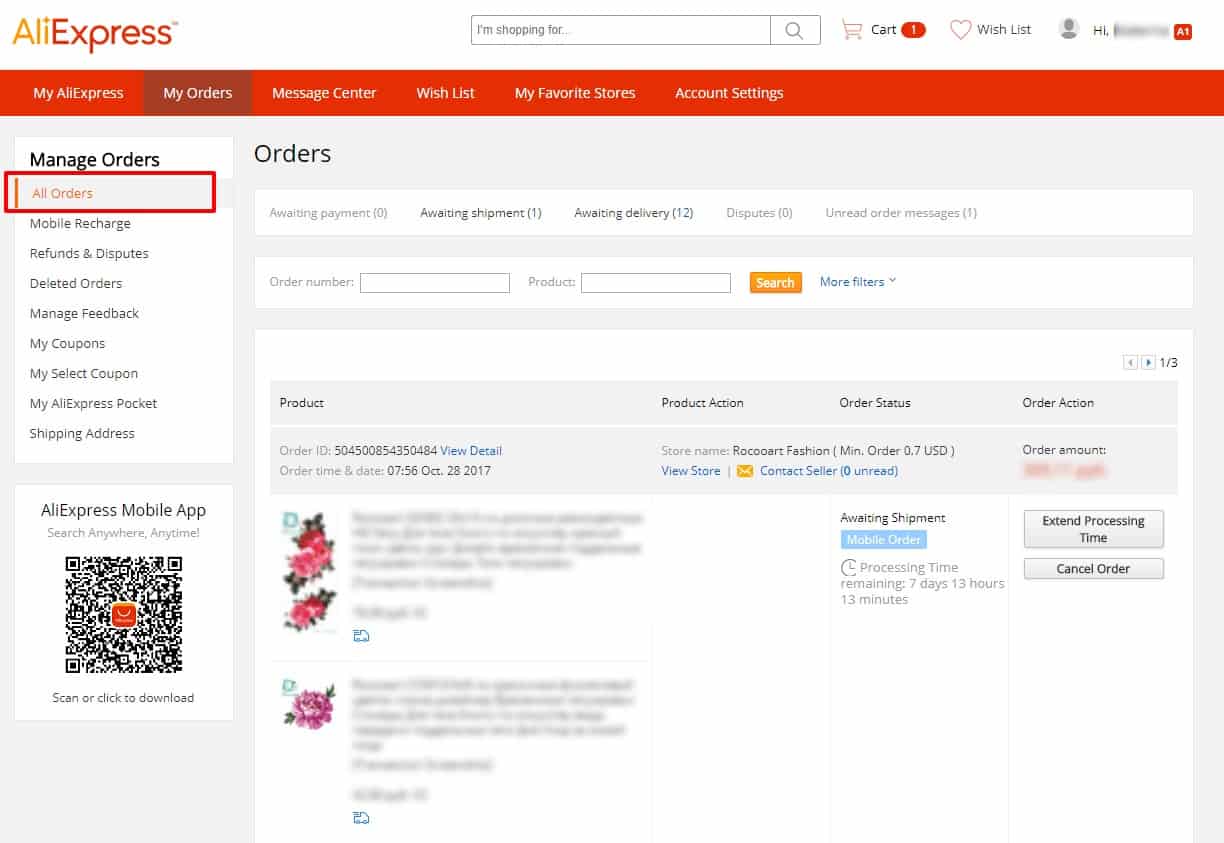
Choose the product you are having difficulties with, click Open Dispute and follow the application steps.
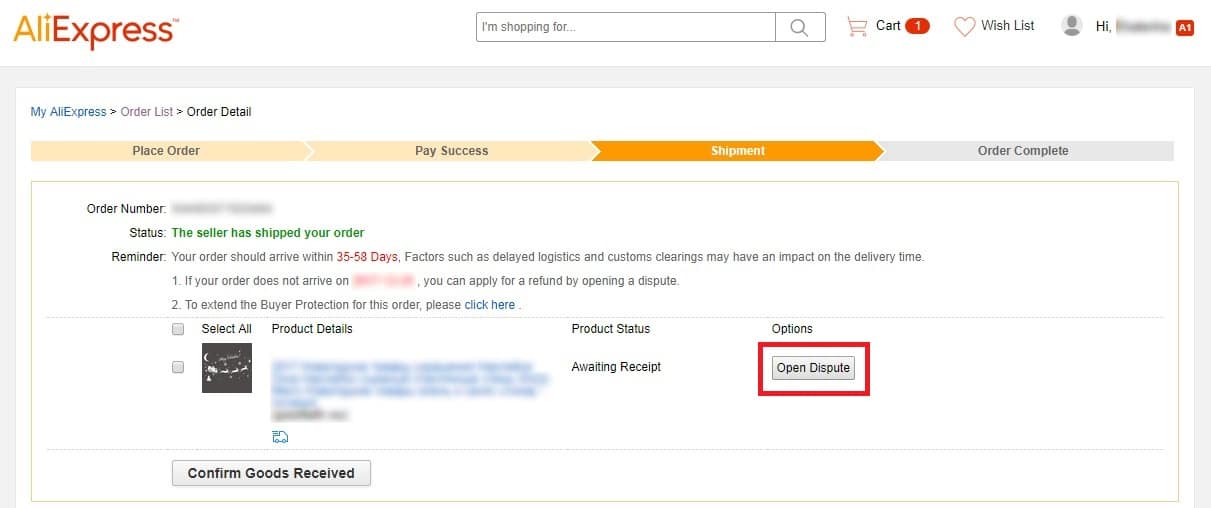
If you are not satisfied with the dispute outcome, it is possible to forward your request to AliExpress team so that they look into the dispute resolution.
Related Articles
Custom duties and taxes
Custom duties and taxes It is your client who is responsible for paying custom duties and taxes. They may vary from country to country as taxation rules differ widely. There is a default page named Returns, which contains essential information ...Customising The Theme - Boxouts Settings
Customising The Theme - Boxouts Settings To customise the themes 'Boxout' settings, from the store dashboard go to: > Store Settings > Theme Options > Boxouts From within this page there are 2 features you can customise, these are:- 'Delivery' and ...How Do I Return Or Refund A Customer?
How Do I Return Or Refund A Customer? AliExpress has a strong buyer protection system with full money back guarantee. So, if your customer is not satisfied with a product or did not receive it and asking for a refund, we would recommend getting in ...How To Add, Remove & Rearrange Menu Items?
How To Add, Remove & Rearrange Sub-Menu Items? To 'Add/Remove Sub-Menu Items', from the store dashboard go to: > Appearance > Menus From within this page at the top, click the drop-down box next to where it says 'Select a menu to edit' and find the ...Customising The Theme - Front Page Settings
Customizing The Theme - Front Page Settings To customize the themes 'Front Page' settings, from the store dashboard go to: > Store Settings > Theme Options > Front Page From within this page there are many different way to customise your theme:- ...