How To Remove The 'Ship From' Attribute On Product Pages?
How To Remove The 'Ship From' Attribute On Product Pages?
To remove the 'Ship From' attribute on your product page/s, from the store dashboard go to:
> Products > All Products
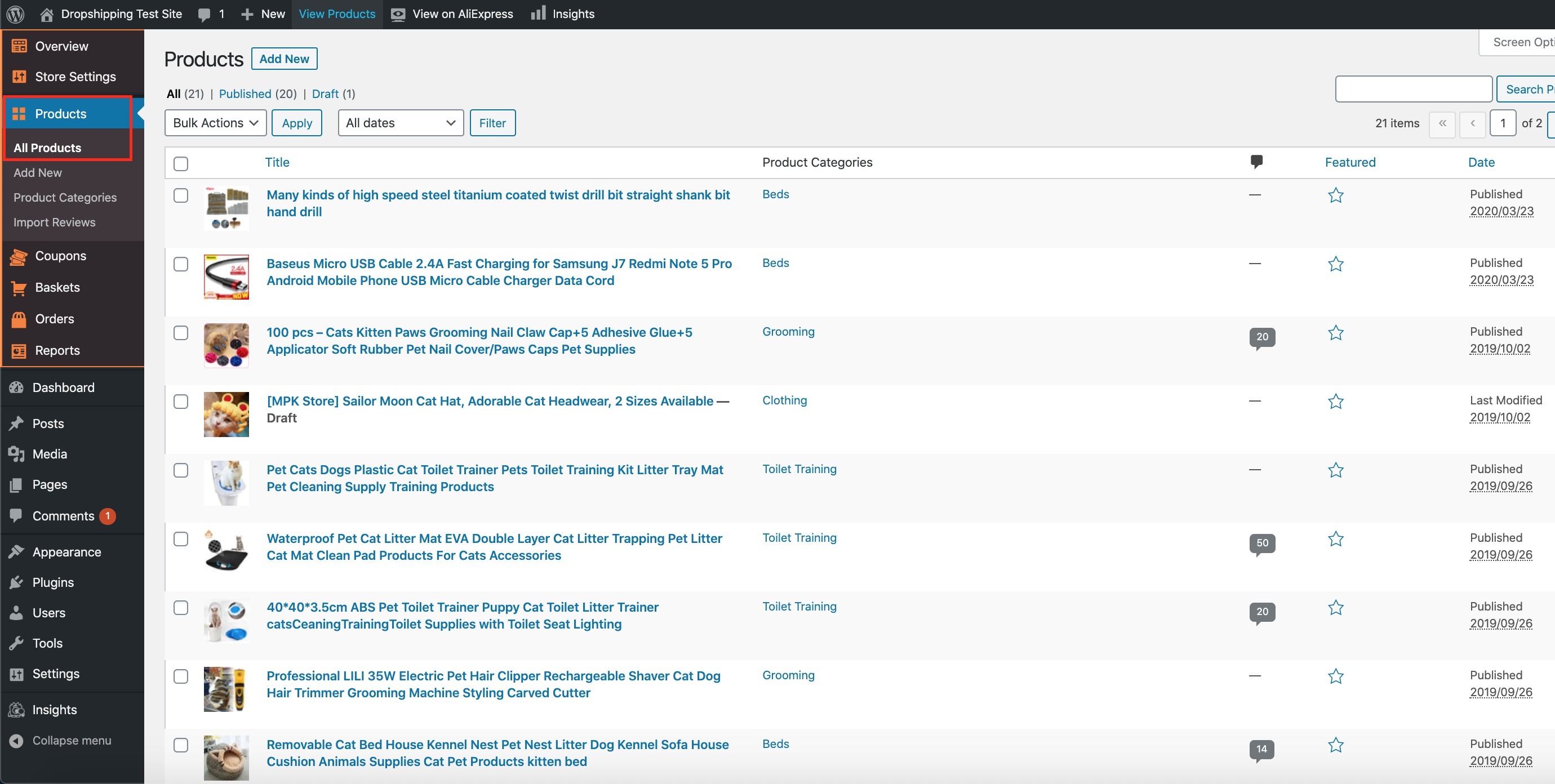
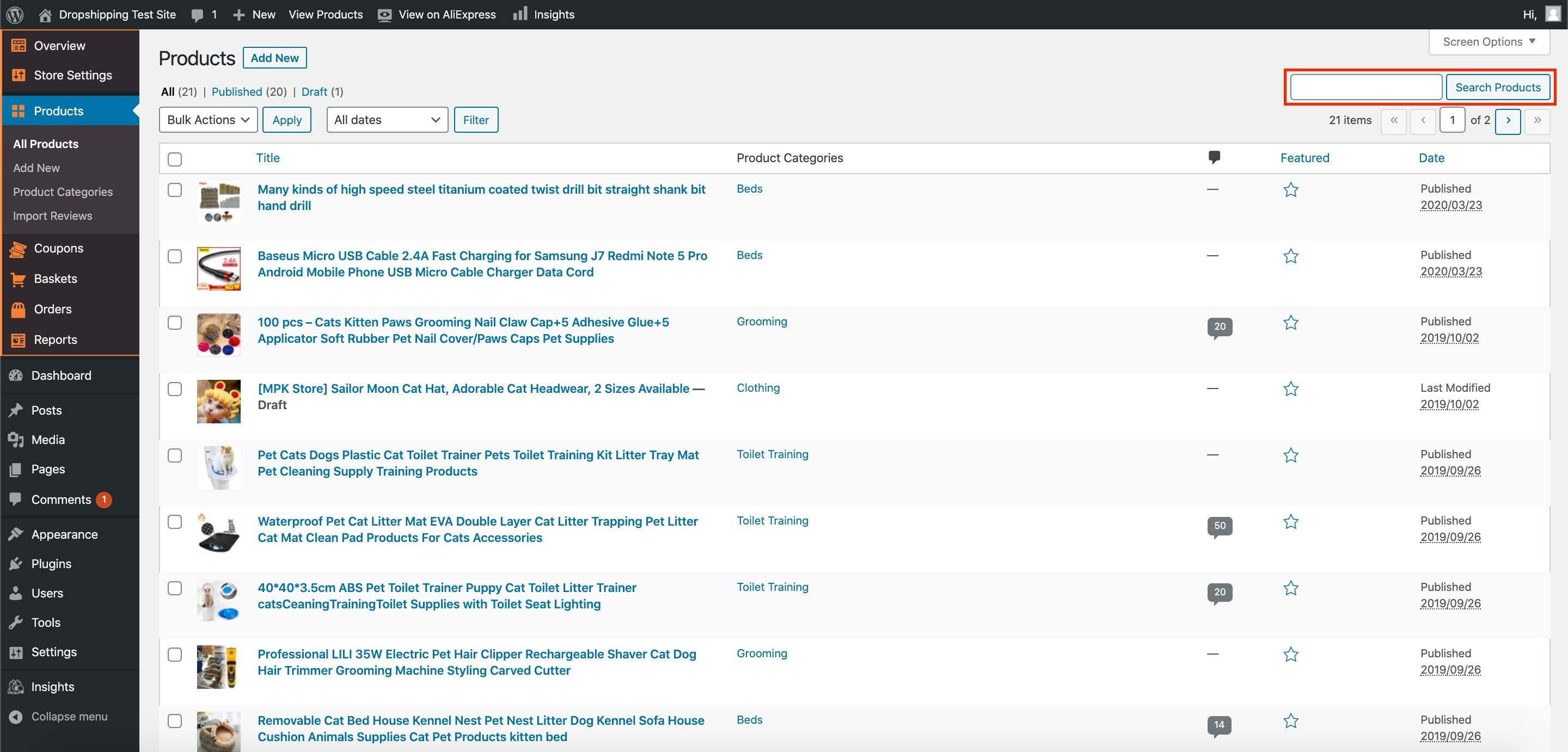
From within this page find the 'Product' you'd like to 'Edit' by either scrolling through or searching for it via the search box in the top right:
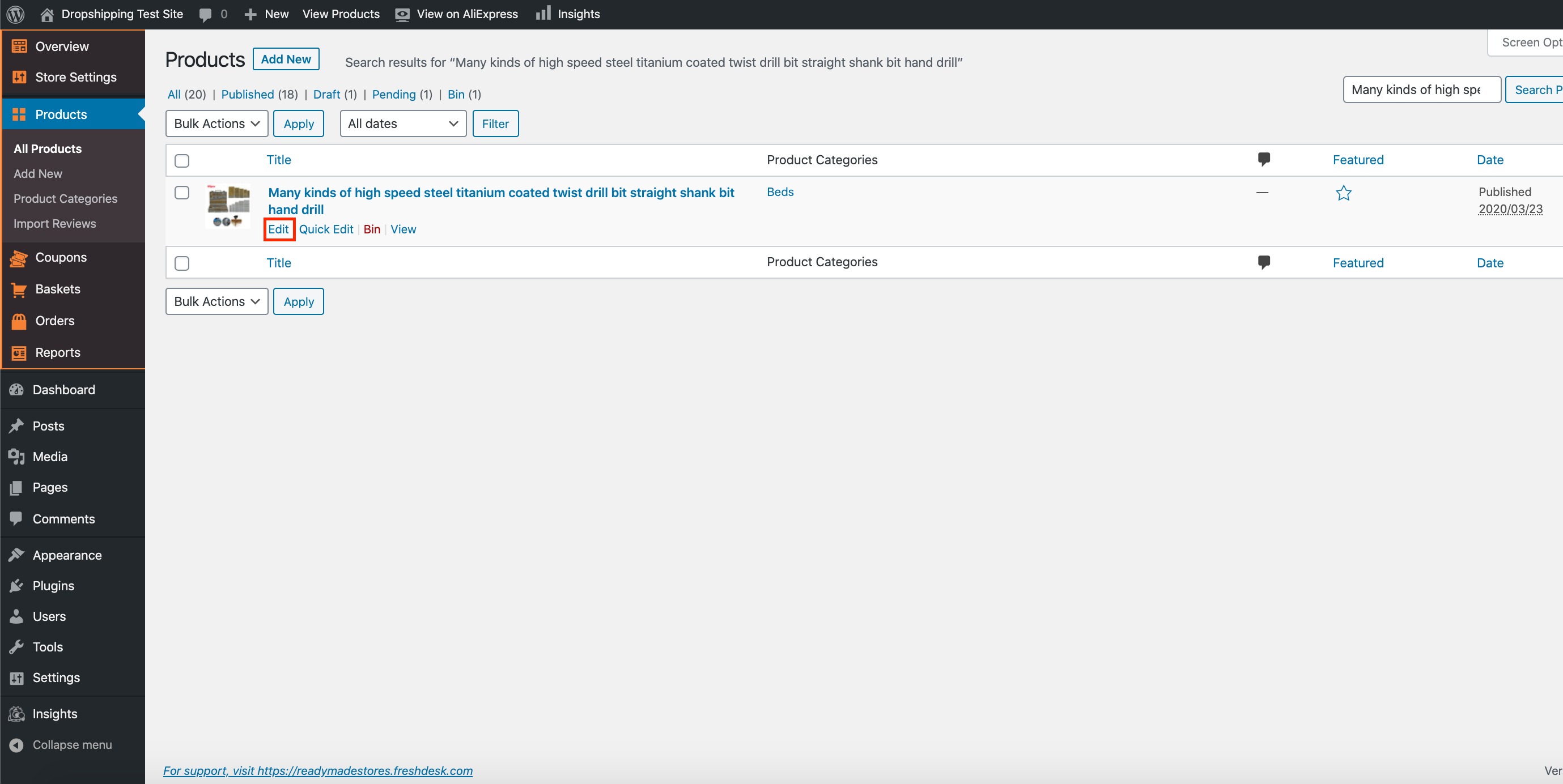
Once you've found the product you'd like to edit, hover over the product with your cursor and click 'Edit':
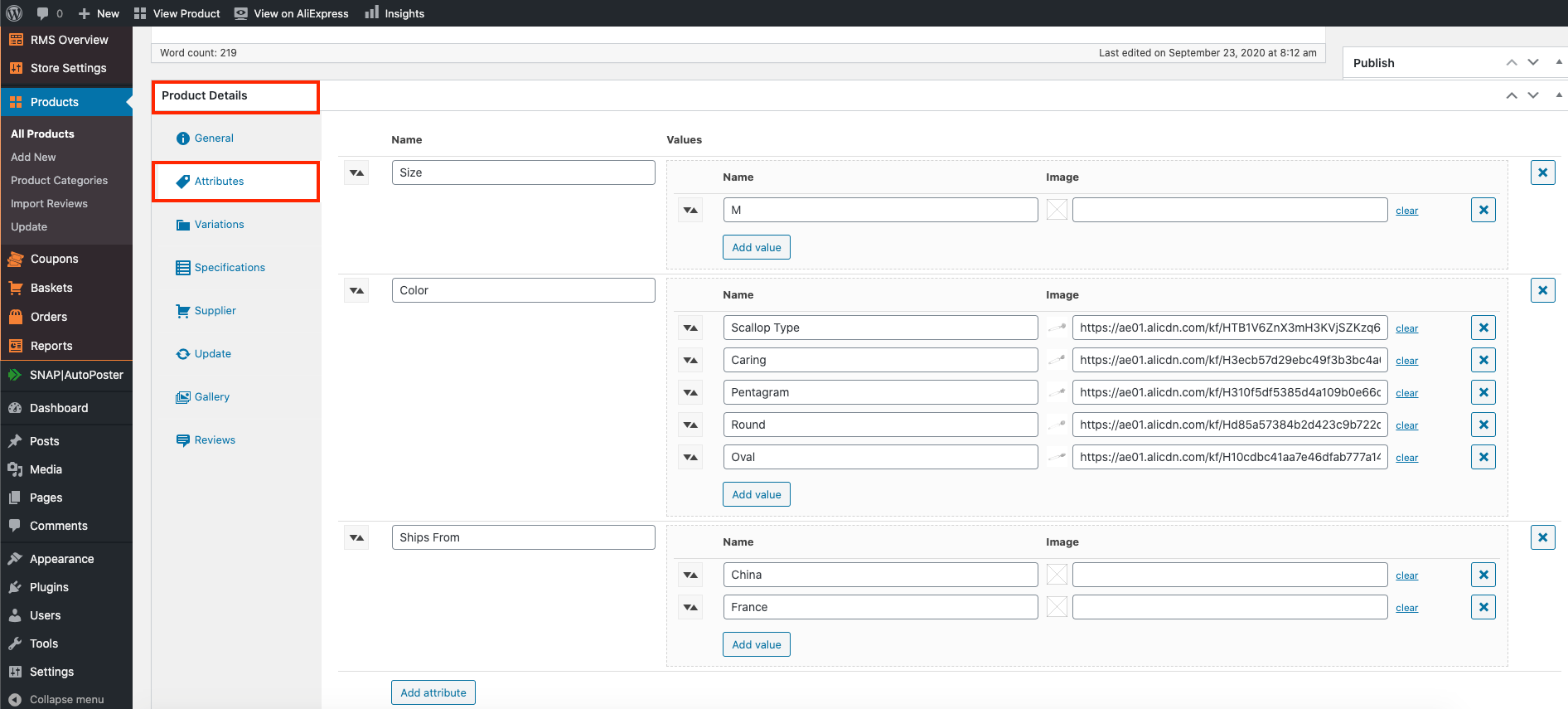
When the next page opens up, scroll right the way down to the heading 'Product Details':
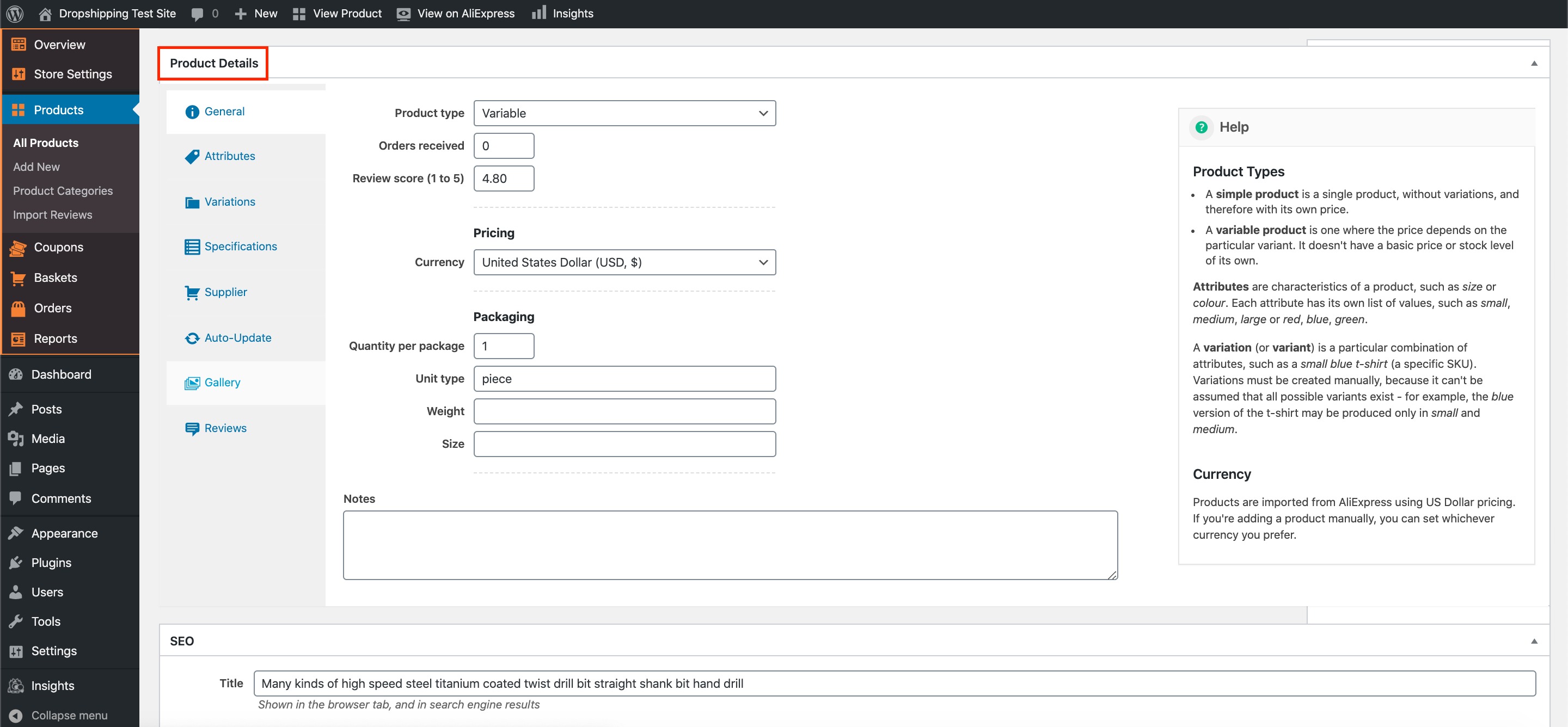
Click the 'Attributes' tab on the left hand side:
Find the 'Ship From' attribute within the 'Attributes' tab and click it's corresponding 'X' to the far right:
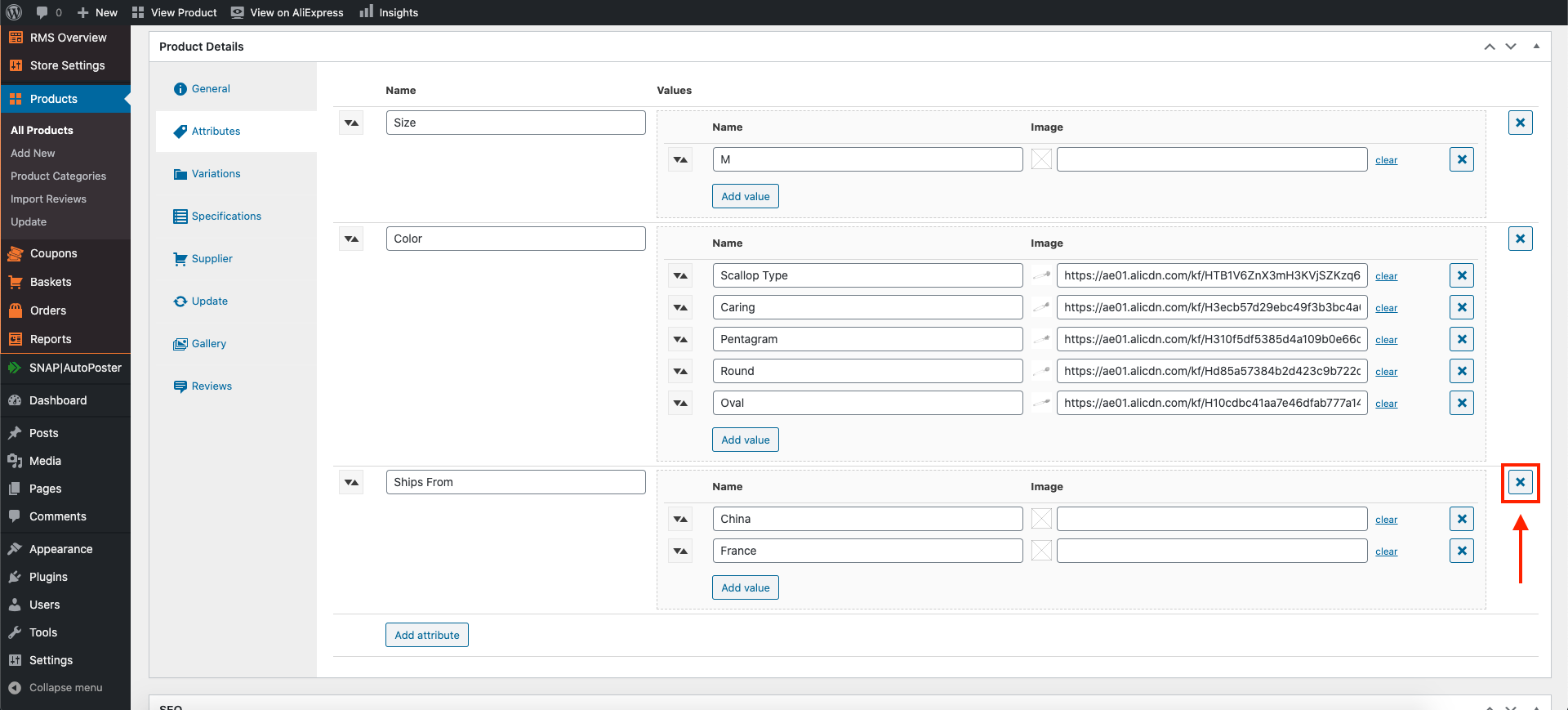
(*Don't forget to click 'Update' at the top of the page after making alterations*)
Related Articles
The Product Doesn't Ship To The Customers Country?
The Product Doesn't Ship To The Customers Country? Sometimes when a customer orders a product from your store, that products shipping methods may have been altered by the AliExpress supplier. Subsequently that product may no longer deliver to your ...Product Doesn't Ship To Country Of Purchase
Product Doesn't Ship To Country Of Purchase Unfortunately, sometimes when a customer orders a product from your store that product may not be able to deliver to their country. Fortunately, there's a workaround: You can find another identical product ...How To Enable/Disable Product Reviews On Product Pages?
How To Enable/Disable Product Reviews On Product Pages? To switch 'Product Reviews' on/off on product pages, from the store dashboard go to: > Store Settings > Products > Reviews From within this page, the top tick-box labelled 'Show Reviews' will ...How To Enable/Disable Review Score On Product Pages?
How To Enable/Disable Review Score On Product Pages? To switch the 'Review score' feature on/off, from the store dashboard go to: > Store Settings > Products > Show/Hide From within this page, the top tick box labelled, 'Review score' will either ...How To Add/Remove Products To/From Product Categories?
How To Add/Remove Products To/From Product Categories? To add/remove 'Products' to/from 'Product Categories', from the store dashboard go to: > Products > All Products From within this page find the 'Product' that you'd like to add/remove to/from a ...